Tab not Displayed for Current Tab if Single Row Width is Enabled
Tab not Displayed for Current Tab if Single Row Width is Enabled

When a tab is open it should be actively shown on the tab bar. When it is outside the single row width of available pixels, it should still display the current tab, even if it woudl otherwise overflow into the unseen tabs from the single row.
With the latest RDM redesign (2026.2.1.5), if I have a tab selected that is outside the curent single row width, it is not displayed. In previous releases, if it was outside the single-row width, it would render the current viewed tab to the far-right of the visible and avaialble pixel area of the single-width bar. With the latest release, this is no longer happening.
If I enable "Show tabs with multiple rows," the tab is visible (as expected).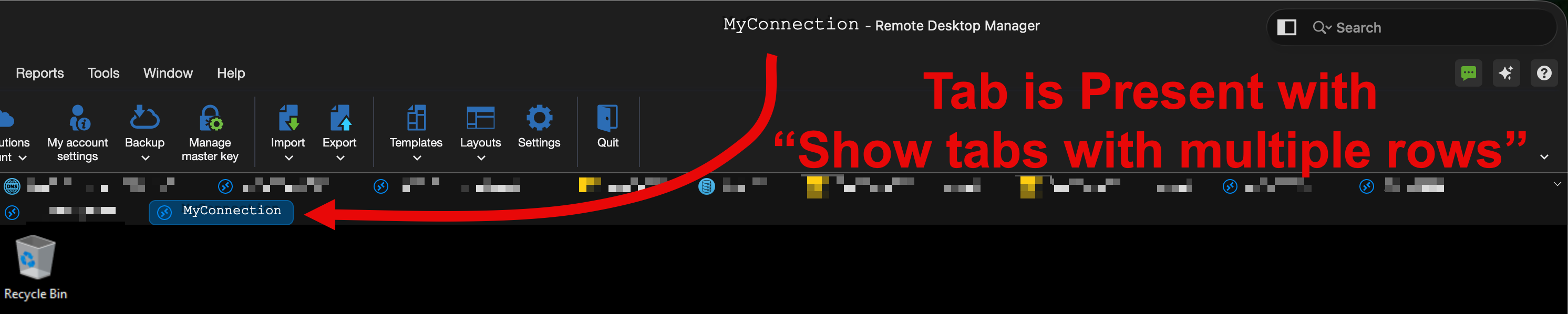
95f65322-56ec-4d56-982d-b47e0296e78f.png
1d1ba9f7-c065-4850-9cea-9947d791762d.png
Recommended Answer
Looks like this was fixed as of macOS RDM 2026.2.4.1.
All Comments (5)
Hello,
You are right, it seems like this part was missed during the remake of the tab bar. I have created a ticket to make the selected tab always be there even without the wrapping. We will let you know when we have updates.
Best regards,
Maxim Buisson
Has this feature been fixed yet? It's still not present in the current 2026.2.2.1 release.
Hello,
The fix has been done internally, so if all the tests pass, it should be in the next release ( 2026.2.4.X ). Sadly, we don't have an ETA for it yet.
Best regards,
Maxim Buisson
Looks like this was fixed as of macOS RDM 2026.2.4.1.
Sorry for the delay with the notification, but indeed this was fixed. I'm glad to hear it is working well ! If there's anything else, don't hesitate to contact us.
Best regards,
Maxim Buisson