Runas Credentials formatting for Macros/Scripts/Tools

Apologies if this is solved somewhere else and I haven't found it.
TLDR: Trying to change the format used in Macros/scripts/tools" from domain\user to user@domain and I am not able to find where this is specifically set.
Have changed it in Credentials and on the machine specifically.
I'm trying to run from "Macros/Scripts/Tools" and I'm not able to. When I look at the command called in Process Explorer it is PS C:\Users\EXAMPLE> runas.exe /user:ad.example.com\username.admin /netonly "mmc compmgmt.msc /Computer=COMPUTERNAME"
Replicating this in terminal I get....Enter the password for ad.example.com\username.admin:Attempting to start mmc compmgmt.msc /Computer=COMPUTERNAME as user "ad.example.com\username.admin" ...RUNAS ERROR: Unable to run - mmc compmgmt.msc /Computer=COMPUTERNAME1348: The validation information class requested was invalid.
Which gives the below from Google.
The Windows System Error 1348 (ERROR_BAD_VALIDATION_CLASS) occurs when your local computer passes an authentication format that the target identity provider or network resource does not recognize. This frequently happens on Microsoft Entra ID (Azure AD) joined devices or Intune-managed machines when a user attempts to use a legacy NetBIOS domain format (DOMAIN\username) to authenticate against an on-premises or cloud resource.
And I can confirm this works for me..... Although, it does require a elevated shell.
PS C:\Users\EXAMPLE> runas.exe /user:username.admin@ad.example.com /netonly "mmc compmgmt.msc /Computer=COMPUTERNAME"
Enter the password for username.admin@ad.example.com:
Attempting to start mmc compmgmt.msc /Computer=COMPUTERNAME as user "username.admin@ad.example.com" ...
PS C:\Users\EXAMPLE>
MMC starts as expected.
Recommended Answer
Hello,
Thank you for being so patient!
I'm pleased to inform you that a new version of RDM (2026.2.14.0) has been released, featuring the fix for your issue.
Latest Version: Download RDM
Please let us know if this works or if you encounter any issues.
Best regards,
Maxim Robert
All Comments (20)
Hi jwoodard1,
Thanks for the detailed write-up!
There is a setting that may do precisely what you are after, without rebuilding the command. In the entry's properties, under the Advanced section, there is a USERNAME FORMAT dropdown. Setting it to {User}@{Domain} (or UPN) is worth a try here. 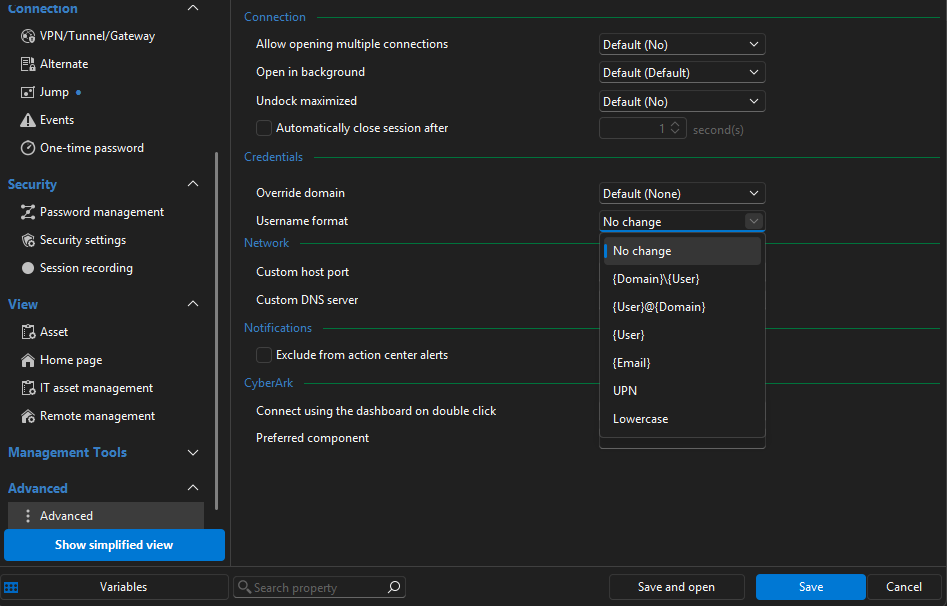
To confirm we're adjusting it in the right place, could you let me know:
- Your exact RDM version and Workspace you are using.
https://docs.devolutions.net/rdm/getting-started/workspaces#startup-workspace-1
Best regards,
Stephan
ed13614b-8317-4b0c-94de-545e0f665030.png
Hi jwoodard1,
Thanks for the detailed write-up!
There is a setting that may do precisely what you are after, without rebuilding the command. In the entry's properties, under the Advanced section, there is a USERNAME FORMAT dropdown. Setting it to {User}@{Domain} (or UPN) is worth a try here.
To confirm we're adjusting it in the right place, could you let me know:
- Your exact RDM version and Workspace you are using.
https://docs.devolutions.net/rdm/getting-started/workspaces#startup-workspace-1
Best regards,
Stephan
@Stephan Haupt
Thank you for the response. I have had to do this before so I did try to change this setting in both the entry and even created a new credential just for testing.
I filled in the UPN setting in the credential and re-tested. Nothing changed.
I'm away from things at the moment but I will make a note to try again.
I'm using the latest version of windows RDM as of the original posting and SQL Lite workspace in Windows 11.
Happy to do any further testing to help resolve the issue. 😊
Hi jwoodard1,
Thanks for the additional details — that's helpful context!
One more thing worth trying: rather than relying on the dedicated Domain field combined with the Username Format setting, could you try entering the credentials directly in the username field in UPN format (username.admin@ad.example.com), leaving the Domain field empty? This bypasses the formatting logic entirely and lets RDM pass the value through as-is.
Give that a go and let us know how it behaves!
Best regards,
Stephan
Unless I am doing something wrong it looks to be actually parsing the username for the domain.
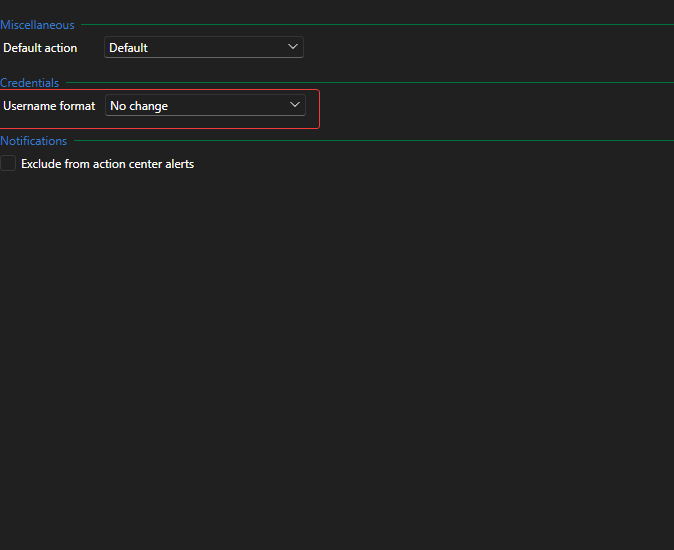
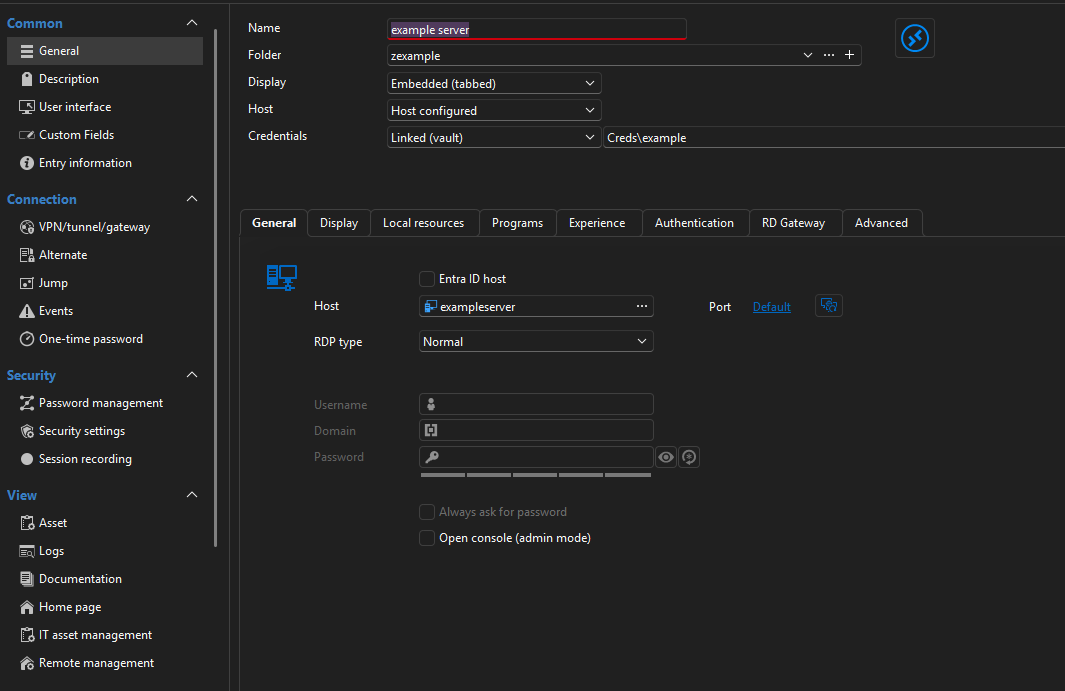
I wasn't expecting that at all. I have included screenshots below.
What I will also do is create all an all new cred and server to make sure nothing is being retained somehow. 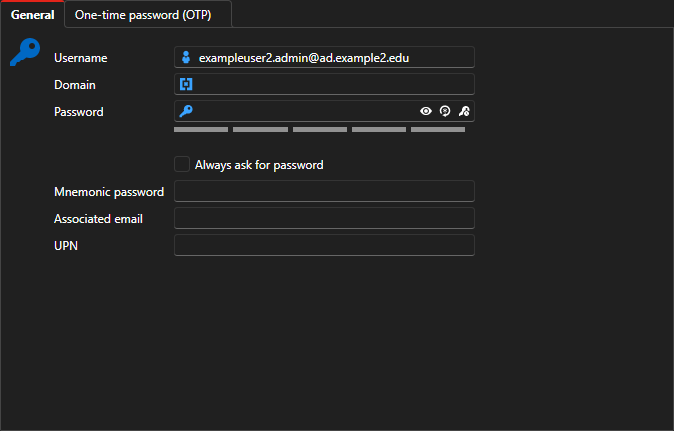
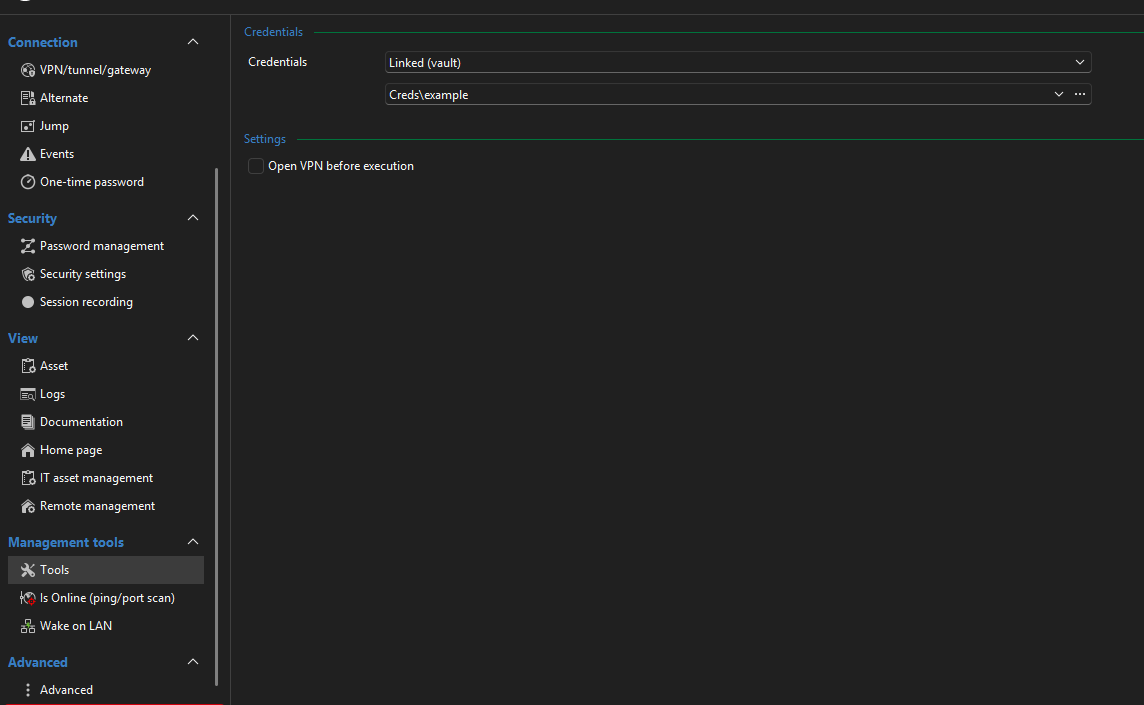
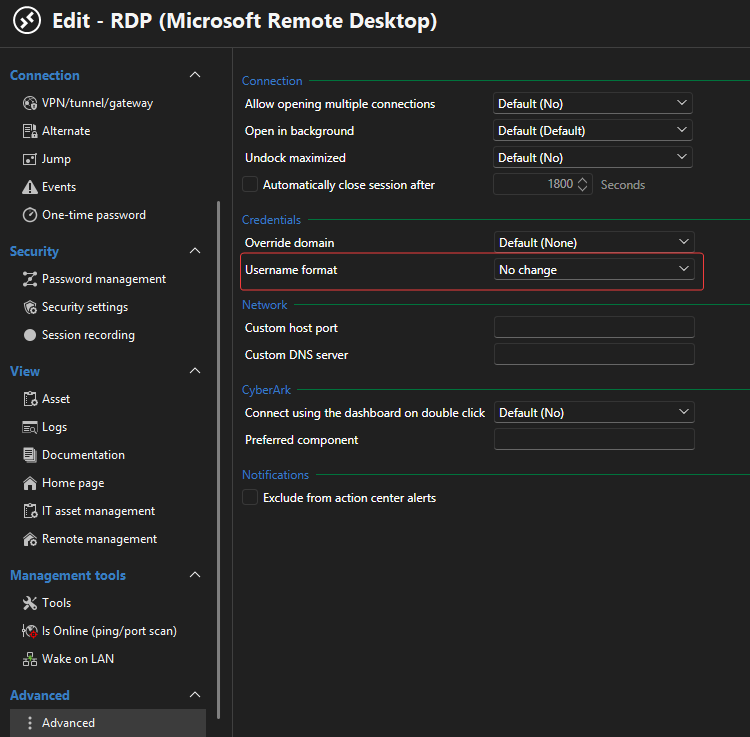

71c4d197-62d6-4cf1-8646-ccaec3b1ddeb.png
592c186e-26ec-42e2-b9c3-020b3488bd91.png
b84c36a9-9c58-49aa-be15-049a7a25ab25.png
c1f79657-fe32-4163-9b06-d77158d719b4.png
4ac34f9a-9062-4fbd-9379-6f7fe642c7fa.png
0474d3e1-b335-452e-85ac-91506290a0cc.png
No, same thing. I created "Another Example" credential "johndoe2@adr.mydomain.org" and left everything alone so it should be passed just as typed.
Forgive me for all the screenshots, I wanted to make sure I was doing as you are asking. :-)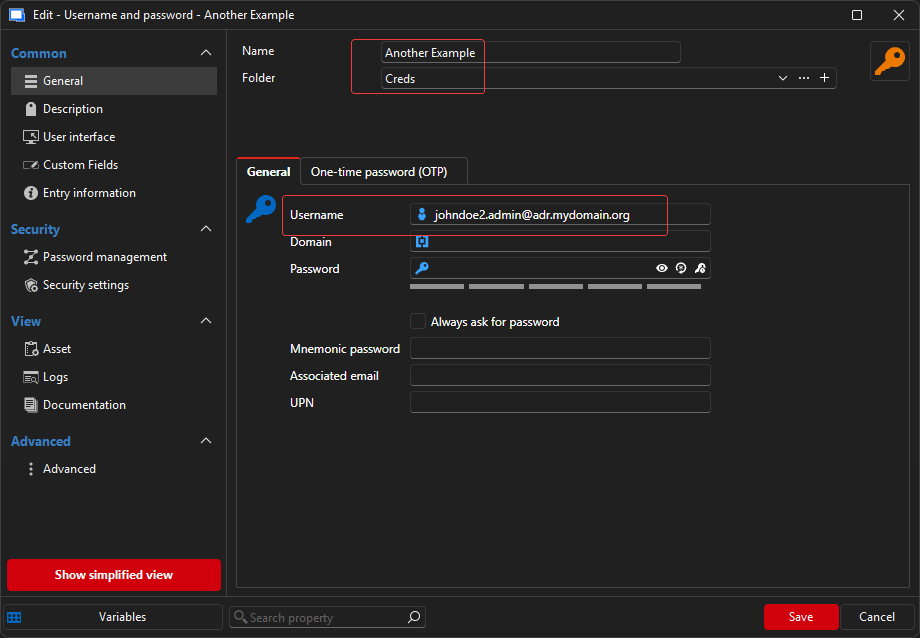
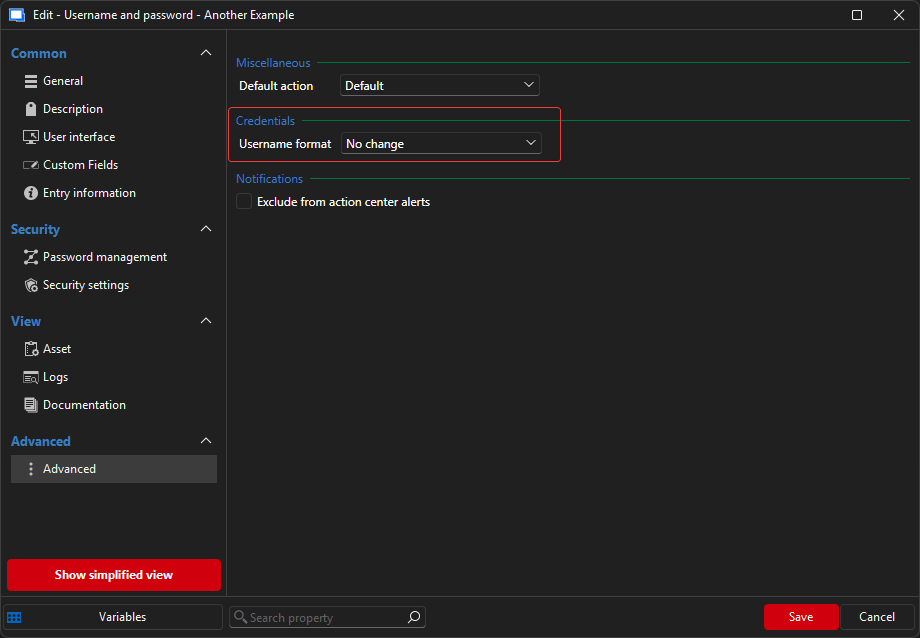
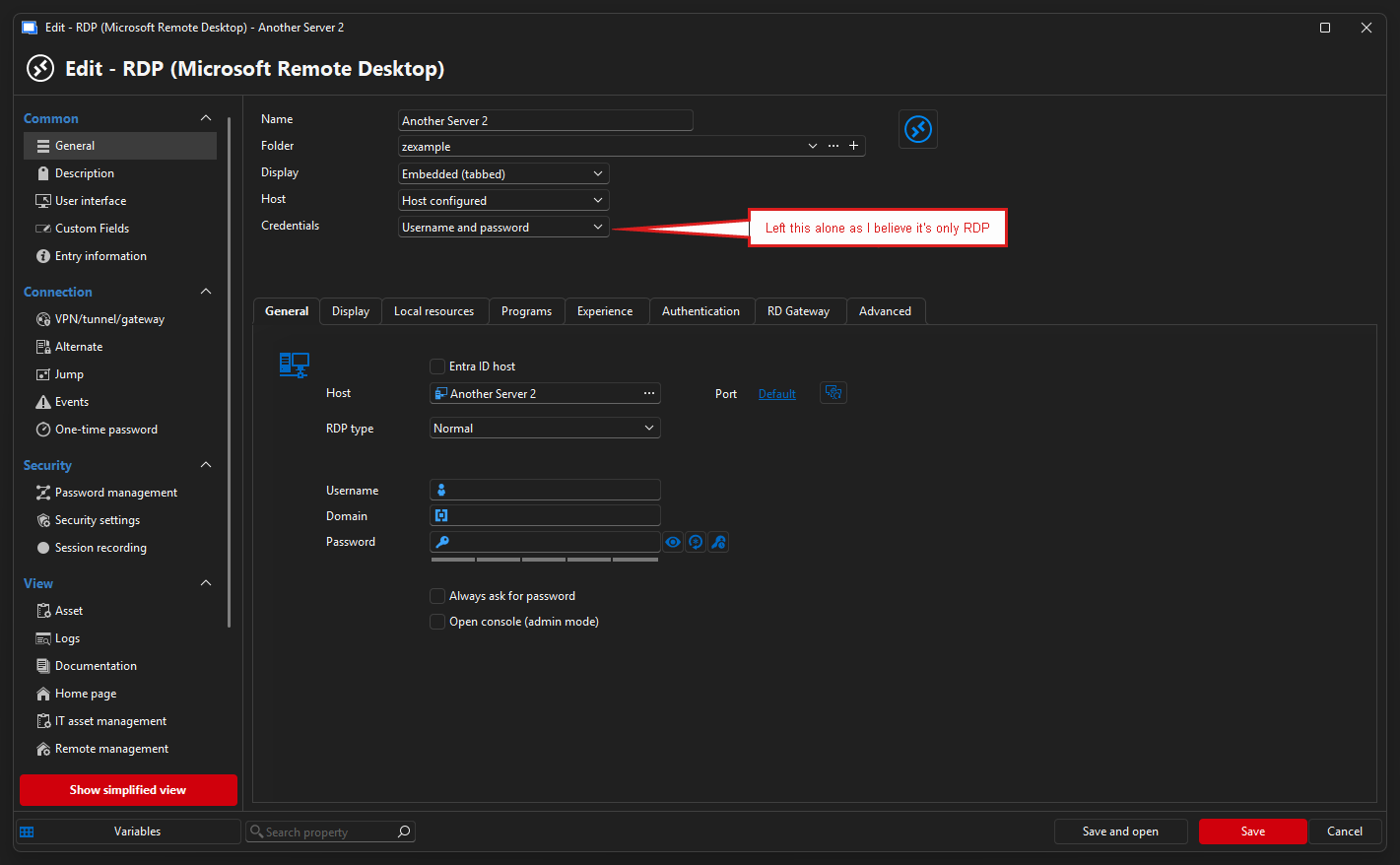
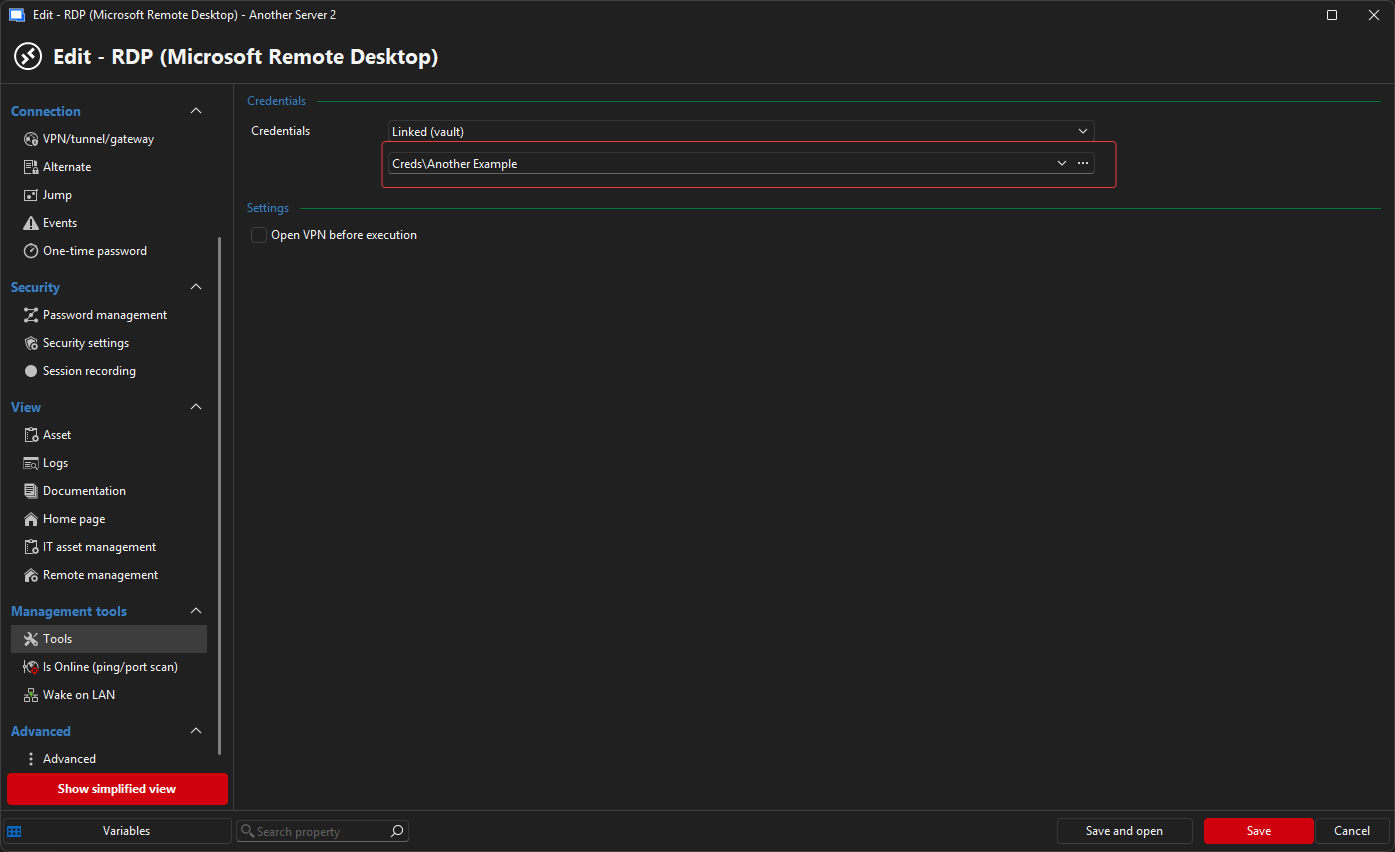
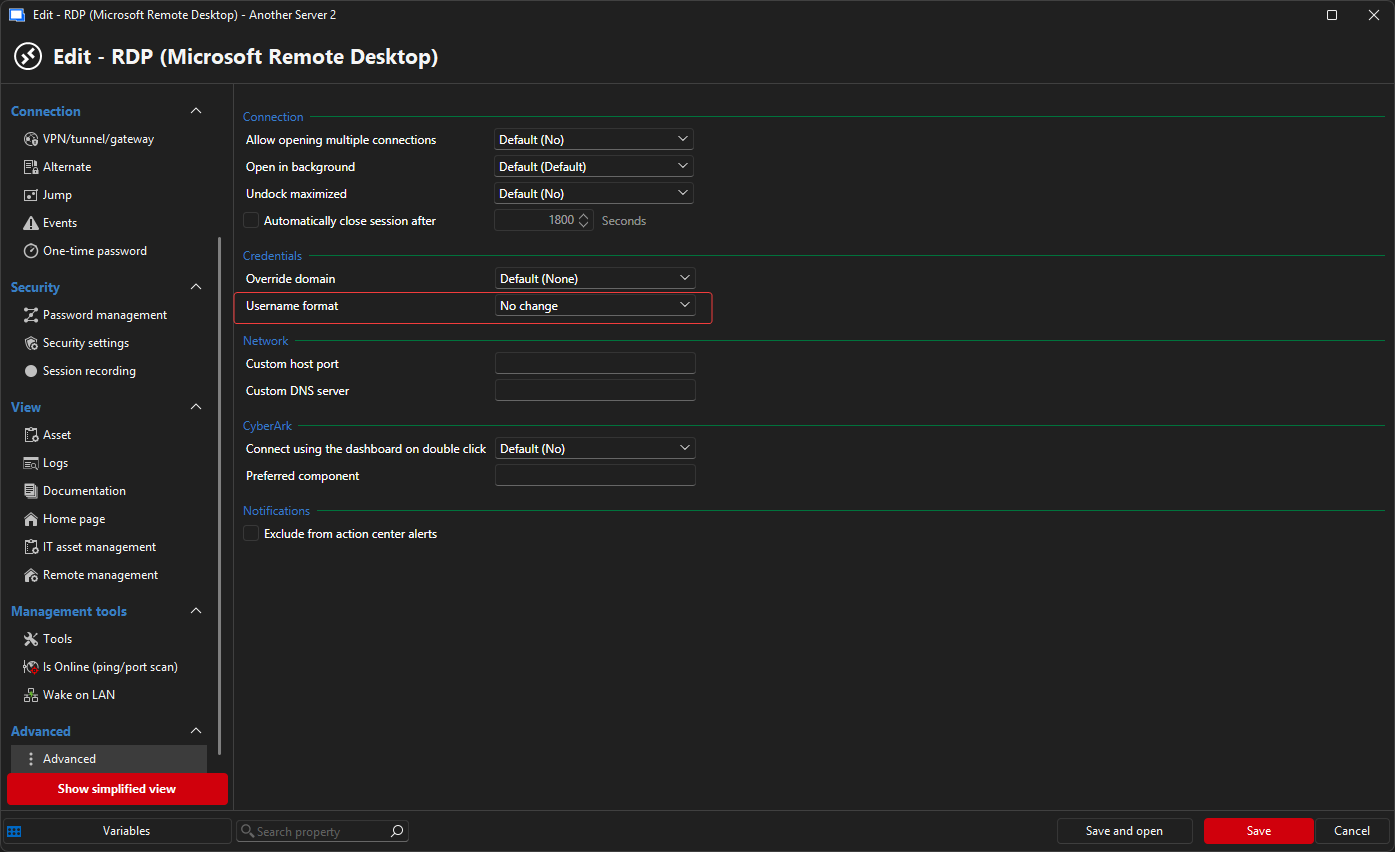
and the test.....
af2b1ce3-5651-4598-9b47-4f567592dd75.png
6369d441-ac6b-4235-a1d5-208787ed75e4.png
e92fbbb3-03ab-484c-9e19-2366d585ac6d.png
7569ba8e-b2cc-469e-a76d-aab5419f54ff.png
2b4f57fe-fa6d-478e-8014-69b4fc106280.png
99323029-d6e9-44df-b561-38b3cfcf1705.png
Hi jwoodard1,
Thanks for the additional details — that's helpful context!
One more thing worth trying: rather than relying on the dedicated Domain field combined with the Username Format setting, could you try entering the credentials directly in the username field in UPN format (username.admin@ad.example.com), leaving the Domain field empty? This bypasses the formatting logic entirely and lets RDM pass the value through as-is.
Give that a go and let us know how it behaves!
Best regards,
Stephan
@Stephan Haupt
Is there anything else I can test regarding this?
Hi,
Thank you for the detailed testing — that's really helpful, and it points us toward the documented approach for this scenario.
The built-in RUN AS DIFFERENT USER option resolves the credentials for you at launch (https://docs.devolutions.net/rdm/knowledge-base/how-to-articles/run-as-another-user/built-in-runas). Since the UPN form is the one that works in your environment and it isn't what's reaching RUNAS, the documented alternative for this is the MANUAL RUNAS method (https://docs.devolutions.net/rdm/knowledge-base/how-to-articles/run-as-another-user/manual-runas), where you specify the RUNAS command yourself so the username is passed exactly as you write it.
For your case, that would be a Command Line (Macros/Scripts/Tools) entry with the command set to:
runas.exe /netonly /user:username.admin@ad.example.com "mmc compmgmt.msc /Computer=COMPUTERNAME"
(substituting your real UPN and host). With RUN AS DIFFERENT USER left OFF on that entry, RDM runs the command exactly as written and you'll get the password prompt — the same result as your manual test.
If there are still issues, please let me know your exact RDM Version, the Workspace you use and Windows Version.
Best regards,
Stephan
Hi,
Thank you for the detailed testing — that's really helpful, and it points us toward the documented approach for this scenario.
The built-in RUN AS DIFFERENT USER option resolves the credentials for you at launch (https://docs.devolutions.net/rdm/knowledge-base/how-to-articles/run-as-another-user/built-in-runas). Since the UPN form is the one that works in your environment and it isn't what's reaching RUNAS, the documented alternative for this is the MANUAL RUNAS method (https://docs.devolutions.net/rdm/knowledge-base/how-to-articles/run-as-another-user/manual-runas), where you specify the RUNAS command yourself so the username is passed exactly as you write it.
For your case, that would be a Command Line (Macros/Scripts/Tools) entry with the command set to:
runas.exe /netonly /user:username.admin@ad.example.com "mmc compmgmt.msc /Computer=COMPUTERNAME"
(substituting your real UPN and host). With RUN AS DIFFERENT USER left OFF on that entry, RDM runs the command exactly as written and you'll get the password prompt — the same result as your manual test.
If there are still issues, please let me know your exact RDM Version, the Workspace you use and Windows Version.
Best regards,
Stephan
@Stephan Haupt
So, if I am hearing you correctly, I have to manually duplicate the built-in tools rather than being able to just edit them? This seems needlessly cumbersome. Why is the credential formatting able to be altered in most all other areas but we cannot change the formatting passed to the RUNAS command?
Also, when I create a new tool, it just puts it under "Template" .... I do not find a place to sort created tools into categories.
I created a new example "tool/script" as shown below. This does appear like it will work, but again, seems messy long-term to re-create duplicate built-in entries. Also, when I create a new tool, it just puts it under "Template" .... I do not find a place to sort created tools into categories.
I did see where I could "turn off" the specific items... but this again just seems like the process would be
- Duplicate manually (since I can't seem to copy) the built-in tools
- Turn off the tools in Settings > Tools > Available Tools
- Have multiple re-created tools unsorted in a list under "Templates"
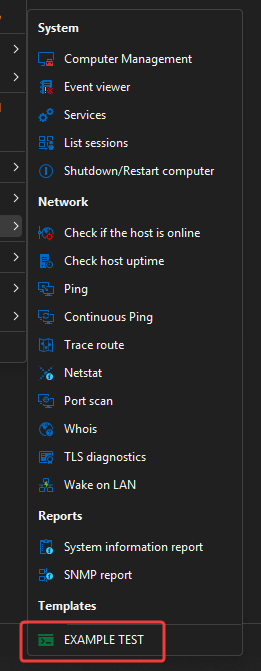
I very much appreciate your help in finding a workaround, however, I feel like this is something that needs a bit more attention for user experience.
Can this be looked at for a better solution as either a feature request or enhancement? Thank you again. :-)
6c8d5c12-e494-4dd6-b02a-097ba13ec178.png
Edition Windows 11 Enterprise
Version 25H2
OS build 26200.8655
Experience Windows Feature Experience Pack 1000.26100.315.0
RDM Version - 2026.2.11.0 64-bit (PreJIT)
Data source type: SQLite
I guess this is all I'll hear about this.... I really wish something could be done about this as it's been really cumbersome to create the SAME tools for every machine just because we can't have a formatting change like most other places.
Hi,
My apologies for the delayed follow-up and for leaving you without an update. You are absolutely right to raise the usability concern.
I have now reached out internally to our development team for clarification on whether this behavior is expected and whether there is room to improve UPN formatting support for the built-in Run As Different User workflow.
I will update this thread once I have more information from the team.
Thank you for your patience, and for all the detailed testing and feedback you have provided.
Best regards,
Stephan
Hi,
My apologies for the delayed follow-up and for leaving you without an update. You are absolutely right to raise the usability concern.
I have now reached out internally to our development team for clarification on whether this behavior is expected and whether there is room to improve UPN formatting support for the built-in Run As Different User workflow.
I will update this thread once I have more information from the team.
Thank you for your patience, and for all the detailed testing and feedback you have provided.
Best regards,
Stephan
@Stephan Haupt
Thank you so much for looking into this further! :-)
Hi,
We have internally reproduced and assessed this behavior and classified it as a bug. Currently, we are working on a fix and will update this thread once it becomes available.
Thank you for your patience.
Best regards,
Stephan
Hi,
We have internally reproduced and assessed this behavior and classified it as a bug. Currently, we are working on a fix and will update this thread once it becomes available.
Thank you for your patience.
Best regards,
Stephan
@Stephan Haupt
YAA! This makes me incredibly happy to see it get fixed. :-)
Thank you again for looking into this more.
Hello,
In version 2026.2.14.0, remote tools will use the username format specified on the entry to connect to remote tools.
Please let us know if there's anything we can do.
Regards
Jonathan Del Signore
Hello,
Thank you for being so patient!
I'm pleased to inform you that a new version of RDM (2026.2.14.0) has been released, featuring the fix for your issue.
Latest Version: Download RDM
Please let us know if this works or if you encounter any issues.
Best regards,
Maxim Robert
So excited!!
It's like Christmas in July!! I'll be testing it right now.
So, I have a question....
First off... it did change it to the appropriate format. 🥳🎉 However, it runs it in a non-elevated prompt.... which fails. 😭
Looking at the "Command-Line" entry.... there is a tab "Run as" with a checkbox " Run as Administrator"
Can this be added as an option for the built-in tools? Again, the alternative is to build everything from scratch and lose the clean default tools.
Thank you SO much for the work to this point. 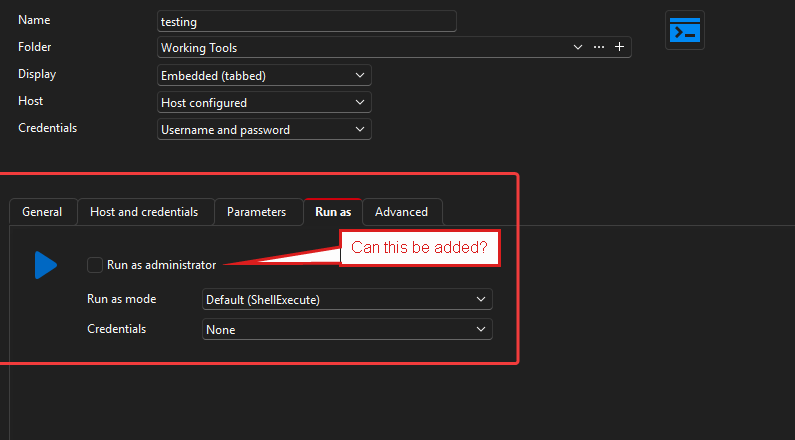
bb879cdb-829a-45fd-8871-7de7ed02468c.png
Hi,
Thank you for the feedback — I’m glad to hear that the username format is now being applied correctly.
Regarding the option to run the built-in tools as administrator, this is not currently implemented. I would recommend submitting this as a feature request on our forum so our Product and Development teams can review it for a future improvement:
https://forum.devolutions.net/forums/17/feature-request
Thank you again for your detailed testing and for sharing this feedback with us.
Best regards,
Stephan
Just to close the loop here, I have created a feature request for this ask.
https://forum.devolutions.net/topics/55722/allow-option-to-run-the-builtin-tools-as-administrator