Wrong keyboard combinations in tooltips

Hi!
I noticed some tooltips show keyboard combination that don't match what's configured in keyboard settings.
Specifically: Copy username (Ctrl+B), Copy password (Ctrl+Shift+B), Copy domain (Ctrl+Alt+B), Copy host (Ctrl+H).
There might be more, but those are the ones I found.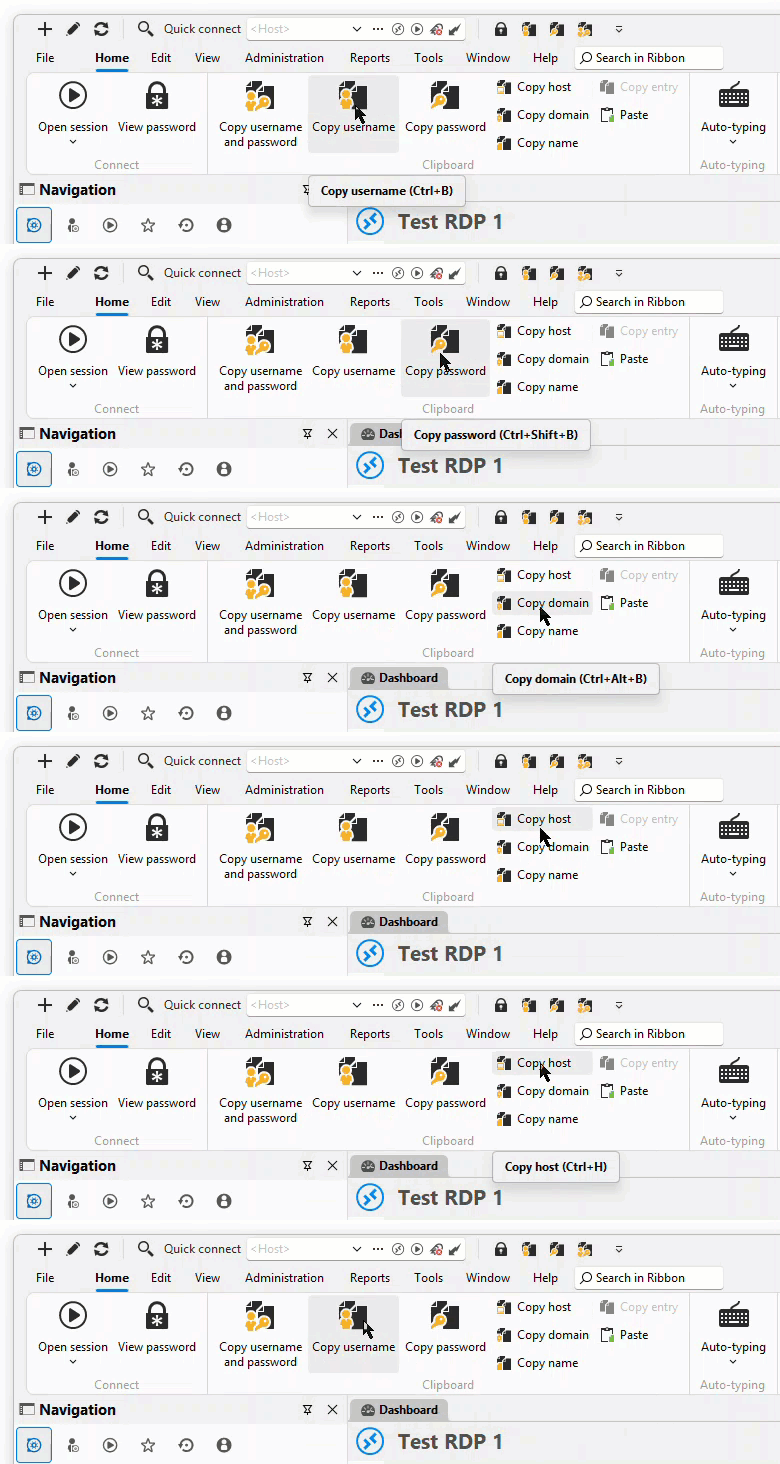
Best regards,
Daniel
20-05-_2026_09-52-10.gif
All Comments (5)
Hello Daniel,
Thank you for reaching out!
Can you please provide some more information so we can investigate this:
- What version of RDM are you using?
- A screenshot of keyboard configurations in settings
- When you press the shortcut shown in the tooltip, does it actually copy the username?
- When you press the shortcut you have configured in your keyboard settings for 'Copy username', does that work?
Thank you in advance!
Best regards,
Sam
Hi Sam!
I'm using RDM 2025.3.32 but I also tested it in 2026.1.22.0 and it's the same.
Here's the keyboard configuration: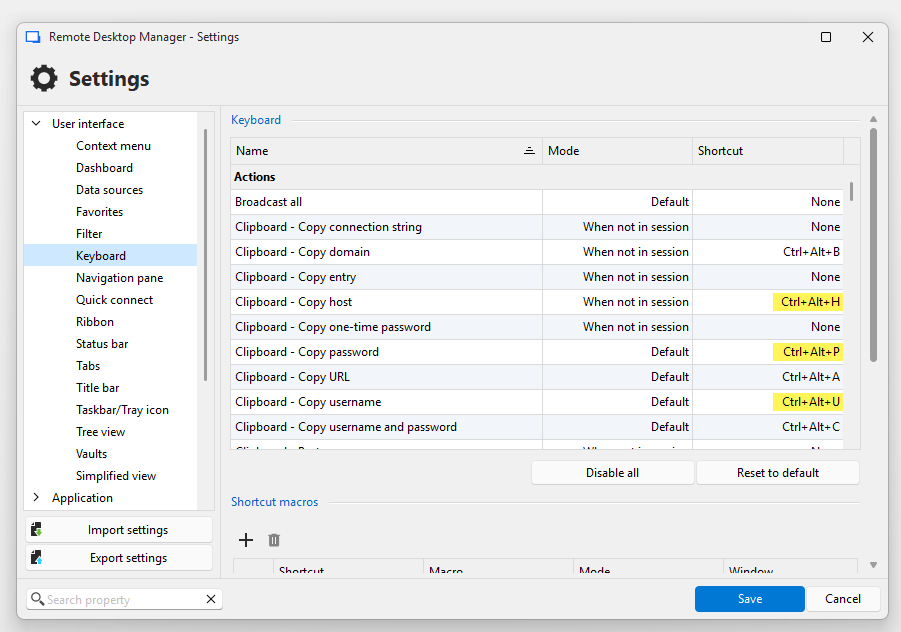
The shortcuts from the tooltip don't work, the ones configured in settings do work.
edit: The same wrong shortcuts also appear in the right click menu of entries. Also many actions show no shortcut in the tooltip/menu even though they have one configured in keyboard settings.
Thank you!
Best regards,
Daniel
753d4cfb-bc47-4a3a-b109-0e6d5e712a39.png
Hello Daniel,
Thank you for the detailed description!
I can confirm that I have been able to reproduce everything on my side. I have forwarded your case details to our development team.
I will follow up with you once I receive an update.
In the meantime, we will move this post into the bug report section so we can track it accordingly.
Thank you again & best regards,
Sam
Hello,
We've found and fixed the problem. You can expect this to take effect with the upcoming 2026.2.6 version.
Regards,
Jafran Majeau
Hello,
Thank you for being so patient!
I'm pleased to inform you that a new version of RDM (2026.2.7.0) has been released, featuring the fix for your issue.
Latest Version: Download RDM
Please let us know if this works or if you encounter any issues.
Best regards,
Maxim Robert