Docked Vault list
1 vote

Hi!
I think it would be useful to have an option to dock the Vault list and have it always visible in the Navigation. I made this mockup to show what I imagine: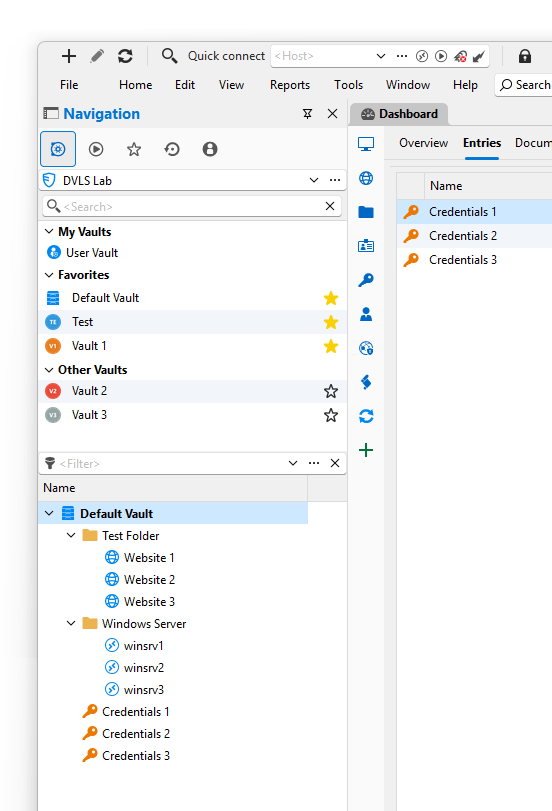
I also moved the User Vault into the list with the other Vaults, because I think that makes more sense too :)
Thank you!
b1a9af65-cf76-4fb0-abf9-97b380009a93.png
All Comments (5)
Hello,
I like that. I can't promise you an ETA, but definitely something interesting.
David Hervieux
I already do this with the navigation un-docked you can then add tabs in, you can then set in up in any way you want.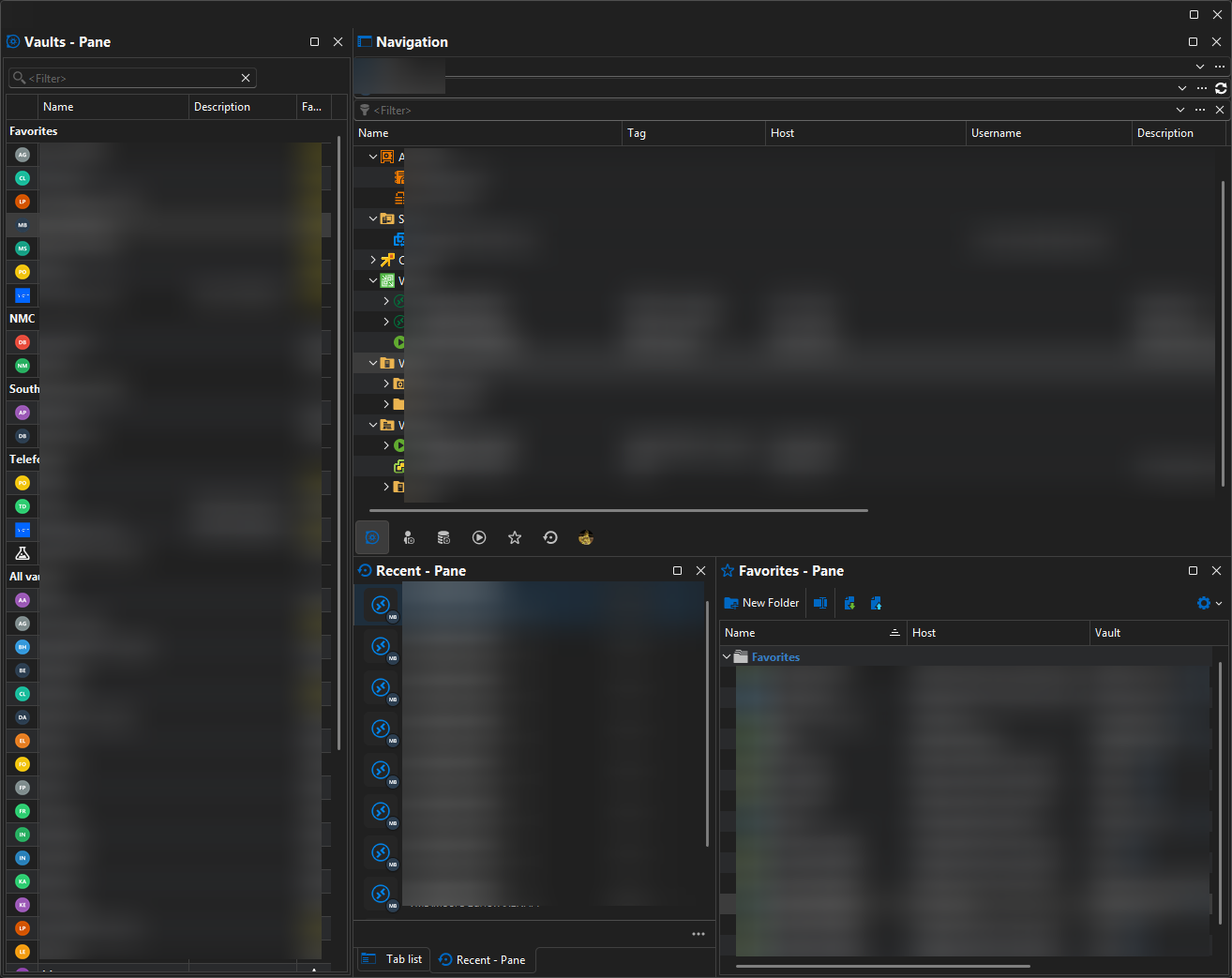
Thanks
Iain
Version 2026.2.13.0 64-bit
Data Source SQL
1b875605-c625-4654-bf95-215b83d0e219.png
Thank you Iain!
That's funny, I never found that pane. Here's how you enable it. Then you can dock it above the Navigation pane.
This is actually almost what I imagined. There's still some small inconsistencies:
- Vaults in the Favorites group are still listed under All vaults. In DVLS it's different, which I prefer, but you could make it an option.
- The Data Source dropdown should be above the Vaults pane, because the logical hierarchy is "Data Source → Vault → Entries"
- The Navigation pane still has a dropdown for the Vault, which is redundant in this case.
So here's another idea: You could separate each of the logical layers (Data source, Vault, Entries) into their own panes and make each pane collapsible (similar to how it works in most Adobe software, if you're familiar with that). The collapsed pane could have a dropdown, like it is with Data sources and Vaults in the Navigation pane right now, but when you expand it, it could show the list instead of a dropdown.
Maybe you could even add another logical layer, separating folders and entries (So in one pane you'd see only folders, and in the other pane you'd see all the entries and sub-entries that are in the currently selected folder)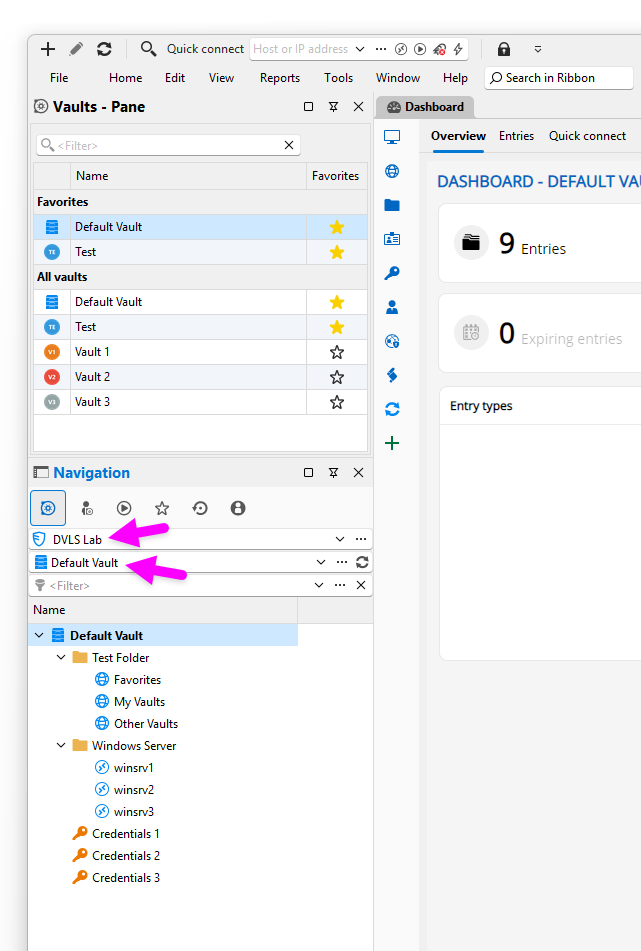
Thanks!
Best regards,
Daniel
86e642ff-4d07-45c0-a26c-cba4a60e29f5.png
51cab151-e4a7-4577-a8d6-51b7eff8447f.png
Hello,
I will add an option to show or hide the vaults when they're in Favorites. I will also fix the order of the combo box. For everything else, we will need to wait for the migration to Avalonia, our new UI framework.
Regards
David Hervieux
Thank you! I think fixing the order of the combo box isn't easy. Moving the data source selector to the Vaults pane would remove it for users that don't have it enabled. I think it all needs to be part of the Navigation pane. You could make it an option if the vault selector is a dropdown box or a list. It could dynamically switch when you resize it (see my original mock-up)
we will need to wait for the migration to Avalonia, our new UI framework.
Looking forward to that! I looked at their website and recognized someone on the home page :)
Best regards,
Daniel