Selection context within tree/navigation pane

Hi there,
since few versions, I'm experiencing annoying issues with the right click actions within the navigation pane (folders/items tree).
1 - When I click on an item and I try adding a sub-item, this new item is placed outside his intended parent. I need to select the intended parent and use the add entry button inside the item's page.
2 - If I right-click on an item, but I've got the focus on other ones, the context menu is referred to the focused one instead of the one on which I clicked. It seems that the right-click not triggers the focus action. In fact, I need to manually select/focus the item before the right-click.
Thanks,
All Comments (7)
Hello,
Thank you for contacting us regarding this matter.
Could you please provide a screenshot to clarify the points you mentioned? I believe I understand and can reproduce the issue, but I would like to confirm to ensure that I report the correct process.
In the meantime, could you also confirm the RDM version and the data source you are using?
Thank you for your assistance.
Best regards,
Tommy Sanders
2026.1.14.0 64bit - local data source
For the point 1, not simple without a video but I suppose should be quite simple to reproduce it on your side.
Fort 2, as an example, I opened an item (called "GUI") as you see the tab, and then I directly right-clicked on "03 - Server": the properties loaded are from the "GUI" item, not from "03 - Server".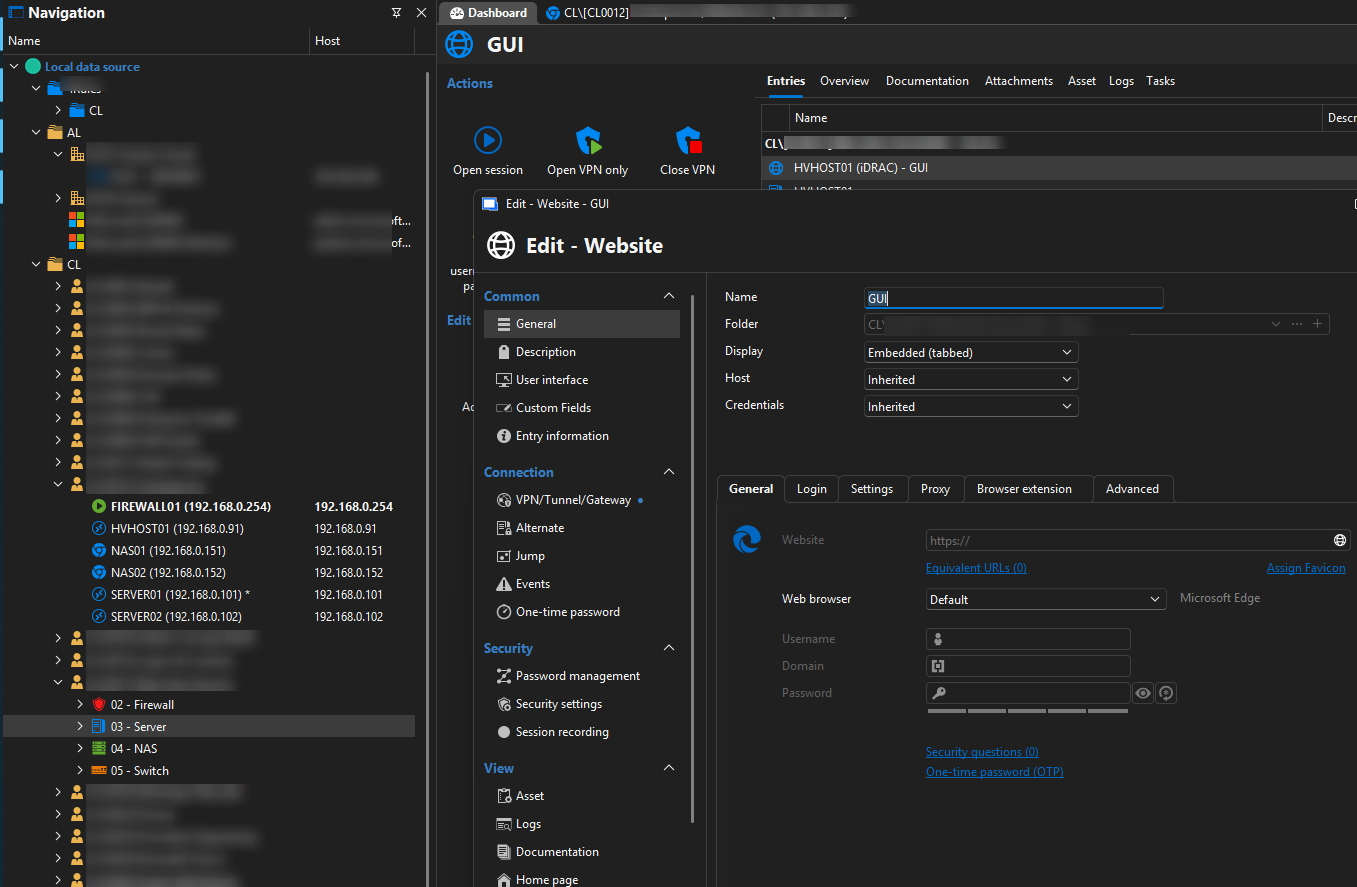
b5a845a2-3fd8-45e4-9f35-502a3af801d7.png
Hello,
Thank you for your response.
Regarding the first point: when you select a specific folder and right-click to create a new entry, the entry is created under that folder. However, if there are sub-items under the main item and you click in the right pane to create a new sub-item, it is created under the entire tree instead.
I do not encounter this issue in version 2026.1.15.0. If this does not match your situation, could you please share a screenshot showing how you are creating the sub-item?
Regarding the second point: can you confirm whether, when you right-click on “03 - Server” and select “Properties,” it opens the properties of the GUI entry instead?
Best regards,
Tommy Sanders
POINT 1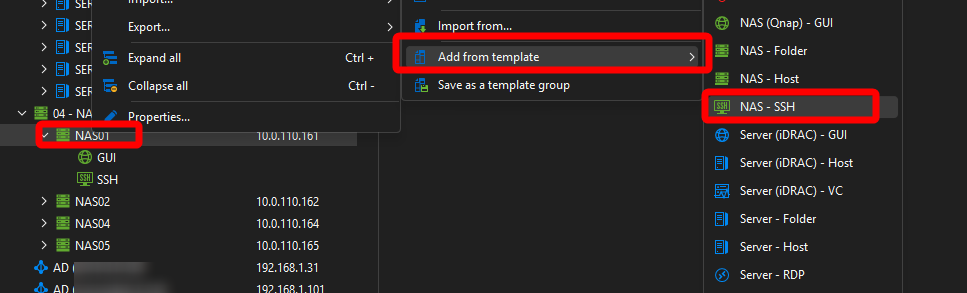
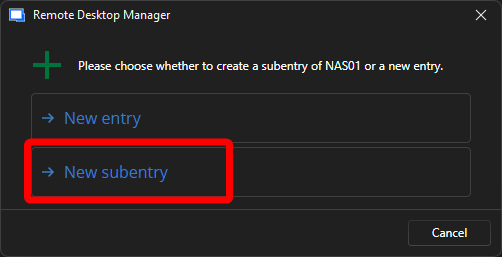
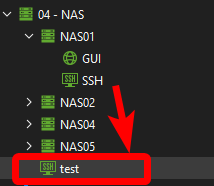
POINT 2
Correct.
bd134db7-5c99-4b44-9408-91723c72cb0f.png
a0ce3531-650d-4185-a3c9-7ccf1663771a.png
8985cba6-8f41-4104-a776-b5ba25a63b7d.png
Hello,
Thank you for your response.
I was able to reproduce the first issue and have reported it to our development team. It will be addressed in an upcoming version.
Regarding the second issue, I was unable to reproduce it in version 2026.1.15.0. Could you please try this version and let me know if the issue persists?
Best regards,
Tommy Sanders
I confirm that with 2026.1.15.0 seems working as expected (installed today)!
Hello,
Thank you for your response.
I’m glad to hear that.
Regarding your first issue, the fix will be included in an upcoming version of RDM.
Best regards,
Tommy Sanders