Template Group missing
1 vote

Morning,
Been meaning to raise this work a while but kept forgetting!
Not sure if it related to this issue: https://forum.devolutions.net/topics/44494/template-groups--not-showing-any-templates-available#207916
I have a set of templates created and I want to link a them to a host session: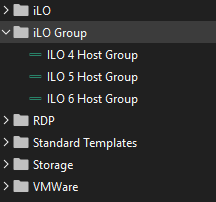
Specifically the ILO groups I have created.
When I go to template list from with in the host session you can see here the folder and sessions do not appear: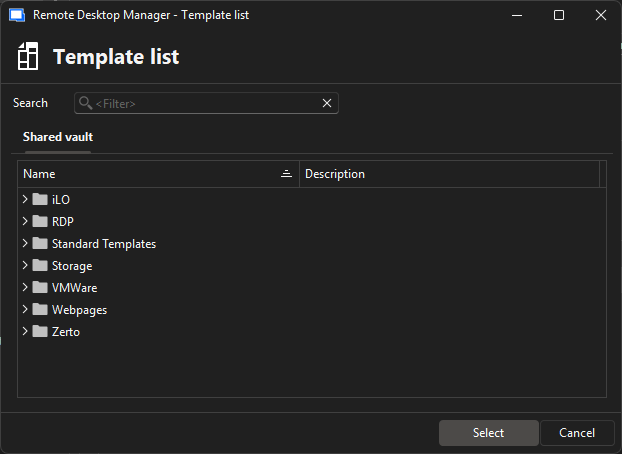
Yet I know it worked in the past as I have some session configured to point to them: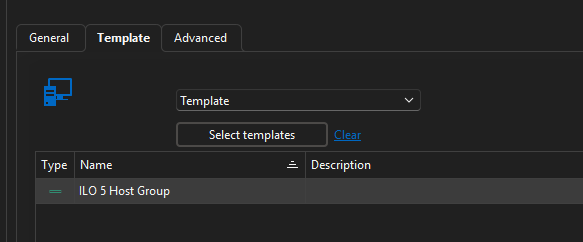
Thanks
Iain
Version 2026.2.13.0 64-bit
Data Source SQL
57c6f3ff-c897-4600-9d7c-7f3bd343ca36.png
4502f632-3543-40e8-8d6c-78a404aaec8d.png
a26378d2-68cd-40dc-8d83-4d9b6ae37e3d.png
All Comments (19)
Am I best logging a support call for this instead?
Thanks
Iain
Version 2026.2.13.0 64-bit
Data Source SQL
Hello Iain,
No need to raise a support call for now. To be honest, delays are a little bit longer than expected from my team this week because of an higher number of cases and some other circumstances.
Sorry about that.
With the explanation that you have provided, I think it's a good start to try to reproduce.
We will keep you post.
Thank you for your understanding
Best regards,
Jeff Dagenais
Afternoon, any news on this please?
Thanks
Iain
Version 2026.2.13.0 64-bit
Data Source SQL
Hello,
Thank you for your patience.
I apologize for the delayed response. I was able to reproduce the issue you are encountering and will report it to our development team so they can begin working on a fix.
I will follow up with you as soon as a resolution is included in a future update.
Best regards,
Jacob Lafrenière
Hello,
Thank you for your patience.
The development team has reviewed the case and it appears a setting may have been missed. Could you please confirm whether the “Available in host entry” option is enabled in the template properties?
Additionally, could you confirm the template type (entry type) being used?
I look forward to your reply.
Best regards,
Jacob Lafrenière
Hi,
No option to edit the existing folder to check. as its the whole folder that does not appear.
Also the session type contained in the folder is "Host"
Happy to have a session and walk through it.
Regards
Thanks
Iain
Version 2026.2.13.0 64-bit
Data Source SQL
So I created a copy of one the host session templates and placed it in the root of the template section.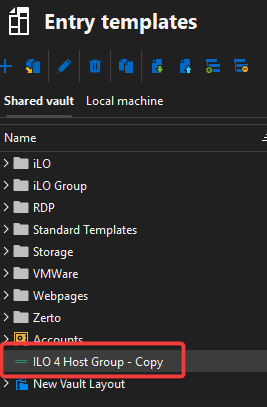
Checked its availability: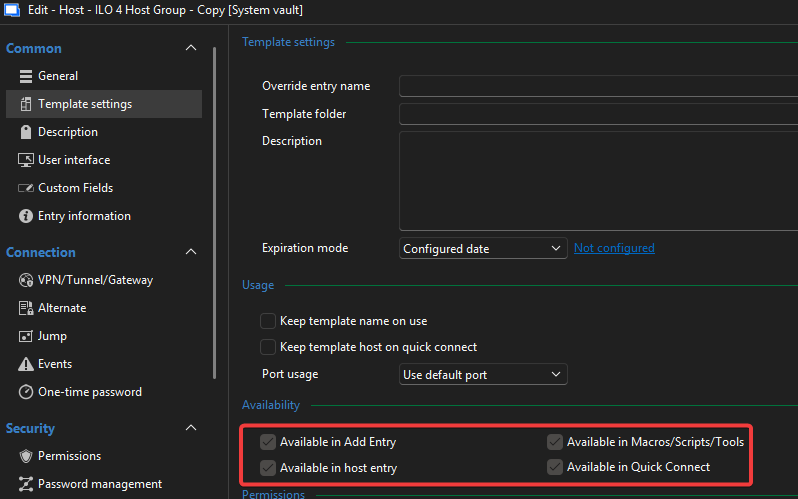
I go to an existing entry to add the host session and the template is not available for selection: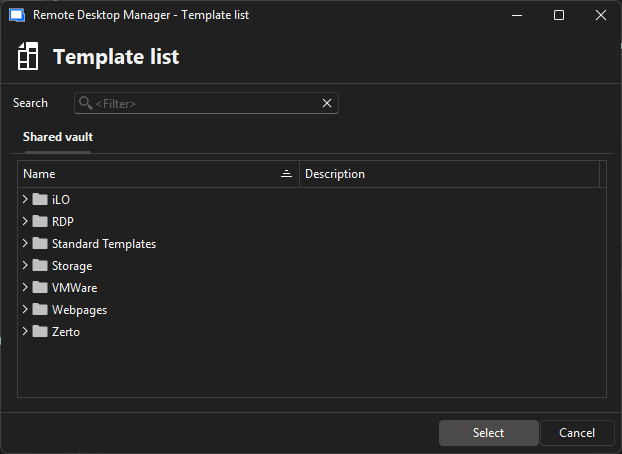
Thanks
Iain
Version 2026.2.13.0 64-bit
Data Source SQL
b6399b89-7c3c-4bfc-9fe7-09c5ec58c482.png
9e21f9b5-68f2-4c2c-9e77-afcf0d5f480b.png
56198a38-e54c-47d9-a994-811cc73ce418.png
Updated this morning and issue is still present.
Thanks
Iain
Version 2026.2.13.0 64-bit
Data Source SQL
Hello,
Thank you for your follow-up.
I tested this on my side and confirmed that a host template cannot be set as a template for a host entry. I also verified this with our development team, who confirmed the same behavior. While all session-type templates can be applied within a host entry, the host entry template type itself cannot be used in this way.
The development team also indicated that this behavior has not changed in approximately four years. If you have a specific version where this functionality worked differently, please share the version number. I would be happy to test it and report the findings to the team.
I look forward to your reply.
Best regards,
Jacob Lafrenière
Hi Jacob,
I can confirm (definitely with in a year though!) I could as I have some currently configured..
Here is a host session where the template is pointing to a template group..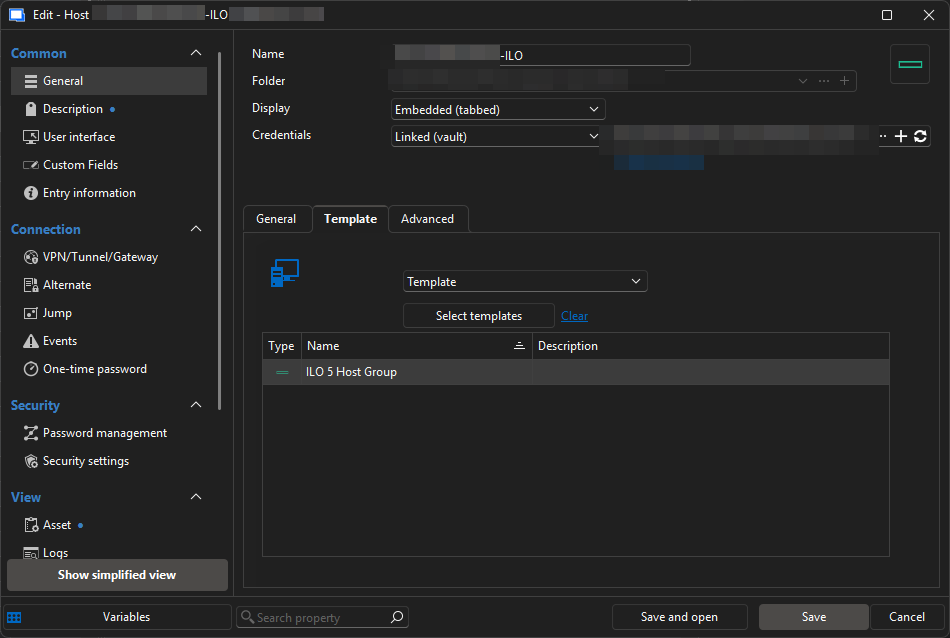
Template group is a host session: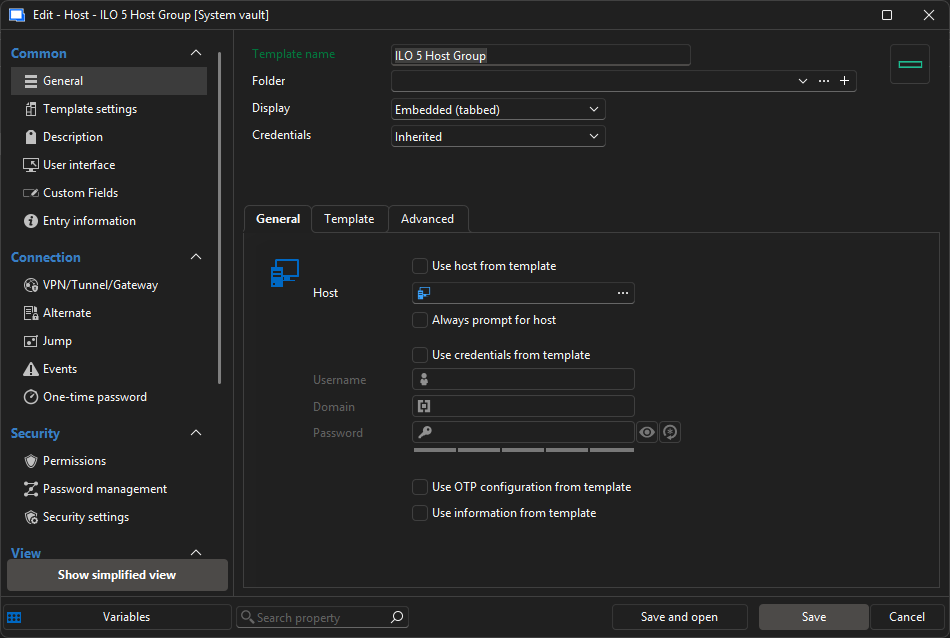
Which is then pointing to a set of templates: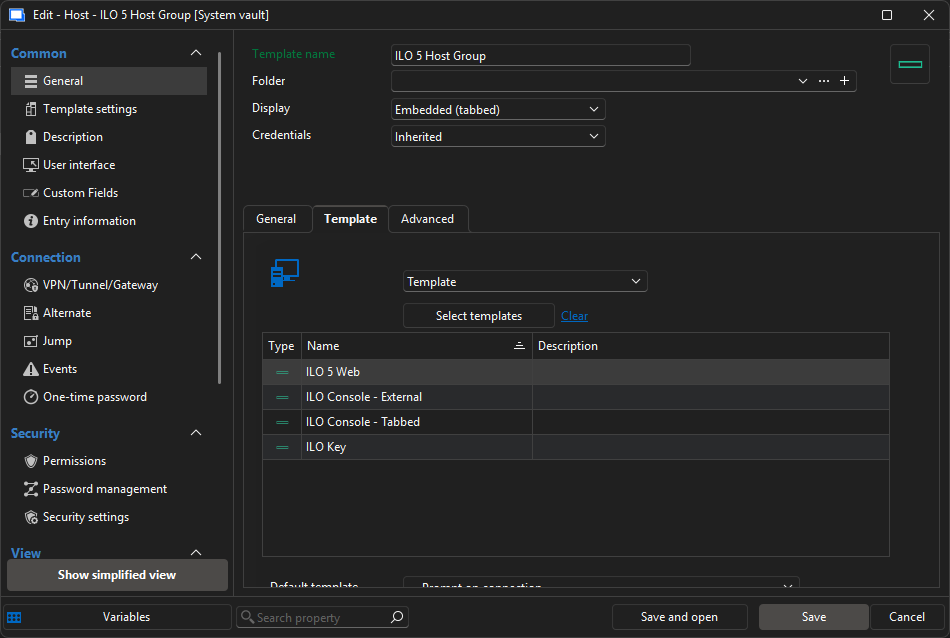
If I have managed to pull this off as some sort of fluke.. could I please request it as a feature request as it was a huge time saver!
Thanks
Iain
Version 2026.2.13.0 64-bit
Data Source SQL
8fb94e49-b1c1-4f9b-ad72-f1c6aaf7ab70.png
ce7349ba-b2c0-4804-8177-28bd7ac435bc.png
878d7737-9f2e-43f4-9612-b961523b5914.png
Hello,
Thank you for your follow-up.
I will move your request to the feature request section of the forum for further review.
Best regards,
Jacob Lafrenière
Hello,
Thank you for the request. I believe originally, we removed the ability to set Host-type templates within Host-type entries' template section to avoid multiple issues, simplify the flow, and make the behavior clearer for users. Host entries don't have a "protocol" associated with them (think RDP, SSH, etc), so we had a lot of cases where users did not understand why that setup did not work for them.
I understand the use case here, and why it saves you time; it's much easier to reference one host entry that links to the 4 you need, rather than having to link to those 4 every time you create a new entry. On our end, it's not as simple of a change as just allowing to configure Hosts as a usable template, but I see the benefit of adding this back and properly supporting it.
I will open an internal ticket and we will keep an eye out for additional feedback to help us prioritise this.
Regards,
Hubert Mireault
Also just one other thing, from my understanding of your scenario, you're not using "template groups", but rather Host-type templates, is that correct? I want to validate this, as template groups are an entirely different beast.
Regards,
Hubert Mireault
Hi Hubert,
Your understanding is correct, I am using a host session as a template. Not a template group.
If there is a supported way to achive the same result (or a result thats pretty close) i'm happy to take a look if it would work.
Thanks
Thanks
Iain
Version 2026.2.13.0 64-bit
Data Source SQL
Perfect, thank you for the confirmation.
For now, the workaround I see would be to create an entry from that Host template (the one that refers to multiple other non-Host templates) instead of having the "middle" host entry link. I understand it's not as convenient if you need to modify the list of templates contained in that host entry, but maybe working with the advanced search + batch edit could help keep these entries up-to-date more easily.
Regards,
Hubert Mireault
Similar to what I was doing before.
Fingers crossed whatever change that allowed me to do it in the past can be made available again.
Thanks
Iain
Version 2026.2.13.0 64-bit
Data Source SQL
Hello,
We've brought back the selection of "Host templates" for the template selection of host entries. To prevent any issues, this can only work if you are not currently opening from a Template already (meaning that once you've selected at least 1 layer of template, the following layer will not list anymore host templates).
You can expect this to take effect with the upcoming 2026.2.6 version.
Regards,
Jafran Majeau
Hello,
Thank you for being so patient!
I'm pleased to inform you that a new version of RDM (2026.2.7.0) has been released, featuring the requested feature.
Latest Version: Download RDM
Please let us know if this works or if you encounter any issues.
Best regards,
Maxim Robert
Finally got to update to 2026.2
Thank you for sorting this, I can confirm it's working for me!
Thanks
Iain
Version 2026.2.13.0 64-bit
Data Source SQL