Template Groups - Not showing any templates available

Hi,
Trying to group a new group of templates.
In my "shared vault" for templates I have created entries for for ILO 6 web, Console - external, Console - Tabbed.
I have created a host group and went to select the templates to add to this host entry.
You can see they exist on the left, but the template list show blank..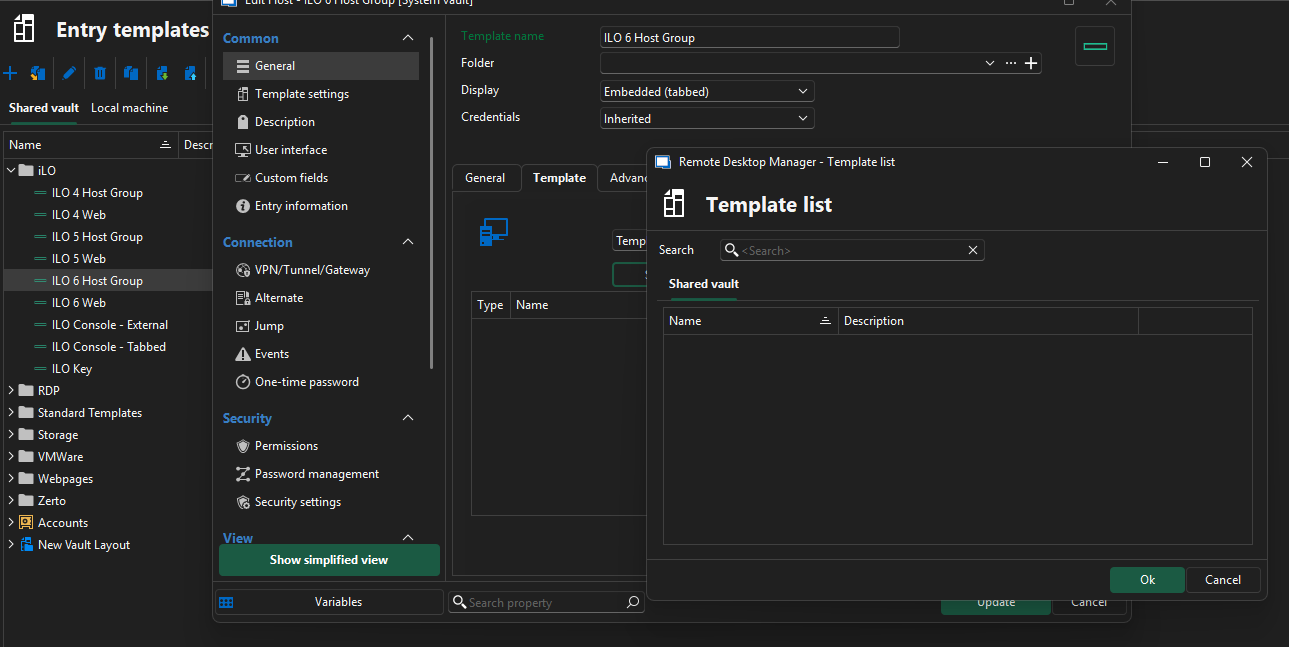
Not sure what I am doing wrong.
Here is the group I created a while back for iLO 5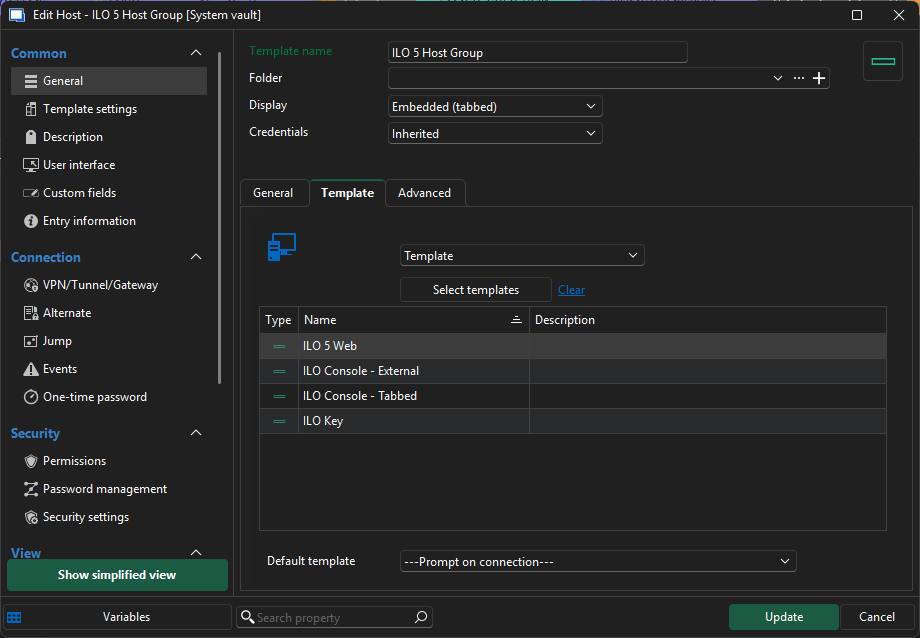
So I know I managed to achieve it before some how?
Issue appears to be local to the template section of RDM.
If I go to a vault containing a host session and try to add a template I can see them all: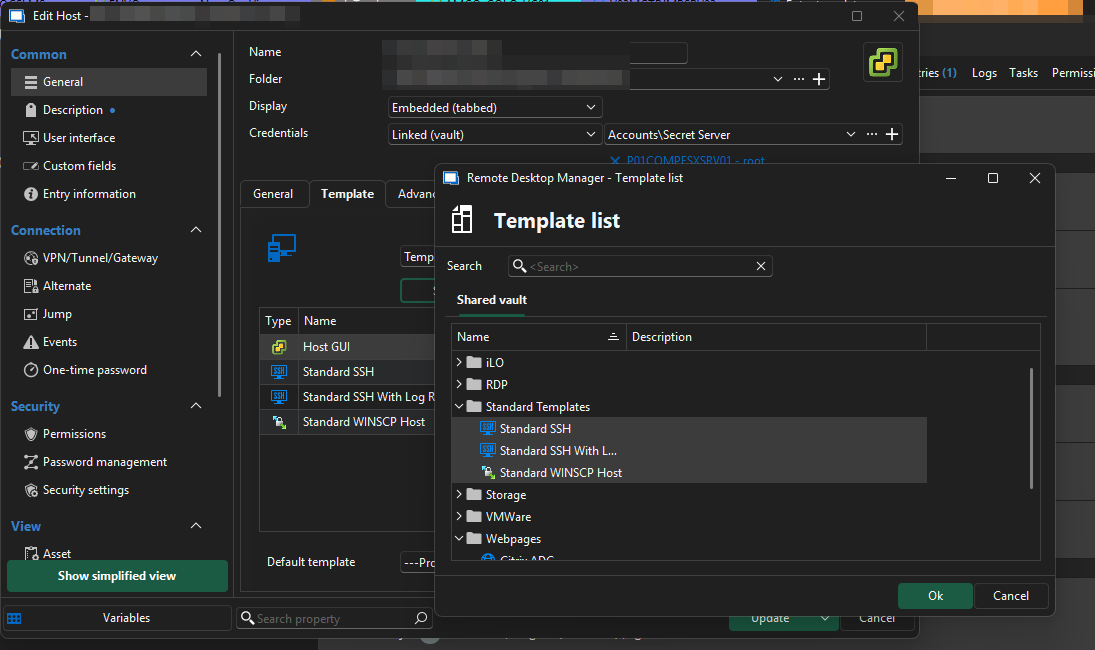
Thanks
Iain
Version 2026.2.13.0 64-bit
Data Source SQL
dddf7711-211b-4de7-b04b-32eab0c165dc.png
b5ffaa2f-e995-42cf-b143-d40e4dadfe80.png
ca33417a-9fe4-4bcd-81ea-c247fa23e073.png
39575b93-acfc-4f79-a5ca-e650fd61b8fe.png
All Comments (9)
Worked out how it was created for ILO 5 and have now been able to create one for ILO 6.
Created the host group in a vault, could then see all the templates I wanted to save into the host group.
Save.
Then right click the new host entry and select "add" > "save as template".
Save to "Shared"
Refresh shared templates
Host group appears with all templates entries assigned.
The only issue with this is that once you have created it and wish to edit the templates contained within you have repeat the above process.
Thanks
Iain
Version 2026.2.13.0 64-bit
Data Source SQL
Hello Iain,
Thank you for reaching out to us regarding this,
To clarify, is this working as expected for you, or did I misunderstand?
If you wish to edit an existing template you can go under "File" -> "Templates" -> "Entry Templates" -> then select the Template and use the "Edit" (Pencil) button.
Let me know,
Best regards,
Samuel Dery
Hi,
No it is not working as expected. Editing the template host session does not allow you to see existing shared templates in order to add it to the template host session.
Only way to edit it, is to recreate in a vault and then save as a template again.
Thanks
Iain
Version 2026.2.13.0 64-bit
Data Source SQL
Hello Iain,
Thank you for your reply,
I have been able to reproduce the behavior, I have opened a case with our development team and will keep you updated with any news I receive,
Best regards,
Samuel Dery
Hi,
Any update on this please?
Thanks
Iain
Version 2026.2.13.0 64-bit
Data Source SQL
Hello,
We have increased the priority of this ticket in our system. We will keep you updated on any progress.
Best Regards,
Michaël Beaudin
Hello,
We've fixed this issue, and you can expect this to take effect with the upcoming versions.
Regards,
Jafran Majeau
Great news! Some escalation that was 😊
Look forward to fixing my template groups.
Thanks
Iain
Version 2026.2.13.0 64-bit
Data Source SQL
Hello,
Thank you for your reply,
Perfect, keep us updated if the problem persists for you,
Best regards,
Samuel Dery