How to create users when datasource is MFA Azure SQL DB

Hello,
I can't find any clear guidance to create/apply users to our license from inside RDM.
I can get to the user management dialog but the options aren't clear.
Can you advise what steps I need to follow to add my users?
(see attached pic)
Thanks,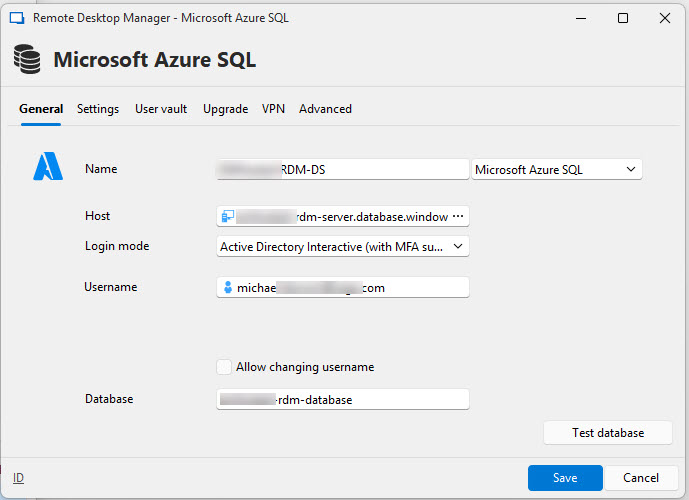
Michael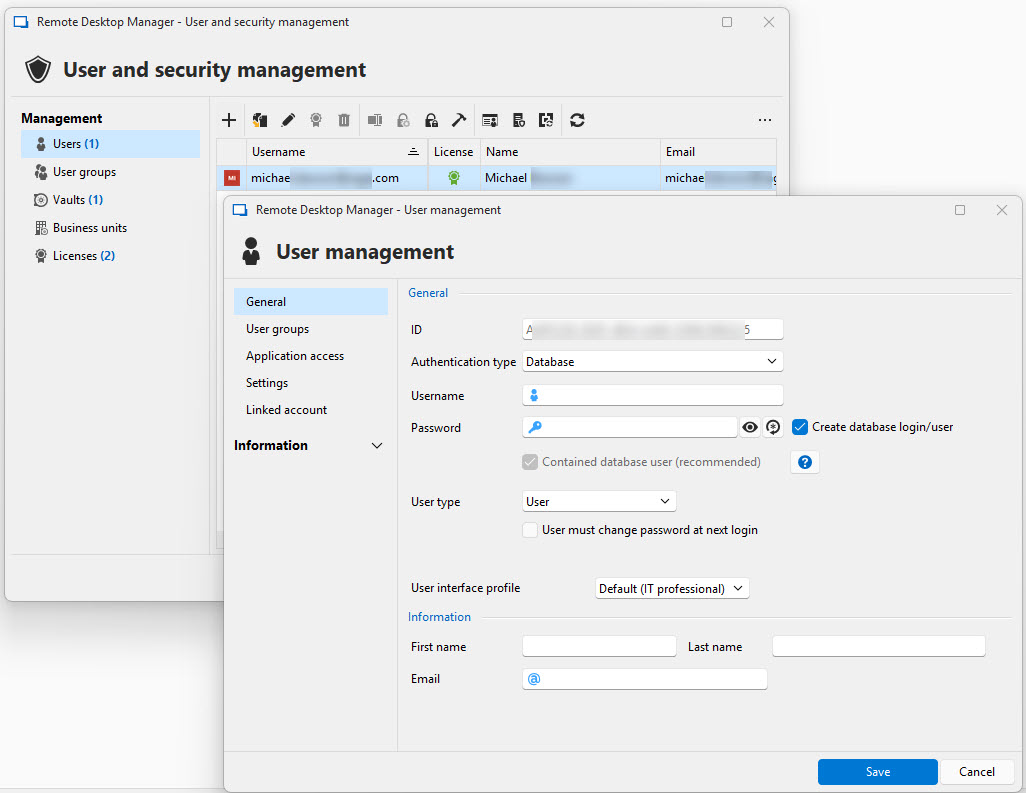
rdm-ds1.jpg
rdm-users1.jpg
All Comments (9)
To add a little more context:
I have created an Entra group.
This group has db_datareader/db_datawriter to the database.
I add entra users to that group.
MFA is already configured for our organisation.
I just need to know how to create and assign the users to the license stored in the datasource.
Thanks.
Hello,
The assignation of the RDM licenses is managed via the Licenses button under the Administration menu.
See https://docs.devolutions.net/rdm/commands/administration/licenses for more information.
Best regards,
Jeff Dagenais
I've assigned the license, that isn't the issue.
I need to know how to assign USERS.
There is zero guidance on the devolutions site for this.
Hello,
I think I understand what you are trying to achieve.
Are you trying to manage the access to the database using Entra groups so that adding users to those groups will grant them access to the database?
If yes, it's not possible to manage users and permissions using Entra groups with the usage of a SQL Azure database.
You need to create your users manually and then provide them the proper permissions.
The documentation regarding this could be found below:
- https://docs.devolutions.net/rdm/commands/administration/user-management/user-types/
- https://docs.devolutions.net/rdm/user-groups-based-access-control/
If your goal is to manage access to RDM via groups to simply the onboarding and/or the access management, this is possible, but you would need to use Devolutions Server as your backend datasource. Here's the homepage of that https://devolutions.net/server/ . We have documentation regarding the installation (https://docs.devolutions.net/server/getting-started/) if you would like to do it by yourself or we can also propose your a remote session with a member of the support team.
Best regards,
Jeff Dagenais
Hi. Thanks for the info so far but I'm still stuck.
My users need to authenticate via MFA (Entra).
How do I create a user in the datasource that correponds to that user?
What authentication type do I need to use?
Do I have to setup users in RDM Administration AND in the Azure SQL Database?
Very confusing.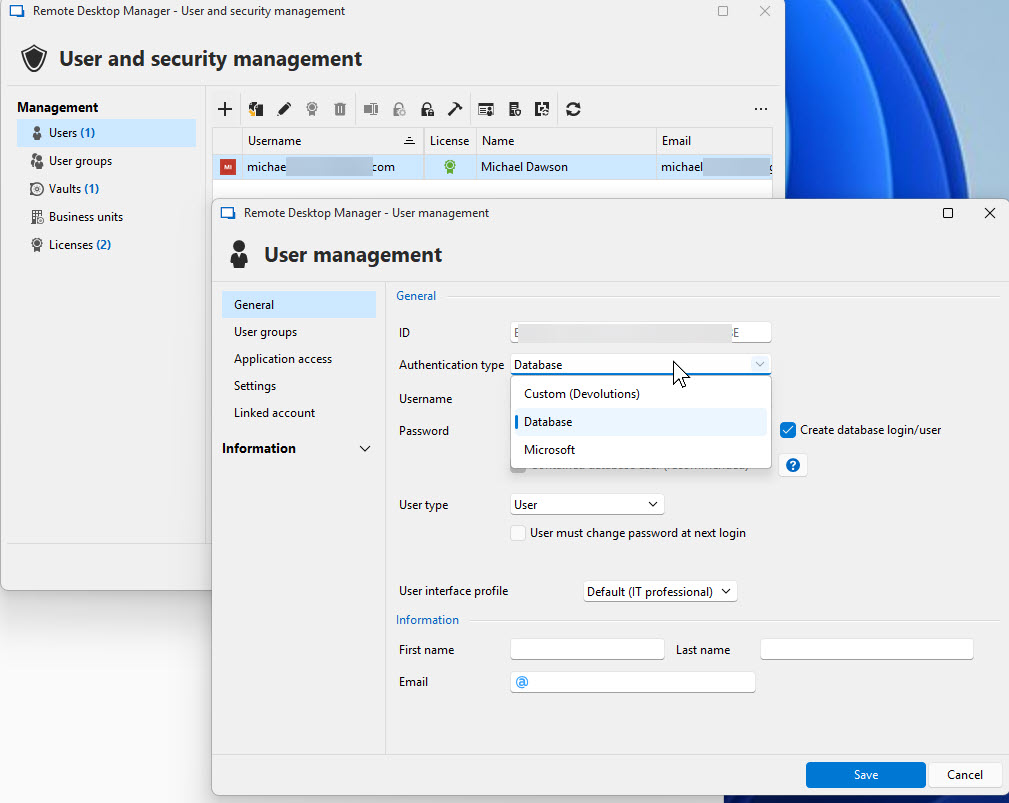
rdm-users2.jpg
Hello Michael,
According to your screenshot, the authentication type must be set to Microsoft, and the username should be the email address of the new user.
https://docs.devolutions.net/rdm/data-sources/data-sources-types/advanced-data-sources/microsoft-azure-sql/enable-azure-active-directory-authentication/configure-rdm-ad-interactive-mfa/
Regards,
Min
Thanks for the info so far. I'm still trying to understand all of the steps to get this setup into a clear process.
Does anyone know what "Has MFA configured" means for a user?
I ask because as far as I know, my user is attaching using MFA however the above setting is unchecked?
Any idea?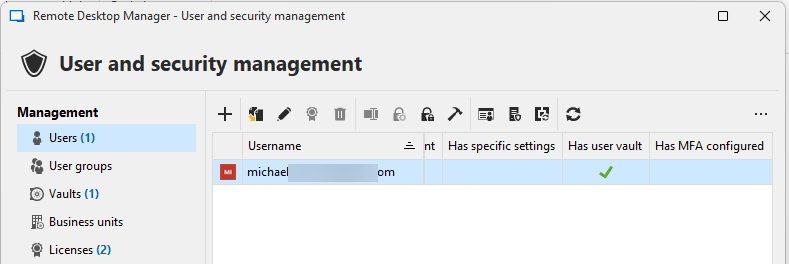
d918846d-6e96-4641-b8b2-27bdcf214b38.png
Hello,
Thank you for your response.
I’ve reached out to the developers to confirm whether this behavior is expected. I’ll get back to you with an explanation as soon as I hear from them.
Best regards,
Tommy Sanders
Hello,
This column is likely not useful for you, as your user information — including MFA details — is stored in Entra rather than in the SQL database itself. As a result, RDM is unable to retrieve that information.
Best regards,
Tommy Sanders