RDM with DVLS: The request time out

Hello
RDM in MAC with DVLS datasource.
I often get exception messages like this:
Devolutions.RemoteDesktopManager.Business.TryGoOfflineException: Exception_WasThrown, Devolutions.RemoteDesktopManager.Business.TryGoOfflineException
---> System.TimeoutException: The request timed out.
at Devolutions.Server.ApiWrapper.RDMSWebClient.RunSynchronous[T](Task`1 task)
at Devolutions.Server.ApiWrapper.RDMSWebClient.GetAllAccessRequests()
at Devolutions.RemoteDesktopManager.Business.DataSources.RDMSWebApiClient.<>c__DisplayClass106_0.<GetAccessRequests>b__0()
at Devolutions.RemoteDesktopManager.Business.DataSources.RDMSWebApiClient.RetryAction[T](ExecuteActionDelegate`1 action, String label, Boolean logoff)
at Devolutions.RemoteDesktopManager.Business.DataSources.RDMSWebApiClient.ExecuteAction[T](ExecuteActionDelegate`1 action, ExecuteActionLogMode logMode, Boolean retryAction)
Exception_EndOfInnerExceptionStack
at Devolutions.RemoteDesktopManager.Business.DataSources.RDMSWebApiClient.ExecuteAction[T](ExecuteActionDelegate`1 action, ExecuteActionLogMode logMode, Boolean retryAction)
at Devolutions.RemoteDesktopManager.Business.DataSources.RDMSWebApiClient.ExecuteActionMultipleData[T](ExecuteActionDelegate`1 action)
at Devolutions.RemoteDesktopManager.Business.DataSources.RDMSWebApiClient.GetAccessRequests(Nullable`1 connectionID)
at Devolutions.RemoteDesktopManager.Managers.TemporaryAccessManager.RefreshCache(ConnectionEngine engine, Nullable`1 connectionID, Boolean refreshHubCache)
Only with RDM form MAC. RDM for Windows work better.
Tine out 15seconds, same as windows.
Any ideas?
Thanks
All Comments (9)
Hello,
Thank you for your feedback.
What DVLS and RDM Mac version are you using?
Are you switching networks while RDM is open (from wired to wifi)?
Best regards,
Érica Poirier
Hello Erica
latest version for both.
Wifi connection.
On the same MAC i'm using also RDM in a Parallels Desktop W11,
When RDM mac say the time out, windows version doesn't.
I think that if a network problem occurs the switch into offline need to be automatic, without showing this type of message.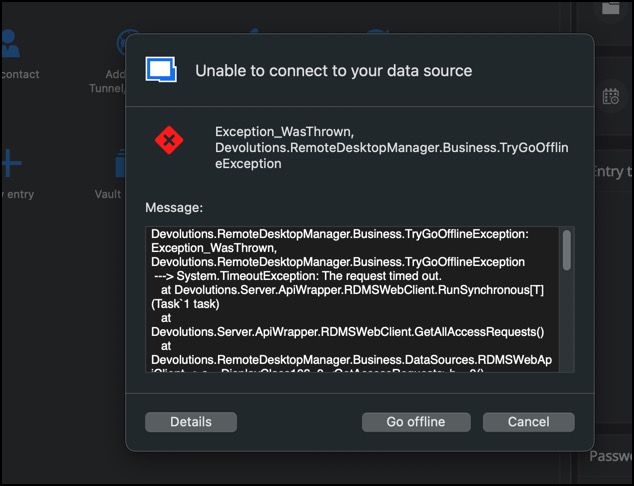
2025-11-25_19-29-38.jpg
Hello,
You can automatically go offline when you lose internet access with the setting "Automatically detect server reachability" under the DVLS datasource setting's advanced tab
This should prevent the timeouts.
Best regards,
Maxim Buisson
Screenshot 2025-11-25 at 1.47.13 PM.png
Hello
i try it but
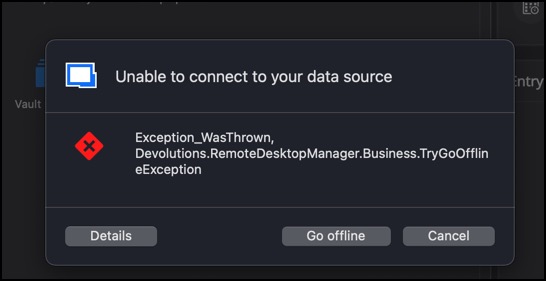
1) the time out remain
2) auto off line doesn't work, always show the message
2025-11-25_22-50-07.jpg
My opinion is than RDM for windows are more reilable with DVLS server than MAC version.
Hello
there is a think that i don't understand: why the data source go offline if i have no auto-refresh setting ?
RDM still try to connect to the server if the automatic update is ZERO.
Is there a default in app when the auto-refresh is zero?
Thanks
Hello
i revert to 2025.2.12.6 and the frequent time out disappears.
RDM say The Devolutions Server version (2025.3) and Remote Desktop Manager version (2025.2) are mismatched. We recommend updating Remote Desktop Manager.
Thanks
Hello,
Thank you for your feedback.
The RDM tries to send activity logs to DVLS every time you use, edit, add, or delete an entry. It's not specifically related to the refresh operation.
Regarding the version mismatch message, as both application codes are closely related, adding or editing entries may cause undesired effects in the application. That's why we strongly recommend using the same major or minor version (2025.3).
Best regards,
Érica Poirier