Error message when connecting to PowerShell Remote session

RDM version 2025.3.20
When connecting to PowerShell remote session, the following error message appears before remote machine prompt:
MethodInvocationException: Exception calling "Load" with "1" argument(s): "Unable to load DLL 'C:\Program Files\Devolutions\Remote Desktop Manager\runtimes\win-x64\native\jetify.dll' or one of its dependencies: The specified module could not be found. (0x8007007E)"The abovementioned error appears when connection is established using remote Powershell 7 configuration name. Using Windows PowerShell configuration, there is no error message.
In both cases, the local PowerShell that connects to remote machine, was PowerShell 7.5.4 .
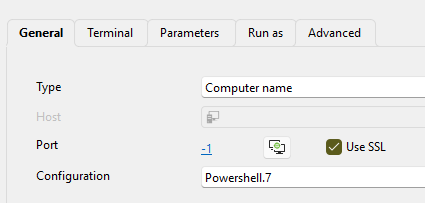
The affected configuration choice in session:
All Comments (10)
Hello,
Thank you for your feedback.
Could you send us the Windows version you are currently using? You can get the information with the winver command.
It's possible that the Windows Terminal isn't supported on your Windows version.
Best regards,
Érica Poirier
OS is Windows 11 v23H2
Hello,
Thank you for your feedback.
It seems that the RDM installation you are using is missing the 'C:\Program Files\Devolutions\Remote Desktop Manager\runtimes\win-x64\native\jetify.dll' file.
Could you try to repair your RDM installation or try with a portable installation?
Let us know if that helps.
Best regards,
Érica Poirier