After exporting and importing the datasource, it is impossible to view the certificate.
After exporting and importing the datasource, it is impossible to view the certificate.

RDM 2025.2.29.0 64-bit (JIT)
New entry...
Certificate (X.509) (Credentials)
Importing the certificate.
Right button on entry - View cetrificate...
Everything is fine.
File - Export - Export vault (.rdm)
Another PC (or the same one). All settings and data source are identical.
File - Import - Import into vault (.rdm)
Right button on entry - View cetrificate...
Nothing is happening...
Right button on entry - Properties... - View certificate
"Unable to display the document" error.
Forgive me for my English, I use Google Translate...
All Comments (10)
Hello,
Thank you for reaching out on this matter.
I was able to reproduce the issue you are experiencing with the certificate export. I will report this bug to the development team, and they will begin working on a fix soon.
I will follow up with you as soon as a fix is deployed in a future update.
Best regards,
Jacob Lafrenière
Hello,
Thank you for reaching out on this matter.
I was able to reproduce the issue you are experiencing with the certificate export. I will report this bug to the development team, and they will begin working on a fix soon.
I will follow up with you as soon as a fix is deployed in a future update.
Best regards,
@Jacob Lafrenière
Hi Jacob,
have a similar problem with PDF. Create a new entry in RDM - all fine.
Export as .rdm and re-import at DVLS - attachment "visible" in list but broken.
Best regards,
Torben
Hello,
Thank you for the follow-up.
That part seems to be working well on my side. Could you please confirm if you are checking that setting when exporting as an .RDM file?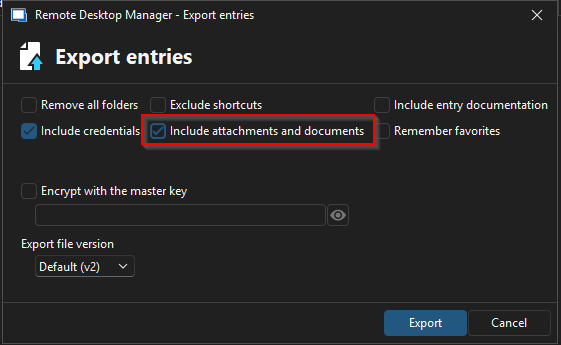
I look forward to your reply.
Best regards,
Jacob Lafrenière
26348258-84c1-4212-bea3-aa6953fea0aa.png
 Hello @Jacob Lafrenière,
yes - I can confirm to have also attachments included for export. Also viewing the .rdm-file shows the attachment.
In DVLS the .rdm is imported correctly (without errors) and the attachment is shown as available including Title, FileSize, ...
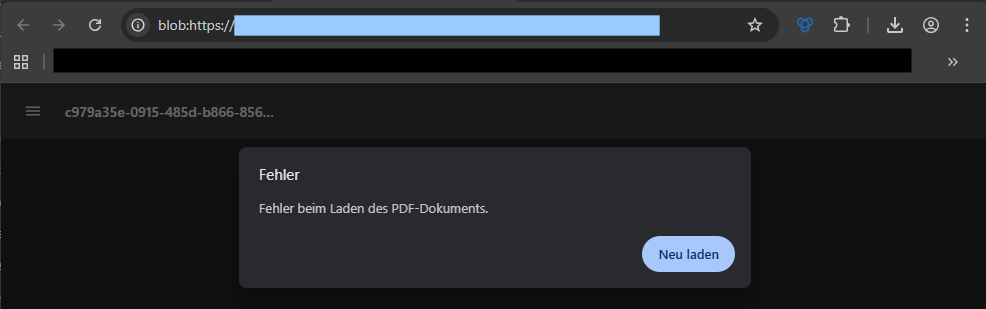
If I try to view the document / download it , it is not possible: "Error on loadind the pdf-document".
Attached you'll find an example-rdm (the one I've done the test with - here in upload just with replaced Username in XML) and a screenshot of the error shown in Browser.
Best regards,
Torben
20251002-Dvls-RDM_Import_ErrorAttachment.png
Website-Entry (RDMfree).rdm
Hello,
Thank you for your follow-up.
I’ve been able to reproduce the issue on my end as well. I’ll be submitting a second report to the development team so they can begin working on a fix.
I’ll keep you updated and will follow up as soon as the fix is deployed in a future update.
Best regards,
Jacob Lafrenière
Hello,
We've found and fixed the issue with X.509 certificate entries. You should be able to export/import them correctly. Note that you will need to have both the attachments and the credentials included for this specific entry type to be exported correctly. You can expect these changes to take effect with the upcoming 2025.3.15 version
Regards,
Jafran Majeau
Hello @Jacob Lafrenière,
thanks for your reply - I'm looking forward to here from you.
Best regards,
Torben
We've found and fixed the issue with X.509 certificate entries. You should be able to export/import them correctly. Note that you will need to have both the attachments and the credentials included for this specific entry type to be exported correctly. You can expect these changes to take effect with the upcoming 2025.3.15 version
I tried the same thing in version 2025.3.15.0...
After importing, if I select "View Certificate" from the context menu in the navigation tree, everything works fine.
But if I click "View Certificate" from the Properties, I get an error...
Forgive my English, I'm using Google Translate.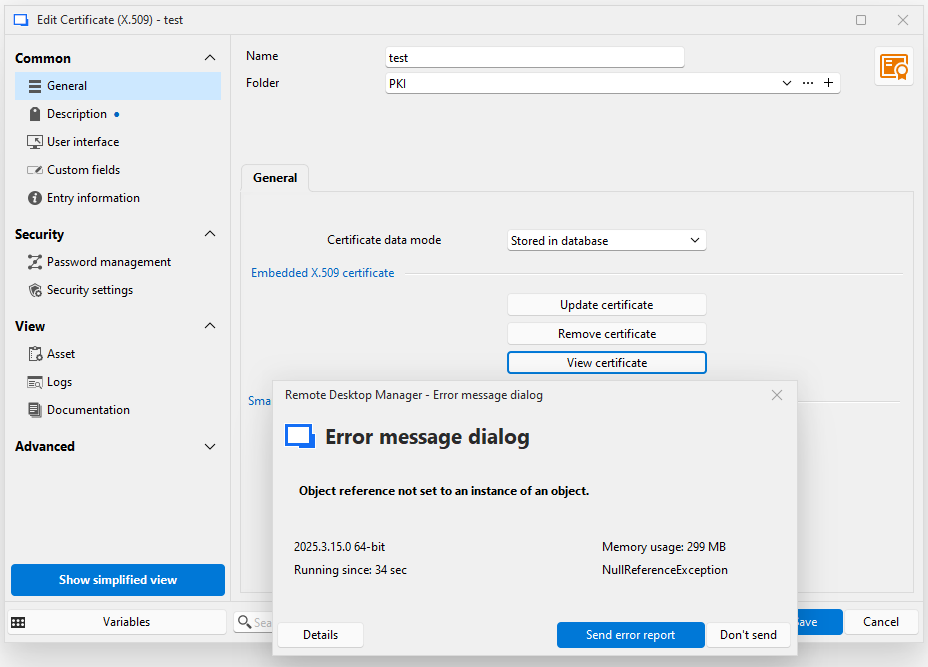
559a509d-4de0-4ddf-99c6-26f0d22203a0.png
Hello,
I've replicated your issue and will begin the investigation immediately. I will bring you an update when possible.
Regards,
Jafran Majeau
Hello,
I've found and fixed the issue. You can expect this to take effect with the upcoming 2025.3.17
Regards,
Jafran Majeau