When using socks5 to connect to rdp or ssh, the connection cannot be made normally
When using socks5 to connect to rdp or ssh, the connection cannot be made normally

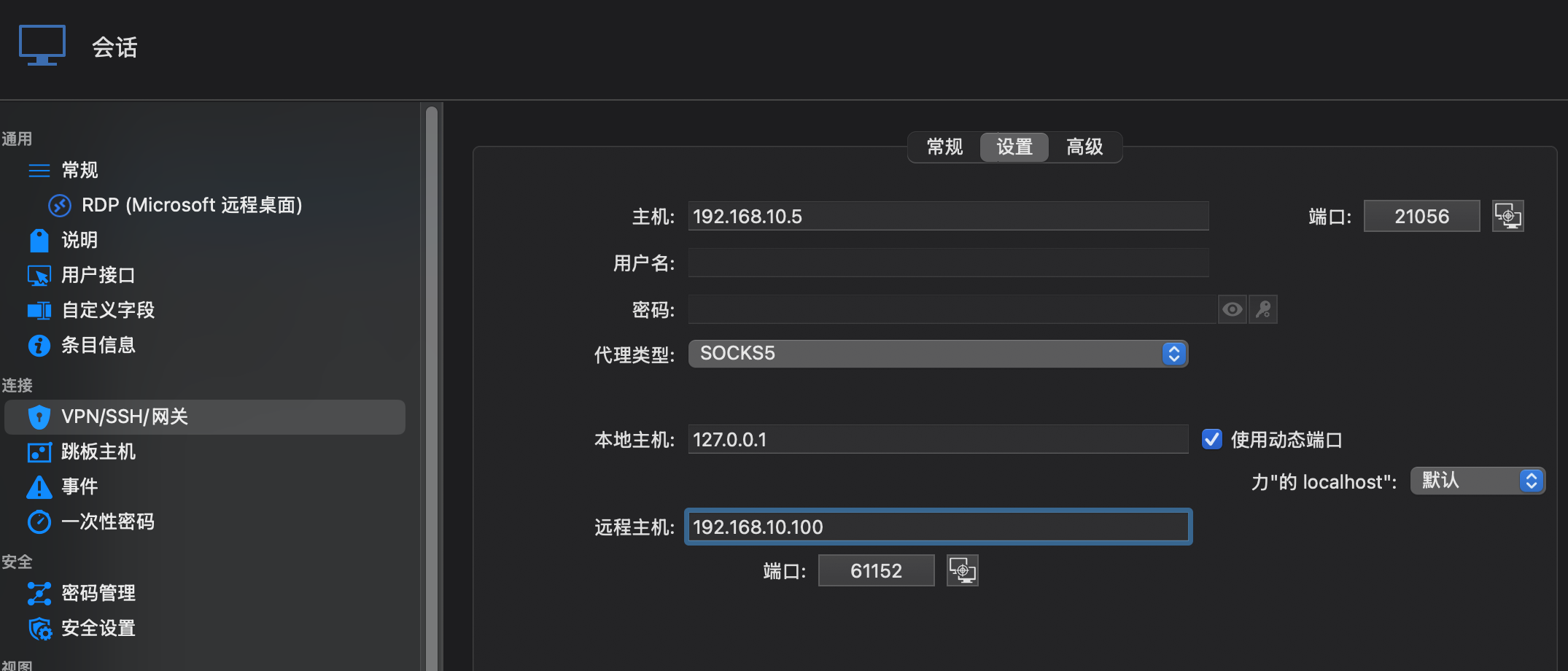
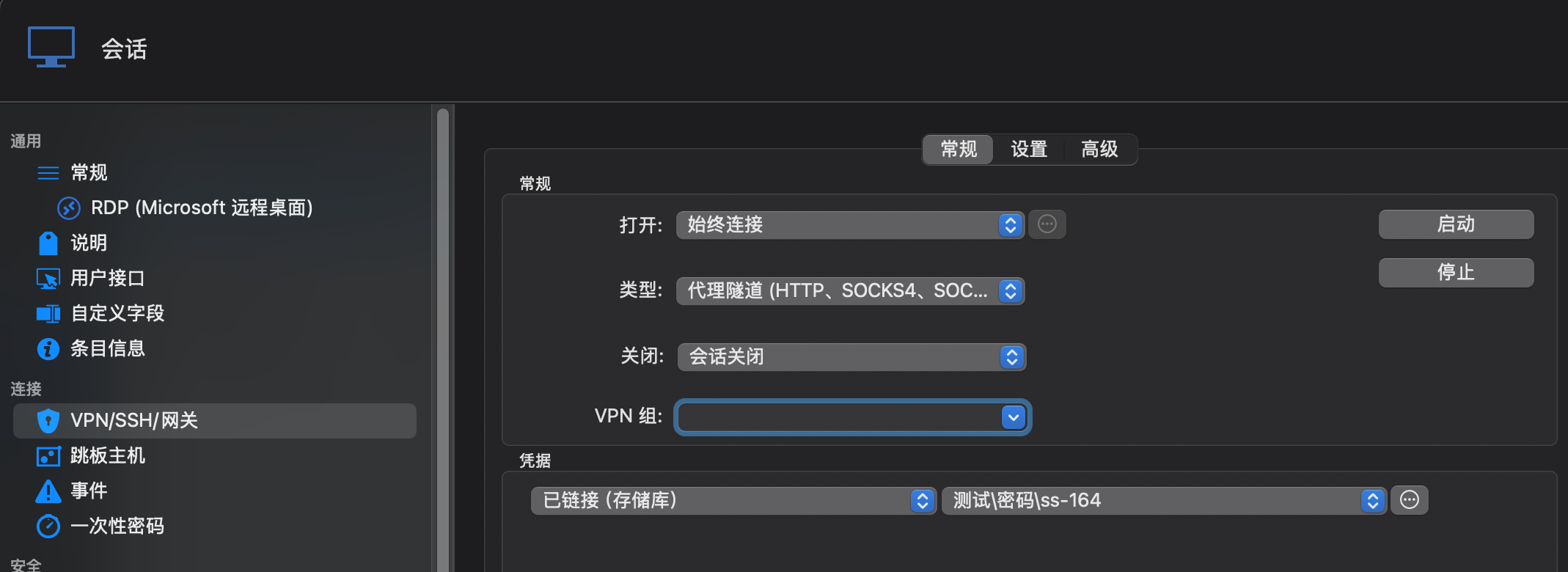
Hello, I have now installed Remote Desktop Manage on macos and now I want to connect to the specified rdp and ssh server via socks5. Now, the rdp and ssh connections have been created. In the rdp connection Settings, under vpn/ssh/gateway, the proxy tunnel has been set to socks5, and the local host and remote host have been set. However, when starting the connection, it has been connected to a server not on my side. Could you please help check where the problem lies? Could you provide a complete screenshot of the Settings?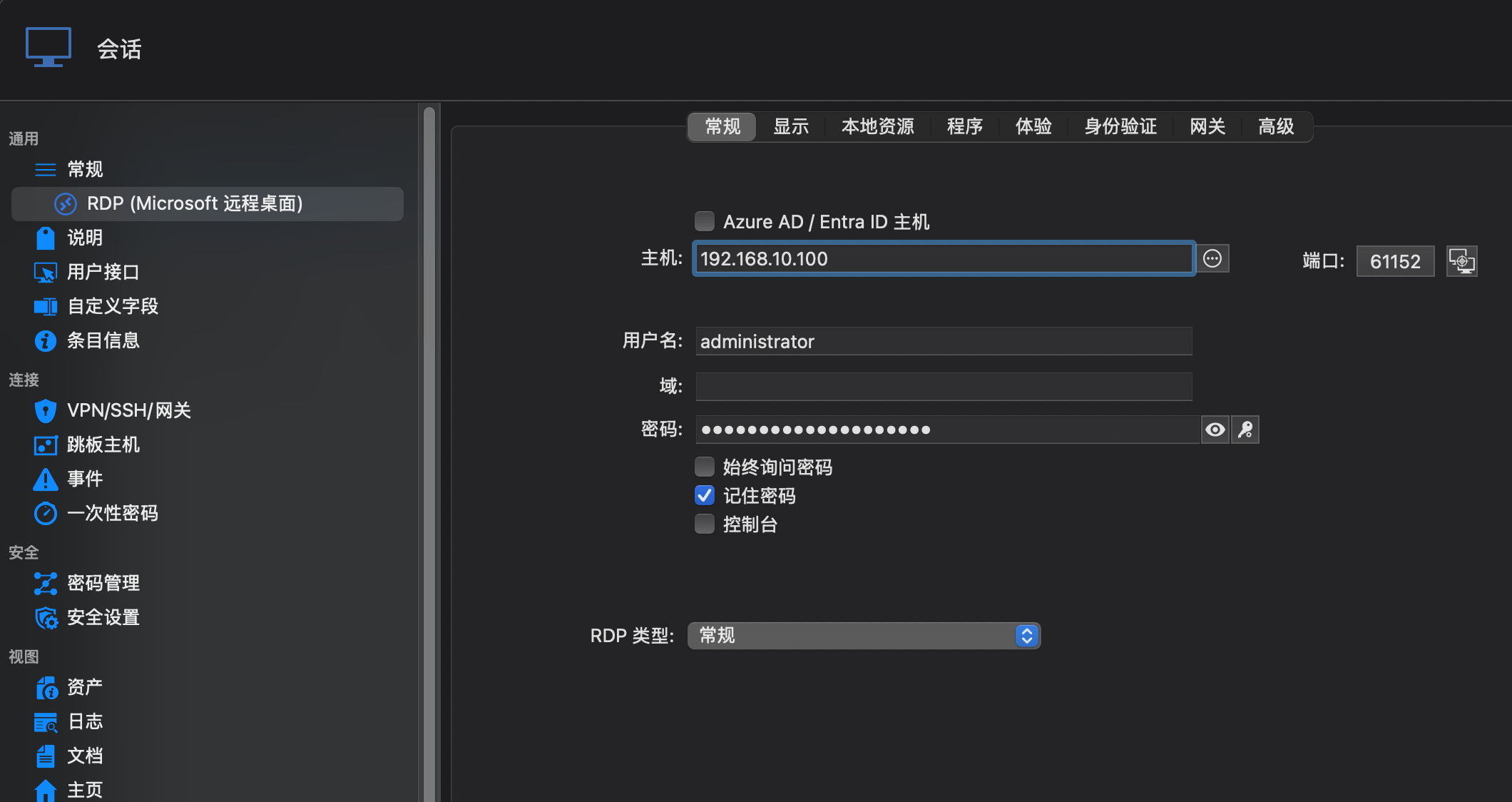
QQ20250918-115656.png
QQ20250918-115532.png
QQ20250918-115449.png
All Comments (8)
Hello,
I’m very sorry to ask, but would it be possible to send the same screenshot in English? This would really help us better understand the issue.
Best regards,
Carl Marien
Hello,
I’m very sorry to ask, but would it be possible to send the same screenshot in English? This would really help us better understand the issue.
Best regards,
@carl marien
Ok. The screenshot below is in English. 192.168.10.155 is the windows server I need to connect to, and 192.168.10.2 is a socks5 server. These two ips are not actual ips. They are just for screenshot processing.
4-socks5-settings.png
3-socks5-general.png
2-rdp-info.png
1-create-rdp.png
Hello,
I’m very sorry to ask, but would it be possible to send the same screenshot in English? This would really help us better understand the issue.
Best regards,
@carl marien
Ok. The screenshot below is in English. 192.168.10.155 is the windows server I need to connect to, and 192.168.10.2 is a socks5 server. These two ips are not actual ips. They are just for screenshot processing.
@lix6656
There's another issue. After configuring the rdp, when starting a session, a vpn connection will be created first, and the following prompt will appear:
Devolutions Protocols version: 2025.4.9.1 macOS
Listening on 127.0.0.1:54247
proxyTunnel_Completed: SUCCESS
Then when connecting to the server, it will prompt to connect to 192.168.10.155:54247, but the displayed port is not the remote port of the server.
Hello,
I was able to recreate your setup but did not encounter any issues. Would it be possible to try reproducing the issue on a Windows machine?
We’d like to confirm whether the problem stems from the macOS integration with RDM, rather than a misconfiguration in the entry.
Best regards,
Carl Marien
Hello,
I was able to recreate your setup but did not encounter any issues. Would it be possible to try reproducing the issue on a Windows machine?
We’d like to confirm whether the problem stems from the macOS integration with RDM, rather than a misconfiguration in the entry.
Best regards,
@carl marien
Hello, could you provide a configuration screenshot? A screenshot of the socks5 proxy configuration used on a single machine, and a screenshot of the socks5 configuration used on a group of machines. I installed rdm on a windows 10 machine for testing and there was also a problem. Maybe the configuration I set is incorrect. Could you please send me a screenshot for my reference?
Hello,
I used this entry and linked it to multiple entries. Please let me know if this is what you were referring to.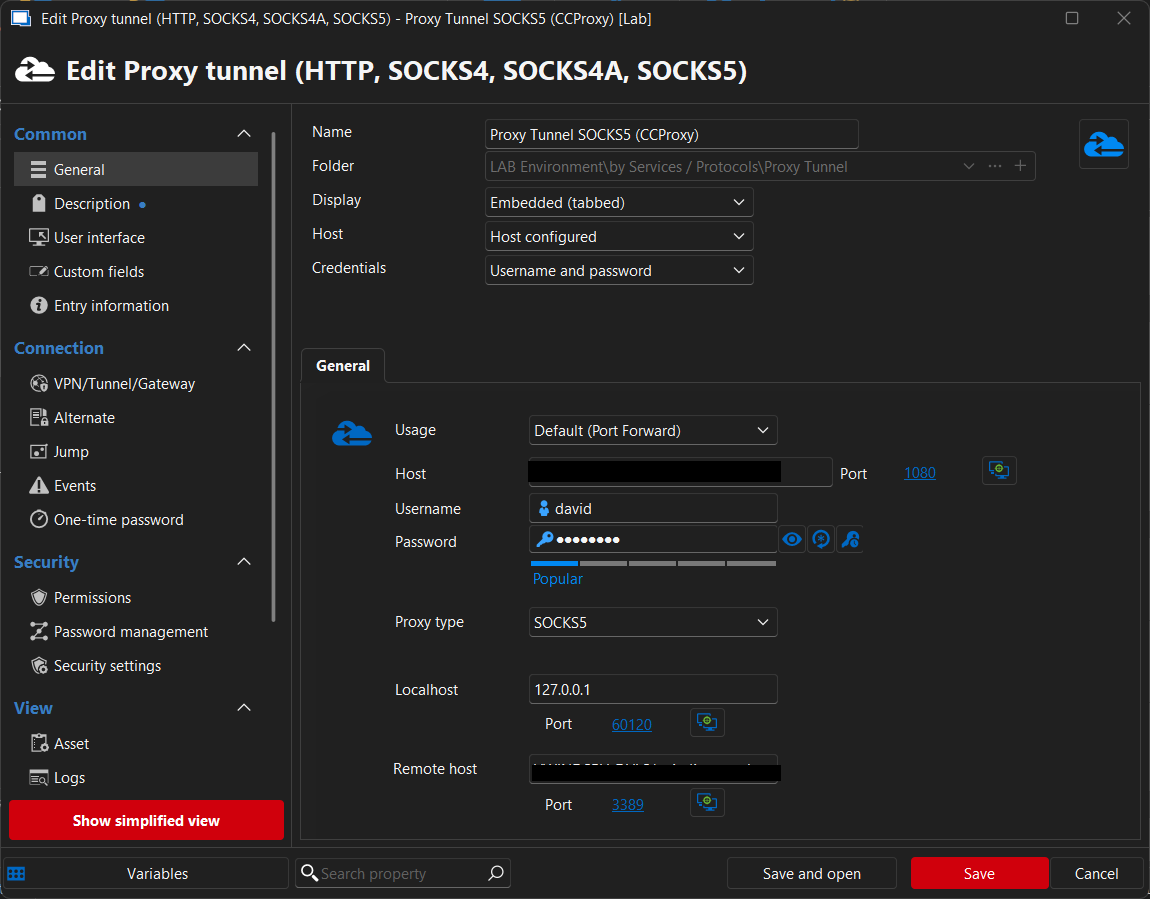
Best regards,
Carl Marien
2025-09-23_13-15-36.png
Hello,
I used this entry and linked it to multiple entries. Please let me know if this is what you were referring to.
Best regards,
@carl marien
Hello,
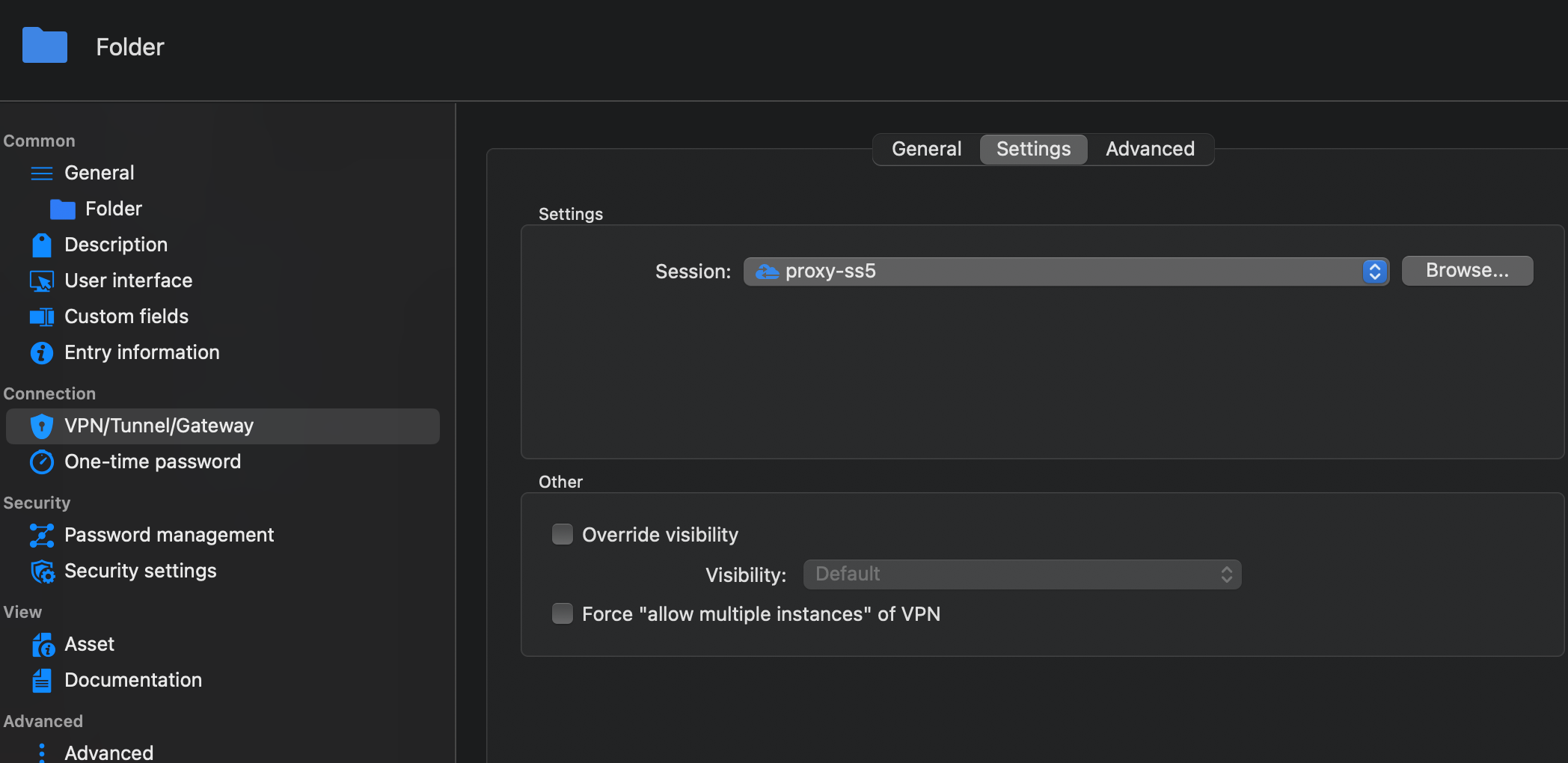
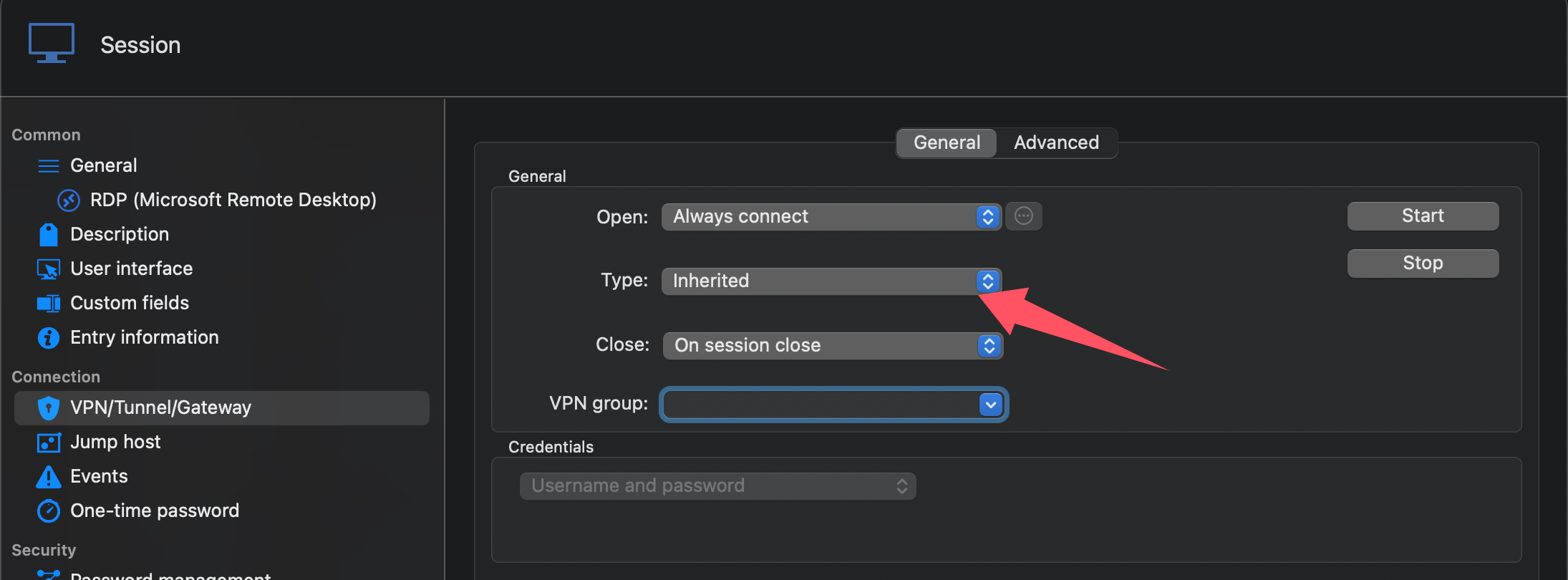
The following screenshot shows the steps I took to create it. First, I set up the socks5 Proxy, using the Proxy tunnel with the second blue icon in the picture below. Then, I set up a proxy for the folder, and the rpd connection under the folder was also set to inherit from the superior proxy. However, with this setting, I still couldn't connect to the server. Please check if there is any problem with the Settings.
There's another issue. Currently, I have set up a separate proxy socks5. When setting up the socks5 proxy, I need to fill in the remote host and remote port. If multiple rdp sessions are used simultaneously on this proxy, how should the remote host and port be handled?
This socks5 proxy can be used normally on other software, such as Royal tsx. After setting it up here, it can connect to the server normally.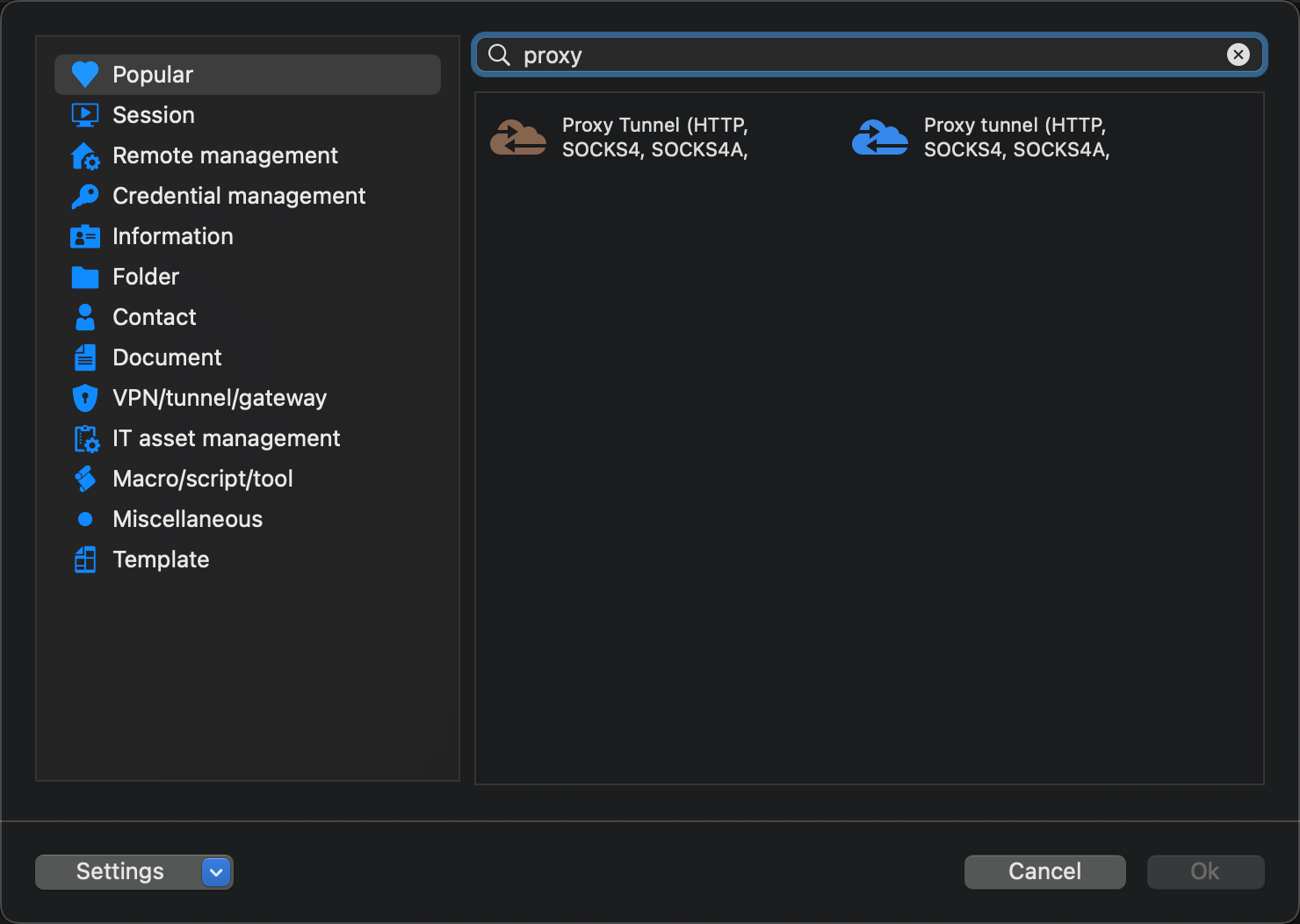
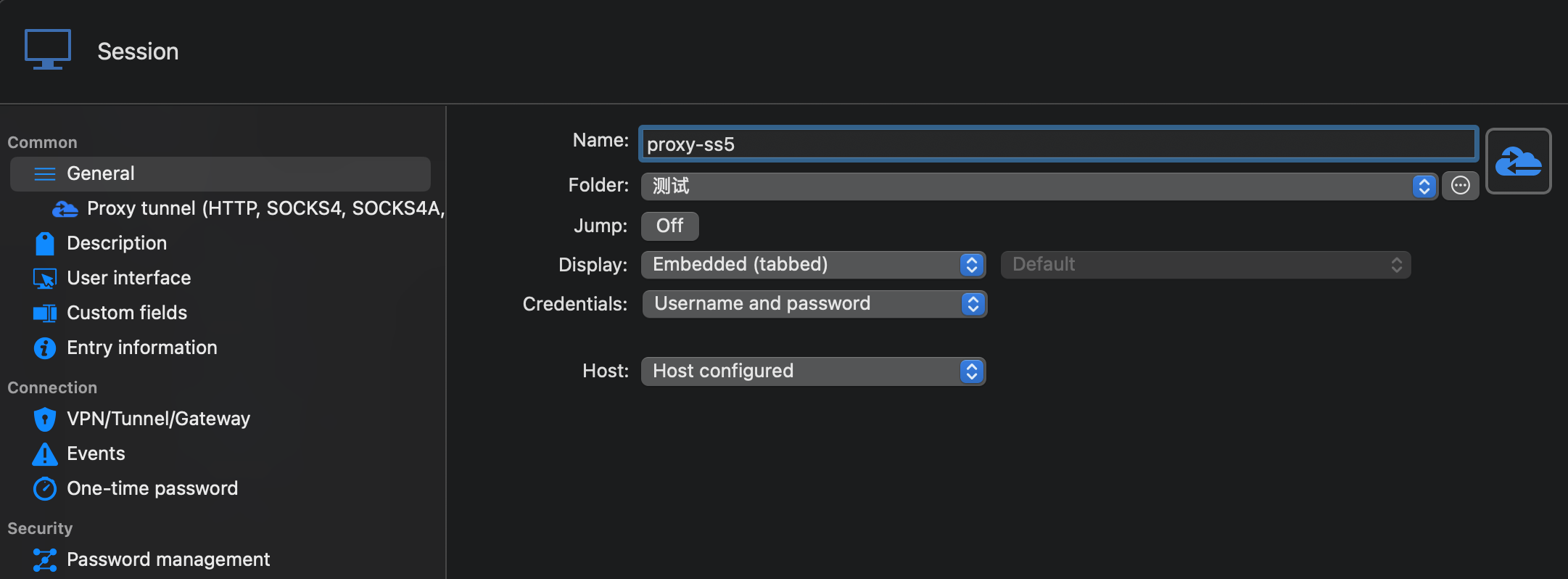
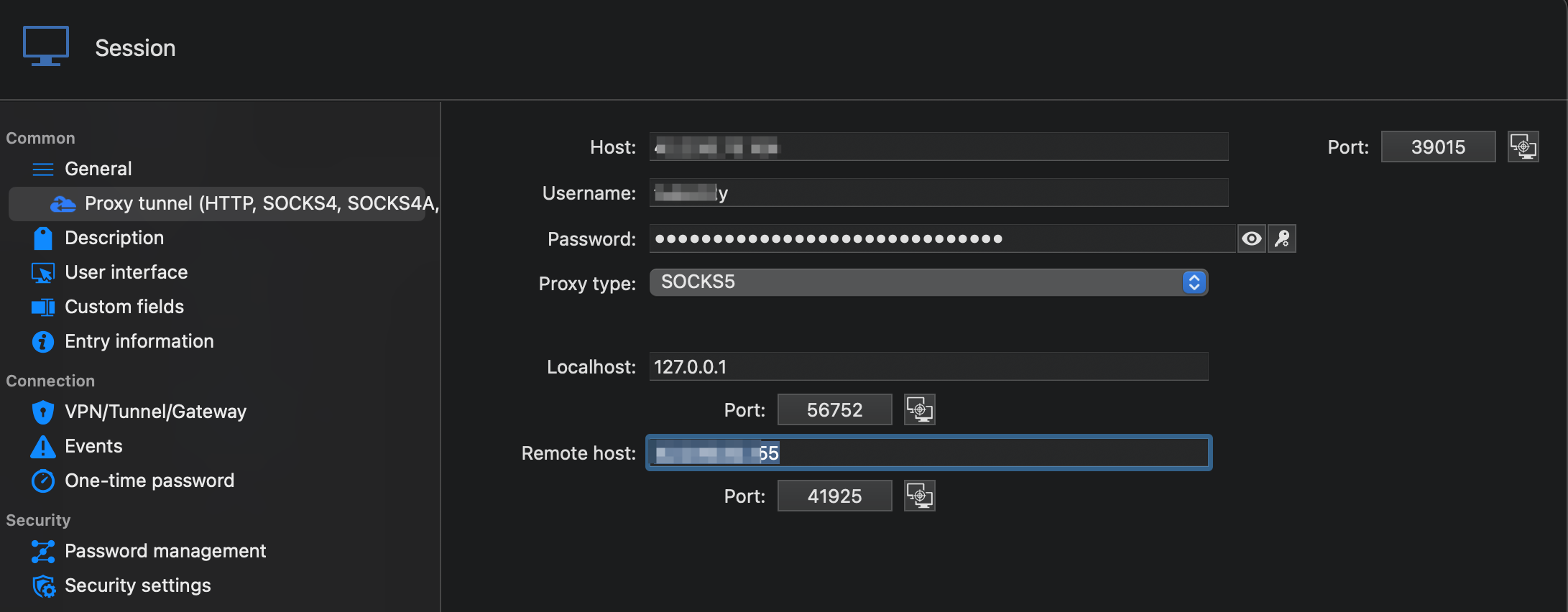
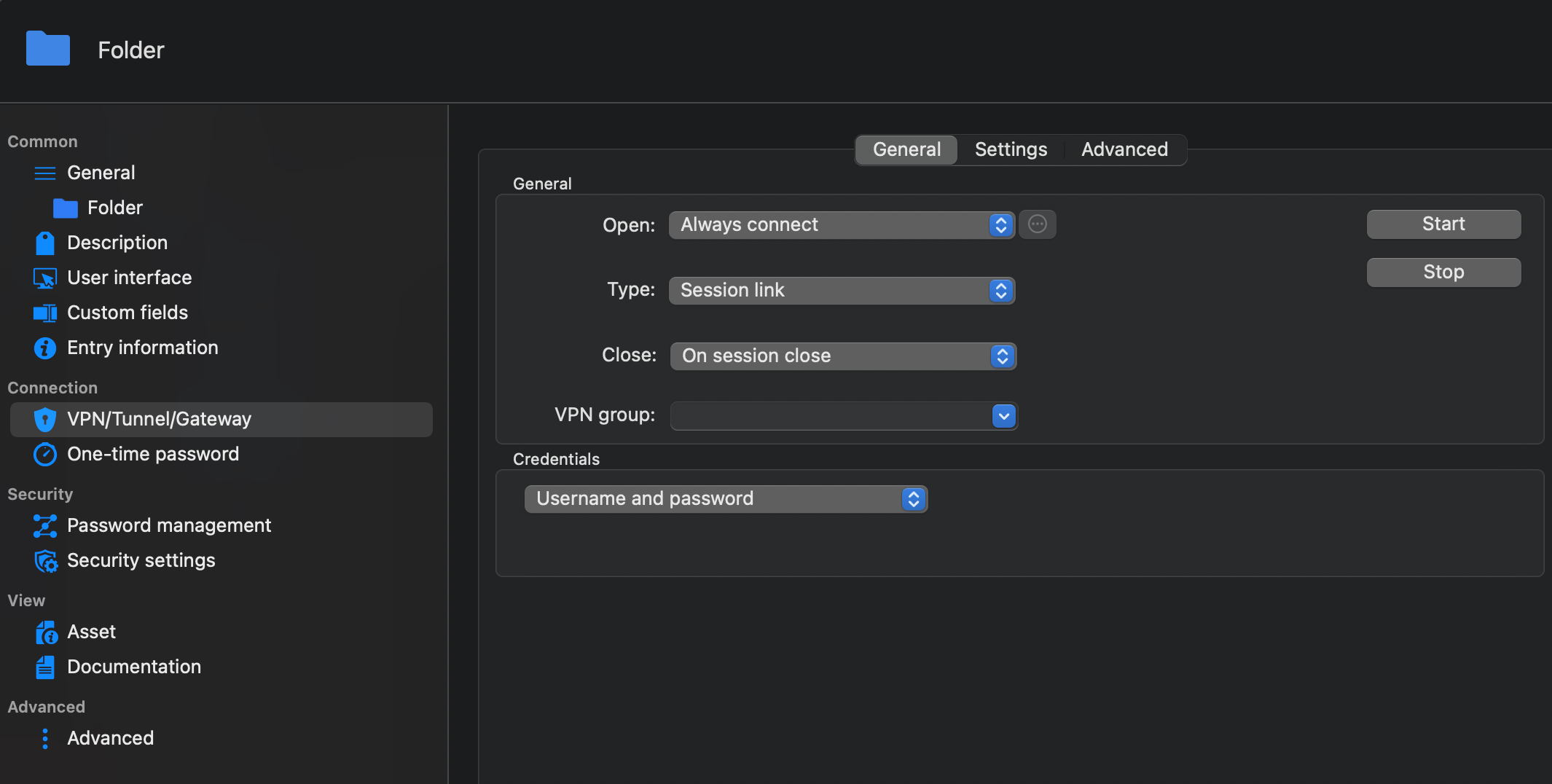
QQ20250924-165458.png
fload-set-ss5-settings.png
fload-set-ss5.png
QQ20250924-165106.png
QQ20250924-164819.png
QQ20250924-164727.png
Hello,
Thank you for your patience,
I continued to look into how SOCKS5 proxy works in RDM, and here’s a breakdown of the process when you configure an RDP connection to use a SOCKS5 proxy:
1. Local Binding – RDM contacts the SOCKS5 proxy and creates a local port binding on your machine (e.g., 127.0.0.1:13586).
2. Port Forwarding – This local port is mapped one-to-one to your actual RDP server endpoint (e.g., <IP-of-the-machine>:3389).
3. RDP Session Redirection – Your RDP entry will automatically redirect its endpoint to 127.0.0.1:<local_port>, which routes traffic through the SOCKS5 tunnel to the destination server.
This explains why you see 127.0.0.1:<port> instead of the direct remote host—this is expected behavior, as RDM manages the redirection internally.
For comparison:
- SSH Tunnel – This behaves similarly, but SSH allows a more dynamic approach. At runtime, RDM can pass the actual endpoint into the SSH tunnel and update the RDP entry’s host to the 127.0.0.1:<local_port> binding created on the fly.
- SOCKS5 – The relationship is static (one-to-one). Each RDP entry is tied to a specific endpoint, and RDM relays it through the local proxy binding.
For additional information, you can refer to our documentation here:
- https://blog.devolutions.net/2020/02/how-to-configure-a-secure-gateway-in-remote-desktop-manager/
- https://docs.devolutions.net/rdm/kb/how-to-articles/configure-secure-gateway/
Please let us know if using an SSH tunnel would be a better solution for your setup.
Best regards,
Carl Marien