User overview does not list the Administrators correctly

Small nitpick about the Userlist:
When a user gets the Administrator role via a group instead of direct it is not shown in the Userlist under "Is administrator"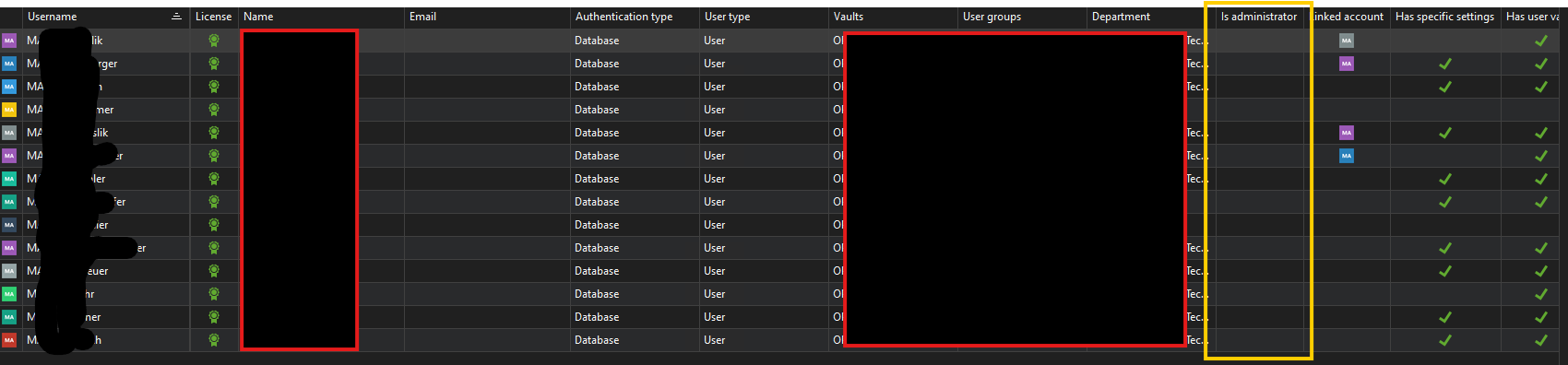
3 user in this list have the RDM Administrator Role but it is not shown.
BR,
Stefan
7237a955-0135-4145-9971-84c791b93544.png
All Comments (4)
Hello,
Thank you for reaching out regarding this matter.
Could you please provide a screenshot of one of the "Edit User" pages for a user who is supposed to be an administrator—ensuring any sensitive information is removed?
I’ve tested this on my end and haven’t been able to reproduce the issue, so I’d like to compare your user setup with mine.
Best regards,
Tommy Sanders
1f0cc028-1c1f-4562-b1c2-c66d0af0e9ca.png
Hi Tommy,
the only way the userlist shows a Usertype Administrator / mark the IsAdministrator Column is when i set a user directly as administrator
But if the Administrator Role is inherited from a group like here it is not shown.
here are the images from my admin account: (notice that the user is not set to administrator, this is on purpose)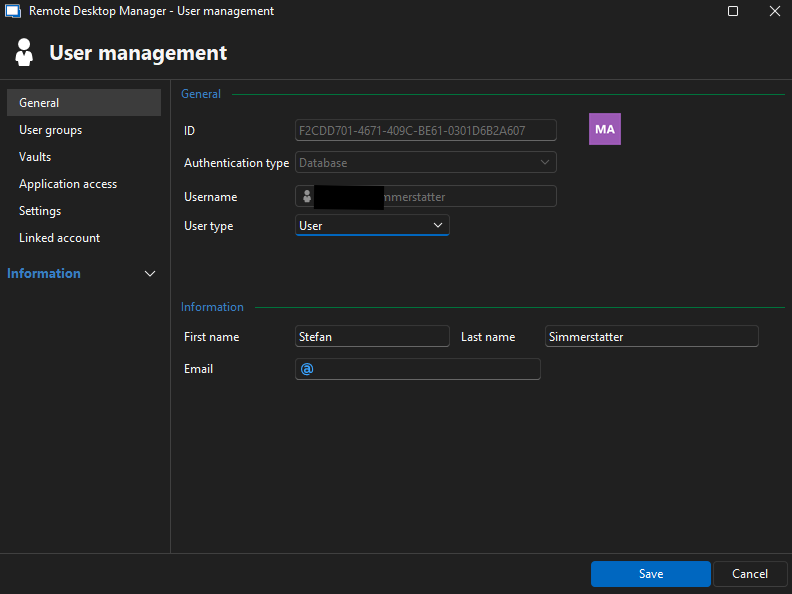
my user is member of the Group "RDM Admins" (which lets me inherit the administrator role)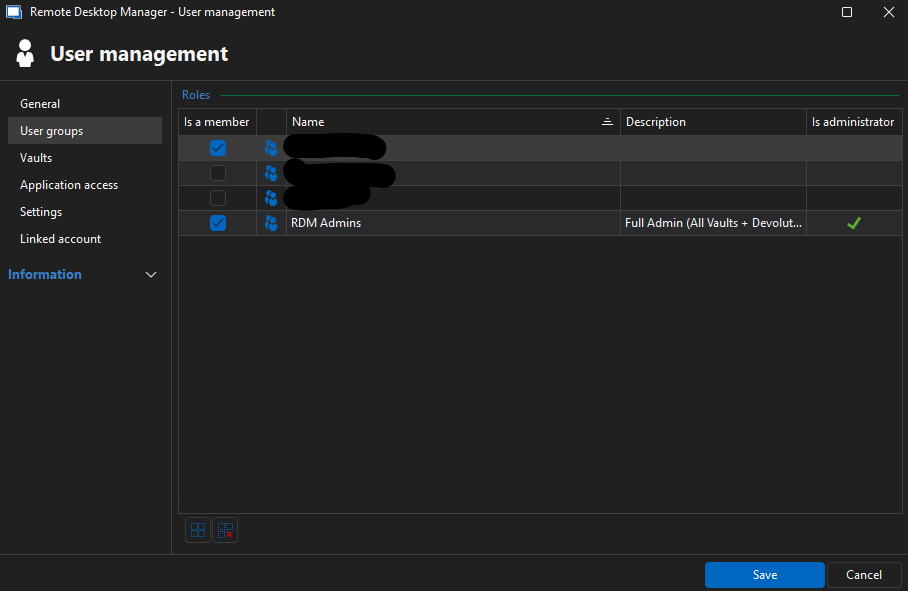 And these are the Group Settings of the "RDM Admins":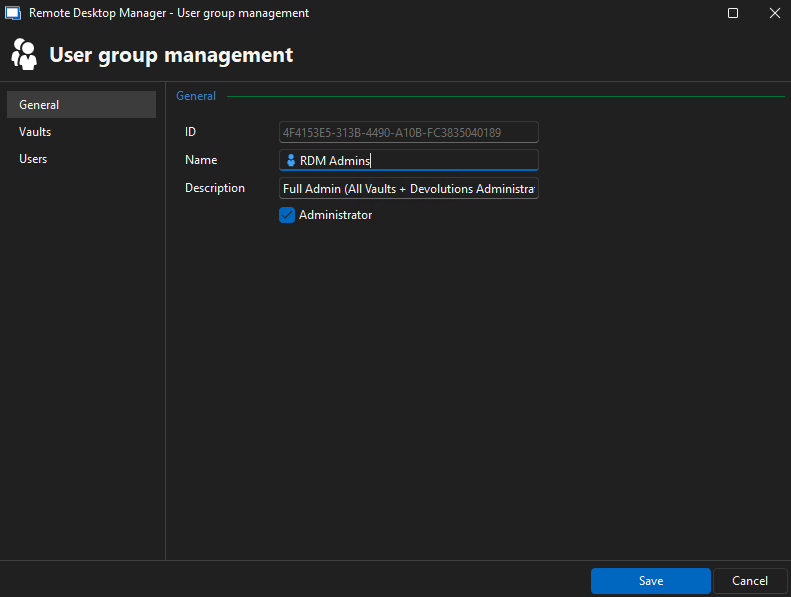
the group also has global access to all vaults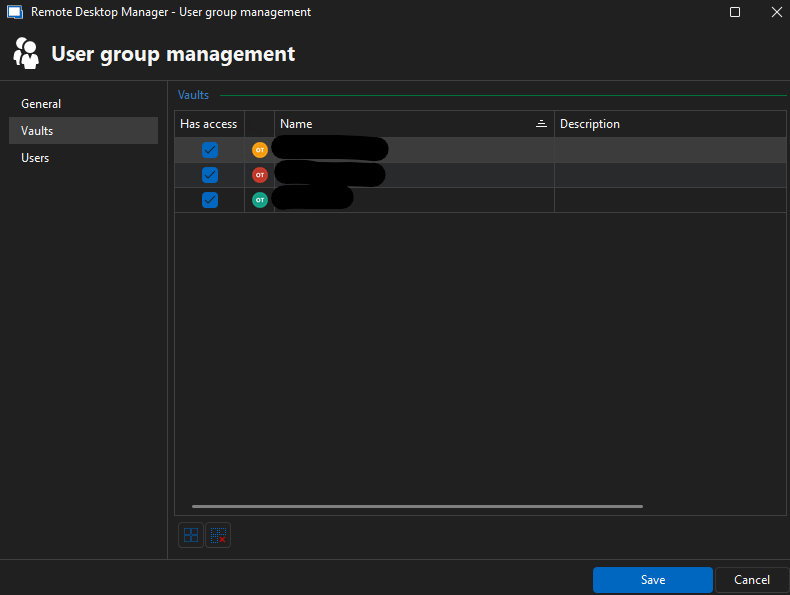
again showing that my user is member of the group, just from the properties of the group itself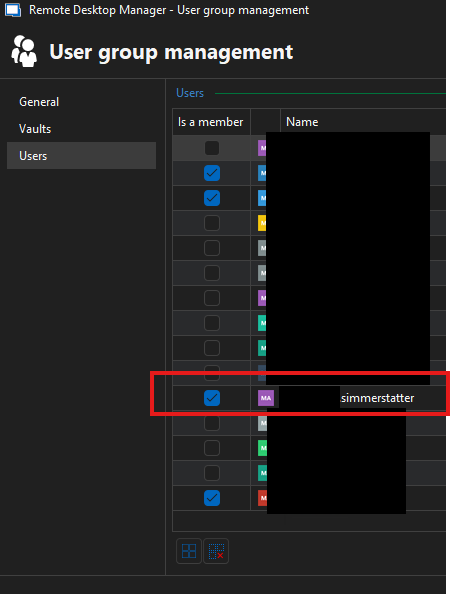
276107b6-4edc-4721-8c61-12c2ab0ea01f.png
1d32874f-5c38-4818-9777-ebe7237a085e.png
12664d69-b49f-4dd2-9a52-e86df0ec744e.png
81b87caa-e653-405b-bb29-9d7ea478efaf.png
dc5573a1-915c-43cf-9bda-848272d77060.png
Hello,
Thank you for your response,
I will test it by monday and get back to you.
Best regards,
Tommy Sanders
Hello,
Thank you for your patience.
Based on my tests, the 'Is administrator' column is only marked when a user is explicitly set as an administrator in their individual user settings. Group membership does not impact this column.
However, as shown in the 'User Groups' column, the user is indeed part of the Admin Group that you created.
Best regards,
Tommy Sanders