Devolution Workspace can't find entries

RDM Latest, Fedora 42
The Devolution workspace can save credentials, but cannot access them when the URL (saved in RDM) is opened. I receive the message "No credentials are available for this site" when I click on the extension icon.
RDM associations
DW settings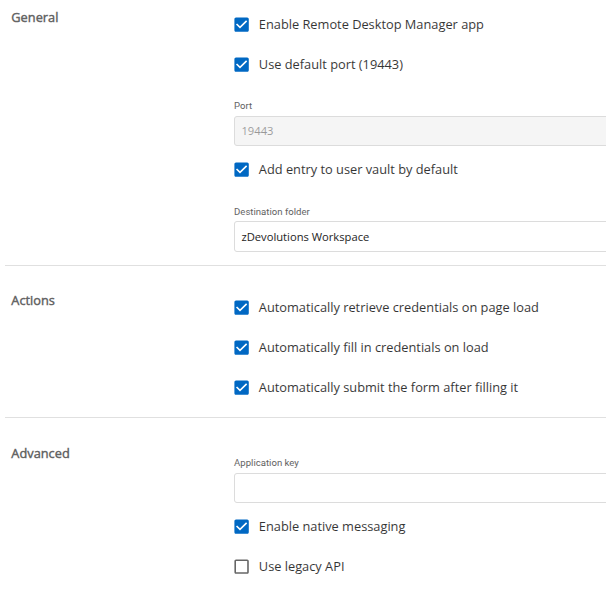
Destination folder is correct.
RDM System diagnostic
e60e6f17-78d9-4653-9c73-8bbbea521ac7.png
73bf76c9-9fdb-4cc7-8145-fe41f92c3acc.png
b0938bf8-a030-46e6-9a43-483909f8d00c.png
All Comments (4)
Hello,
Thank you for reaching out regarding this matter.
Could you please try logging out and then logging back into the Workspace extension? Additionally, ensure that you are using the same account as your RDM and that the correct data source is selected.
Best regards,
Tommy Sanders
Hello,
Thank you for your prompt reply.
I forgot to mention that my RDM uses an SQLite database.
For the test, I added "HUB personal" as an additional workspace in the extension. With this workspace selected, the stored credentials are located successfully.
However, when I attempt to use the "Remote Desktop Manager" workspace, the credentials are not found, despite being stored in the destination folder.

fd9af29f-f34a-4c85-a69d-2cf200eaab90.png
dc58b296-7c6c-41a7-98be-d74360e15155.png
d111b524-0072-4250-8bdf-945ae72e1ad3.png
Hi,
Could you activate the debug profiler in Remote Desktop Manager using the following guide:
https://docs.devolutions.net/rdm/commands/help/profiler/#debug-only
In the Debug field, enter 19.
Once enabled, in your browser go to the website abv.bg and click the refresh button in the extension.
Do you see any output in the Profiler window in Remote Desktop Manager?
Best regards,
Olivier Désalliers
Hi Olivier,
Thanks to your advice, I found where the issue is.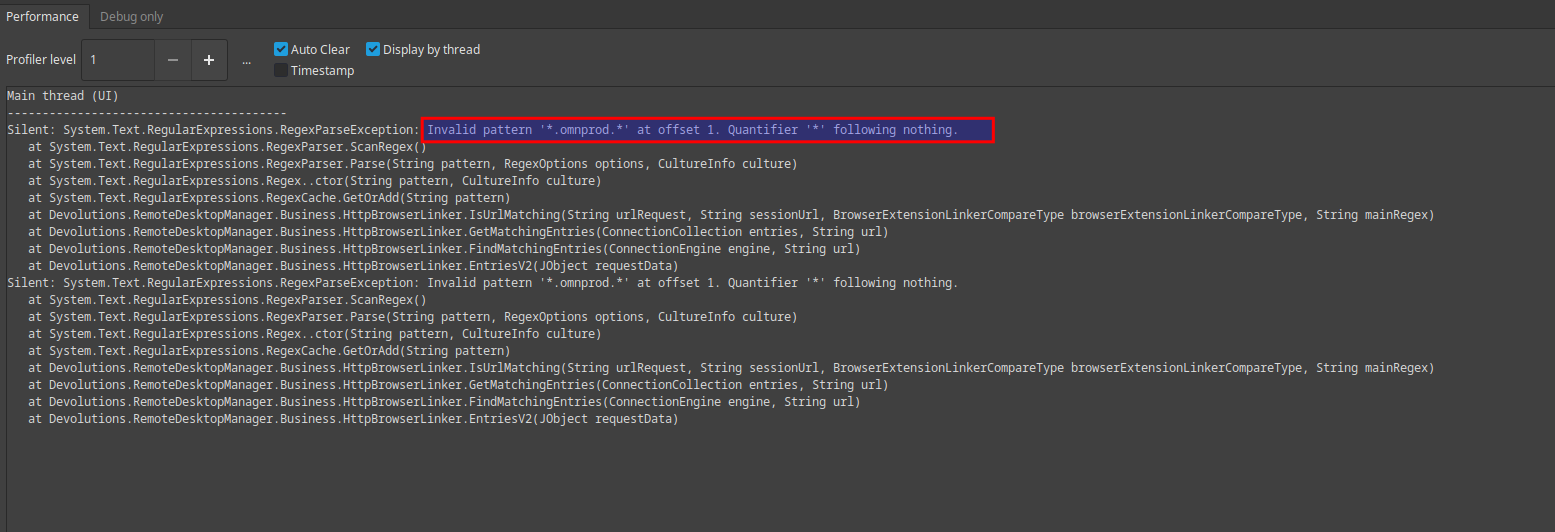
I had the regex in 2 Website entries Website/General/Regex field. After removing the regex value, DW extension can read the credentials.
Thank you for your great support.
5c7ac380-4035-4ad5-96c7-c6d526aee0a8.png
d3397d49-d5e3-4a20-ba06-14a8cdff6fec.png