Inherit password only
1 vote

I am very new to RDM, coming from mRemote where I was used to inherit every single field that I needed.
Currently I failed to find a way to inherit a password only.
I see that I can inherit credential pairs, can use variables for parent domains etc, but I failed to use it for the password only.
The only workaround was to bulk edit and update everything manually.
Is there a way to inherit the password from its parent folder only as I have multiple accounts using the same passwords on one server?
Many thanks in advance!
All Comments (14)
Hello,
Thank you for contacting us regarding this matter.
If I understand correctly, you would like to set the credentials of certain entries to "inherit." Please try the following:
- Select the desired entries using CTRL + click.
- Right-click on the selection and choose Edit > Batch Edit > Edit Saved Credentials.
- Set the credentials to Inherited.
Let me know if this works as expected and if this is what you were looking to achieve.
Best regards,
Tommy Sanders
OK I try to explain again.
Let's say I have a folder "Servers" and I would like to have it with a structure like this:
- Servers (Folder) - Password configured to "Mypassword", NO Username set
- Server1 - Username indiviual set to "User1" Password set to inherit from parent Folder = "Mypassword"
- Server1 - Username indiviual set to "User2" Password set to inherit from parent Folder = "Mypassword"
- Server1 - Username indiviual set to "User3" Password set to inherit from parent Folder = "Mypassword"
- Server1 - Username indiviual set to "User4" Password set to inherit from parent Folder = "Mypassword"
- ...
- Server1 - Username indiviual set to "User99" Password set to inherit from parent Folder = "Mypassword"
Hello,
Thank you for the clarification.
The inherited option works in that way—it takes the credentials from the direct parent. Unfortunately, I don't believe there's an option to set different credentials for each entry individually.
Does that answer your question?
Best regards,
Tommy Sanders
Each server has a different username but they all share the same password. So, can he set a user username at the server level, and inherit just the password from the parent, not the full set of credentials?
Hello,
Thank you for your question.
Unfortunately, it's not possible to inherit only the password from a higher level. Credential inheritance works as an all-or-nothing configuration—either both the username and password are inherited, or neither is.
Best regards,
Tommy Sanders
Ah OK thanks for clarifying.
I thought maybe there is some special way using the variables or so, what I tried but failed.
But then I know it will not work.
Maybe add as feature request?
Thanks!
Hello,
This post has been transfer to a Feature request.
Best regards,
Tommy Sanders
Hello,
Thank you for your request. I have a way to achieve this that might work for you.
1. Create a Username/Password entry, we'll call this CredentialA.
2. In CredentialA, configure the username to be a variable like $CUSTOM_FIELD1$. Configure the password to be the one you want, since it's always the same.
3. Create an RDP entry, we'll call it SessionB.
4. In SessionB, set the credential mode to use CredentialA. Additionally, enter the value you want to use for the username in the custom field 1, for this example.
Result: When you open SessionB, the username will be the value of SessionB's custom field 1, and the password will be the one entered in CredentialA.
This should work with other variables as well, but custom fields seem more appropriate to make sure this works how you'd expect.
Let me know what you think.
Regards,
Hubert Mireault
Yes, that works!
Thank you very much, this solves it for me!
Thank you for the feedback, I'm glad to hear it works. I'll mark this thread as resolved—for now we won't implement a different way to achieve this. If you encounter any issue with this solution or things that could be improved, let us know and we'd be happy to assist.
Regarsd,
Hubert Mireault
Hello,
Thank you for your request. I have a way to achieve this that might work for you.
1. Create a Username/Password entry, we'll call this CredentialA.
2. In CredentialA, configure the username to be a variable like $CUSTOM_FIELD1$. Configure the password to be the one you want, since it's always the same.
3. Create an RDP entry, we'll call it SessionB.
4. In SessionB, set the credential mode to use CredentialA. Additionally, enter the value you want to use for the username in the custom field 1, for this example.
Result: When you open SessionB, the username will be the value of SessionB's custom field 1, and the password will be the one entered in CredentialA.
This should work with other variables as well, but custom fields seem more appropriate to make sure this works how you'd expect.
Let me know what you think.
Regards,
@Hubert Mireault
Hello, I wanted to do something similar in the Hub in my personal vault, but it doesn't seem to work:
- I created Username/Password entry with $CUSTOM_FIELD1$ as username and some password. I didn't put any value in Custom fields -> Custom #1
- I created a folder with credentials linked to the above entry
- I put some value in Custom fields -> Custom #1 in that folder
- I created website entry inside this folder with credentials set to Inherit
- Result is that username is empty
I also tried creating RDP entry with credentials linked to Username/Password entry which I created in step 1. I put some value in custom field in the RDP entry, but username was still not filled.
If I put some value in custom field in Username/Password entry then this value is used for Website and Rdp entries.
Is there a way to achieve password-only inheritance in the Hub?
Hello @yksn,
The reason why your scenario with the Website entry doesn't work is that the variable in the credential is resolved in the context of the entry that uses it: in this case, the website entry. I tested with the setup you described in the website entry, and if I put a value in the first custom field of the website entry rather than the folder, it will successfully use that information as the username.
If this doesn't work for you, maybe there's something I missed in your scenario. Would it be possible to show screen captures of the properties of your entries (the folder, website and credentials) to verify I had the same setup as you?
Regards,
Hubert Mireault
Hi,
I don't see "custom fields" tab in website entry. How do I add them to website entry?
variable in the credential is resolved in the context of the entry that uses it
This doesn't seem to be a case for me - it's resolved at the Username/Password entry level. It's inherited as empty value and if I add some value to custom field in Username/Password entry then it is inherited
This is my setup. I added RDP as reference because it has "Custom fields" tab, unlike Website. I also tried setting it as Inherited instead of Linked but it also didn't work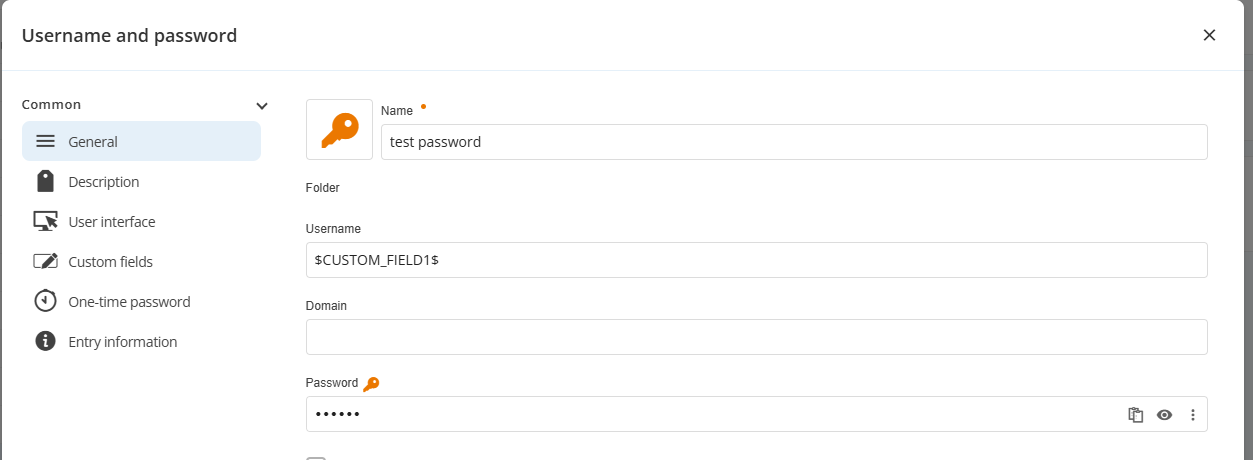
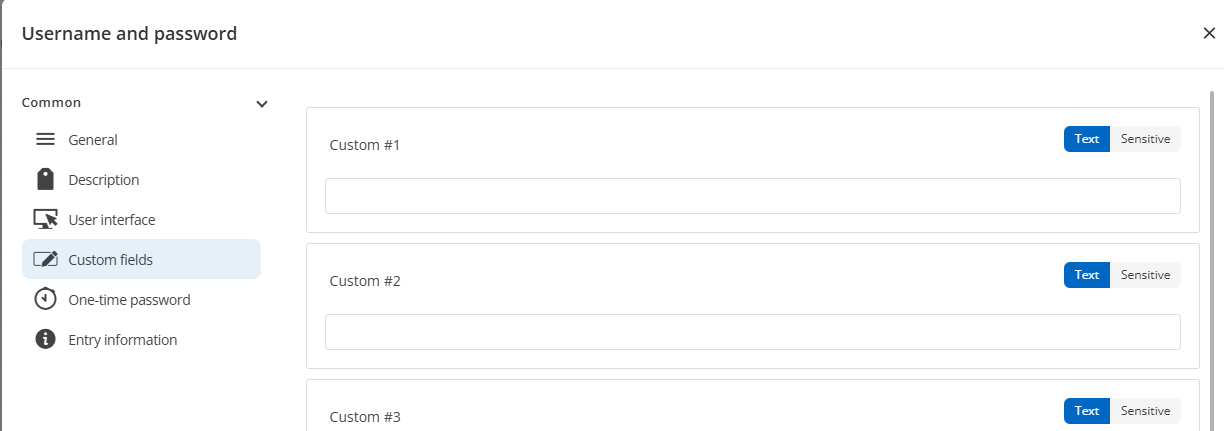
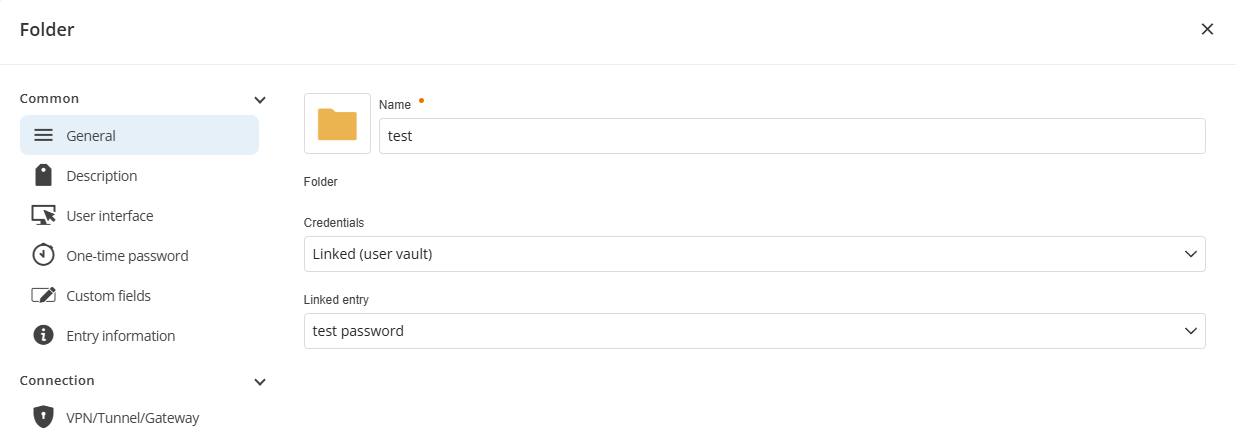
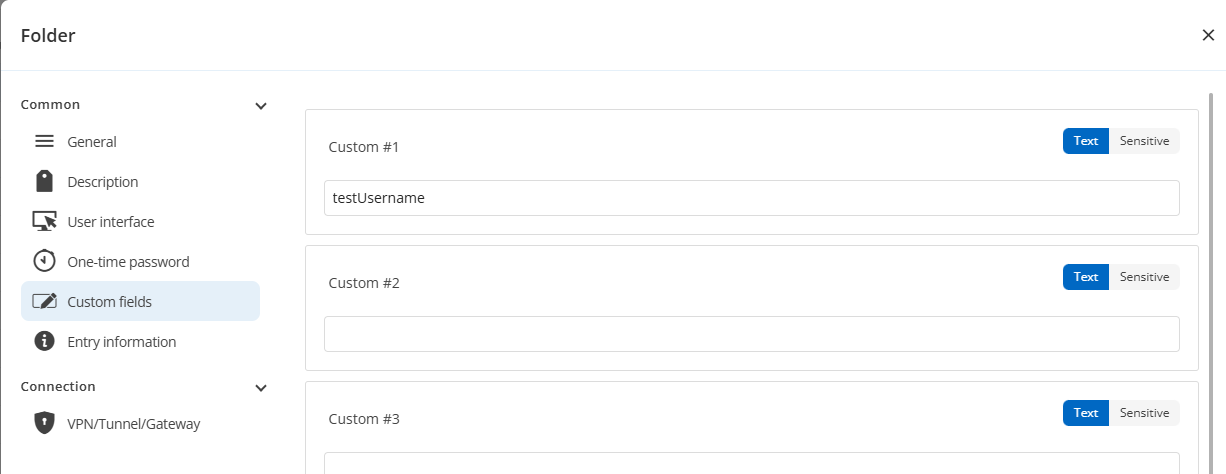
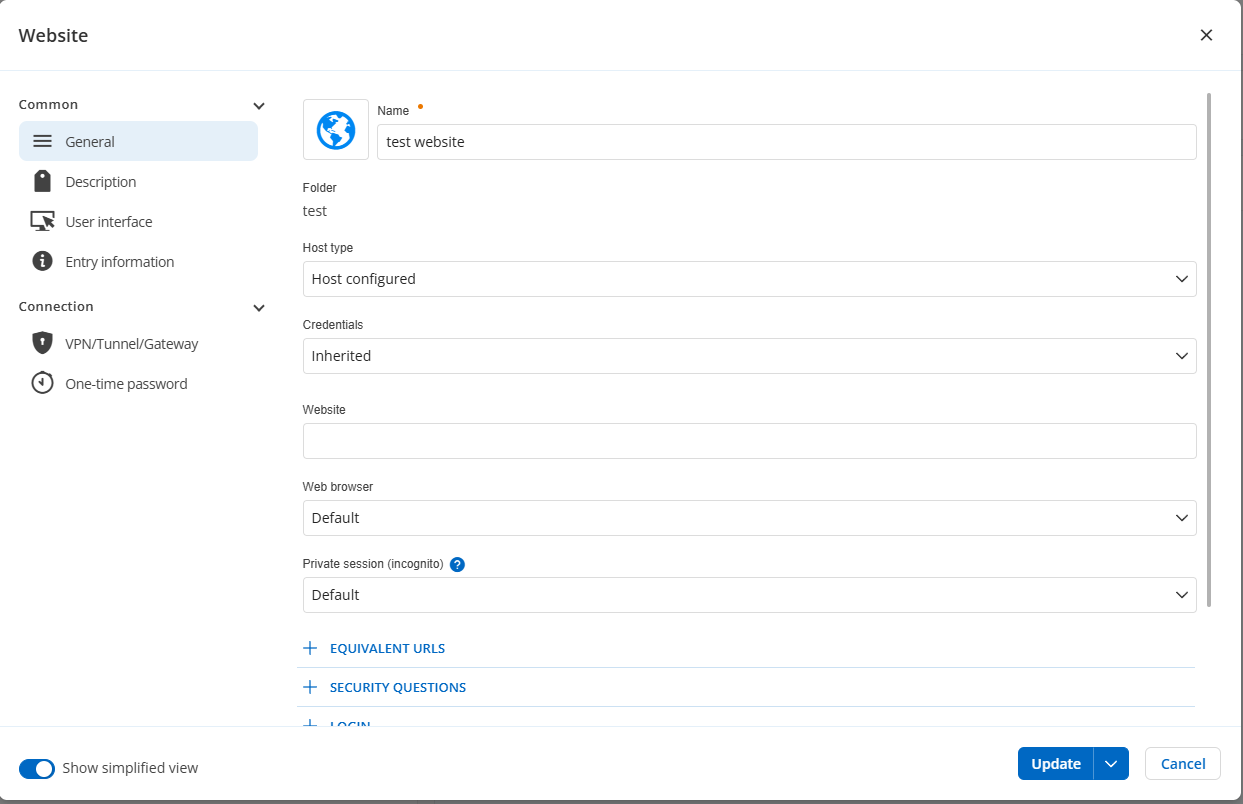
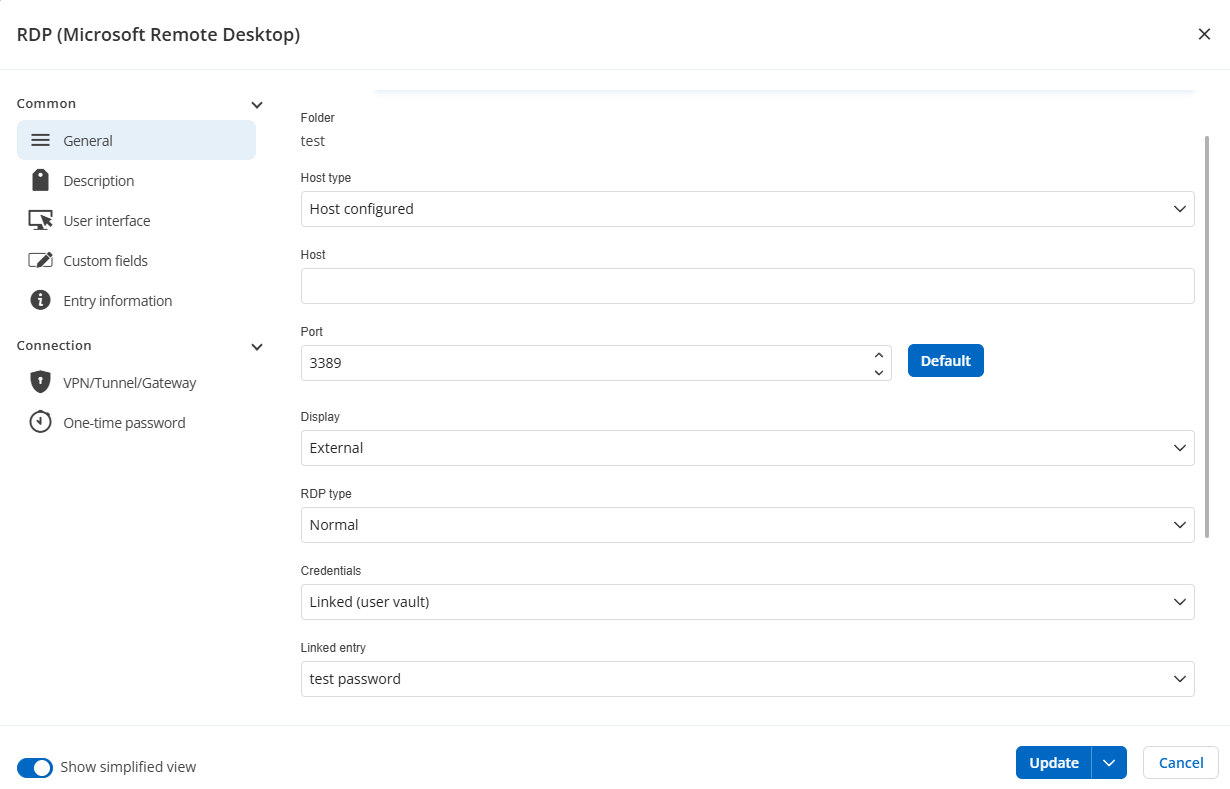
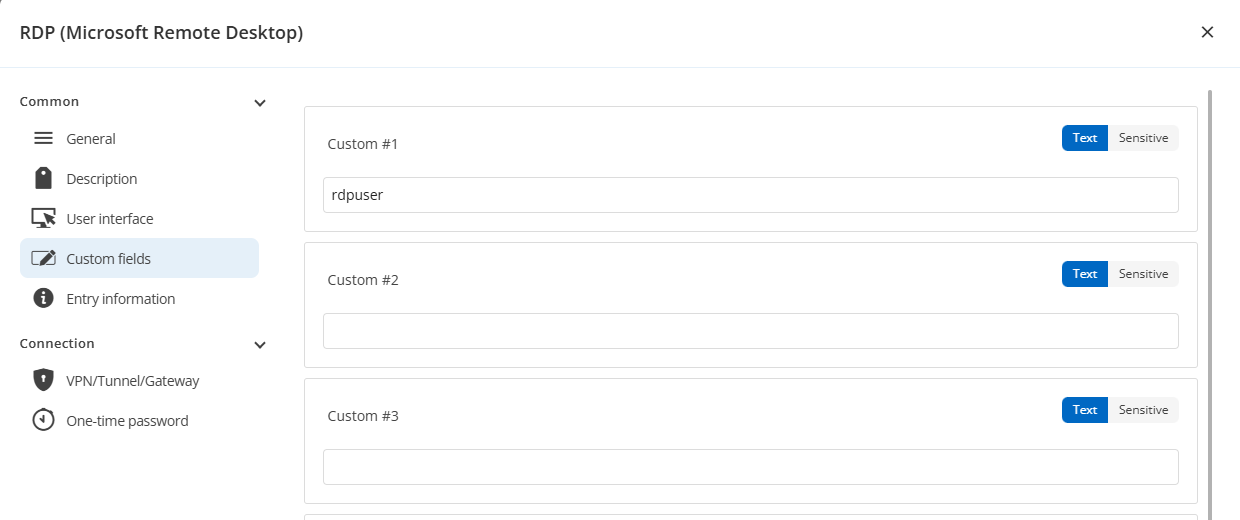
1 password entry.png
1b password entry custom fields.png
2 folder.png
2 folder custom fields.png
3 website.png
4 rdp.png
4b rdp custom fields.png
Thank you for the information. I see you're using the Hub web UI and not using it as a data source in RDM. I will forward this to the Hub team to be investigated, as the behavior should be the same between the two clients (Hub web and RDM).
Regards,
Hubert Mireault