Explanation about password management

i have some amount of ssh credentials at different folders.
Some of them use the same login - which i need to change the stored password.
If use batch edit > edit credentials - login would be overwritten at every host, even it use a another account.
I can create a global credentials, but can't link them with host element. So it works only for manual login via rmb menu?
Did i miss something here?
All Comments (12)
Hello,
Thank you for reaching out!
My name is William and I'm here to assist you in any way I can.
I would suggest creating a Username and Password entry, which can be linked to a Host entry: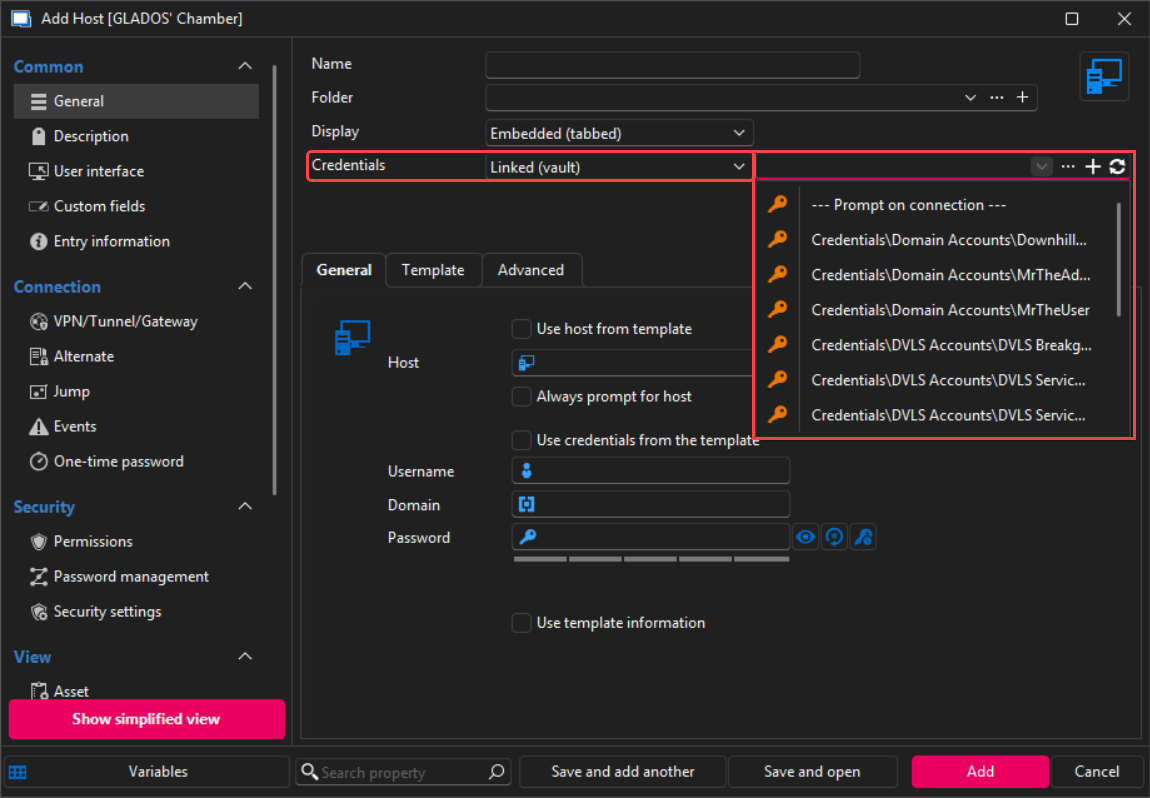
This way, when you need to edit the password of the account, you only need to edit the Credential entry, and it will update on every host linked to that credential.
As for the rmb menu, I'm not exactly sure which option you are referring to.
To better understand what you are exactly looking for, could you confirm these information:
- The data source you are currently using?
- How are you normally operating with RDM?
- How would you see RDM operate if it could do exactly what you are looking to achieve?
Best regards,
c8932a5d-c6c7-40c9-9cd9-f6da9323bd78.png
That's exactly what I meant! Thanks.
I didn't notice this menu(
Hello,
No problem, if you would like to find out more about Remote Desktop Manager's features, I highly recommend these YouTube videos:
- The remote connection management toolbox for IT pros: https://www.youtube.com/watch?v=i9EwBPnYQ6I
- Getting started with Remote Desktop Manager: https://www.youtube.com/watch?v=FtSlp_TVAxE
- Getting the Most out of Remote Desktop Manager: https://www.youtube.com/watch?v=paw_cyY8BoQ
I will mark this thread as resolved.
Feel free to reach out if you have any questions or need further clarification.
Best regards,
Related question.
i'm usiing $TOOL_PASSWORD$ at postlogin script. But it stop working now with linked account. How to fix that?
Hello,
Thank you for getting back to us.
I've been trying to test with the $TOOL_PASSWORD$ variable, but I'm unable to make it work anywhere...
What password would it retrieve exactly and where were you using this variable exactly?
Best regards,
it works if store password with classic way, not linked account.
macro:
sudo -i
$TOOL_PASSWORD$
Hello,
Thank you for your feedback.
The $PASSWORD$ variable refers to the password of the configured credential of the entry.
The $TOOL_PASSWORD$ variable refers to the password set in the Tools section of the entry.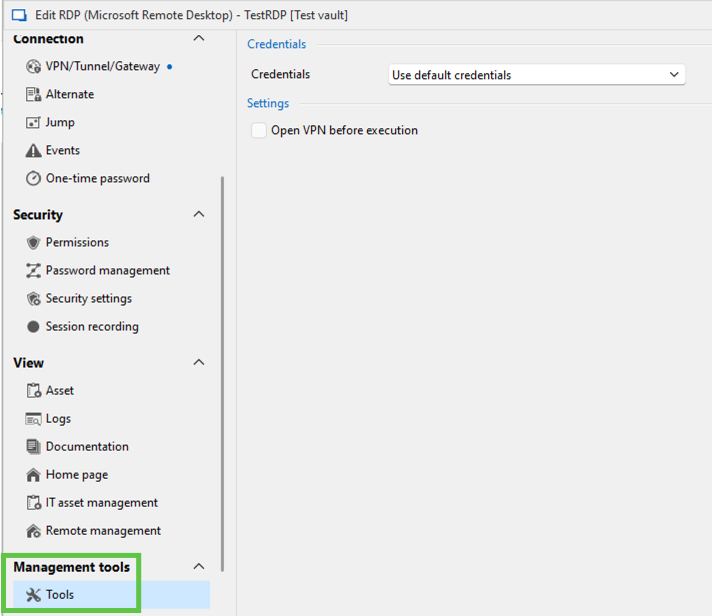
Let us know if that helps to understand these 2 variables.
Best regards,
Érica Poirier
33218e55-af9a-459d-b842-089ef7b0424e.png
Got it. But none of them works with storage password. I also tried to change default>storage at Tools tab.
Hello,
Thank you for your follow-up.
Could you please share a screenshot of your configuration under Entry properties > Management tools > Tools? This will help me assist you further.
It’s possible that the issue is related to the "Allow password in variable" setting. This option needs to be enabled both on the host entry and the linked credential entry. You can find this setting under Entry properties > Security > Security settings for each entry.
Please let me know if this helps. I look forward to your reply.
Best regards,
Jacob Lafrenière
> This option needs to be enabled both on the host entry and the linked credential entry.
This! Not obvious for sure. Now it works, thank you.
Hello,
Thank you for your follow-up.
I’m glad we were able to resolve the issue!
I’ll mark this topic as resolved for now. If needed, you can reopen it by replying here.
Best regards,
Jacob Lafrenière