SonicWALL VPN credentials wiped after RDM connection
1 vote

Hi,
I’m using Remote Desktop with the SonicWALL Global VPN Client . When I launch a VPN connection through RDM, the credentials that were previously saved in the SonicWALL client are being cleared.
This means I have to re-enter them manually every time after RDM initiates the connection.
It would be great if RDM could just keep the stored VPN credentials instead of clearing them each time. This would make reconnecting a lot easier. Is there any way to avoid this? Or is it something that could maybe be added as a feature?
Thanks a lot
Best Regards,
Jan Neufeld
All Comments (5)
Hello,
Thank you for reaching out regarding this matter.
Could you please ensure that you're using the latest version of RDM (2025.2.23.0) and let me know which datasource you are currently working with?
In the meantime, could you also send me a screenshot showing where the credentials are being cleared? I’ll use that to try and reproduce the issue on my end. Additionally, does this issue occur only within RDM, or are you noticing it outside of RDM as well?
Best regards,
Tommy Sanders
Hello,
this is the Version I am currently using .
If I save login credentials in the SonicWALL Global VPN Client, they are cleared after a single connection launched through RDM.
Best regards,
Jan Neufeld
4e14c962-3124-4f74-961a-37a42c90a4b6.png
df760537-f785-435a-a83e-7ba66073bb1b.png
Hello,
Thank you for your response. Based on the English translation of the entry type, it appears that you are attempting to edit a folder. Could you please clarify which specific entry you are trying to launch when the username/password prompt appears?
In the meantime, could you also send me a screenshot of the properties of this entry?
Best regards,
Tommy Sanders
I suspect there is a misunderstanding here. No prompt appears. The screenshot was only intended to show which credentials are cleared by the RDM.
We store the VPN credentials in RDM in a parent folder. All folders and entries below inherit the entry.
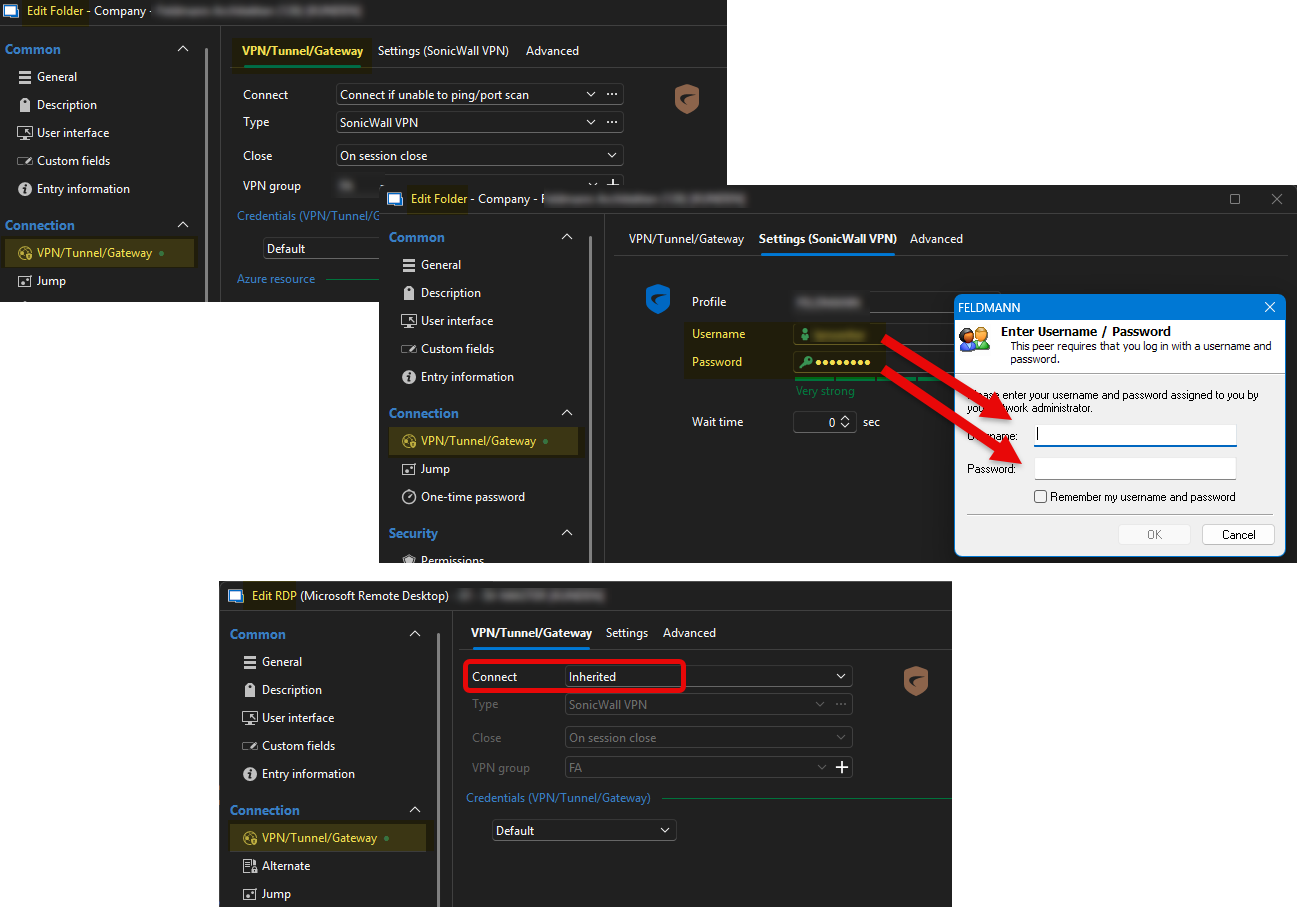
The problem is that using the RDM deletes credentials previously stored in the Global VPN Client.
54867e42-cd04-4ddf-b18e-c1e9e295f62f.png
Hello,
Thank you for your response,
I've created a case for a further investigation.
Best regards,
Tommy Sanders