Website entries with Basic auth should URL-encode the values
Website entries with Basic auth should URL-encode the values

Hi!
When you have a Website entry with Basic auth enabled, it doesn't URL-encode the username and password values correctly before passing it to the browser. I already made a post about this 14 years ago :)
I think it was already fixed, or at least there was an option to URL-encode the user/password values with the old "Web browser" entry type until it got unified with the "Website" entry type.
The problem manifests itself when you have characters in the username or password, which are URL separators, like /, @, :, \, etc.
For example, using a username "domain\user" and password "y0q9178zkBpy" for a website "example.com" results in the URL https://domain/user:y0q9178zkBpy@example.com/, which is of course not good, because it doesn't work and the password is visible in plain text in the address bar.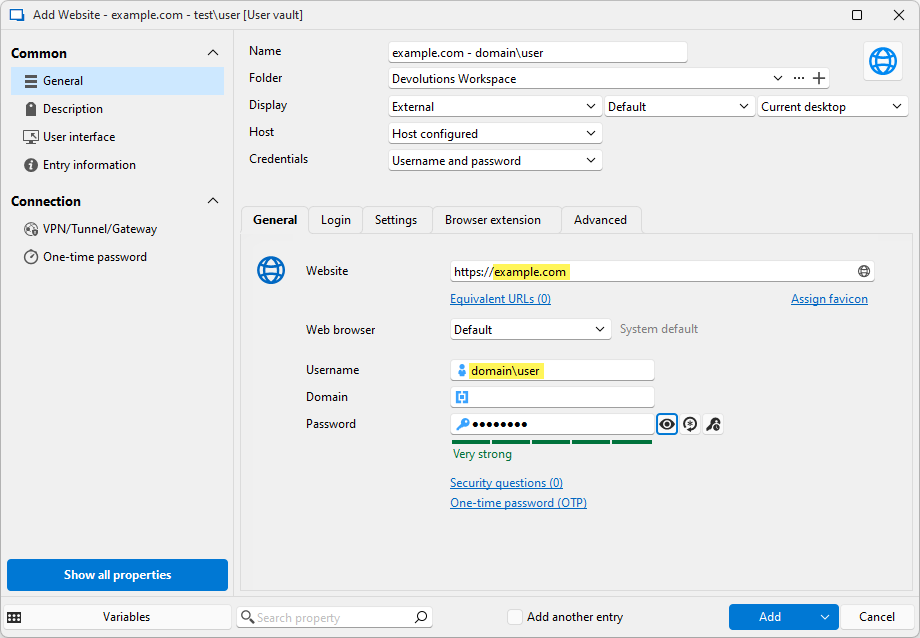
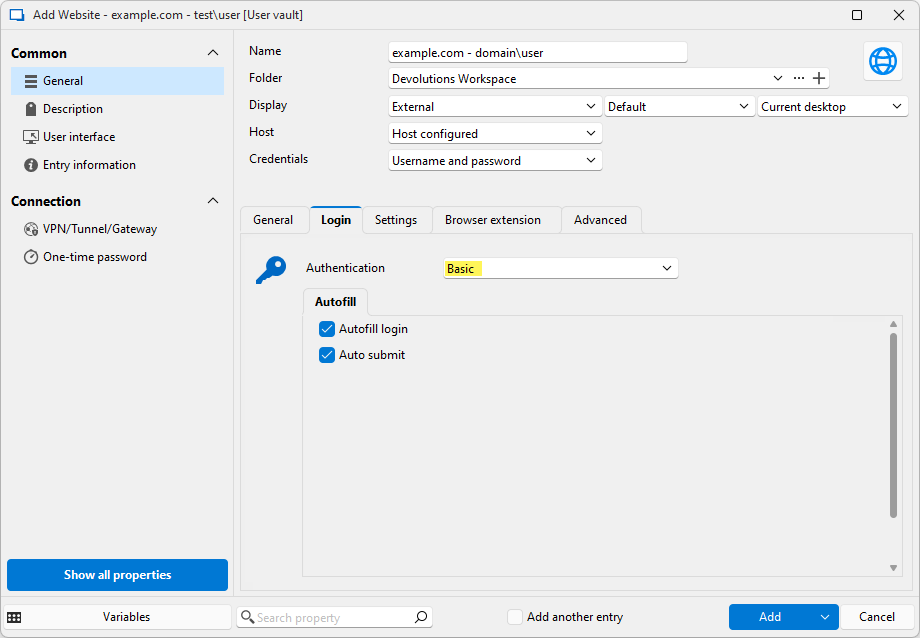
I think these values should always be URL-encoded - it shouldn't even be an option. The correct URL would be https://domain%5Cuser:y0q9178zkBpy@example.com/ (with the \ replaced by %5C)
Thank you!
Best regards,
Daniel
grafik2.png
grafik.png
All Comments (7)
Hello Daniel,
Wow, that's a blast from the past 😄
Could you confirm the version of RDM you're using? We made an improvement in 2024.3 that made it so we don't send the BASIC auth credentials through the URL, which should avoid the problem altogether as far as I know. Maybe I'm missing something in your scenario though.
Regards,
Hubert Mireault
Hi! We just recently updated to the new DVLS 2025.1.11.0 stable release and RDM 2025.1.41.0
edit: My default browser is Firefox, but I tested it with Edge and it's the same behavior.
Here's the entry I was testing with:
<?xml version="1.0" encoding="utf-8"?>
<RDMExport>
  <Connections>
    <Connection>
      <WebBrowserApplication>Edge</WebBrowserApplication>
      <WebBrowserUrl>https://example.com</WebBrowserUrl>
      <AppVersion>2025.1</AppVersion>
      <ConnectionSubType>Edge</ConnectionSubType>
      <ConnectionType>WebBrowser</ConnectionType>
      <CreatedBy>redacted</CreatedBy>
      <CreationDateTime>2025-06-16T13:28:46</CreationDateTime>
      <ID>c86bcbf5-1933-494e-9abf-48dc8a2e0f5c</ID>
      <Name>example.com - domain\user</Name>
      <UpdateDateTime>2025-06-17T08:39:38</UpdateDateTime>
      <Web>
        <AuthenticationMode>Basic</AuthenticationMode>
        <SafePassword>cc0tQ/xuEI0cGJCJr0aKNA==</SafePassword>
        <UseBasicAuthentication>true</UseBasicAuthentication>
        <UserName>domain\user</UserName>
      </Web>
    </Connection>
  </Connections>
  <DatabaseID>89B78043-D65E-4F7F-8F2D-F2FE4FE4737E</DatabaseID>
  <Version>2</Version>
</RDMExport>I just tested with RDM 2025.2.14.0 (with Edge as default browser) and it's the same
Ah, thank you for the information, I see what I was missing. The improvements we made were for the embedded browser, not the external ones. So, as you say, we don't URL-encode this information in external browsers.
I'll open a ticket so we can add the encode option again (or, if it's not necessary, always encode). I think it was removed since we figured it was unnecessary with the rework of the BASIC auth in embedded mode, but there's still the external one that requires it. Sorry about that!
Regards,
Hubert Mireault
Thank you!
Hi Daniel,
We added back the option for "URL encode credentials" internally. The changes should be available starting with version 2025.2.21
Regards,
Jean-Francois Duchesne
Thank you!