RDM Session Gateway credential problem

RDM version 2025.1.30 does not show correct RD Gateway credential on RDP session. When pressing Credentials button, the opened window always shows empty UserName and Password instead linked credential that actually work.
All Comments (7)
Hello,
Thank you for reaching out to Devolutions Support.
Could you please confirm the data source type and version you use with RDM?
Can you send a screenshot of the RDP entry properties and another showing the RD gateway configuration?
Looking forward to your response.
Best regards,
Jacob Lafrenière
Created a bogus entry in test database. 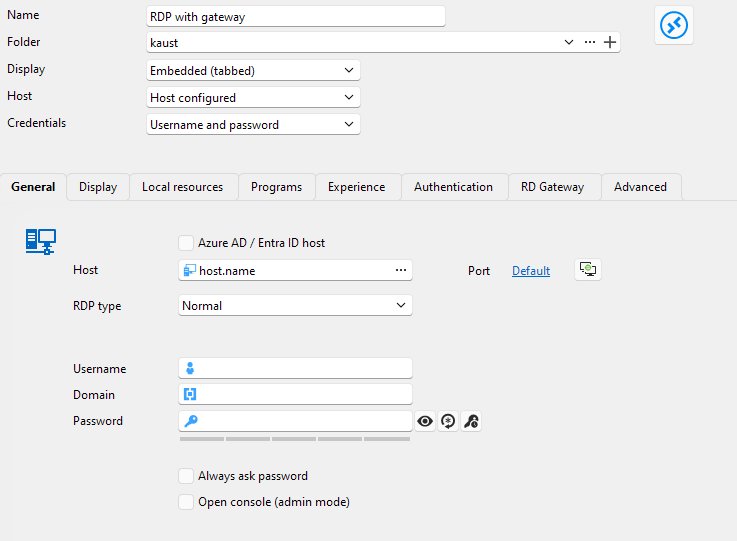
after entering linked credential, the RD Gateway Credential window shows empty credential by default.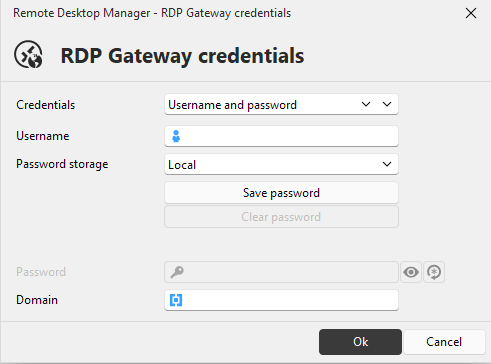
when I change credential to linked, the correct linked credential is showed. When the session is used, the correct RD Gateway credential is used. But every time the RD Credential window opens, it shows default (empty) username and password screen.
Meelis
rdm - rd gateway credential screen.png
rdm - rdp screen.png
Hello,
Thank you for the follow-up.
I was able to reproduce the issue you are experiencing. I will report this bug to the development team, and they will begin working on a fix soon.
I will follow up with you as soon as a fix is deployed in a future update.
Best regards,
Jacob Lafrenière
Hello,
We've fixed the issue. You can expect this to take effect with the upcoming 2025.1.34 version.
Regards,
Jafran Majeau
I can confirm that in version 2025.1.34 the problem is gone
Hello,
Thank you for the follow-up.
I’ll go ahead and mark this topic as resolved. Please feel free to reply here if the issue arises again.
Best regards,
Jacob Lafrenière
Try restarting RDM or clearing cached credentials to resolve the issue.