RDM v2025.1.25 - PowerShell Configuration Name field missing in PowerShell Remote session
RDM v2025.1.25 - PowerShell Configuration Name field missing in PowerShell Remote session

In RDM 2024.3, there are configuration fields present. In RDM 2025.1.25, not anymore.
The picture is from PowerShell remote session General tab, just under host field. In RDM 2025.1, there is nothing but hostname.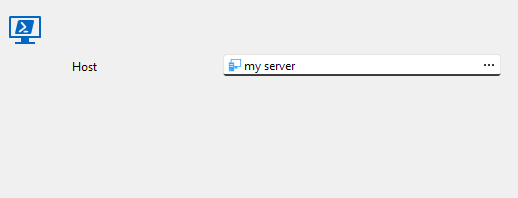
The session works correctly in both versions. but 2025 version doesn't allow to change (or see) that information.
RDM 2025.1.png
RDM 2024.3.png
Recommended Answer
Hello,
A fix for this issue will be included in version 2025.1.26.0.
Regards
Jonathan Del Signore
All Comments (4)
Hello,
Thank you for reaching out to us regarding this,
I can reproduce the behavior. I will open a case with our development team regarding this, and we will keep you updated on any news we have.
Best regards,
Samuel Dery
Hello,
Thank you for your patience,
The Configuration field can now be found under the "Terminal" section of the entry Properties.
Our development team has made changes to make the entry type easier to use. Did you have other issues or questions regarding the entry?
Best regards,
Samuel Dery
I'm not sure that this is the same field. V2024.3 has Configuration filed under Terminal tab as well (when Windows Terminal is used as terminal). And the explanation behind the field states, that this is Windows Terminal profile to be used, not PowerShell SessionConfiguration name that should be used when connecting to remote host.
I search for the field, where I could say that please connect to PowerShell 7 (or another custom) configuration, not default Microsoft.PowerShell configuration.
There are also more missing configuration items, like Port and Use SSL. And also, there is missing connection type field (the picture is from 2024.3 product):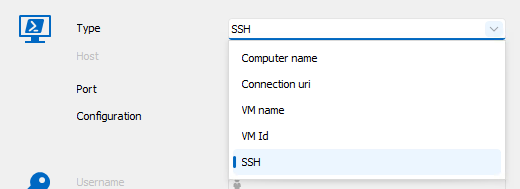
Meelis
RDM PS Session Type.png
RDM Terminal Configuration.png
Hello,
A fix for this issue will be included in version 2025.1.26.0.
Regards
Jonathan Del Signore