General SSH tunnel RDP

I am struggling for hours on this to get working, eventually tried Grock and even ChatGPT...to no avail. Each time they make suggestions about options that aren't there.
I am trying to setup a SSH Gateway for RDP connections. I don't want to specifiy local ports and don't see the point to setting up a SSH Tunnel with one IP remote host as that means I need a seperate SSH Tunnel for each connection and a seperate RDP connection.
For elegalance I was hoping to
- Create SSH Creds
- Create a HOST using those creds (Though host doen't have a port option)
- Create a SSH Tunnel using #1 and #2
- Create a RDP Connection that uses the generic SSH Tunnel in #3
- Create more RDP connections that use #3.
for example ssh remote host is mc.org and creds are mc:mc
ip's on local lan @ mc are 192.168.1.1 and .2. I need help with steps >2.
I have tried ssh sessions, ssh gateway, proxy tunnel, ssh port fwd and a few others. for example on a ssh gateway, I don't understand why it would allow multiple hosts and ports? are those the rdp hosts? If so then why would they be in the gatewate and not the rdp connection? etc I'm totally confused.
Please can someone assist, it appears there are many way to achieve this yet what even combos I am trying are not working ie JUMP, SESSION etc then they don't allow me to select the previously crearted "types".
All Comments (7)
Hello,
Thank you for reaching out to us regarding this,
Could you please specify the version of RDM you are currently using?
What type of data source are you using?
We do have the following knowledge base article regarding configuring an SSH Tunnel in RDM:
https://docs.devolutions.net/rdm/kb/how-to-articles/setup-ssh-tunnel/
Would this be what you are looking for?
Best regards,
Samuel Dery
I'm using V2024.3.10.4 on a Mac. Local Datasource
I used that kb article but it means I will have to create a separate ssh tunnel for each rdp connection as it requires I put in the "remote ip / host" for each ssh tunnel as per my sentence before I mentioned the numbered points. It also forces me to maintain ports for each rdp connection, unless "dynamic" will archieve this?
I just realised I posted this on Windows instead of MacOS, sorry about that, it it possible to move the thread?
Hello,
I just moved it into the proper section.
Best regards,
Jeff Dagenais
Hello,
I am a developer for the macOS version of RDM. I looked into your question and I might have an answer for you.
1- Setup your ssh tunnel entry with your ssh server host, port, username and password.
2- In the outgoing tunnel settings, select "Dynamic" and enter a local address and port of your choice ( I just left the default )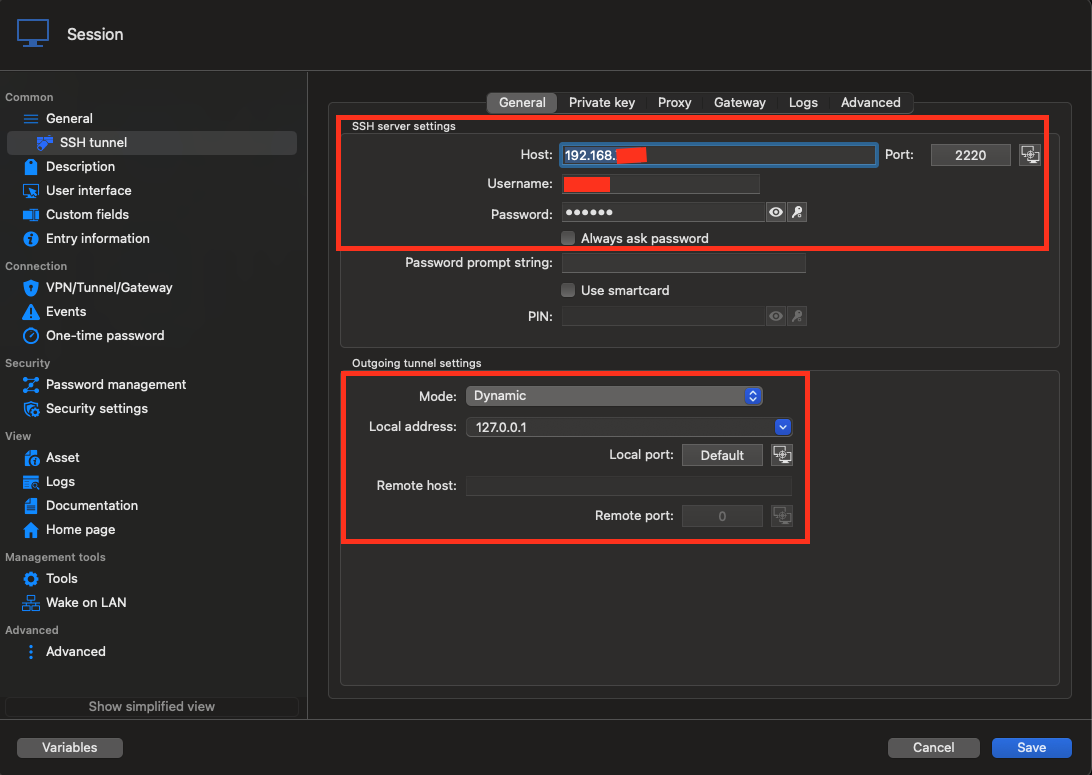
2- Create your RDP session with your RDP host, port, username and password as usual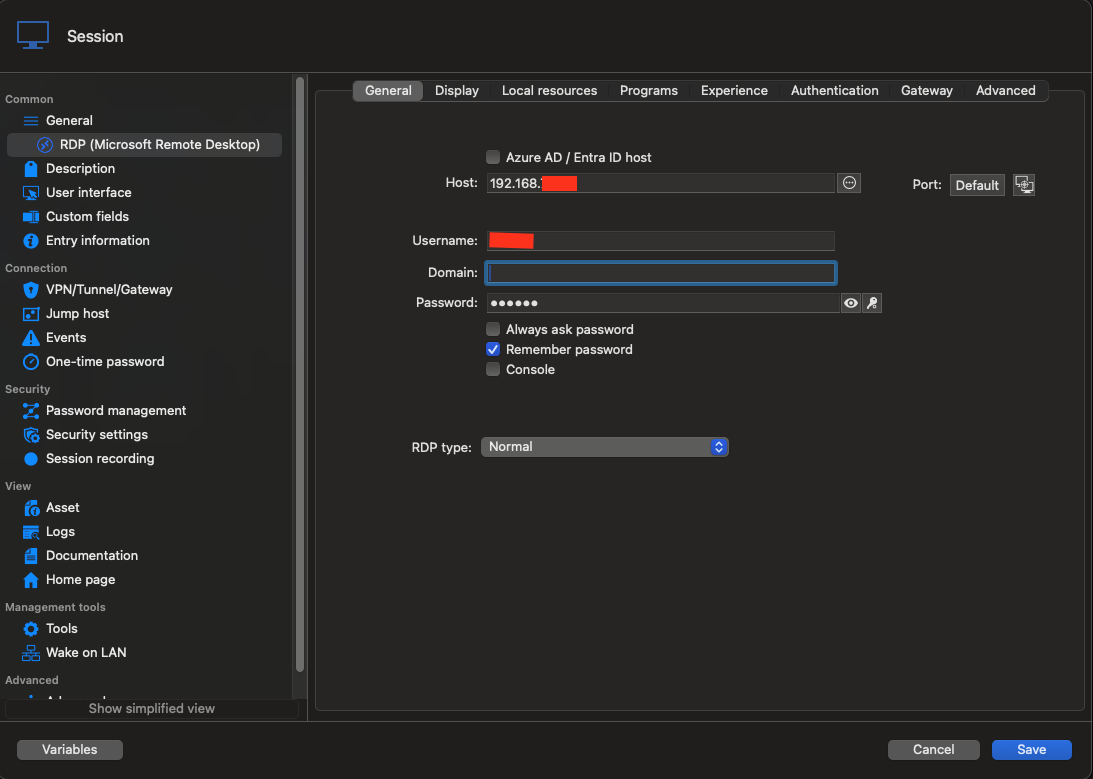 3- Go into the VPN/Tunnel/Gateway tab, select "Always connect", then "SSH link"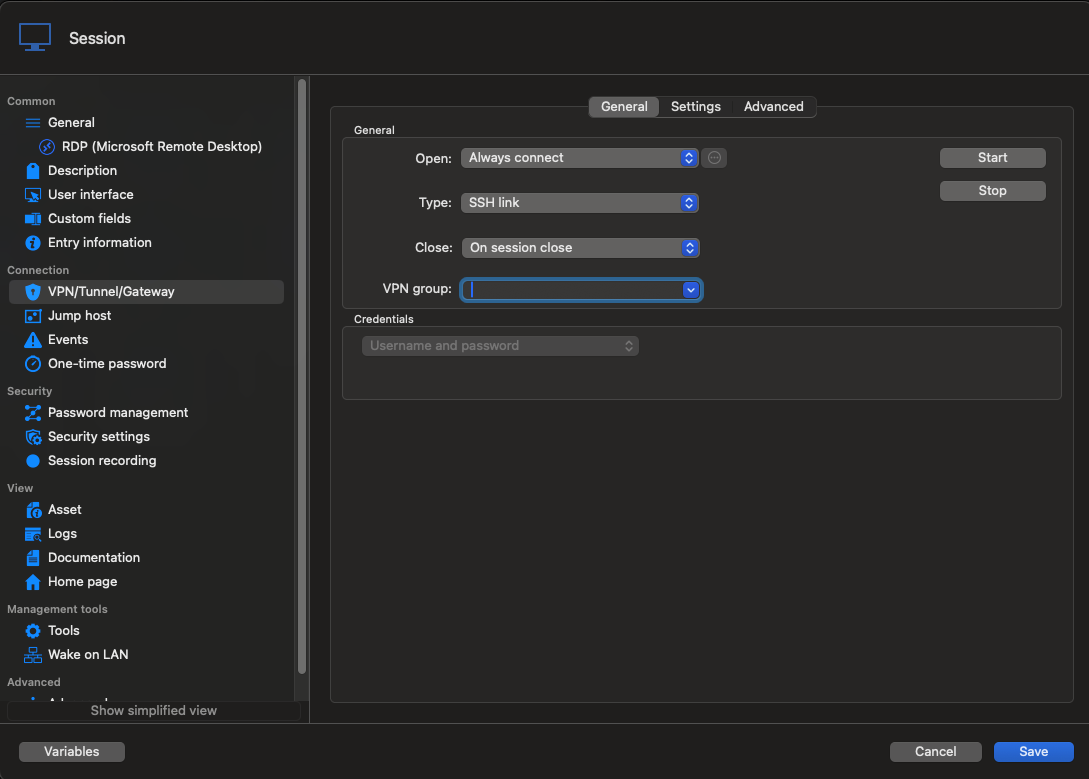
4- Go into "Settings", select the ssh tunnel you created in step 1, and check "Use over secure gateway"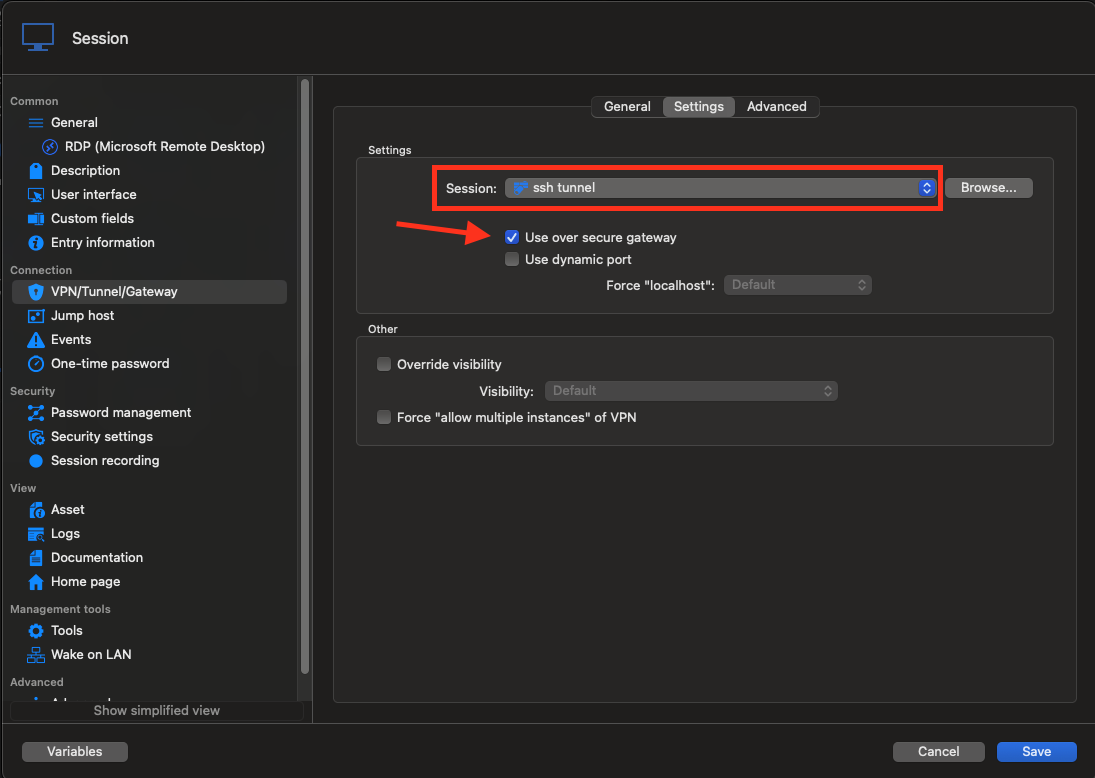
Now, when you open your RDP session, it should open the tunnel using the host of your RDP so you won't need to create a different ssh tunnel for each RDP ( you can have each RDP use the same ssh tunnel in the VPN/Tunnel/Gateway tab ). I hope this is what you want and this works for you. If not, please provide more details about your needs.
Best regards,
Maxim Buisson
3c4946de-5646-4e0c-9e91-9a3f294fb118.png
3fe26e01-df75-401a-ae2d-d4e6abaa65ee.png
89e39eea-9111-4818-803a-abe2c6835d89.png
46c9880e-4947-4ab1-b7a7-58a403a1f3a1.png
Screenshot 2025-03-03 at 9.04.17 AM.png
Screenshot 2025-03-03 at 9.04.10 AM.png
Screenshot 2025-03-03 at 9.03.26 AM.png
Screenshot 2025-03-03 at 9.01.55 AM.png
Awesome, thank you so much Maxim, this is exactly what I was looking for! Appreciate your help and images.
Just one additional quirk, if I have 2 rdp connections using the same ssh link, when I close one of those rdp connections the 2nd rdp bombs as the first rdp connection closes the ssh tunnel, is there a I way I can say don't close if something else is using it?
Lastly for the original q. how to mark as Solved?
Hello,
I am glad I could help !
To prevent the tunnel from closing, you can set every RDP session sharing it to use the same VPN group under VPN/Tunnel/Gateway.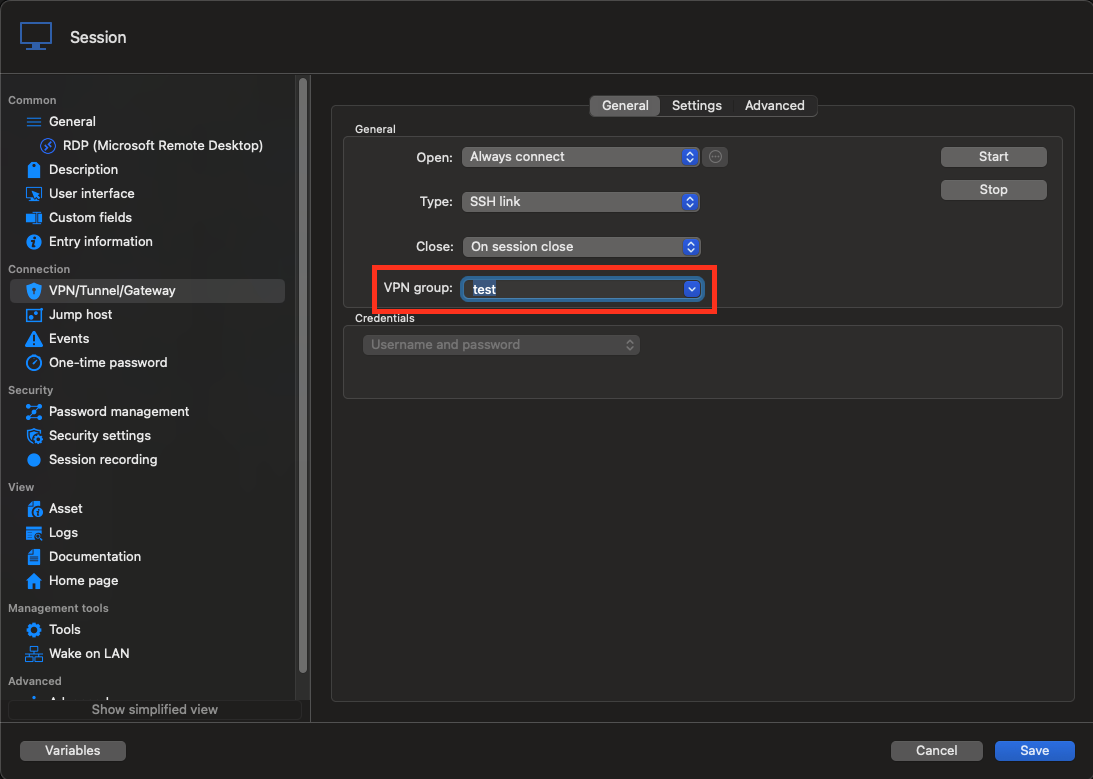
And there is no need for you to mark anything as solved.
Best regards,
Maxim Buisson
db886e54-fe11-41b0-8854-855ec03929fd.png
Screenshot 2025-03-06 at 9.39.28 AM.png