Fullscreen sends incorrect vertical res on Macbook

So not sure if I'm doing something wrong, but I open my Windows connections via Full screen, the reported client res is 3456x2234. This is technically correct and incorrect, yes my Macs res is 2234, but the actual "viewport" window is less vertical due to Mac leaving space for the "toolbar" and menu. Remember Mac never truly uses full screen, it blanks out the top by the notch so res is less than reported. This means the remote clients screen is slightly "squashed" on the vertical and text looks wrong.
I tested with RoyalTSX and it correctly limits the res to 3456x2170. Any ideas on how to make full screen use the correct resolution?
All Comments (3)
Hello,
I am not sure that I understand your issue correctly. Are you using an RDP entry ? If so, you can set the screen sizing mode to dynamic resolution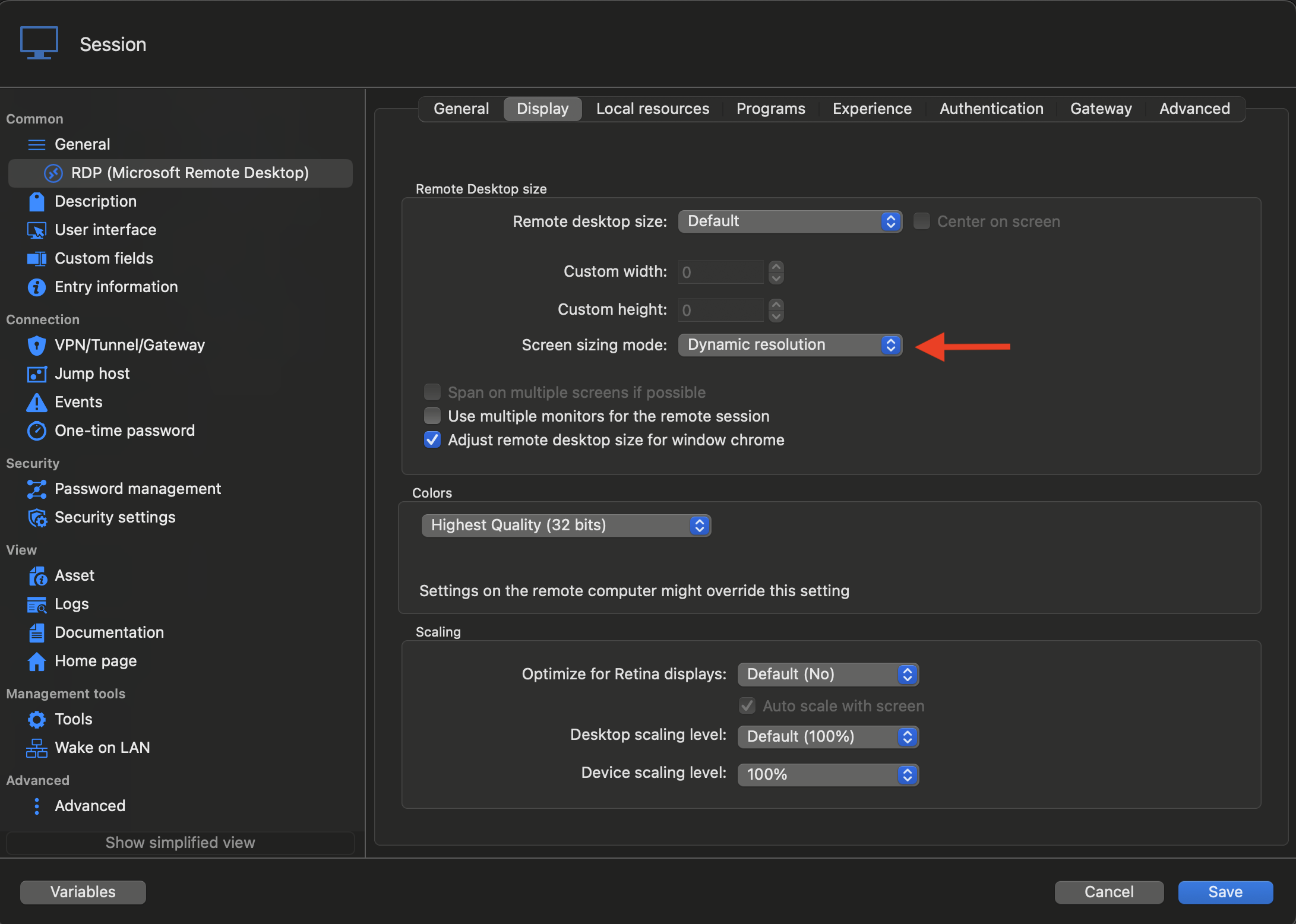
Then when you open your RDP entry, you can right click and select "Fullscreen" to make it fullscreen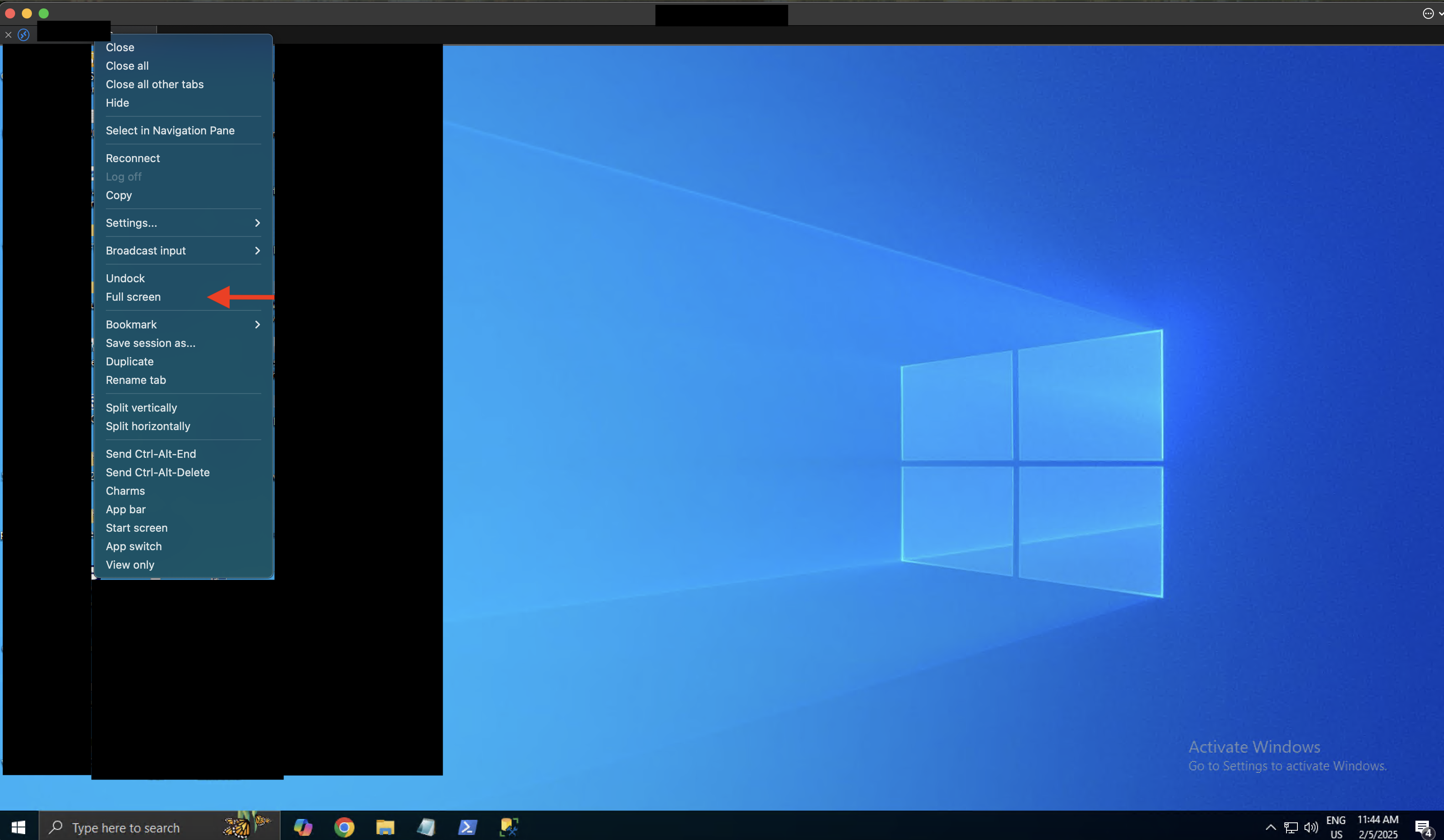
And the RDP entry should now go fullscreen without leaving space for the notch or dock.
If this is not what you wanted, please give more details about what you are using. Feel free to use screenshots, just don't include sensitive informations.
Best regards,
Maxim Buisson
7e7bc06a-c47a-468d-aaa6-dc9fc094a32c.png
6ed61d1d-a53b-4594-97e0-1583a4e3ec65.png
Screenshot 2025-02-05 at 11.44.29 AM.png
Screenshot 2025-02-05 at 11.44.14 AM.png
Thanks for the suggestions,
I managed to do more testing. Using the Right Click Full Screen works and displays 3456x2162. However, there appears to be a bug, when I right click on the session (before opening) and say Open with parameters > Fullscreen thats when it squashes the text, from 2234 into 2162. Windows thinks it's res is 2234 but the window is actually 2162 as shown when doing your recommended method.
To fix this I "unfullscreen" and then right click on the Tab and renable full screen, though it tends to crash, out of the 5 times I tried it crashed 3x when trying to go back to full screen. I will send a "report" next time it happens. remote pc is running Windows Server 2012R2.
Ultimitately it appears "Open with params > fullscreen" sends the wrong params to the remote pc.
Is there a way I can just double click on the session and it auto opens in full screen? I must also do more reading on it's "retina" modes, such as DesktopScaling and Device scaling. Mine is enabled at 200 and 180.
Hello,
I will open a ticket to investigate the issue you're having. We will let you know if we need more information or when we have updates.
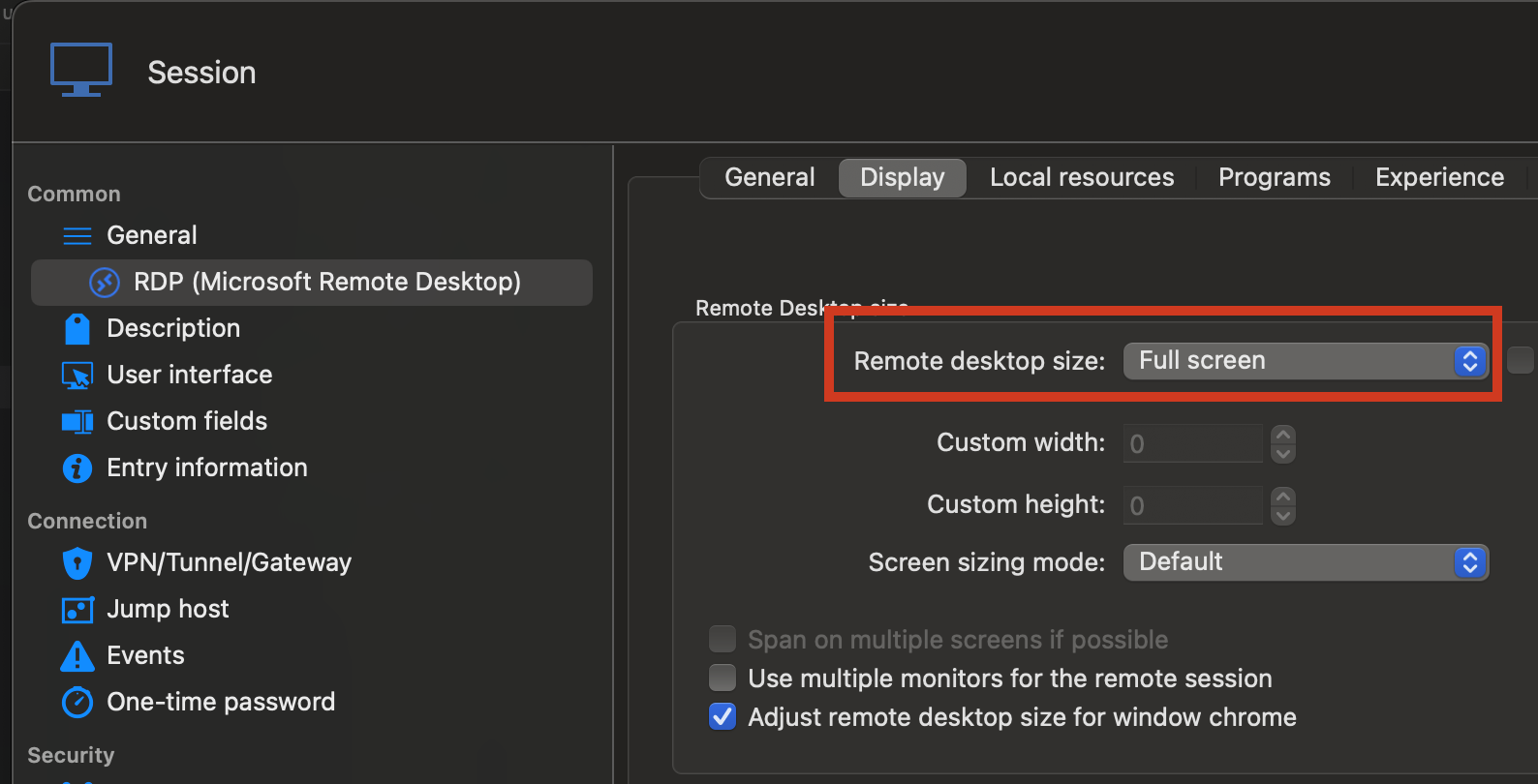
Also, you can set the "Display" setting of the entry to "Undocked" and the "Remote desktop size" setting under RDP -> Display to "Fullscreen" to make the session open in fullscreen.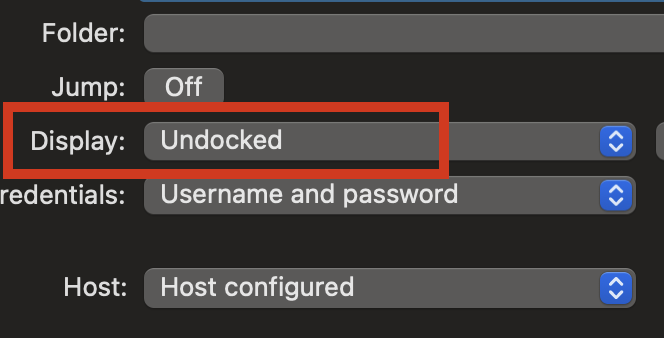
If you want it to open on double click, make sure you have the default action for Session entries set to "Default" under File -> Settings -> Types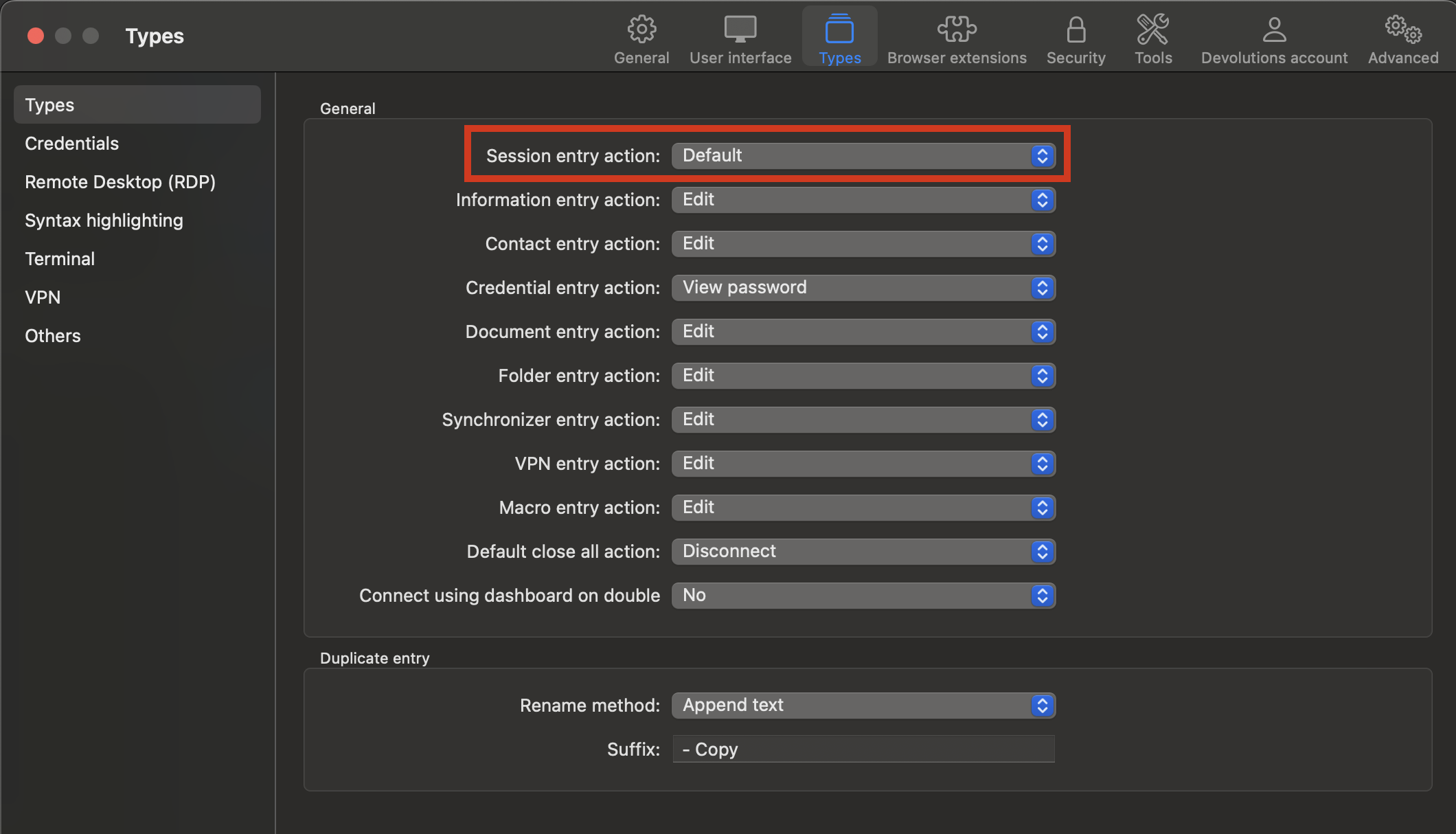
Best regards,
Maxim Buisson
1ff3b91a-f65e-47b5-aa6a-d708a10061fa.png
052b71d3-443b-4e66-a688-f15b167d9357.png
9102ba6a-ca44-4230-8ba9-a2aa30d6b919.png
Screenshot 2025-02-07 at 8.28.17 AM.png
Screenshot 2025-02-07 at 8.27.45 AM.png
Screenshot 2025-02-07 at 8.27.18 AM.png
