beyond trust addin and rdm 2023.2.32

Hello I’m new to remote desktop manager, and would like to start a session from a Bomgar VPN (beyondtrust) console. Bud I’m having trouble to run the add-in.
Searching on the knowledge base I found serval threats about the beyond trust configuration, bud it seems I’m missing a recent post and can only find older threats.
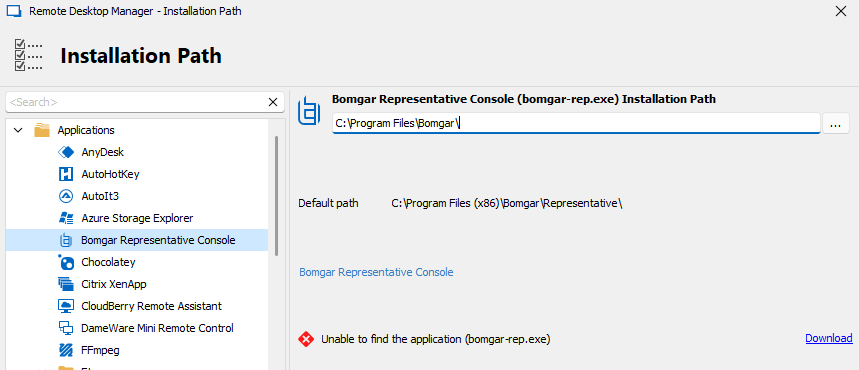
After activating the plugin I’m not able to locate the Bomgar-rep.exe installation
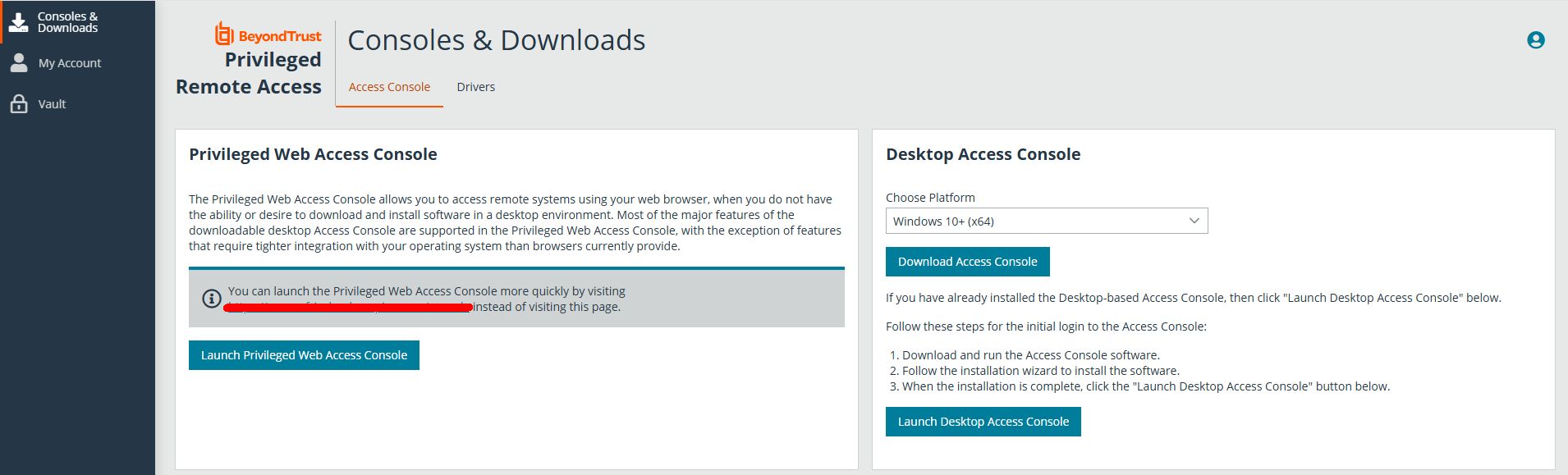
path. (when connection with Bomgar I did download and install the desktop access console )
When I look into the how to articles (https://docs.devolutions.net/rdm/kb/how-to-articles/beyondtrust-configuration/)
it seems the interface is different than the one from version 2023.2.32 064-bit
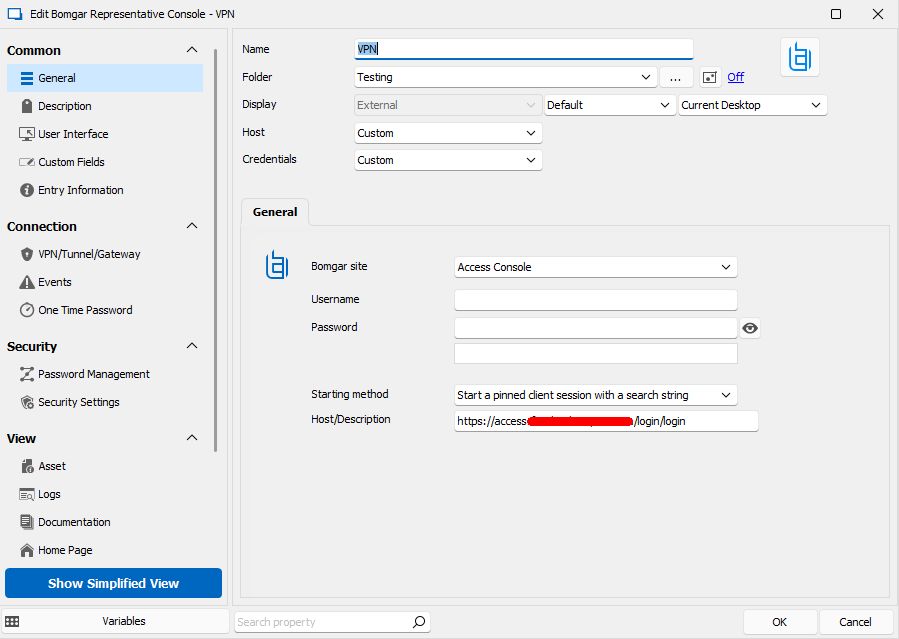
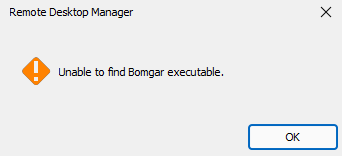
I’m able to fill in the host url, bud when trying to connect ill get the error unable to find Bomgar executable.
Looking in the forums it seems a problem that’s been found before: (https://forum.devolutions.net/topics/27661/bomgar-representative-console-addon--issue)
How can I connect to beyondtrust and startup a session to a system?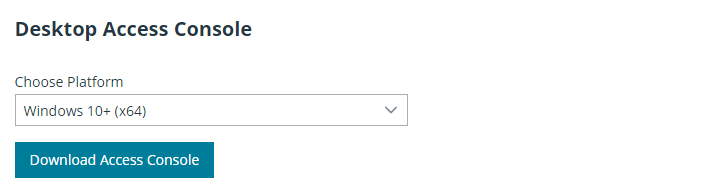
d18d7f85-e8cd-497b-bcda-53d6302d5aef.png
Screen Shot 01-17-25 at 01.05 PM.PNG
Screen Shot 01-17-25 at 01.06 PM.PNG
Screen Shot 01-17-25 at 01.20 PM.PNG
Screen Shot 01-17-25 at 01.17 PM.jpg
All Comments (5)
Hello,
Thank you for contacting us on that matter!
- Your current RDM version.
- The data source you are utilizing.
- Could you please verify under this path (C:\Program Files\Bomgar\Bomgar Representative Console) if you have the "Bomgar-rep.exe?" If yes, in RDM, go under the Installation path configuration and ensure that the right path is configured.
Once we have this information, we will be better equipped to diagnose and resolve the issue.
Best regards,
Maxim Robert
Hello,
Thank you for contacting us on that matter!
- Your current RDM version.
- The data source you are utilizing.
- Could you please verify under this path (C:\Program Files\Bomgar\Bomgar Representative Console) if you have the "Bomgar-rep.exe?" If yes, in RDM, go under the Installation path configuration and ensure that the right path is configured.
Once we have this information, we will be better equipped to diagnose and resolve the issue.
Best regards,
Hello Mrobert,
- I started with the 2023 version (header of the topic) bud in mean while I updatet the rdm to the latest version (2024.3.26.0 64-bit)
- I think with data source you meant the data source of the rdm. I'm using sql lite local file (*.db file)
- The bomgar-rep.exe would be the problem, I dont have this one on the system, while logon the VPN i'm able to download the access console (like sreenshot at the topic) bud I'm not able to download the rep extension.
Hello,
Thank you for providing the additional details!
Could you please verify the information below:
- Ensure that the Bomgar Representative Console is fully installed. Sometimes, the installation might not be completed successfully, which could lead to missing files.
- Check for updates or patches available for the Bomgar software that might address this issue.
- If you can access another system where the Bomgar Representative Console works correctly, you might try copying the "Bomgar-rep.exe" file from there to your system.
If these steps do not resolve the issue, please let us know so we can investigate further#.
Best regards,
Maxim Robert
Hello,
Thank you for providing the additional details!
Could you please verify the information below:
- Ensure that the Bomgar Representative Console is fully installed. Sometimes, the installation might not be completed successfully, which could lead to missing files.
- Check for updates or patches available for the Bomgar software that might address this issue.
- If you can access another system where the Bomgar Representative Console works correctly, you might try copying the "Bomgar-rep.exe" file from there to your system.
If these steps do not resolve the issue, please let us know so we can investigate further#.
Best regards,
Hello Maxim,
Thats what i'm trying to tell, I can donwload the desktop access console (also screenshot at the first post) bud NOT the representative console (bomgar-rep.exe). Also i did try to find this download on the beyondtrust site bud that seems not possible.
kind regards.
Screen Shot 01-27-25 at 09.19 AM.jpg
Screen Shot 01-27-25 at 09.21 AM.PNG
Hello,
Thank you for your response!
I opened a ticket for your issue and emailed you details on scheduling a session with me. This will allow us to run some tests and work on resolving the issue directly.
If you haven't received the email, please let us know. If you have any other questions, feel free to let us know.
Best regards,
Maxim Robert