Bomgar Representative Console Add-on - Issue

Disabled
Hello RDM Support,
I have the Bomgar Representative Console installed and i've also installed the RDM add-on for it.
I think there is a problem with the way the add-on is detecting my installation since it cant find the executable.
my bomgar is installed under:
c:\Program Files\Bomgar\Bomgar Representative Console\%sitename%
i wonder if this is an issue with 64 bit ?
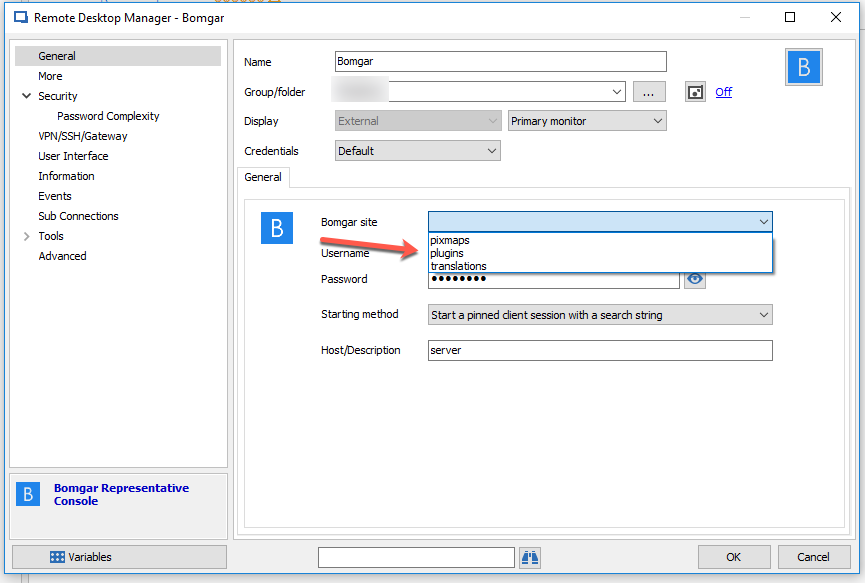
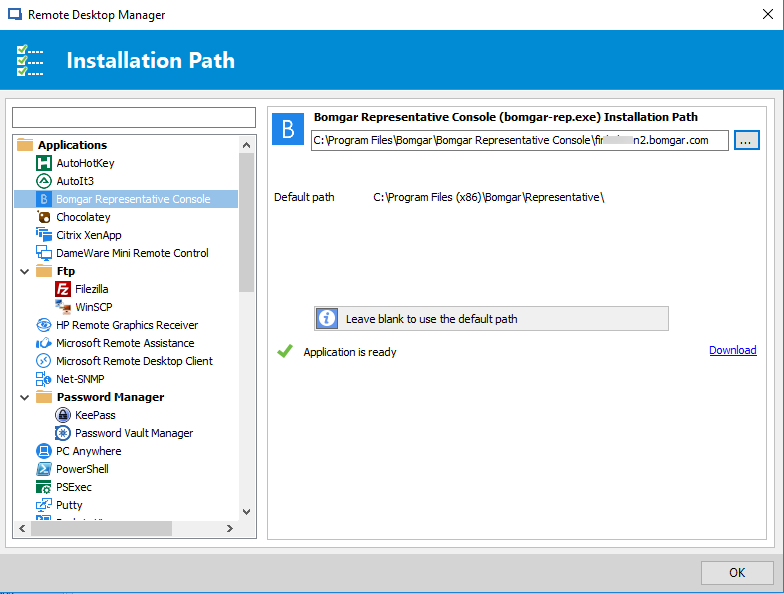
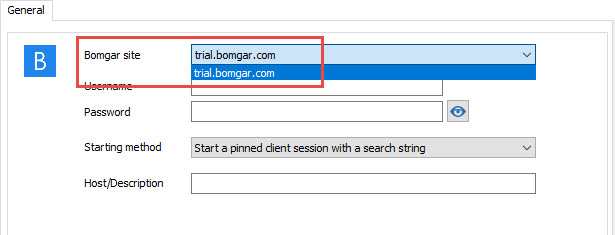
i've attached 2 screenshots of my configuration:

Thank you for your help !
All Comments (7)
Hello,
Please have a look at this help article;
https://help.remotedesktopmanager.com/index.html?addons_bomgarrc.htm
Also, please ensure that the add-on's installation path is set in File -> Options -> Path;
Best regards,
Marc Beauséjour
Disabled
Did you ever get this working? Instructions are extremely vague here. My questions are
1. Why create a subfolder for the Bomber site when it is already created when you install Bomgar console? When selecting the site in RDM I get 3 folders to choose from. (PIXALMAPS, PLUGINS, AND TRANSLATIONS)
2. Why would I have more than one site? When I purchased a subscription I have one site? (company_name.bomgar.com)
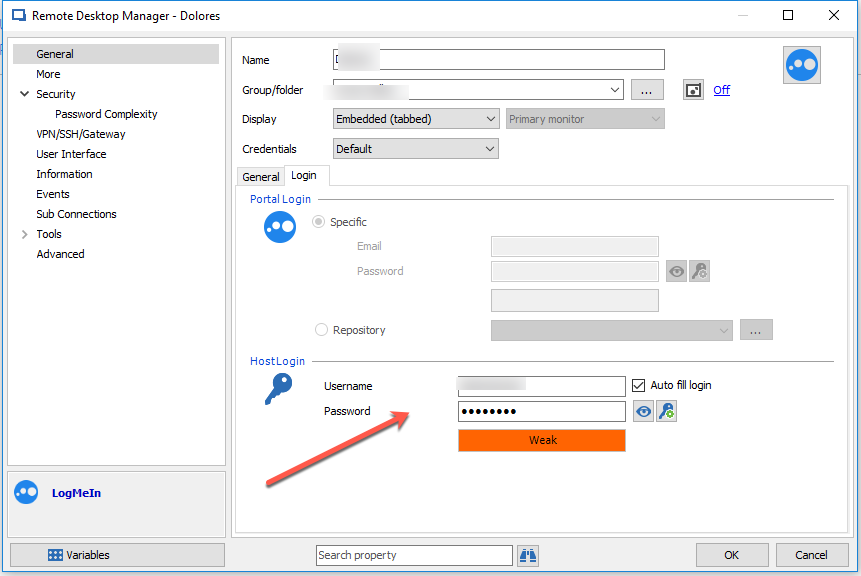
3. Finally where do you specify host credentials like when configuring RDP or Logmein so that I am logged into the machine as a specific user?
Thank you,
Sam
2017-05-01_08-59-35.png
2017-05-01_08-49-35 (1).png
2017-05-01_08-50-19 (1).png
2017-05-01_08-48-14.png
Hello,
1. My apologies. The screenshot I provided is confusing. After Console, you have to leave it blank so you can specify multiple sites which brings me to your second point.
2. We have added this function based on a user request. Some Bomgar users have multiple sites.
3. I'm not sure I understand your request. Could you please elaborate on what you need to achieve?
Best regards,
Marc Beauséjour
Disabled
Hello,
I'm also having trouble getting this to work. Unfortunately, the folder structure for my Bomgar installation doesn't line up with expectations, and the executable is not found when I launch a connection.
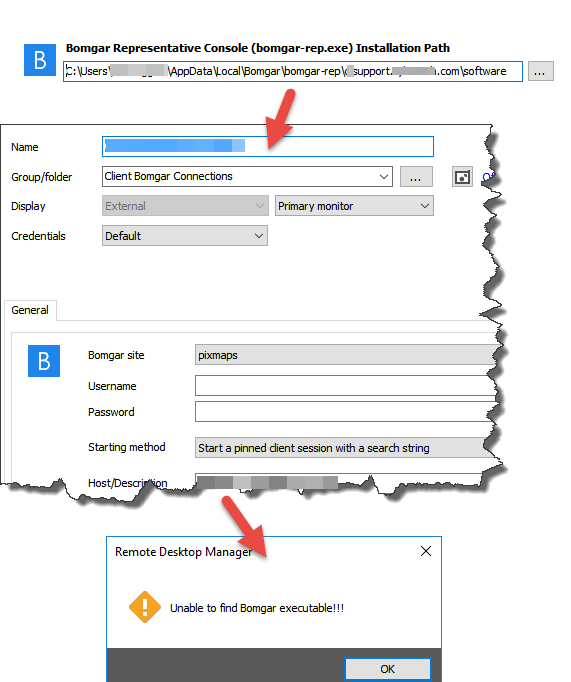
1. In order to configure Bomgar usage with a valid path to the EXE, I must choose the 'software' sub-folder from within my site folder.
2. Then, configuring a session automatically looks for site sub-folders. There are none, so I must choose 'pixmaps'
3. Launching the connection fails
2017-05-25_10-41-28.png
@mofunz,
RDM is looking for a bomgar-rep.exe file for the executable. If you have a bomgar-rep.exe executable in C:\Program Files (x86)\Bomgar\Bomgar Representative Console, RDM should detect it properly.
In the C:\Program Files (x86)\Bomgar\Bomgar Representative Console folder, if you have several folders in there, each of them would need a bomgar-rep.exe file inside so that RDM can detect the Bomgar site and display them in the dropdown menu.
Best regards,
Jeff Dagenais
2017-05-26_11-28-06.jpg
Disabled
I figured this out. The default location for the executable is:
C:\Program Files\Bomgar\Bomgar Representative Console[sitename]
If you choose this path in the RDM Path options, launching a session won't work. Furthermore, you can't choose the parent to this folder, because no executable exists there by default. You must manually copy/paste the bomgar-rep.exe file into the parent folder and set your path there.
Ultimately, I would like to suggest that a user more user friendly approach be considered. Copying this file is a manual step, which, for large departments like mine, is unreasonable. Furthermore, the workaround feels unnatural - I wouldn't have expected it to work without the rest of the application in the correct relative path. If Bomgar makes the right kind of change, this could all break.
It's also worth noting that if during setup the user chooses not to install for everyone who uses the machine, Bomgar deploys to the AppData folder instead of Program Files.

2017-06-01_9-06-13.png
@mofunz,
I will update our online help documentation with the information that you have provided.
I will also verify with our engineering department if our integration can be improved.
Thank you very much for all the details, it's appreciated.
Best regards,
Jeff Dagenais