F11 key

Hi. When I remote to a Windows machine to do Powershell scripting, I often need to press F11 to "Step into" in debug mode. When I do that, the F11 key runs locally on my Mac, and not in the remote session. That causes me to show my desktop on my Mac instead of pressing F11 in the remote session.
Any ideas to press F11 in the remote session and not locally?
Recommended Answer
Hello,
I looked into the issue and since the "Show desktop" keybind is a macOS keybind, we cannot prevent it. However, you can pretty easily fix your issue by changing one of the keybinds. You could change the "Step into" keybind on the windows machine or the "Show desktop" keybind on macOS. For the macOS keybind, you can change it in Desktop and Dock > Mission Control > Shortcuts…
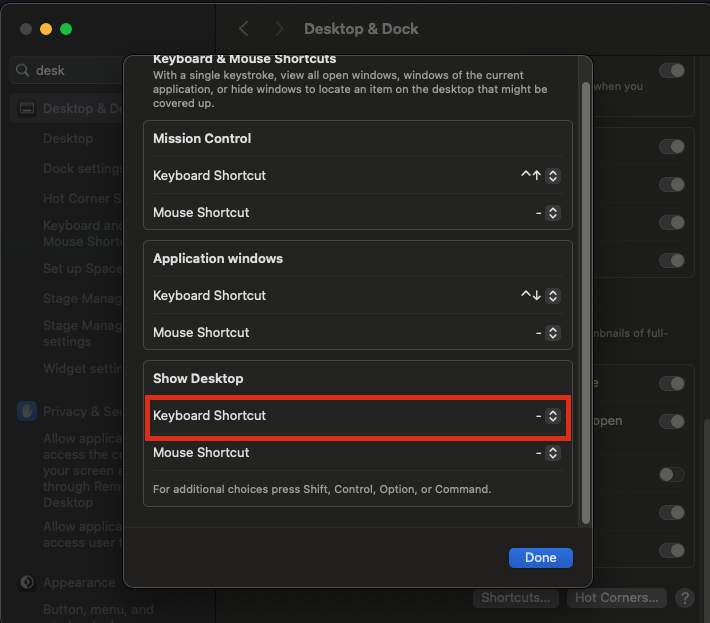
Hopefully that solution is acceptable for you.
Best regards,
Maxim Buisson