Remove authenticator validation

Hi,
I need help removing "Authenticator Validation" as I lost the phone.
I uninstalled the "Remote Desktop Manager," cleaned up the registry using the "Wise Registry Cleaner," and reinstalled the latest program.
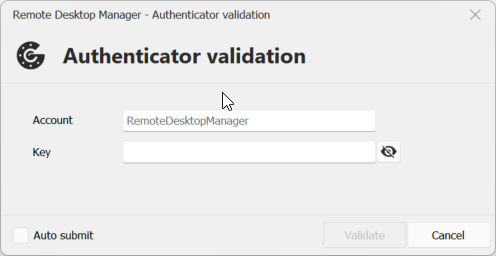
However, it is still asking for "Authenticator Validation". Please review the attached screenshot and guide to solve.
All Comments (1)
Hello,
Thank you for contacting us on that matter,
This issue is most likely due to something in the local configuration of your RDM instance.
For this reason, I would recommend to reset your local configuration.
To do so, please do the following:
1- Close RDM
2- Go under your %localappdata% -> Devolutions folder
3- Rename the "RemoteDesktopManager" folder into "RemoteDesktopManager.old"
4- Start RDM
5- Connect to your data source
Once you are connected to your data source, the issue should no longer occur.
Best regards,
Tommy Sanders