Unable to add a new session

I cannot add a new session. The icon is grayed out.
Free Version 2024.3.18.0 64-bit
User Interface Profile = IT Professional
I can duplicate and edit, but I can't see the new, duplicated session until I close RDM and reopen it.
Thank you
All Comments (5)
Hello,
Thank you for reaching out to us regarding this issue.
Could you please provide a screenshot showing when the option is grayed out?
Additionally, could you let me know which data source you are using?
Sometimes, removing and re-adding the data source can help resolve this type of issue.
If possible, please try creating a portable installation of the latest version of RDM to see if the problem persists. Here’s how to proceed:
- Download the .zip file from the following link:
- https://remotedesktopmanager.com/home/thankyou/rdmbin
- Create a new folder on your Desktop.
- Extract the contents of the .zip file into the newly created folder.
- Once extracted, navigate to this folder and run remotedesktopmanager.exe.
- Connect to your data source.
Please let me know if this resolves the issue.
Best regards,
Tommy Sanders
- The problem started just after updating to the current version.
- I followed your instructions re: the zip file.
- I ran the exe that you sent me.
- I connected to my connections.db
- The icons are not grayed out.
- My sessions are present
- I made a copy of my connections.db
- Using my previously-installed RDM.exe
- I connected to the copy of my connections.db
- The icons are grayed out
- I connected back to my original connections.db
- The icons are grayed out
- Sequence of events
- Start RMD
- The icons display normally for less than 1/2 second
- The icons gray out
- Screenshot attached.
- Summary
- The version you sent me works.
- The version that updated this morning has grayed-out icons.
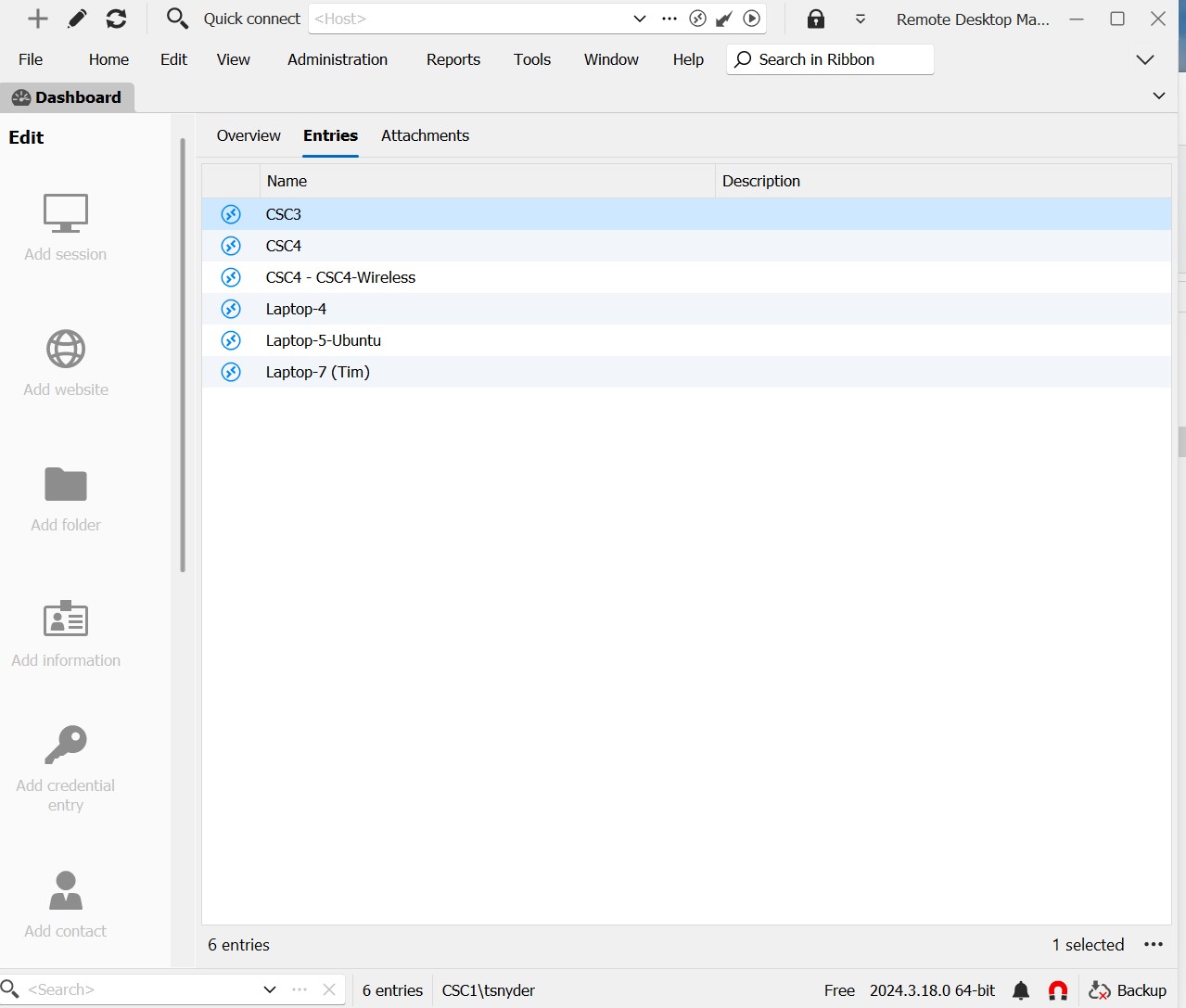
Screenshot 2024-11-13 233301.jpg
Hello,
This issue is most likely due to something in the local configuration of your RDM instance.
For this reason, I would recommend to reset your local configuration.
To do so, please do the following:
1- Close RDM
2- Go under your %localappdata% -> Devolutions folder
3- Rename the "RemoteDesktopManager" folder into "RemoteDesktopManager.old"
4- Start RDM
5- Connect to your data source
Once you are connected to your data source, the issue should no longer occur.
Best regards,
Tommy Sanders
I did as you instructed.
I changed the folder to RemoteDesktopManagerFree.old
I connected to connections.db in the .old folder
No change in behavior.
Brief normal icons -> all grayed out.
Hello,
I created a case for this issue.
I also sent you a remote session request.
Please choose a time that works best for you.
Best regards,
Tommy Sanders