PowerShell entry arguments containing $ are truncated

Hello,
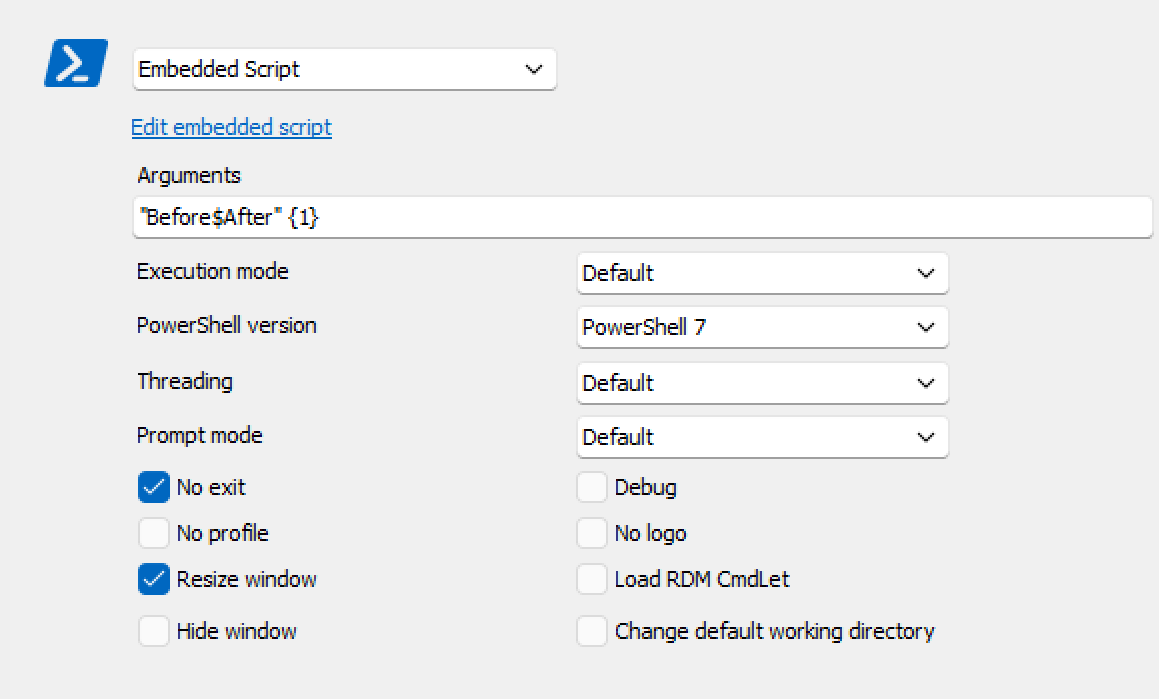
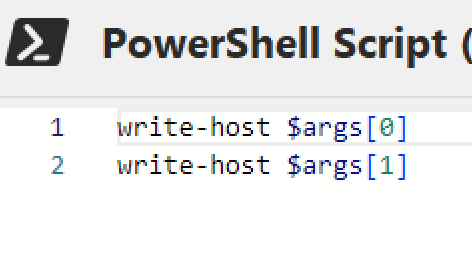
Using RDM 2024.2.19. When using a PowerShell (local) type entry with an argument string that contains the dollar symbol ($), only the portion of the string prior to the $ symbol is passed into the script. This becomes problematic when using passwords that contain $ as a script argument. Seems to happen both with parameters and explicit arguments.
Not sure if its a bug, or if there a way to prevent this occurring?
Thanks
Joe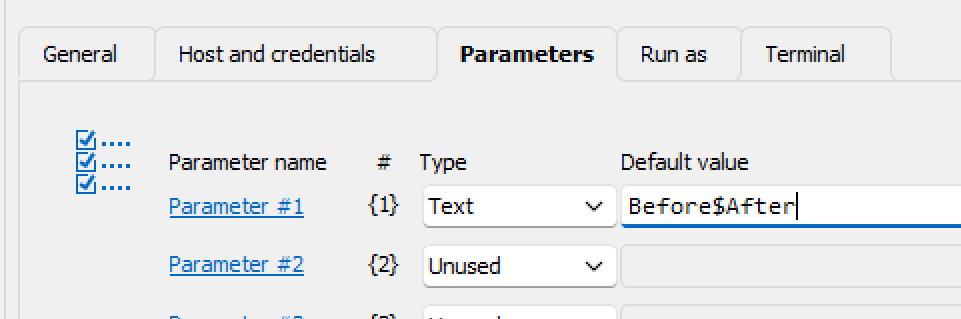

27ced68b-0428-4500-b8e0-29f0081d3070.png
9dc9dc38-edce-4167-a8e2-365b8b723604.png
a0287da0-fe34-4935-b2ab-97eedbe68811.png
bcbf38d3-58e5-4946-b877-3fe799f0569d.png
All Comments (14)
Hello,
Can you update to 2024.2.20.0, there was a change that should fix this issue.
Regards,
Hubert Mireault
Hi Hubert,
The behaviour is still the same with 2024.2.20.
Joe
Thanks for the feedback, I will check with our team to see if we're able to reproduce this issue on this version as well.
Regards,
Hubert Mireault
Hello,
I can reproduce this behavior. I have submitted a ticket to the developer team.
We will post it here once a fix is available.
Thank you for being so patient.
Best regards,
Érica Poirier
ok, thanks Erica
Hello,
The reason it's doing that is because the $ sign is interpreted as a variable. So if you want an argument or a parameter to contain $ sign you can do this:
How to Fix It:
You can avoid this issue by escaping the $ character with a backtick (`) or by using single quotes ' ' instead of double quotes " " when passing the argument or the parameter.
Option 1: Escape the $ Character -> "Before`$After1"
This tells PowerShell to treat $ as a literal character and not as the start of a variable name.
Option 2: Use Single Quotes -> 'Before$After1'
In PowerShell, single quotes ' ' do not perform variable expansion, so everything inside the single quotes is treated as a literal string.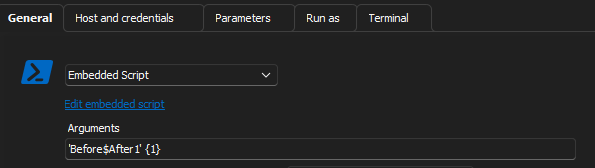
If you pass the string using one of these methods, the output will include everything after the $ sign without truncation.
c489be93-e669-4542-be79-53795c9ce7c6.png
2bd7434f-d614-4275-8d7b-dbc201026b9f.png
b5a4f9b1-c130-49af-9b99-c5b8126b7ed2.png
Hi Oliver,
Thanks for the tips. Howerver, I dont believe these help address the scenario I outlined where a password string containing the $ symbol, is being passwed as an argument via the variable $PASSWORD$. In that scenario its not possible to escape individual characters within the password, as it is sourced from the credential attribute of the entry. The second option of single quoting the '$PASSWORD$' variable sounds like it wouldnt pass the actual credential password.
Pls let me know if you would like more info.
Thanks
Joe
Hello,
We have fixed a bug related to variables, and the fix will be available starting from version 2024.3.11.0 of RDM.
I believe I understand the issue you're encountering, but please let me know if I'm correct.
You have a password that contains a $ symbol, such as Before$After2.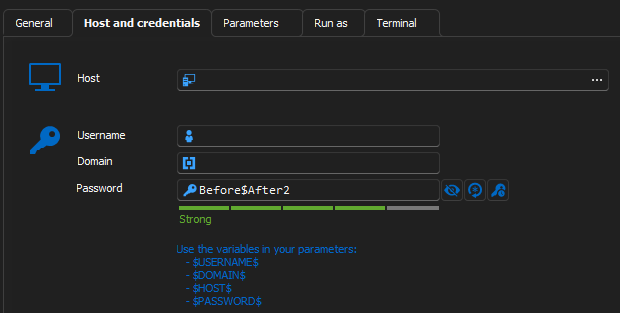
Then, you want to use this password in your parameters by referencing $PASSWORD$.
If that's the case, there are a couple of steps you need to follow:
- Ensure that the "Allow password in variable" setting is enabled in the Security settings.
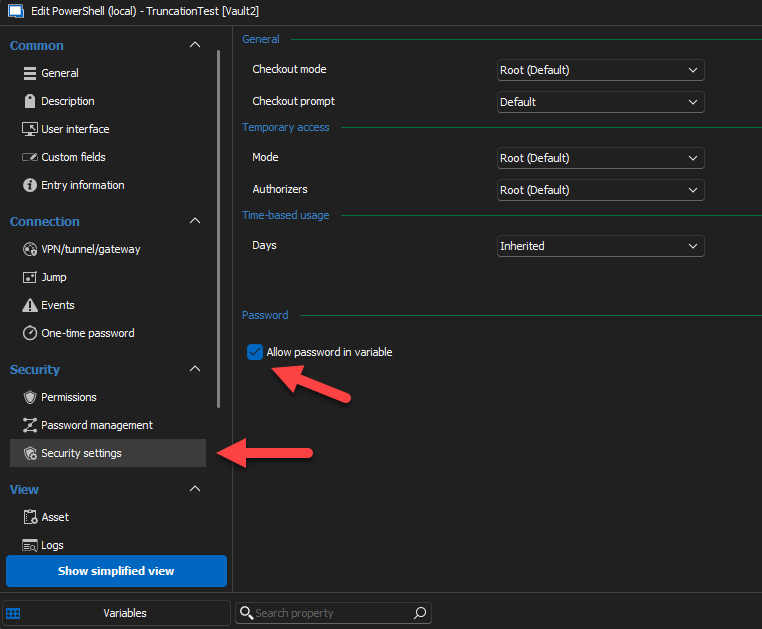
2-If your password contains a $, you need to enclose the variable in single quotes. Otherwise, everything after the $ in your password will be truncated.
Please let me know if this resolves the issue.
Regards,
c1bec1bd-d366-484b-99bb-6735105f7d05.png
83eeebb1-c18f-444f-8ebb-e2d96d82cd58.png
d89e189b-e3d3-4868-8250-fe4e820803da.png
ee2663ea-9693-48fd-b66d-869d5b73d41e.png
Hi Oliver,
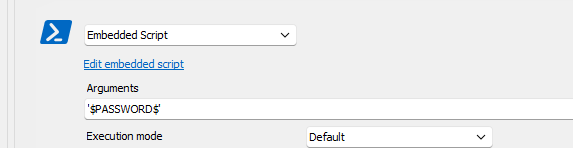
Thanks for your assistance with this. Have been trying to test this out with v2024.3.12, but am running into the following issues using an entry of type Powershell(local) :
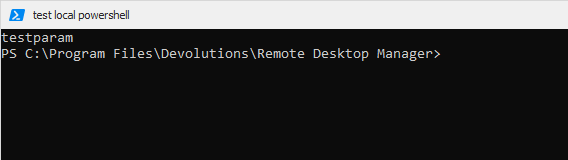
1) After specifying a simple text parameter (i.e. 'testparam'), saving the entry and going back in to edit it, the contents of the field have changed to a long data string, however the parameter is correctly passed to the script
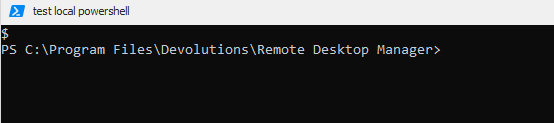
2) Enclosing the $PASSWORD$ variable within single quotes, results in the variable name being passed explicitly instead of resolved
3) Not enclosing the variable in quotes results in a single $ being resolved for $args[0] within the script
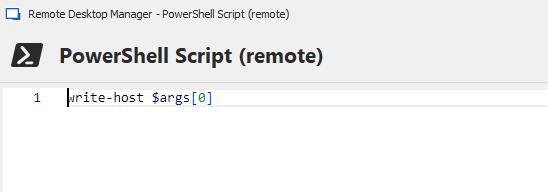
4) The title of the edit embedded script window says, 'PowerShell Script (remote)'. This is minor, but confusing
Please let me know if you would like any additional info.
Thanks
Joe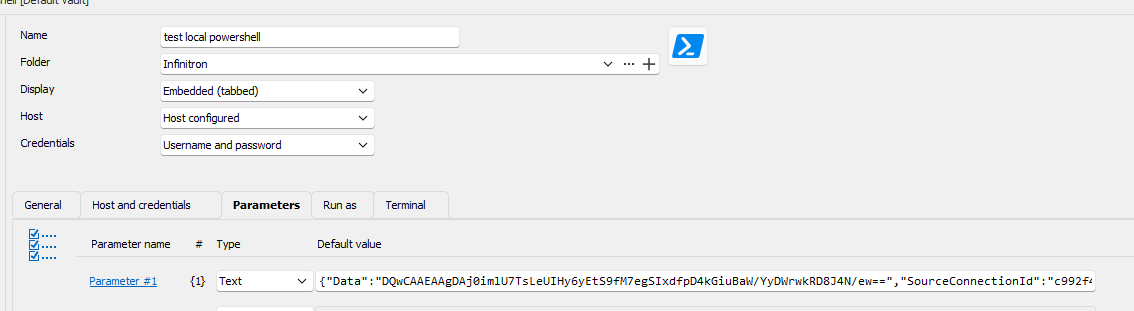

83831e92-7701-44a2-8a59-54f6e1799dc9.png
e14e5f1f-9ac5-4cac-bb7d-701b86b54984.png
55b16548-c94a-45b4-96e5-4f1306902c1a.png
bfa613ff-7349-4df9-aeee-2d6f88d6116f.png
cc5edd56-f9b4-4640-9168-54b0874c5de1.png
c0dbf1df-a657-4fc2-9413-449af53446e0.png
Hello,
Thank you for your feedback.
1) I cannot reproduce this behavior with a PowerShell (Local) entry type. When I set a parameter with Text and put a text value, if I save and edit the entry again, the information is properly displayed. Is it happening with an existing or new entry?
2) This is working properly using single quotes. Do you get the same behavior with double quotes instead?
3) The variable is properly resolved in PowerShell regardless of whether I use single, double, or no quotes.
4) I have the same problem. I have submitted a ticket to the developer team.
What data source type are you connected to? If it's DVLS, what version are you using?
Best regards,
Érica Poirier
Hi,
- I’ve replicated the issue where the parameter turns into a long string. It only happen in Hub.
- You can't directly use a variable in the argument field; it must be passed as a parameter, as I demonstrated in my previous message.
- Regarding the single quotes, yes, you can place $PASSWORD$ in the parameter, and it will work. However, if the password contains a $ symbol, it may cause the same problem where the password is truncated after the $. That’s why I recommend enclosing the variable in single quotes, like this: '$PASSWORD$', to ensure the password is not altered.
Best regards,
Hi Oliver,
Yes using Hub as the datasource.
Have tried your sugestion of specifying the $PASSWORD$ variable on the parameters tab, and then using '{1}' or {1} in the arguments field. Unfortunately it still does not work, irrespective of whether the entry credential password contains a $ symbol.
- When paramater is set to '$PASSWORD$' the script sees $PASSWORD$
- When paramater is set to $PASSWORD$ or "$PASSWORD$" the script sees $
Please let me know if you would like more info.
Joe
Hi,
Can you test with the entry link in this message. You just have to import it in RDM and Open the session.
Let me know if it works.
Regards,
TruncationTestEntry.rdm
Hi Oliver,
Thanks, yes that one works, looks like the $PASSWORD$ variable doesnt resolve unless the security setting for 'Allow password in variable' is setup. Seems to work now even if the password contains a $ symbol.
Joe
TruncationTest2.rdm