Remote destop Manager freezes

System.Runtime.InteropServices.COMException (0x80004005): Error HRESULT E_FAIL has been returned from a call to a COM component.
at MSTSCLib.IMsRdpClient10.set_DesktopWidth(Int32 pVal)
at AxMSTSCLib.AxMsRdpClient11NotSafeForScripting.set_DesktopWidth(Int32 value)
at Devolutions.RemoteDesktopManager.Frames.Embedded.FreEmbeddedRDP.Reconnect()
------------------------ extended stack ------------------------
at Devolutions.RemoteDesktopManager.Frames.Embedded.FreEmbeddedRDP.Reconnect()
at Devolutions.RemoteDesktopManager.Managers.ActionManager.Reconnect(Connection connection, Boolean isKeepTabOpen, Nullable`1 forceFullReconnect)
at Devolutions.RemoteDesktopManager.Managers.SessionMenuManager.MnuReconnect_Click(Object sender, EventArgs e)
at Devolutions.RemoteDesktopManager.Controls.EnhancedBarButtonItem.OnClick(BarItemLink link)
at DevExpress.XtraBars.BarItemLink.OnLinkClick()
at DevExpress.XtraBars.BarButtonItemLink.OnLinkClick()
at DevExpress.XtraBars.BarItemLink.OnLinkAction(BarLinkAction action, Object actionArgs)
at DevExpress.XtraBars.BarButtonItemLink.OnLinkAction(BarLinkAction action, Object actionArgs)
at DevExpress.XtraBars.BarItemLink.OnLinkActionCore(BarLinkAction action, Object actionArgs)
at DevExpress.XtraBars.ViewInfo.BarSelectionInfo.ClickLink(BarItemLink link)
at DevExpress.XtraBars.ViewInfo.BarSelectionInfo.UnPressLink(BarItemLink link)
at DevExpress.XtraBars.Controls.CustomLinksControl.OnMouseUp(MouseEventArgs e)
at DevExpress.XtraBars.Controls.CustomPopupBarControl.OnMouseUp(MouseEventArgs e)
at System.Windows.Forms.Control.WmMouseUp(Message& m, MouseButtons button, Int32 clicks)
at System.Windows.Forms.Control.WndProc(Message& m)
at DevExpress.XtraBars.Controls.CustomControl.WndProc(Message& msg)
at System.Windows.Forms.Control.ControlNativeWindow.WndProc(Message& m)
at System.Windows.Forms.NativeWindow.Callback(HWND hWnd, MessageId msg, WPARAM wparam, LPARAM lparam)
at Windows.Win32.PInvoke.DispatchMessage(MSG* lpMsg)
at System.Windows.Forms.Application.ComponentManager.Microsoft.Office.IMsoComponentManager.FPushMessageLoop(UIntPtr dwComponentID, msoloop uReason, Void* pvLoopData)
at System.Windows.Forms.Application.ThreadContext.RunMessageLoopInner(msoloop reason, ApplicationContext context)
at System.Windows.Forms.Application.ThreadContext.RunMessageLoop(msoloop reason, ApplicationContext context)
at Devolutions.RemoteDesktopManager.Program.Main(String[] args)
All Comments (10)
Hello,
What RDM version are you using and what data source type are you connected to?
Could you provide us with more details about when this freeze occurred?
Best regards,
Érica Poirier
Hello,
Could you test RDM with the Enable API hooking option set to Disabled in File - Settings - Type - Sessions - Remote Desktop?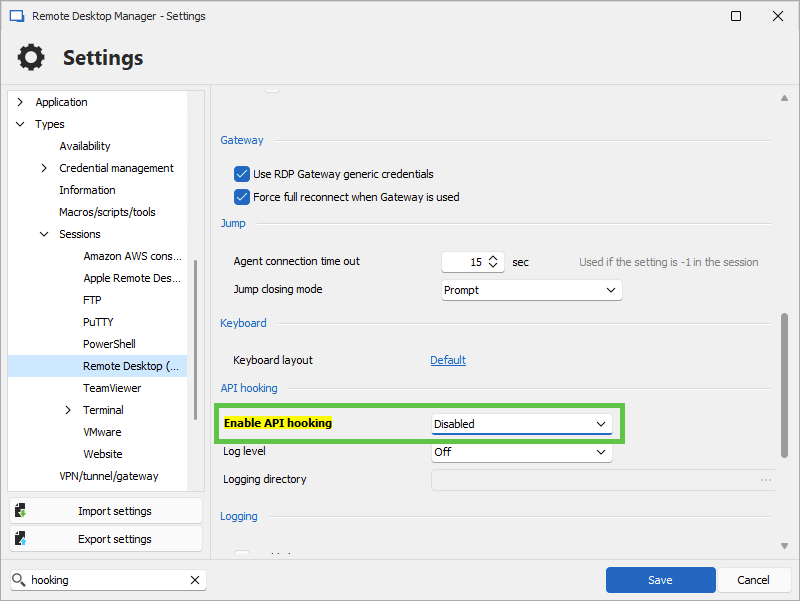
Let us know if that helps.
Best regards,
Érica Poirier
1c55d1b1-3ddf-437e-af99-8777e7f5cce4.png
Hello,
What RDM version are you using and what data source type are you connected to?
2024.2.16.0 64-bit
Could you provide us with more details about when this freeze occurred?
Best regards,
Hello,
Could you please provide us with more details about when this freeze occurred?
Additionally, have you tried disabling the ‘Enable API Hooking’ option?
Best regards,
Tommy Sanders
Hello,
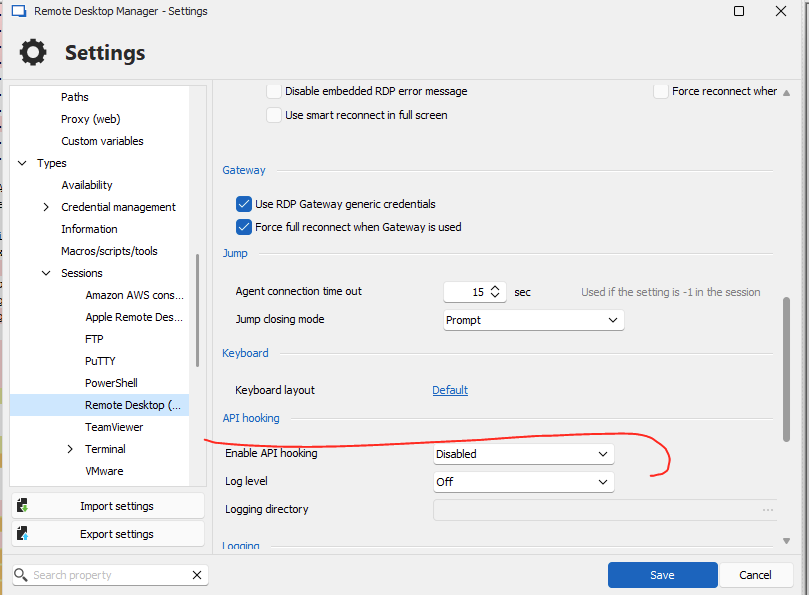
Could you test RDM with the Enable API hooking option set to Disabled in File - Settings - Type - Sessions - Remote Desktop?
Yes but the issue persist
Let us know if that helps.
Best regards,
a0e1565a-7aa0-43cf-b509-67c855486da9.png
Hello,
Thank you for your screenshot.
Could you please clarify when exactly you encounter this issue? Is it when you are opening RDM, or does it occur during a specific action?
Additionally, could you let us know which version of Windows you are using?
Best regards,
Tommy Sanders
HI, Tommy,
The version that im using is 2024.2.16.0 64-bit
the issue is after is openned the RDM and try to open or reconnect the RDM is freezes and shown the message unable to reconnect and have go to the task mananger and check say no respoding and I have end task in window.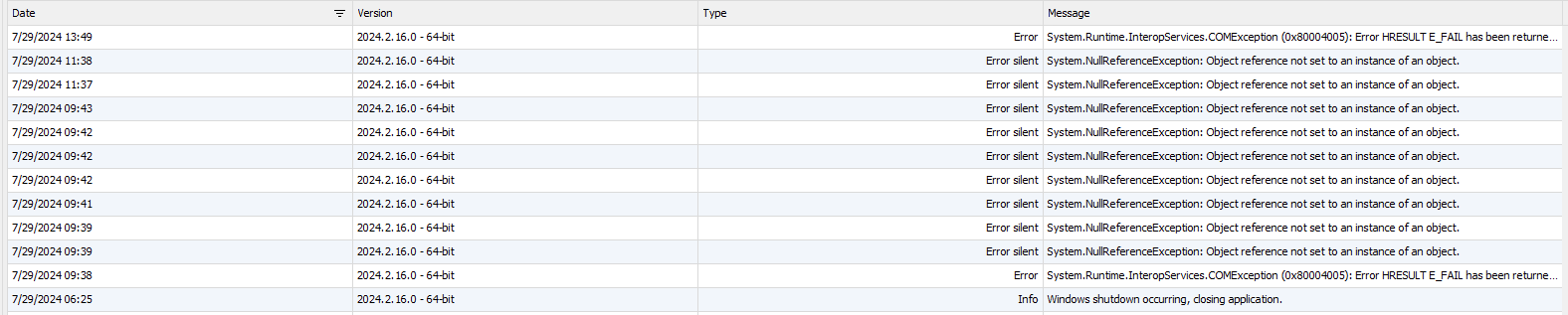
regards
1f916b8d-a1ca-452f-814e-fa2365315b41.png
Hello,
Would it be possible for you to create a portable installation of the latest version of RDM and see if this issue still occurs? To do so, you will need to do the following:
1- Download the .zip file below:
https://remotedesktopmanager.com/home/thankyou/rdmbin
2- Create a new folder on your Desktop
3- Extract the content of the .zip file into the folder created at #2
4- Go to this folder once the .zip file has been extracted and run remotedesktopmanager.exe
5- Connect to your data source
Best regards,
Tommy Sanders
Hi, Tommy,
The solution for me was only executed it as administrator.
regards
Hello,
I'm glad to hear that.
I will proceed to close this forum.
Please do not hesitate to contact us with any further questions.
Best regards,
Tommy Sanders