Edit file in Sftp connection
0 vote

if I set up an SFTP connection it would be useful if there was a feature like WinSCP has to edit files without the need to download them but by editing the file directly in the application
All Comments (28)
Hello,
We cannot avoid downloading the file, as this is the only way to edit it and then send back the edited version. I have installed WinSCP to test, and they also do the same.
If you open WinSCP, edit a file, keep it open, and take a look at the path C:\Users\YourUser\AppData\Local\Temp\scpXXXXX, where XXXXX is a random 5-digit number WinSCP seems to generate, you will see that the file you are editing is currently stored there.
More specific information can be found at the following link : https://winscp.net/eng/docs/task_edit.
The only thing we could do is not show the fact that we are downloading the file in the bottom section of our SFTP integration. Would this still be something you wish for us to do?
Best Regards,
Michaël Beaudin
Hello
no I don't think it's as you say; if I try I see that the file is located in the linux server /data/.... the original location
the file name in my test is a text file with .list extension
some images of the winscp editor: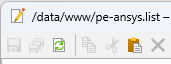
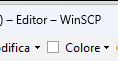
img1.png
img2.png
Hello,
It seems you are using the internal editor which I wasn't aware existed. I've investigated deeper using this feature but sadly it seems to do the same as editing it normally. As you can see in the following screenshot, even though the editor shows the path of the file in the remote machine, it still downloads a copy of the file in a temp folder on your computer.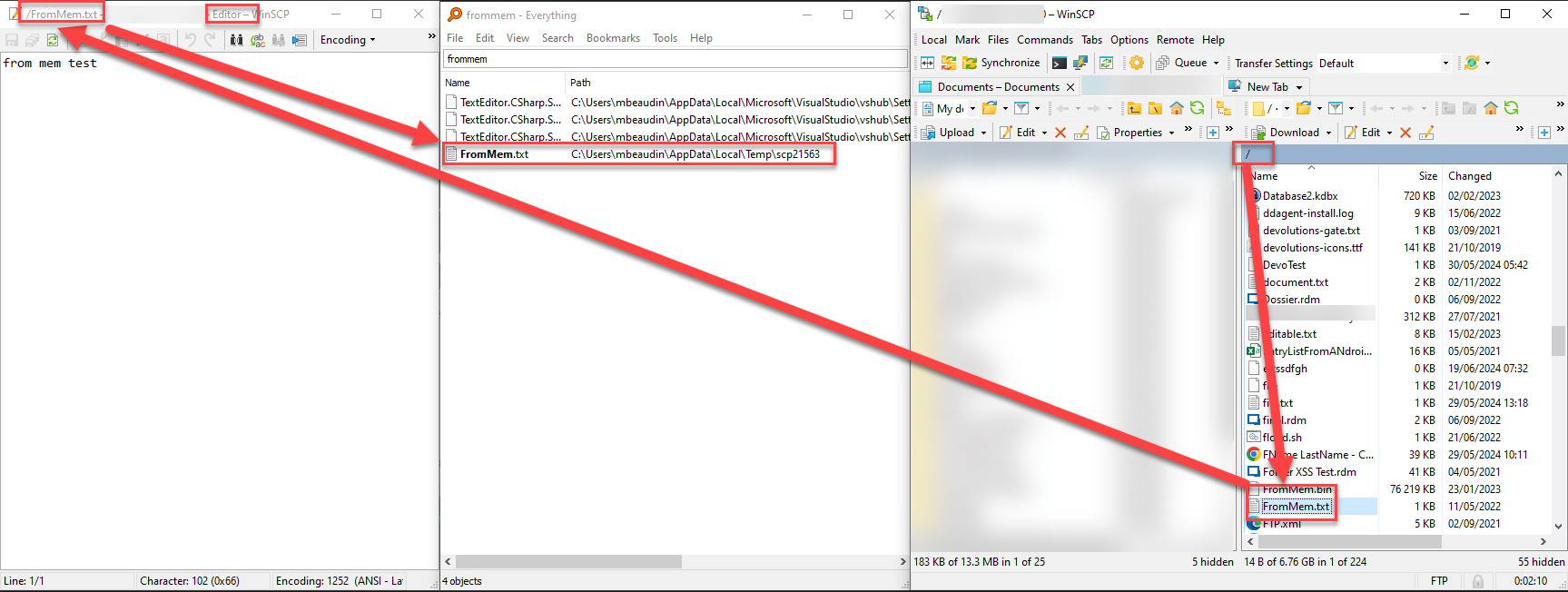
On another note I've found a thread from WinSCP'S forum which also explains how they are saving the file to a temp folder before editing it https://winscp.net/forum/viewtopic.php?t=15219.
For now, it really seems like this feature request cannot be done. We will keep you updated If we find a way to do so in the future.
Best Regards,
Michaël Beaudin
76c9bf78-ac11-4f7c-a3be-0166c62e94a4.png
if not exactly the same it would be useful to have something similar to achieve the same result :-)
Hello,
So if I understand properly it's not that you are bothered by the fact that the file will need to be downloaded but rather that you wish to have your text files be edited inside RDM in a text editor instead of an external application like notepad?
If we do it like WinSCP it would work as follows :
- Download the file.
- Open a text editor in RDM and load the file's text into it.
- Saving the file would upload the file back through the SFTP connection.
Is this what you wish for?
Best Regards,
Michaël Beaudin
yes,
this could be a good first solution to try
I don't know, technically, if WinSCP does this or if it emulates the Linux editor
Hello,
We will open a ticket to add an internal text editor for our various file explorer entries. We will keep you updated on any progress.
Best Regards,
Michaël Beaudin
Good day,
may I ask what the status of this request is. Exactly today I was looking for some possibility to export SSH connections to WinSCP because I edit files on remote servers quite often and that is exactly why I use WinScp for editing.
Thank you
Hello Kleinix,
This is still in our TODO and will most likely be worked on during a big rework we wish to do on all our file explorers. This would be one of the steps in a huge project which we need to plan carefully. We are thinking of adding this to our planning for the 2025.2 release but I cannot confirm it with certainty as of now.
However, even if we do not have an internal text editor, you can still edit text files in our SFTP entry using an external notepad and achieve the same result. Having the text editor inside of RDM should be a slight improvement but it should definitely not be a game changer in your workflow.
All you have to do is right click the file and press edit and it should prompt your notepad application. Any changes saved there will be saved on the remote file.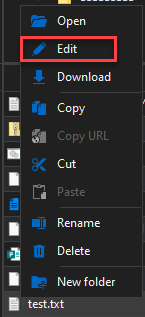
Best Regards,
Michaël Beaudin
11ec7cab-5457-4a39-ac70-cd72bbc1b894.png
Hello,
Thank you for your reply - I have a bit of a problem with the fact that when I click on Edit, the file does not open but executes - e.g. the .sh file tries to forge.
Another problem I have is that e.g. the .log file is opened in Notepad and after saving it is uploaded to the server. But if I open a .yml file that I have linked to VS Code, the file is opened but after I change it and save it, it is not uploaded to the server.
It might be great to be able to define the application in which the file should be opened and look at the problem with uploading the file from the PC in the case of VS Code.
Many thanks
Tomas
Translated with DeepL.com (free version)
Hello,
We will investigate the possibility to do this and add it to our TODO list for the big file explorer rework which we hope to release in the version 2025.2 of RDM.
Best Regards,
Michaël Beaudin
Any changes saved there will be saved on the remote file.
But edit happens only at local copy. I see no way to edit remote file\automate changes upload.
Hello Tristis,
I have tried it on my end and cannot reproduce your behaviour. I will attach a video of what is happening on my end. I suspect you might be double clicking the file to edit it which simply does the "Open" action instead of the "Edit".
Best Regards,
Michaël Beaudin
EditFile.mp4
yes, i do same steps but no upload happens.
Tried with different editors, home folder etc.
And you are using the SFTP entry and tried with the regular notepad? We have some cases where other text editors would not work so I would recommend trying the basic notepad.
Also may I know which Windows operating system you are using as well as your RDM version?
Best Regards,
Michaël Beaudin
yes, tried with basic notepad. Builtin sftp.
win11, 2025.1.31.0.
This is quite weird as I cannot reproduce. What type of file are you editing? Is it a simple .txt file or is it another specific type of file extension?
Best Regards,
Michaël Beaudin
sh, conf, txt, any type.
maybe i need some prerequisites\settings for this?
I have created a ticket for your issue on our end. We will investigate this as soon as possible and keep you updated.
Best Regards,
Michaël Beaudin
Hello,
I can confirm the same issue on Windows with RDM version 2025.1.31.0.
I open a SFTP entry -> navigate to any file -> right click it -> edit -> file opens in my editor, I edit it and save it -> nothing happens. The changes are not uploaded again. In the history/transfer window I only see a file download but no upload.
Hello mr-manuel,
For now I would recommend for your editor to always be the regular Windows notepad as we have had some reports that other text editors would not work (it seems to not be working even on a regular notepad for a few people but we haven't managed to reproduce that specific case yet). We have a ticket opened to investigate this which will be investigated once we are done with the complete rework of the entry we are currently doing for the next major version of RDM.
We are currently remaking the UI with our own file explorer controls which will allow us to have more control and also improve the drag and drop so it works in all directions contrary to how it does now.
We are also changing the default double click behaviour so it opens the file in edit mode instead of read-only as to avoid confusion.
Sadly, we cannot reproduce the issue at the moment where the edit fails with a regular notepad. It would seem that there is a particular condition (maybe in how the remote computer or the local computer is configured) which interferes with the editing or uploading of the file.
We will let you know of any progress on this issue.
Best Regards,
Michaël Beaudin
Hello,
Improvements to the SFTP edit process will be included in version 2025.2.15.0. We believe these should reduce the mentioned issues to a minimum.
Please let us know if you still encounter any issues with the functionality.
Regards
Jonathan Del Signore
Works nice with windows notepad. Thank you fast fix.
Any chance to get it work with np+\ide\other normal editors?
Hello,
We have tested with Notepad++ and VS Code in what will be the release 2025.2.15.0 of RDM and it worked on our end.
We are aiming to release that version some time next week. You could let us know if it works for you after updating to that version.
Best Regards,
Michaël Beaudin
2.17That auto update issue. it download but silent failed to install.Tried to manual update, no errors, but rdm still say 2.14.
nvm that my AD issue.
Edit works but only at home directory, since it no root for sftp without custom settings.
Any tips how to became root at RDM side?
Hello,
To load your remote tree all the way up to the root, and not simply the home directory, you can set '/' in the Home Directory setting of your SFTP entry.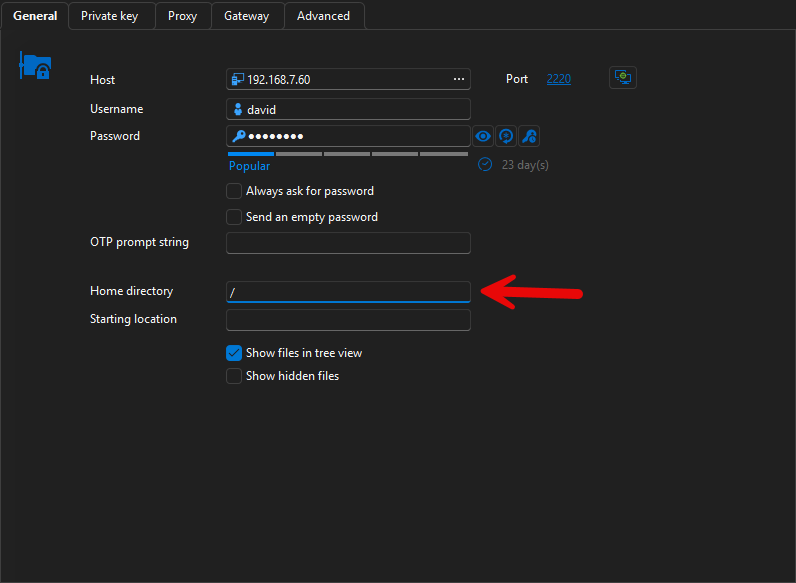
Please let me know if that is what you were looking for.
Regards
Jonathan Del Signore
ce212aba-3338-40c4-9e58-26386b22ed1e.png
yes i know.
Once again. you can't edit files out of home directory this way, because sftp doesn't login as root.