RDP Sessions - disable split view?

Hi,
Is there a way to disable the automatic split view when working with RDP Sessions? What I'd really like is for each session to have a tab but take up the full work area. In the tutorial video it looks like this: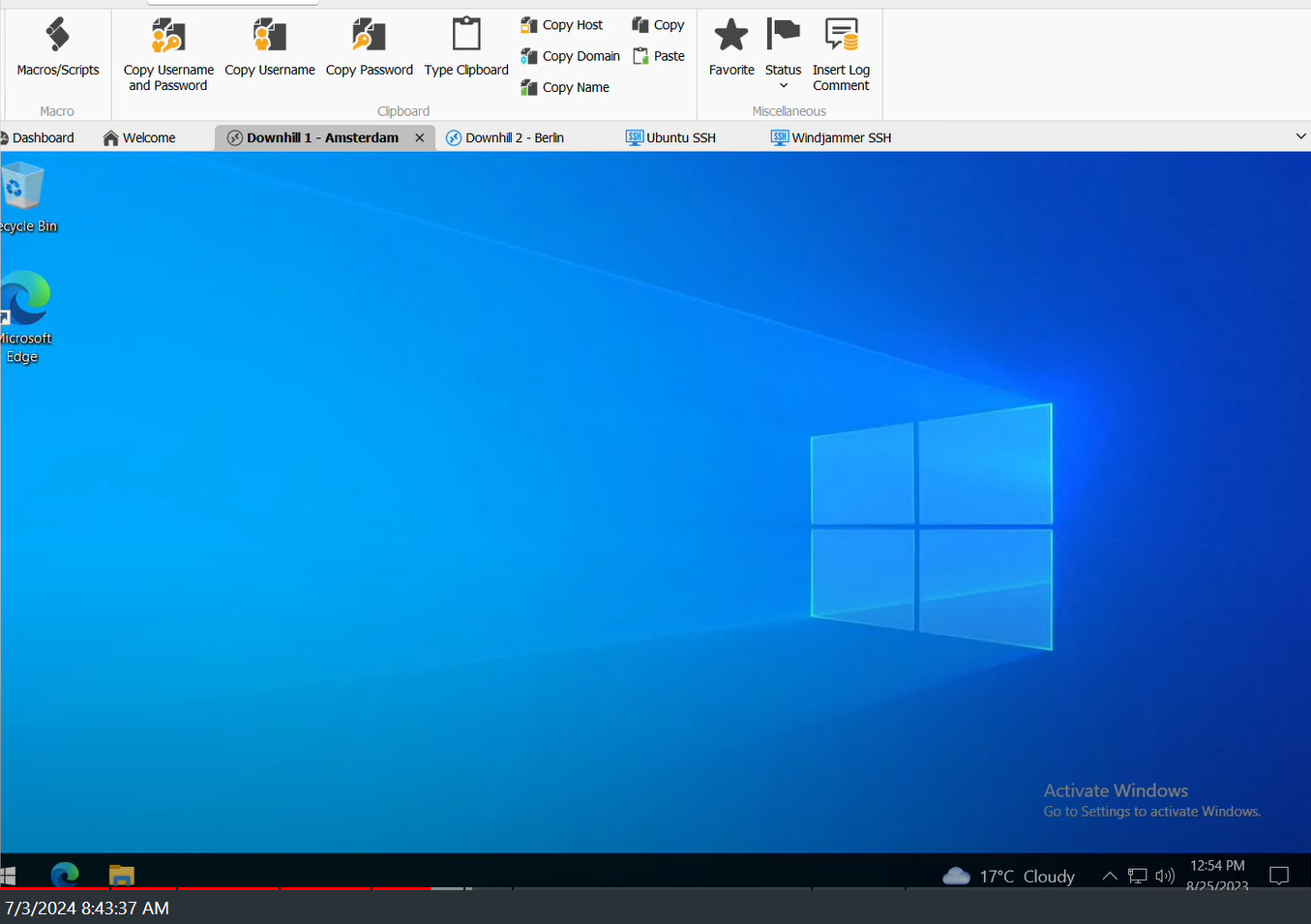
Rather than having every RDP session split the window each time. Is there a better way to manage RDP sessions and their screen sizes that I don't know about?
Thanks!
RDM-TutorialvideoSessions.png
All Comments (5)
Hello,
Thank you for the screenshot, I understand that you want your RDM to look like the tutorial, correct?
If so, could you send a screenshot of what it looks like on your side?
Best regards,
Etienne Lord
Sure. Here is what I'm getting when I open multiple sessions.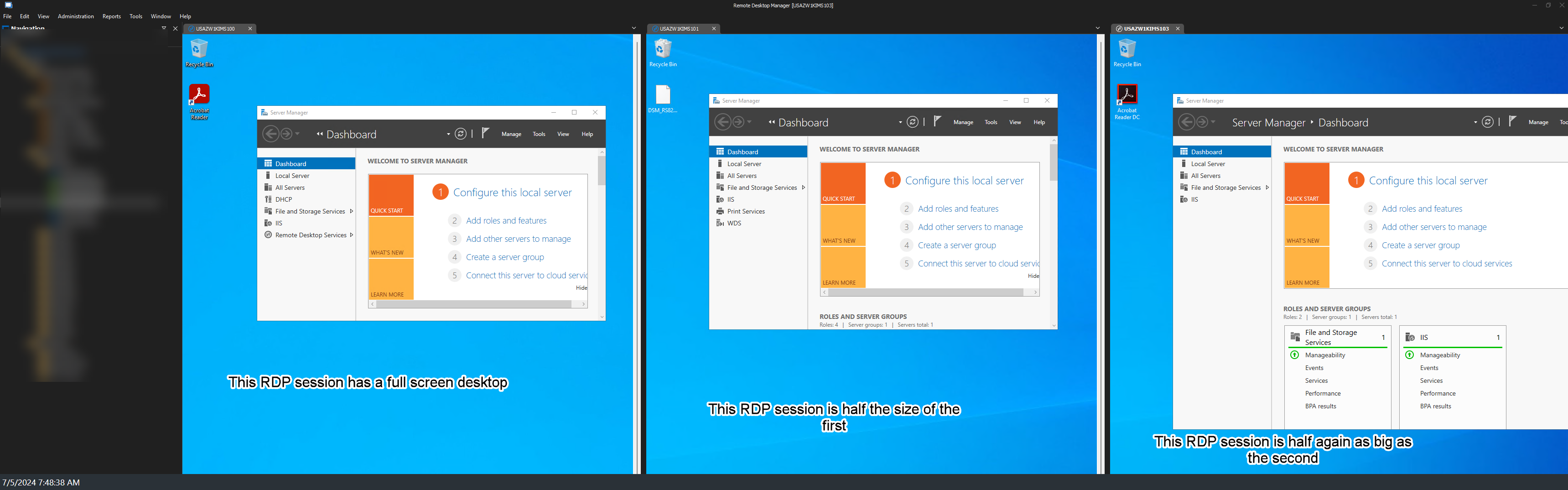
RDM-RDPSessions.png
Hello,
Thank you for your question.
Could you please follow the steps outlined in the following link: https://docs.devolutions.net/rdm/kb/rdm-windows/knowledge-base/rdp-session-entry/add-rdp-entry/#open-an-rdp-session
Let me know if this helps.
Best regards,
Tommy Sanders
Hey Tommy! Just an update. The Window - Cascade option from the main toolbar was what fixed my issue.
Thanks!
Hello,
Thank you for your response.
I'm pleased to hear that your issue has been resolved. Please feel free to contact us if you have any further questions.
Best regards,
Tommy Sanders