Azure Bastion on MacOs

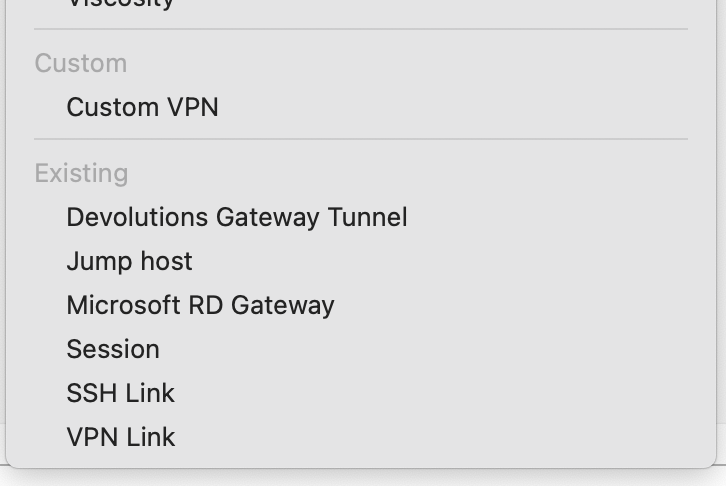
I see you added Azure Bastion to the latest MacOs release! I tried to set it up today, but couldn't find any official documentation. I tried using what I found in the forums from Windows, but all I get are errors and I can't find a way to set up a Bastion once and use it on multiple hosts. The one I create doesn't show up in the "Existing" list.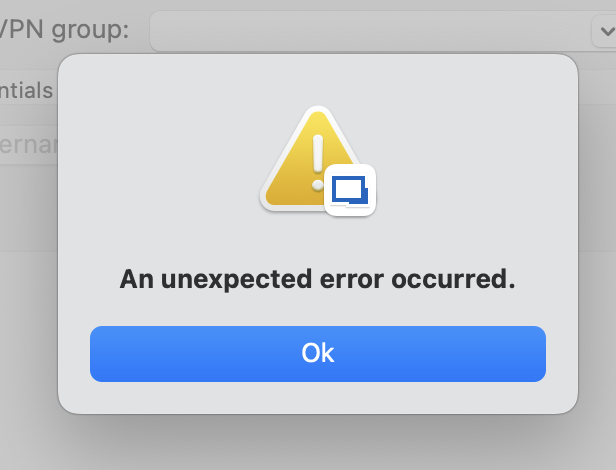
7180eb92-512f-4f98-8e58-1ec76102e045.png
d85debb0-3ed1-437a-8b8f-f3564957d808.png
All Comments (22)
Hello kknopp,
Thank you for contacting the Devolutions support team.
Could you tell me if there is any information under the application logs:
https://docs.devolutions.net/rdm/mac/commands/help/application-logs/
Could you provide the Profiler level 1:
https://docs.devolutions.net/rdm/mac/commands/help/profiler/
Best regards,
Patrick Ouimet
nothing in the application logs and I just sent over the profiler level 1 with a subject of Azure Bastion on MacOs
Hi,
We are aware of these issues with Azure Bastion. We will release a fix soon for it ( probably in 2024.2.8.X ). We apologize for the inconvenience.
Best regards,
Maxim Buisson
any idea when this release might happen?
Hi,
I'm sorry, we had some major problems that we had to fix before releasing the next version. The version containing this fix is in the hands of QA so, if everything goes well, it should be released very soon.
Best regards,
Maxim Buisson
Hello,
The latest version of RDM Mac (2024.2.8.4) is released and should have the fix for your issue.
If there's anything, don't hesitate to communicate with us.
Best regards,
Michel Lambert
It does seem to fix the crashes, but I don't see a way to authenticate with OAUTH to the bastion using EntraID. Is that feature in there somewhere that I'm missing?
Hello,
We don't have OAUTH with azure bastion for now. I'm going to add it as a feature request.
I can't really give you an ETA, I will need to check with the windows team first because if they have it or if it's in their development plan.
We will keep you updated on the issue.
Best regards
Michel Lambert
Hello leop41487,
Certainly, if the topic is unrelated to the main one, I will initiate a new thread.
Please feel free to share any feedback on our product!
Warm regards,
Patrick Ouimet
Hello Knopp,
A new version of RDM Mac is available(2024.2.10.3) and we do hope that the issue with azure bastion is now solved.
Don't hesitate to communicate with us if there anything.
Best regards,
Michel Lambert
Thanks! Trying to set it up now and using this doc to set it up
Configure an Azure Bastion entry in Remote Desktop Manager - Devolutions Documentation
On Mac, I don't see the 3 dots next to the Type drop down menu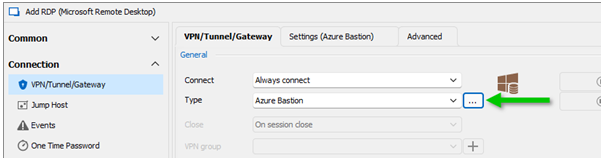
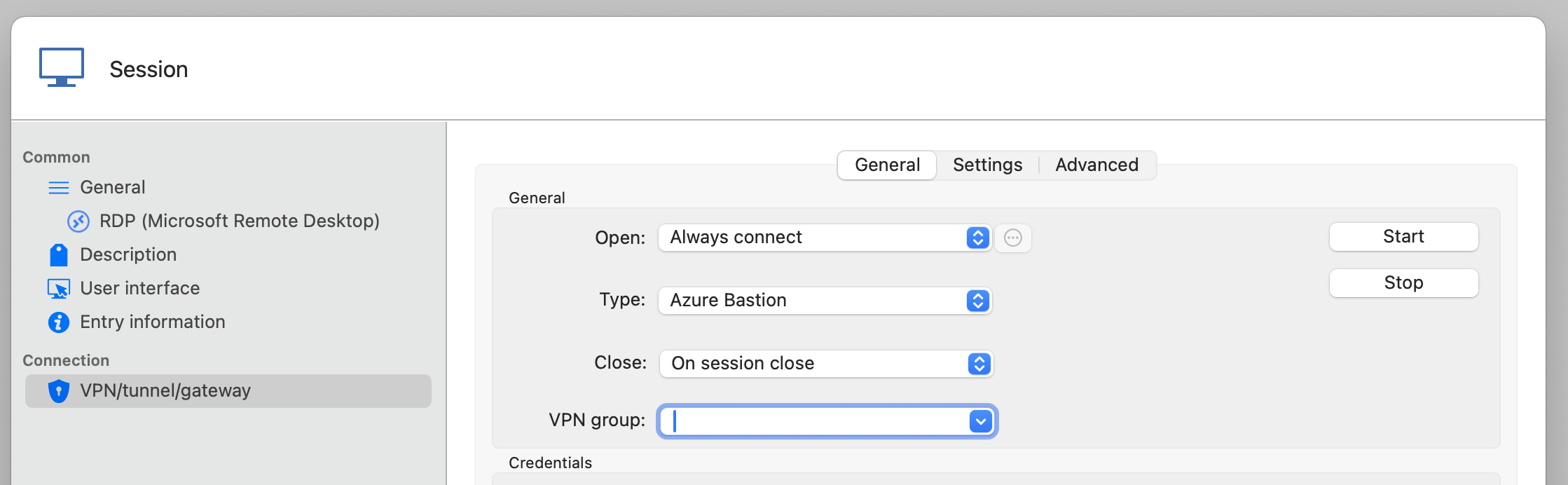
And I can't see how to set it up on the individual host either. No authentication choices are there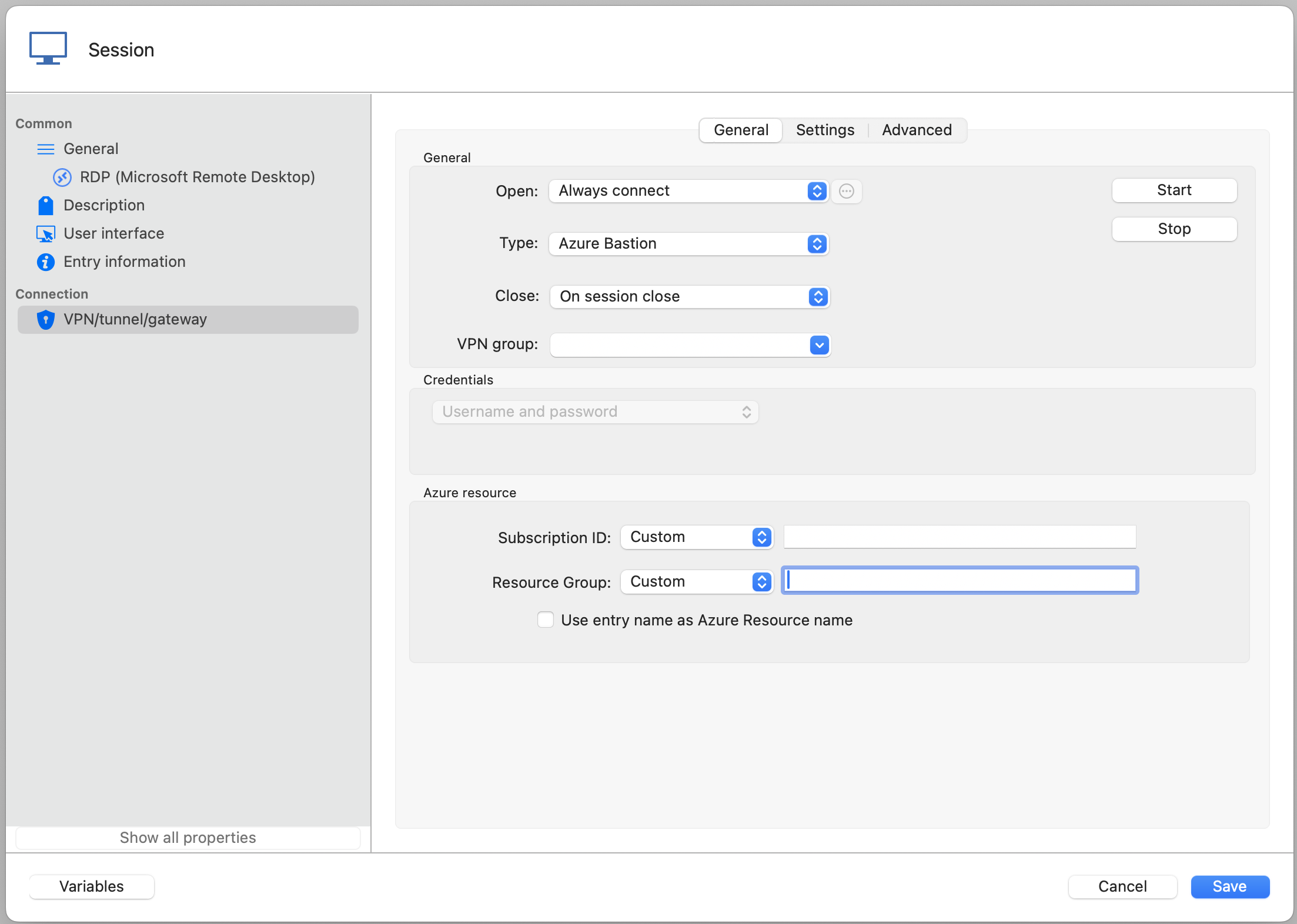
629f07f7-01df-48c8-9742-73ab56fbaefb.png
83e32b9e-2d82-4392-82ba-0950805d2f12.png
b4b4cfe0-f041-48fb-a62c-b9af2624162e.png
Hello,
On the macOS version, to select the azure bastion session you want to use, you can go in the "Settings" tab right next to "General" you show in your screenshots. There, you can select the azure bastion session to launch with the entry. Let me know if that works for you.
Best regards,
Maxim Buisson
I have a Bastion created in my host group and it doesn't show up in this Settings drop down of the host I want to use the Bastion to connect to. Am I in the right place?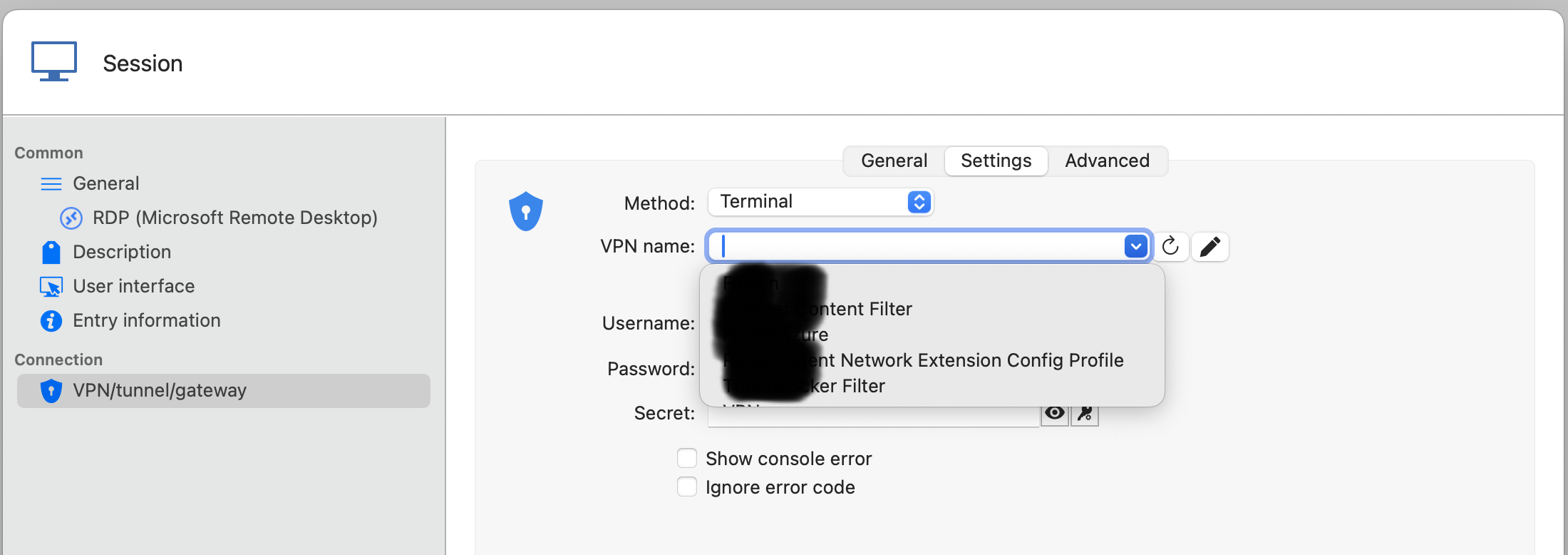
252a04e9-c2ff-4686-a93f-8fd1490c89fb.png
Hello,
That is pretty strange. When I select "Existing Azure Bastion" in General, I see a dropdown of my VPNs in Settings. The settings you showed seems to be for "Apple VPN".

Can you confirm if you have selected "Existing Azure Bastion" in General please ? It's possible that there is an other issue.
Best regards,
Maxim Buisson
Screenshot 2024-09-05 at 8.02.09 AM.png
Screenshot 2024-09-05 at 8.01.50 AM.png
Confirmed. My Settings tab doesn't look like yours at all. It's like it's not updating to the right settings screen.
Ah, I just found that my Settings tab doesn't update when I select Azure Bastion. I can set the Type on the General tab to anything but Azure Bastion and the Settings tab changes to reflect the selection, but if I choose Azure Bastion, it remains on the Type choice settings page that I had selected BEFORE Azure Bastion. This is true on multiple MacOS computers with the free version of RDM on them.
That is very strange. I think we have an issue with the Azure Bastion type, I noticed some problems too.
I will open a ticket to look into it. We will let you know when we have updates. Sorry for the inconvenience.
Best regards,
Maxim Buisson
This last update made a lot of progress. Now I see the screens you see, but still get an Unexpected Error when I try to connect.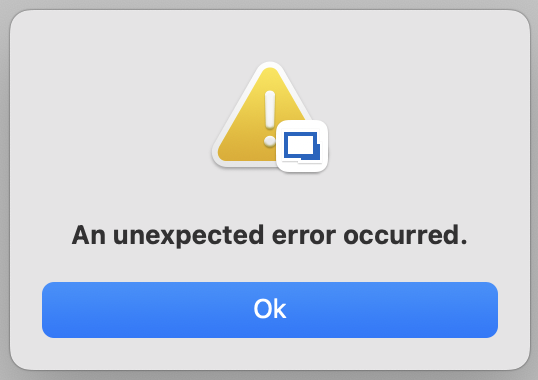
I tried both the Azure CLI and Prompt for credentials (with my email entered). With Prompt, my browser opens a new tab for authentication, which is promising. 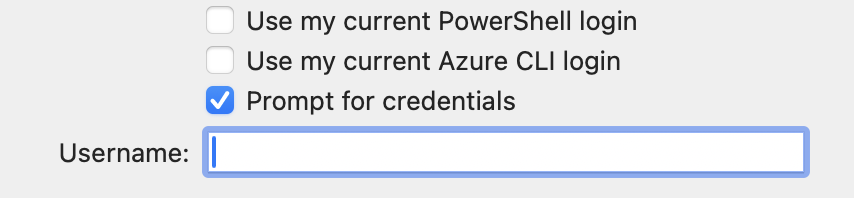
f4074cff-d5fe-4a8a-ae5c-1fed39f3fa65.png
b67afce4-f9a6-4e41-9032-01fa6e1fc446.png
Hi! I just stumbled upon this post because I'm running into the same issue when trying to setup Bastion. Using version RDM 2025.2.6.8 on MacOS
Any update on this issue?
Hi! I just stumbled upon this post because I'm running into the same issue when trying to setup Bastion. Using version RDM 2025.2.6.8 on MacOS
Any update on this issue?
@wmbreedveld
Hi,
I did just provision a Bastion and then go through the setup on the same RDM version as you, and found it to work well. What exactly is the part that's causing issues? Is it the setup, or something is not working when you try to connect to a VM?
Kind regards,
Richard Markievicz
Hi! I just stumbled upon this post because I'm running into the same issue when trying to setup Bastion. Using version RDM 2025.2.6.8 on MacOS
Any update on this issue?
@wmbreedveld
Hi,
I did just provision a Bastion and then go through the setup on the same RDM version as you, and found it to work well. What exactly is the part that's causing issues? Is it the setup, or something is not working when you try to connect to a VM?
Kind regards,
@Richard Markiewicz
I configured a Bastion tunnel but it immidialaty errors to "An unexpected error occurred." same as the screenshot by @kknopp. No matter the authentication settings. Sometimes I got a browser window with the text that I have been authenticated, but I still get the error, this is also not consistently reproducible.
I have the connection to the VM working with Azure CLI in combination with the Windows App for RDP. I use the following command in a shell script to start the vm and open a connection:
#!/bin/zsh
az vm start --resource-group "<resource-group>" --vm-name "<vm-name>"
az network bastion tunnel --name "<bastion-name>" --resource-group "<resource-group>" --target-resource-id "/subscriptions/<subscription-id>/resourceGroups/<resource-group>/providers/Microsoft.Compute/virtualMachines/<vm-name>" --resource-port "3389" --port "13401"
I have removed sensitive info for the values between <>
I then connect to 127.0.0.1:13401
Hi! I just stumbled upon this post because I'm running into the same issue when trying to setup Bastion. Using version RDM 2025.2.6.8 on MacOS
Any update on this issue?
@wmbreedveld
Hi,
I did just provision a Bastion and then go through the setup on the same RDM version as you, and found it to work well. What exactly is the part that's causing issues? Is it the setup, or something is not working when you try to connect to a VM?
Kind regards,
@Richard Markiewicz
I configured a Bastion tunnel but it immidialaty errors to "An unexpected error occurred." same as the screenshot by @kknopp. No matter the authentication settings. Sometimes I got a browser window with the text that I have been authenticated, but I still get the error, this is also not consistently reproducible.
I have the connection to the VM working with Azure CLI in combination with the Windows App for RDP. I use the following command in a shell script to start the vm and open a connection:
#!/bin/zsh
az vm start --resource-group "<resource-group>" --vm-name "<vm-name>"
az network bastion tunnel --name "<bastion-name>" --resource-group "<resource-group>" --target-resource-id "/subscriptions/<subscription-id>/resourceGroups/<resource-group>/providers/Microsoft.Compute/virtualMachines/<vm-name>" --resource-port "3389" --port "13401"
I have removed sensitive info for the values between <>
I then connect to 127.0.0.1:13401
Got it working, user error on my side...
I had mistakenly entered the VM name in the "Host" field for Bastion, but it should have been the Bastion name instead.
(Might be worth updating the field label to make this a bit clearer.)
Hi
I'm glad you got it working and sorry for the inconvenience. Please post back with any further questions or problems.
Kind regards,
Richard Markievicz