Batch Edit > Folder Type

Hi
I was wondering if I can batch edit the folder type. I would like the change all my folder types from "Folder" to "Site"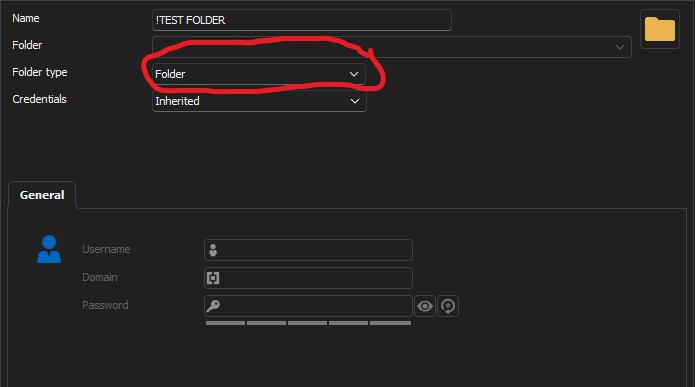
I have hundreds of folders but do not want to have to change all these manually.
Regards
Troy
6d356055-e082-46da-9296-d047aedc01f1.png
All Comments (4)
bump
Hello,
I apologize for the delay and appreciate your patience.
Please follow the steps outlined in the following link to batch edit the folder type: Batch Edit Instructions.
The recommended method is to utilize the advanced search to select your folder.
If you have any questions, please do not hesitate to contact us.
Best regards,
Tommy Sanders
I need to bring this up again. Where exactly can I change the folder type? I can't find it in the batch edit options. I use Advanced Search, select multiple folders and then I go to "Edit > Batch edit > Genral settings" but there is no option to change the folder type.
Hello,
Thank you for your feedback.
The correct method is to indeed use the Advanced Search to find all Folder Connection Types. Then select all the folders you want to update, right-click them, select the Edit - Special actions... - Custom PowerShell command feature and use the following PowerShell command.
$connection.GroupDetails.GroupType = "Company"
$RDM.Save()
If you want to set a different folder type, you can use this method to find the correct folder type value.
https://docs.devolutions.net/powershell/remote-desktop-manager-powershell/powershell-scripting/list-of-property-names-for-powershell-script#reverse-engineering-an-entrys-structure
Let us know if that helps.
Best regards,
Érica Poirier