Problem with Offline mode

We're having issues with getting the offline mode back to work after updateing our RDM from 2023.1.28.0 to 2024.1.15.
In online mode everything works without problems, but when I'm not in the company and try to open RDM, it always tries to connect to the data source.
This gets stuck in an endless loop. Before, after a short while, I got a popup to switch to offline mode, but this no longer appears. it just reports "unable to access the database. Verify if you are offline or if you have an opened VPN.".
there I can only confirm with OK or click on details, when I press OK it tries to establish a connection with the data source again and after a certain time it comes to the same result.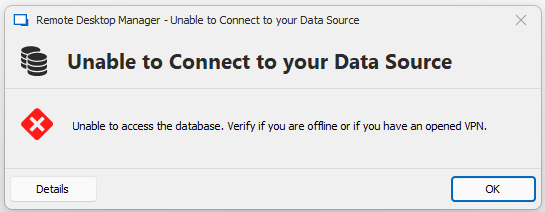
Our Configuration:
MS SQL Server with the Database
Application Server with RDM installed ( Version 2024.1.15 )
Clients with RDM installed ( Version 2024.1.15 )
Offline Mode read/write allowed
Offline Cache File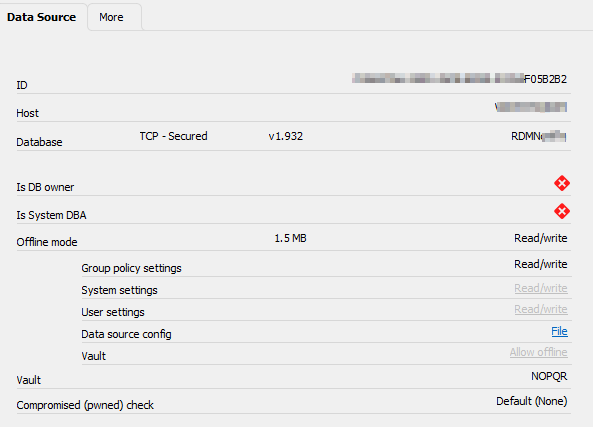
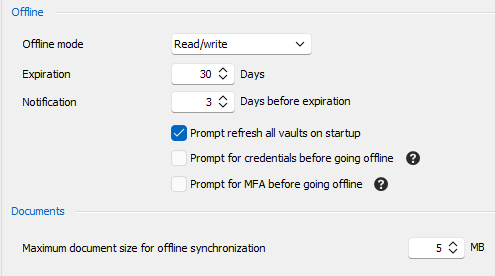
Can I change the settings somewhere for how many connection attempts are made before offline mode is available for selection?
As a temporary solution, I configured “always prompt for offline mode” for the users.
However, this cannot be the solution because the offline mode should only be available when someone is not present in the company.
The message bevor the RDM update looked something like this: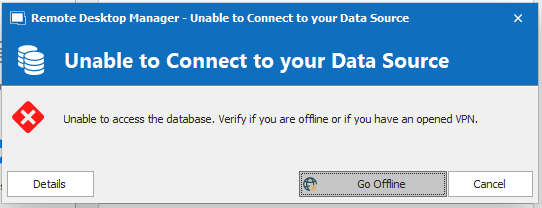
2022-12-05 15-15-51_.png
grafik.png
2024-03-14 14_53_19- Remote Desktop Manager.png
2024-03-14 15_33_21- Remote Desktop Manager.png
All Comments (5)
This is odd, the Go Offline option is there when it has the data available to go offline. So I'm guessing RDM is detecting that the SQL is not available but then wrongly determines that it can't go offline. But why? I will need to investigate.
Your workaround is your only option currently.
Best regards,
Stéfane Lavergne
Hi Stéfane
Thanks for your feedback, if I can assist with additional information please let me know.
I'm eagerly awaiting your feedback on a possible solution
Best regards
Tobias
Hi Tobias,
Quick update.
The issue has been reproduce here internally, we are still investigating.
Best regards,
Stéfane Lavergne
Hi Tobias,
The issue has been resolved.
It's my fault, I made a fix for an issue where the global vault didn't load properly, the side effect was a broken go offline.
Both are now properly fixed. A new build should be available this week.
Sorry for the inconvenience.
Best regards,
Stéfane Lavergne
Hi Stéfane,
Thanks for the Update!
We tested it internally and it works again like expected.
Best regards
Tobias