Password Send by Email

I love the new feature to securely send the password by email. Just wondering how the actual email sending works as I've tried it, it says success but the recipient didn't get anything. We're using Outlook / M365 as email client and it doesn't seem to use that (nothing in my sent emails). And maybe it helps/changes things but the Data Source is an RDM Server.
All Comments (8)
Hello,
I'm sorry to hear that. Devolutions Server uses the SMTP server configured to send email. One thing that you could do is validate that it works well and it is configured correctly by sending a test email here.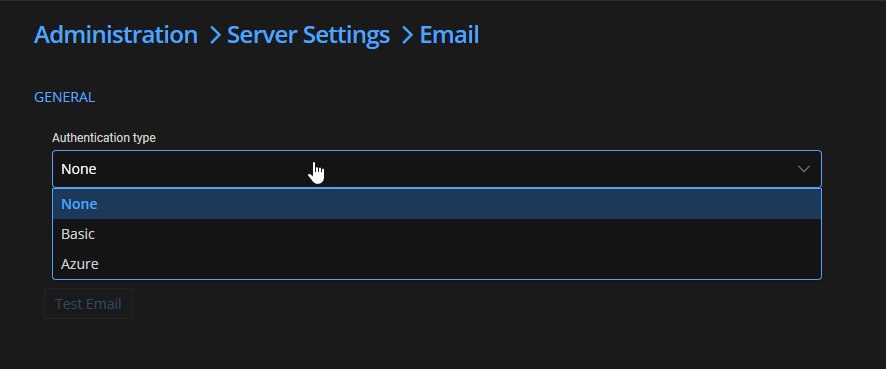
My last question would be to know if you use a free version of DVLS or if you have a team/enterprise license.
Best regards
François Dubois
a3e01c89-53c7-40be-91d4-bd3d59d6d82f.png
The email setting works, we get emails from RDM from time to time. And Yes, I am using an teams license (both RDM & DVLS)...
Hello,
Thank you for your reply. I can't reproduce that issue. Here a few questions that could help me :
1 - Could you try to create a shareable link on the web interface instead of sending it by email ? Does it work ?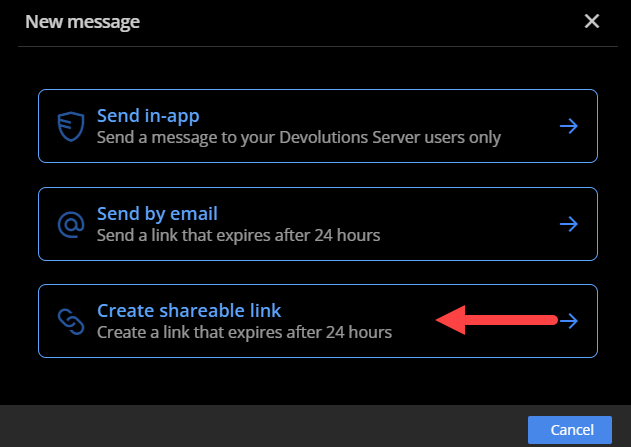
2 - Could you try to send it by email, but via the web interface instead of RDM, does it work ?
3 - Do you use SMTP with Basic authentication or Azure ? I think email sent to somebody outside your organisation could be blocked if you use Azure SMTP. Could it be the issue ?
Sorry for the inconveniences and thank you for your help
Best regards,
François Dubois
567a73d1-fab3-428c-9067-17403b976ef9.png
Hum, in the webpage it shows: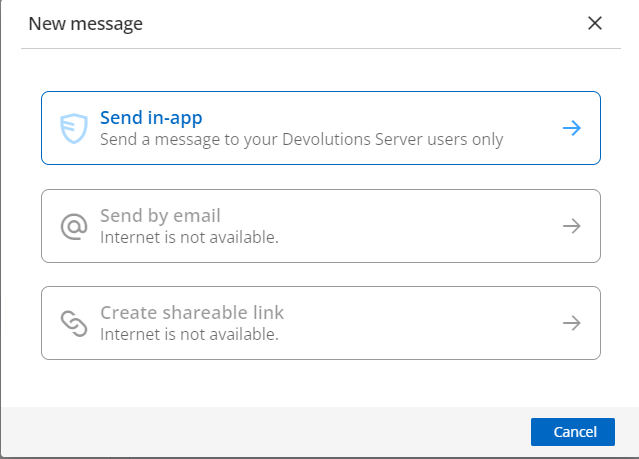
We're using a Hybrid OnPrem exchange server as SMTP server. As setup it doesn't allow it to send to external domains but right now I'm simply trying with members of my team (which are internal).
Shareable link works (on the RDM client)...
918ec459-e111-42b6-bc14-136309bac92f.png
Hello,
Could you confirm that you allow your server to send request to external service ? 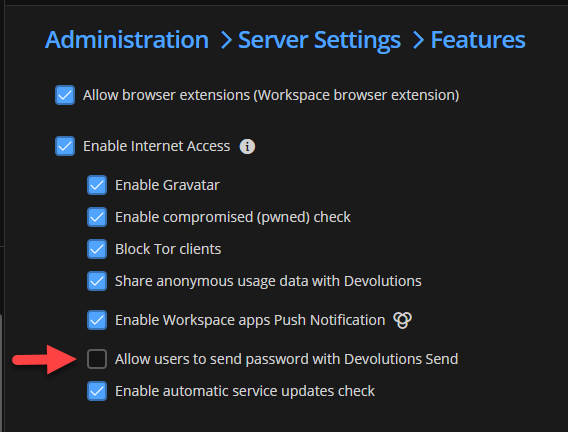
Best regards,
François Dubois
960c710e-5fc5-4700-afdf-e321da8a6542.png
Ah? That's new. No it wasn't checked (actually, the entire "Enable Internet Access" was unchecked)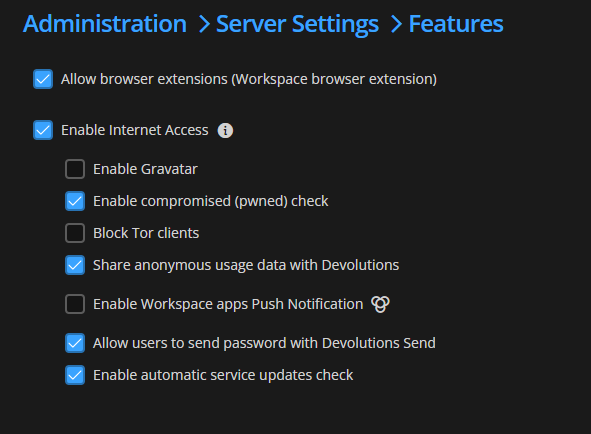
No change in the RDM client (says "sent successfully" but doesn't do anything), however on the web version it now gives out this...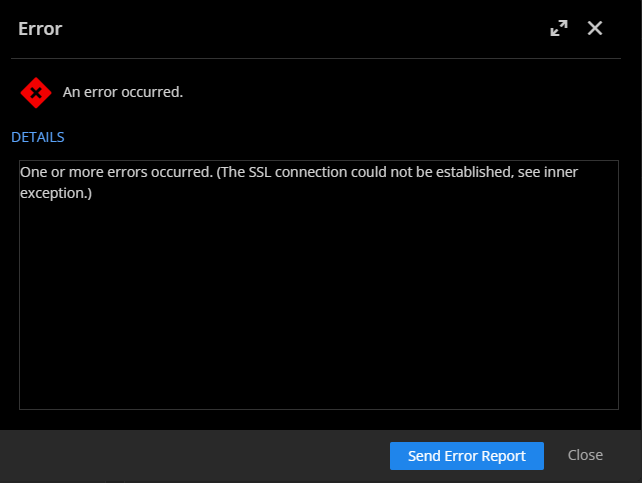
c401c539-7894-47b2-867b-09b73a636dfc.png
5dd2d988-d5b1-40c3-80ab-c9ffcc4ecbc1.png
Hello,
Could you have a look to the Data Source Logs (available in Reports > Data Source Logs) to see if you have an error explaining the issue ? You could export the report and send it to me in a private message so I could have a look.
Best regards,
François Dubois
For future reference, on my network connectivity to some of the endpoints listed here (https://docs.devolutions.net/kb/devolutions-server/knowledge-base/internet-endpoints-server/) was blocked. We don't know which exactly (I suspect api.devolutions.com.) Once that was fixed the emails started flowing from both the DVLS server and RDM client.