How to run a shell script in "After Close" Event

Hi,
I'm using RDM v.2023.3.13.4 on MacOS. I'd need to run a shell script in the terminal before RDP connection, then kill the shell script and close the terminal after RDP closes. Can you please tell me how this can be done, considering the option of running command line / script is not available in "After close" event?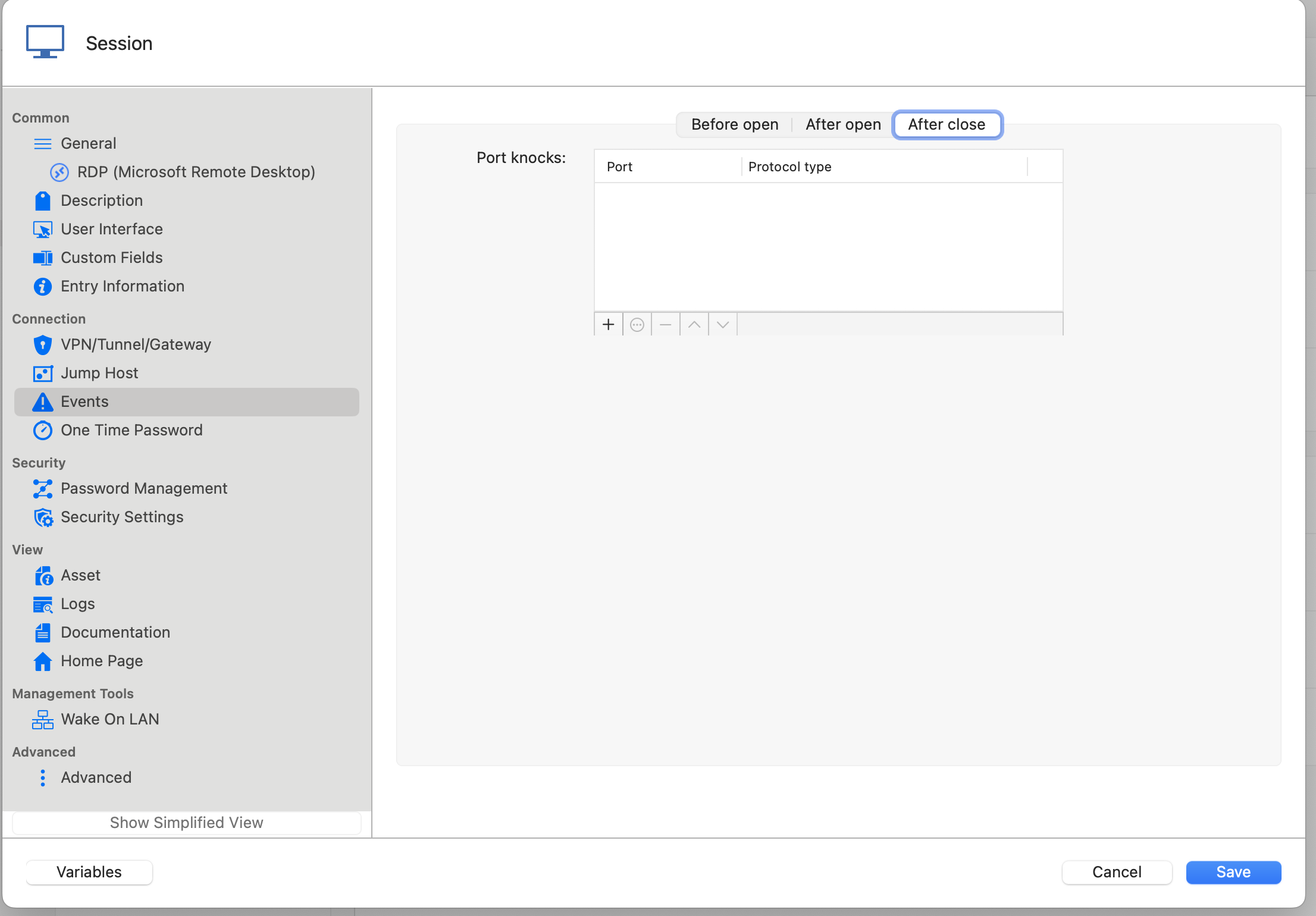
It would be helpful to have command line / script execution option to all events, not only in "Before Open" but also in "After Open" and in "After Close" events. Also please add the option to kill the script (and terminal, if the script runs in the terminal) similarly to how it is done in Custom VPN.
Thank you in advance!
7b418b7a-0676-408c-b10d-ac8c3c39fb13.png
All Comments (12)
Hi,
I'll open a ticket for the improvement of adding the missing After Close commands (since they are available in RDM Windows). But for the kill, I think you should handle it yourself in the After Close command, no? I do not believe we keep any reference to the process being launched with the Events command, so it might not be that simple. I'll add a note in investigate though.
As you mentioned the Custom VPN, is there any reason you can't use that for what you need? It supports a open and close script which feels like what you want to do. And since we handle it like a VPN, we do keep the process hence why we can force quit it after closing. Even if what you are doing is not strictly a VPN, it should still work.
Best regards,
Xavier Fortin
Hi,
Thanks for opening the ticket.
The script I want to run requires manual input so it needs to run in the terminal. Unfortunately custom VPN runs in the background without bringing up the terminal, so it won't work in my case.
I see. That being said, at the moment, in RDM Mac, contrary to RDM Windows, the Command Before Open Event does not seem to open in a dedicated Terminal window. It runs silently in background, so as it is implemented now, you wouldn't be able to fill your input anyway. I'm opening a new ticket for this too.
Best regards,
Xavier Fortin
Thank you so much Xavier!
Can you also add a request to open the terminal when running a Custom VPN? Currently it is running in the background, so in my case it would be really helpful it I could actually see the terminal. Maybe this could be added as an options (checkbox or something similar)
Hello,
We have updated the event panel in our connections in the lastest version of RDM Mac (2024.1.8.6) and it should have the missing features that Windows had.
If we forgot anything or if you need anything, don't hesitate to communicate with us.
Best regards.
Michel Lambert
Hi Michel,
Thank you so much for the update! It's really helpful!
In addition to enabling command/script execution "After Close" I also asked if that would be possible to run the scripts (in "Before Open" / "After Close") in an open terminal (foreground rather than in the background ) ? Xavier said he'd open a ticket for that as well (see above). Do you know if there is a plan to implement this feature ?
Thanks!
Yuri
Hi,
Yes, running scripts from "Before Open" and "After Close" in a dedicated terminal will be available in the next version of RDM Mac.
Best regards,
Jesse Galarneau
That is great news! Thanks Jesse!
Hello,
The newest version of RDM Mac (2024.2.7.3) is now available
and have the dedicated terminal for running the scripts.
As usual, if you need anything else, don't hesitate to communicate with us.
Best regards,
Michel Lambert
Hi Michel,
Thank you for the update!
Unfortunately I can't figure out how to open the dedicated terminal from "Before Open" and "After Close" events.
P.S. this is MacOS version
Hi,
The "Command line" option should be available under Events -> Before open ( and other events ). This will open the terminal and run the command when the event is triggered.
Please let us know if this works as expected for you.
Best regards,
Maxim Buisson
Screenshot 2024-06-19 at 8.08.01 AM.png
Oh, I thought there would be an additional option for the dedicated terminal, but now I can see the terminal opening.
This is great !
Thank you!