CyberArk PSM sessions with user specific setting overrides to personal vault entries not working
CyberArk PSM sessions with user specific setting overrides to personal vault entries not working

Sorry in advance, this is a little bit complicated to explain, so I HAVE to be thorough to get it completely explained.
our history with RDM:
We are running RDM for years, and below worked in the past. Due to the problems with subconnections -> subentries introduced with version 2022.3.4.0 in the tool, it took us a LONG time to upgrade all instances.
So now recently we've upgraded our clients to one of the latest version 2023.3.36.0 and some have issues described below.
Cyberark cannot find the requested account in vault and gives error : 1062E The requested account does not exist in the Vault....
this DID work before !
This is our requirement:
- we store personal admin credentials in the CyberArk vault
- we have shared PSM entries, the PSM should retrieve the personal admin account from the vault and start PSM with that account
This is high overview of our setup:
- we store 'personal' admin accounts in CyberArk
- in RDM we configure 'placeholder' username/password entries in our user vault, the username is formatted in such a way that it uniquely finds the user account in the CyberArk vault, so the corresponding password can be retrieved.
- we configure CyberArk PSM entries in such a way that the 'privileged account' (= account to retrieve from cyberark to run the PSM entry) is retrieved from the entry in our personal vault.
Since our upgrade (from 2022.2.21.0 to 2023.3.36.0 ) this fails, CyberArk is giving error : 1062E The requested account does not exist in the Vault, or you do not have the appropriate....
How to debug this:
I found out... we can easily debug the setting.. don't even need a CyberArk PSM server or start a session.
- in the session I configure an Event : Before Open - type: Message prompt - value: Retrieve account from CA: $TOOL_USERNAME$
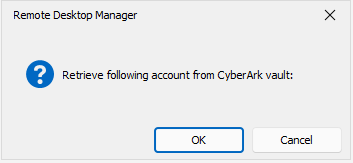
- start the session, the $TOOL_USERNAME$ turns out to be empty!
Temporary workaround:
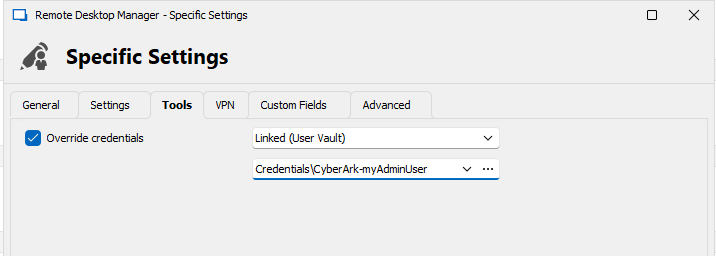
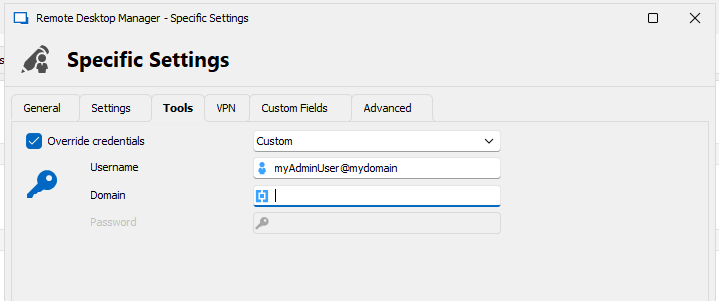
- we configure the User specific setting - Tools - override credentials , replace the 'Linked (User Vault)' to 'Custom' and just type the requested username.. now it works.
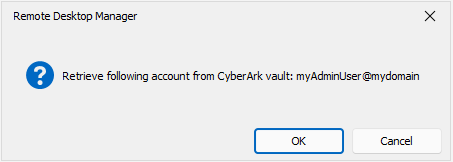
- this also is shown by the popup message prompt. (pictures below)
Detailed configuration:
- Account in personal vault in CyberArk
- in RDM: Create a password entry in personal vault. configure username with name@address syntax so CyberArk can find the account in its vault
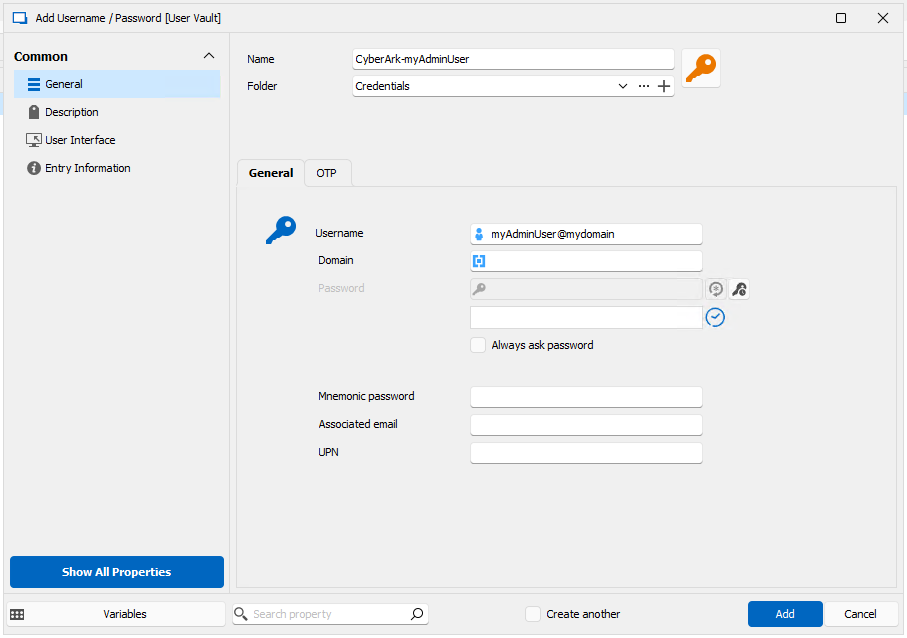
- Create a PSM Connection entry. in 'Privileged Account' specify the variable $TOOL_USERNAME$
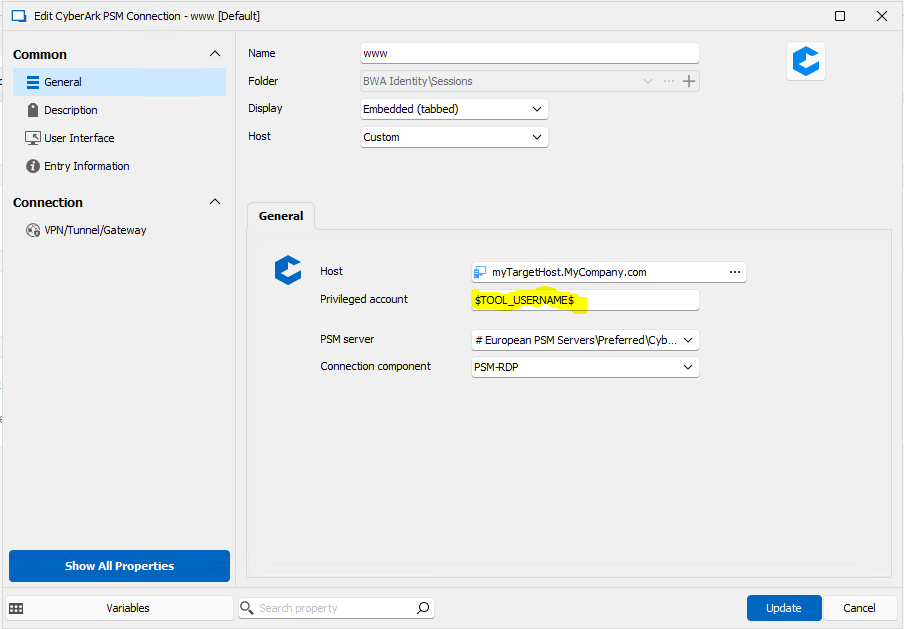
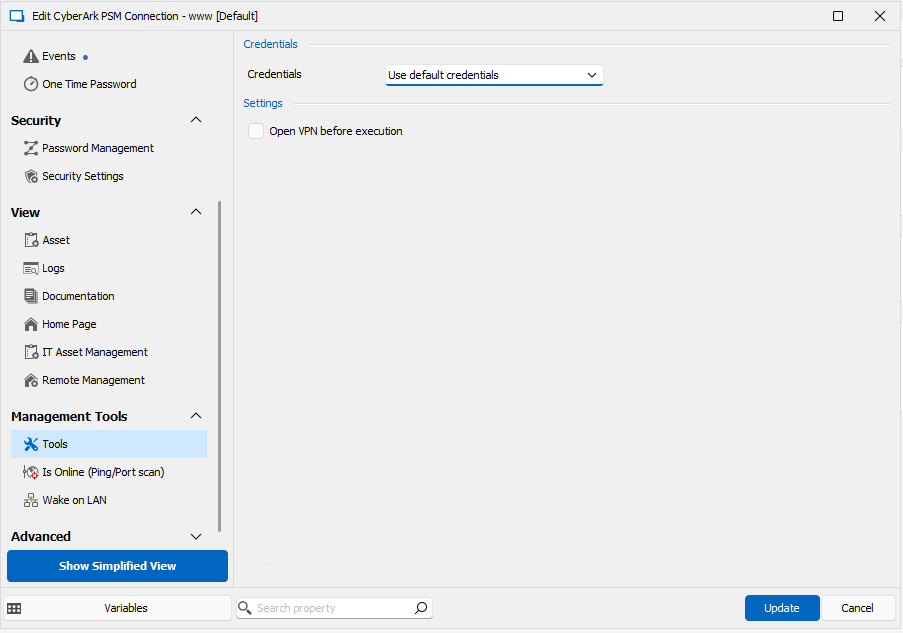
- in Management Tools - Tools - Credentials.... specify 'use default credentials' (don't care here.. this is a shared-vault entry, every user will override this setting with his own personal settings)
- each user: Edit - user specific settings for this entry... override the Tools username with a linked (User Vault) entry pointing to previously created account in personal vault.
- debug: edit entry before open action with a prompt... include some text + $TOOL_USERNAME$ because sometimes $TOOL_USERNAME$ is sometimes empty.. and empty message prompt isn't shown.
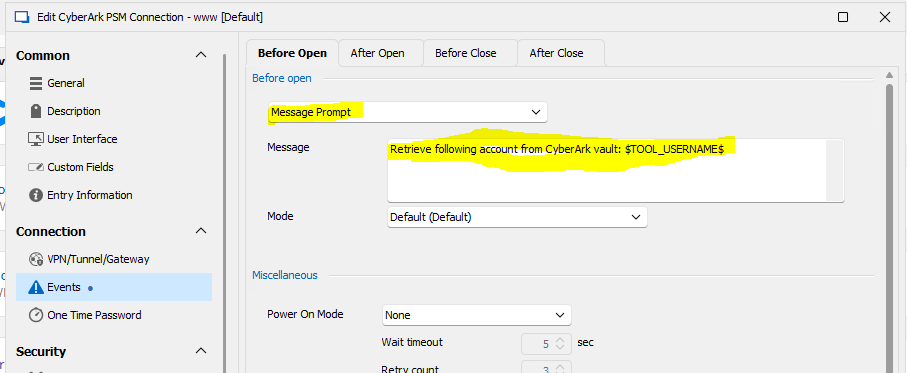
- Error: username is empty
- FIX (temporary) in user specific settings... do not overwrite with a link to personal vault entry, but a custom entry and type in username in correct format
- Result: works. now the PSM entry also works, it can retrieve that account from the vault and start the PSM entry.
P12.PNG
P04.PNG
P11.PNG
P10.PNG
P03.PNG
P02.PNG
P01.PNG
P00.PNG
All Comments (3)
Hello Ben,
Thank you for contacting us on that matter.
I will run some tests to reproduce this on my side.
I'll keep you posted as soon as possible.
Best regards,
Patrick Ouimet
Thanks already
We note that this behaviour is not always reproducible. We don't have that in our own datasource.
it may have to do with the datasource where the entries are located... or the datasource settings.
the message box popup however already helps a lot in troubleshooting.
we found that sometimes it worked if we enabled 'always ask for password' checkbox on the (fake) credential entry in the user vault... but not always
Regards, Ben
Hello Ben05,
I sent you an email to schedule a session and have a look at this configuration.
Best regards,
Patrick Ouimet