Jump server settings gone from

We have been waiting for Upgrade RDM for a long time, because we had issues with the migration from subconnections to subentries in v 2022.3.4 (https://blog.devolutions.net/2023/01/goodbye-sub-connections-hello-much-better-sub-entries-in-rdm/) and had to combine our RDM upgrade with a DB migration/update.
So we waited a long time and now made a big jump from version 2022.2.21.0 to 2023.3.35.0
Somewhere in the versions in-between the gui configuration for configuring a jump server is moved from the 'General' setting to a 'Jump' setting..
for and RDP session that is...
Now for 'Website' session type there is NO JUMP..
Old UI: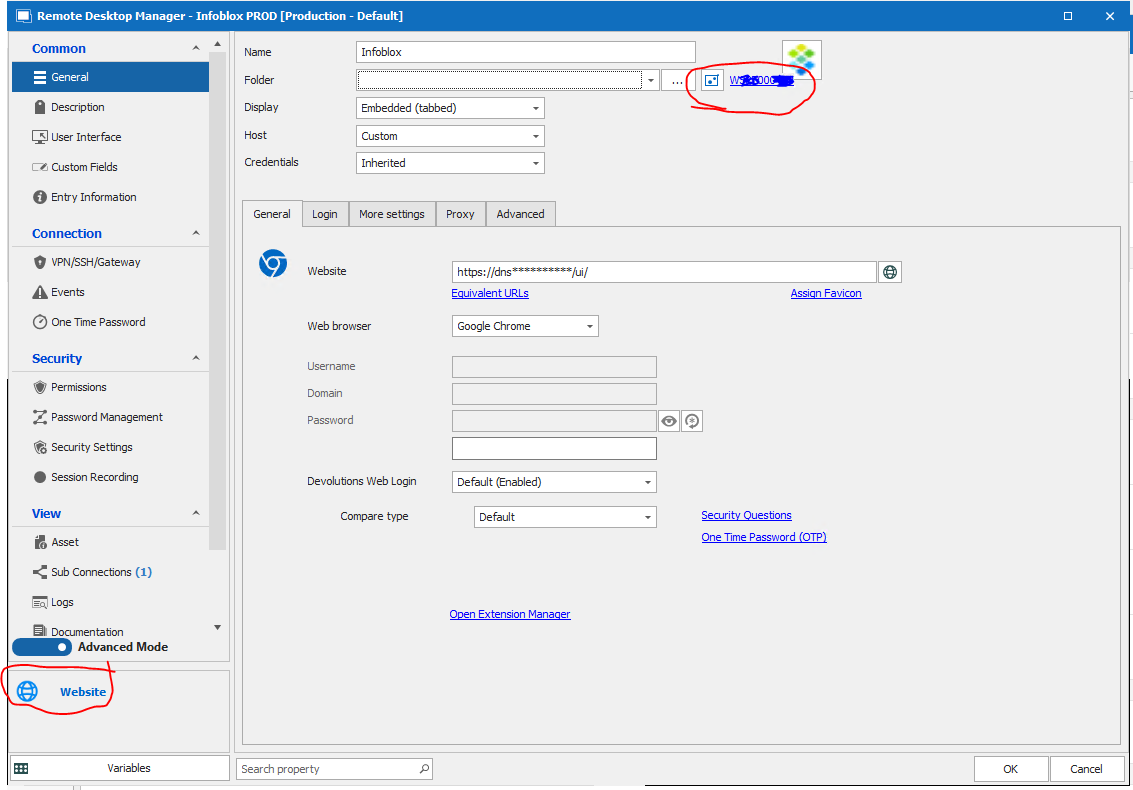
New UI: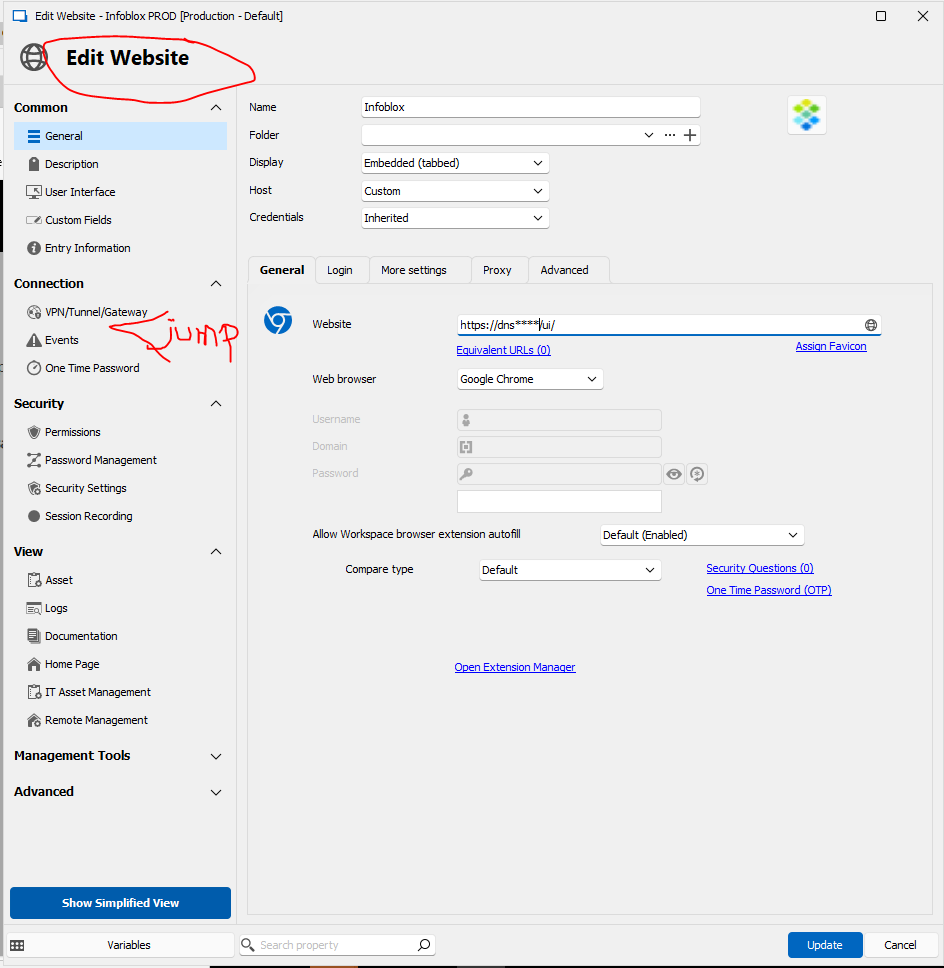
HOWEVER....
- the Entry is STILL green in our OU, indicating it is going via a jump server
- the entry is STILL using jump server if you use it
- if you EXPORT the entry to JSON, the properties have still 'jump' configured
We need to use jump on some websites, since the website of some management interfaces (ILO and other network devices) are only reachable via a management jump server
Regards, Ben van Zanten
5e28fbdd-bb20-4475-a2db-d2e7804c5eea.png
5246e141-bdf3-4e10-bd9f-1bff68f9e94a.png
All Comments (7)
Hello,
You're right that it's missing from website. Let me investigate and come back to you.
Regards
David Hervieux
Hello,
I've found the problem and this will be fixed quickly. Sorry about that.
Regards
David Hervieux
No problem! the entry is still using jump, we just can't configure the jump in the UI ;-)
And we'll wait for an update where it is solved.
thanks for the quick response.
I have the impression this is solved? in 2023.3.37.0 or so? ( Release notes on 3.37 say: Fixed an issue with Jump setting not visible )
We not only see the jump back again in 'website' entries, but SSH is also back again..
Thanks again! Ben van Zanten
I have version 2024.1.17.0 64-bit and although I do have a jump option, it cannot be configured and currently isn't working. Is there a different way to configure this? I am using it not only to jump to other systems on a private network, but to run scripts from a remote machine.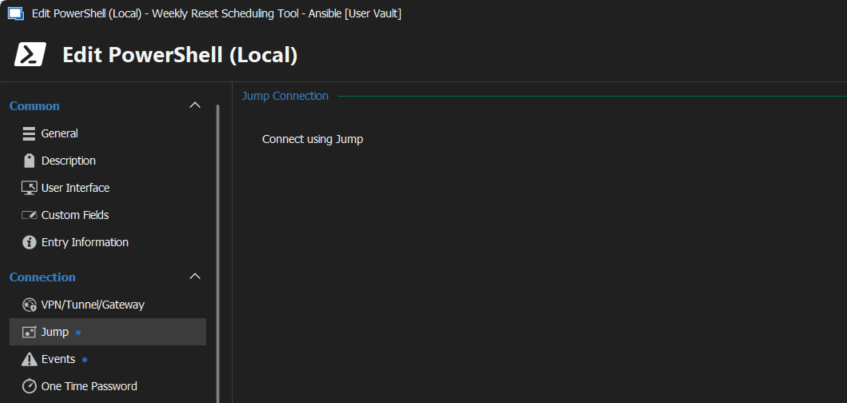
267b7fdf-f52a-4f93-b0a4-5b619ffd4975.png
Hello,
I have verified and Jump is not supported in the user vault. I will add message to clarify the settings.
Regards
David Hervieux
Any updates on this? See my related post:
https://forum.devolutions.net/topics/41856/remote-jumps-fail-to-open-windows-to-windows-different-versions