regression in 2023.3.24.0 - Edge WebView2 Browser sessions profile directory
regression in 2023.3.24.0 - Edge WebView2 Browser sessions profile directory

see here for context.
We use the variable $CUSTOMER_NAME$ to have seperate session cookies for Edge web browser sessions. This worked (with some occasional bugs) but stopped in 2023.3.24.0 (or thereabouts).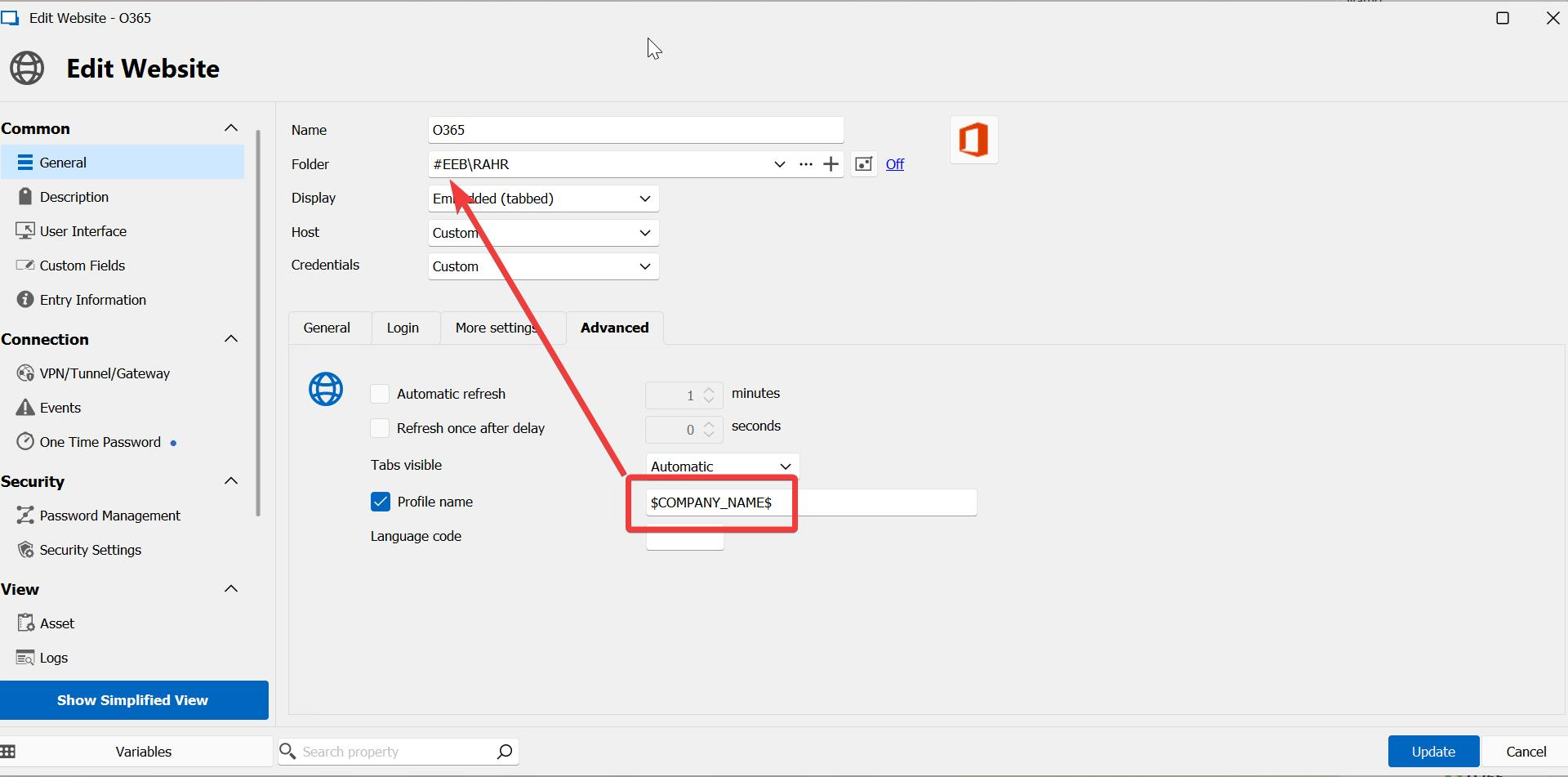
although this is set, all Edge web browser sessions seem to share a single session store.
a5271eef-f20a-4e05-8c06-3dfcbbad9beb.png
All Comments (9)
btw, changing the variable to $USERNAME$ doesn't change anything, the whole functionality seems to be broken right now.
We are investigating.
Stéfane Lavergne
It looks like the # in the company name is the issue. WebView2 creates a profile folder with # but then doesn't respect the profile name when it comes to cookies.
I tested with this structure: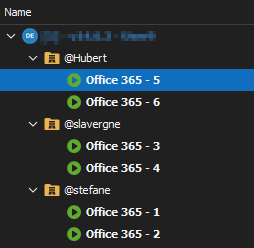
If my folder names started with @ all worked as expected but with # they shared the same cache (but only for the cookies as they had their own disk cache)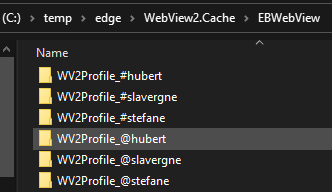
The solution, we now replace any # in the profile name with __ (2 underscores) and all is working normally for me.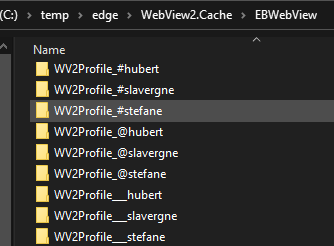
You can try to rename the company name and see if it resolves it for you.
Best regards,
Stéfane Lavergne
21322232-9edd-46ac-95ae-c334ef0a3486.png
27acbc2a-357c-4240-ad32-fca37470331b.png
4987da8a-162a-4248-b0c3-dd6fbf84726d.png
ok, I just renamed the folder everything is dandy now :) - but your internal solutions will roll out in the next version, just in case I use a # in another context?
Thank you for the update. Good to here that it works on your side, it confirms that my repro steps are valid and that the fix will work.
Yes, the next release of v2023.3 will have the fix.
Best regards,
Stéfane Lavergne
ok, in 2023.3.25.0 the same problem, but this time all # are gone from foldernames. changing the profile name doesn't help. this inconsistency starts to be a bit of a problem. :-|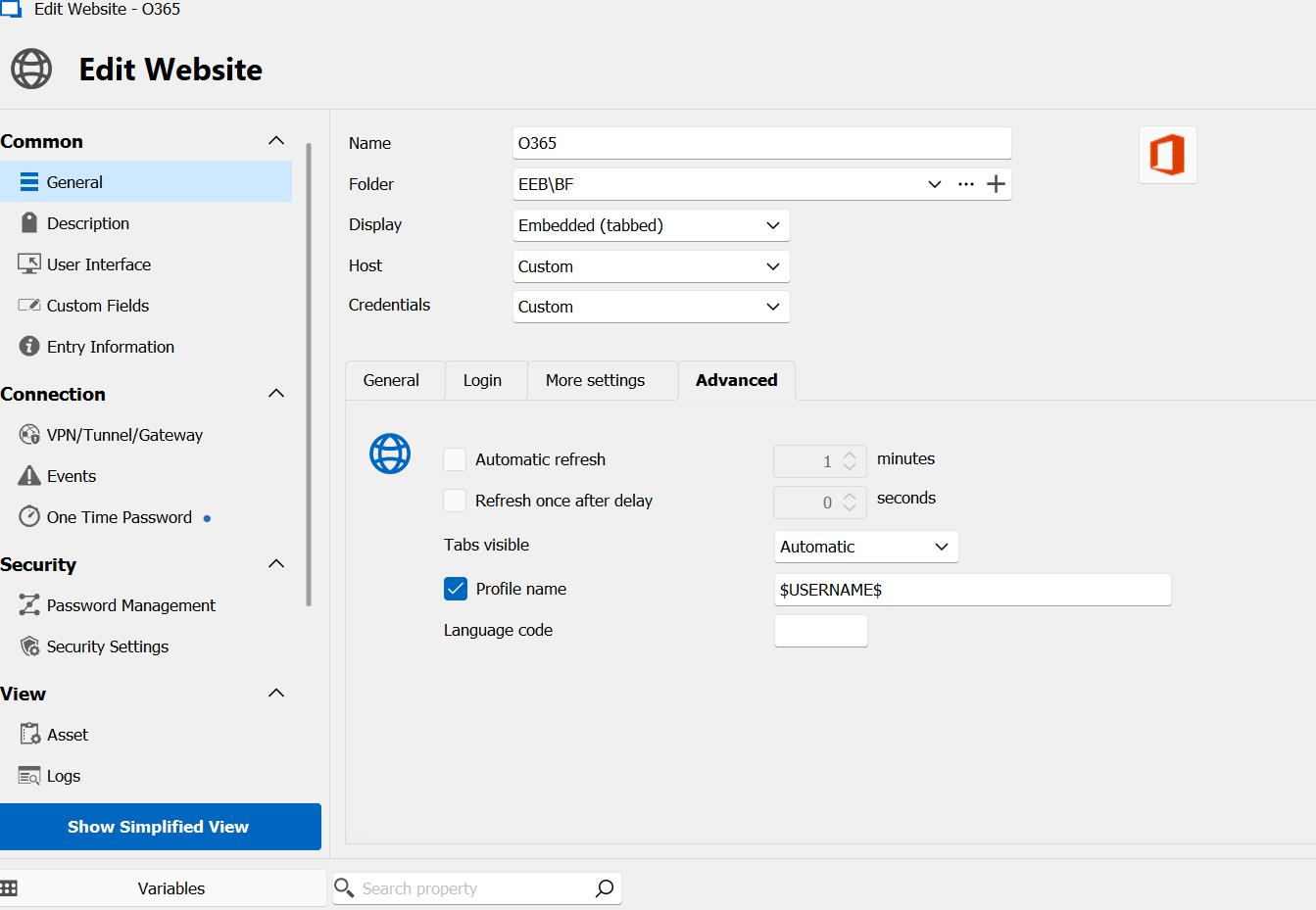
5793cb91-8452-4520-a537-b7fc5560947a.png
btw, it looks like as if this sessions by default connects to the acount connected to windows. this is how it looks like when logging out and logging back ing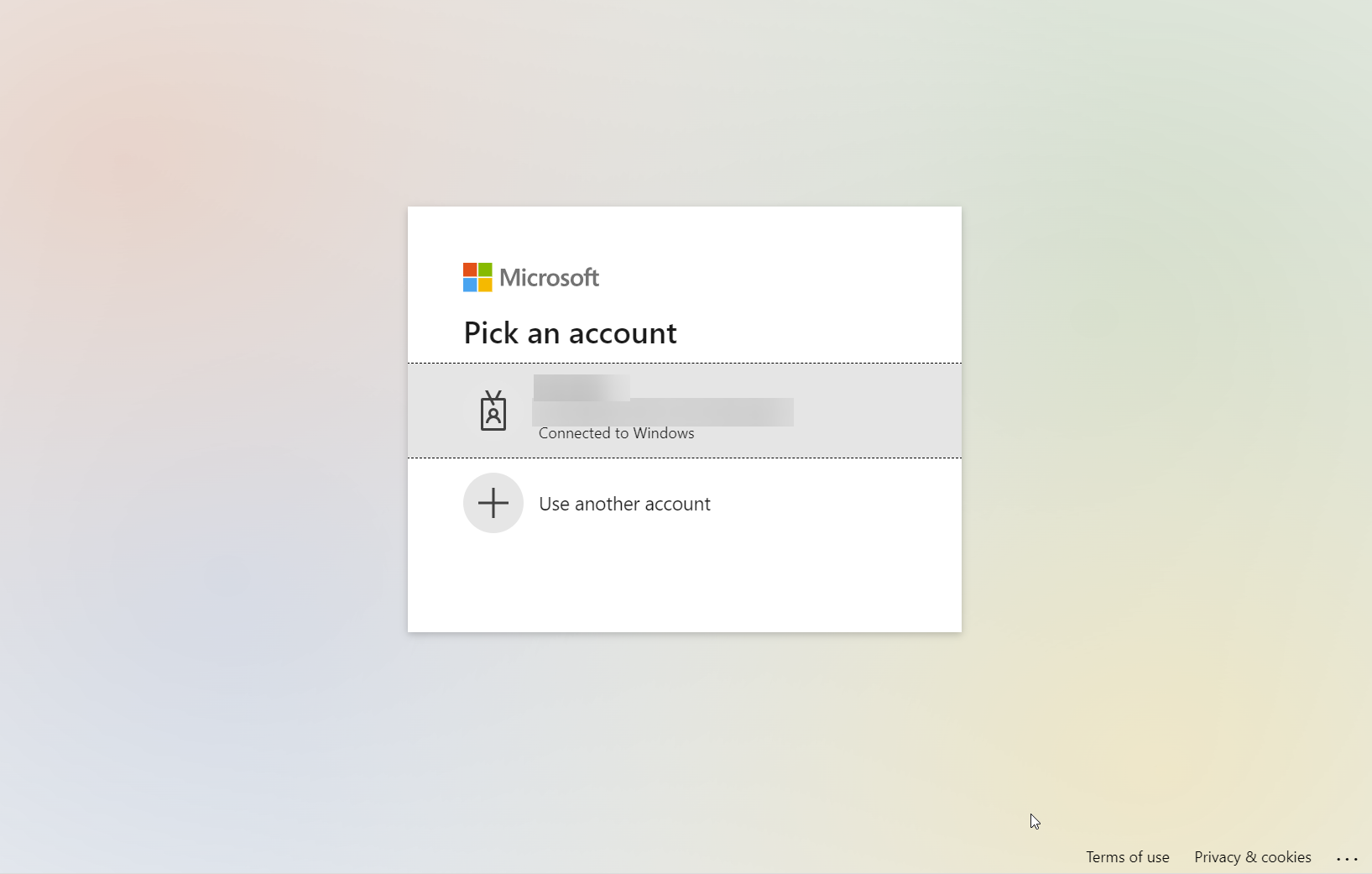
5108b3cc-52d4-4513-a02d-4f2ab08785a5.png
@perler
Please check the following setting: File > Options > Types > Sessions > Website > Microsoft Edge > "Enable Single Sign-On with Windows account" it should be set to No?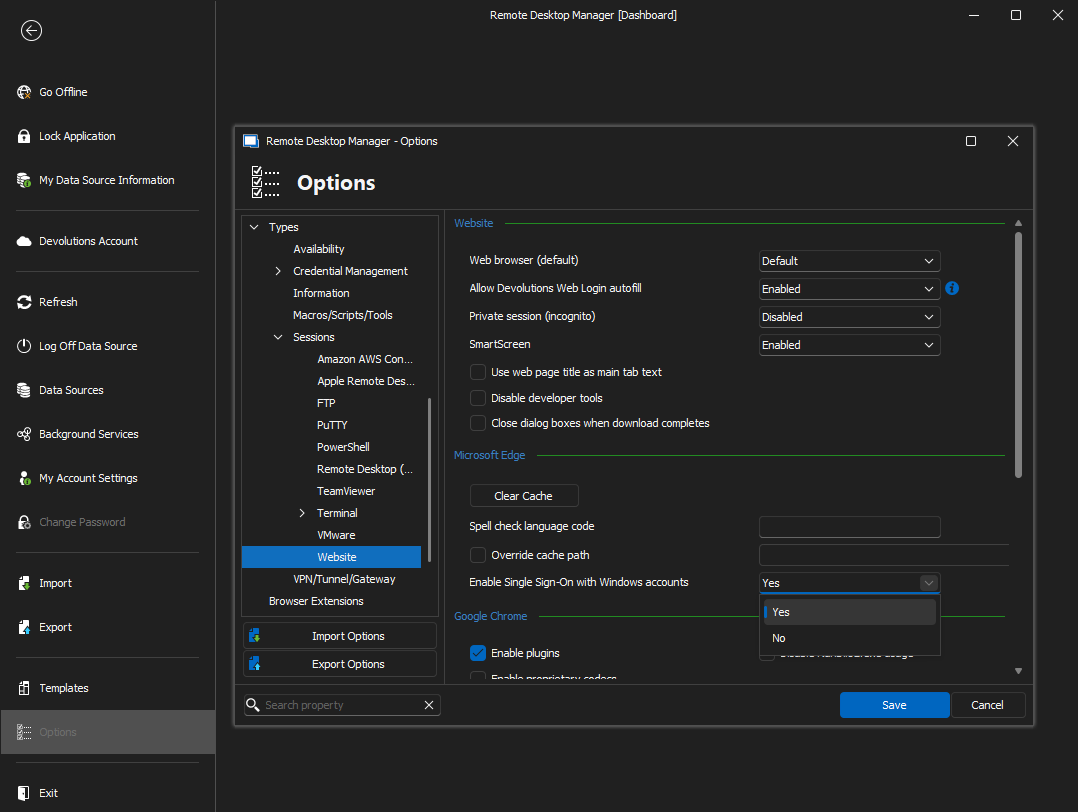
Stéfane Lavergne
c049e0ce-26a7-4879-b888-0b8b2e162640.png
ok, that's a new one, it was set to yes for whatever reason. looks good now.