some private web sessions (edge) seem to share cookies/cache

I have two edge web sessions, which use the same URL but different credentials. The session mode is private. When I log into one of the sessions and open the other one, I am already logged in with the credentials of the former. when I log out of the service in this session, the other session gets logged out as well, so it looks like they are sharing the same session data..
what can I do?
All Comments (18)
Hello,
This is the default behavior in a private session. We did have the same request as yours, however, and this behavior was modified in the 2023.2 version of RDM, each Edge website entry in private mode is its own instance.
Make sure you do not upgrade if you are using a shared data source however, since the other users will also need to upgrade - https://devolutions.net/remote-desktop-manager/home/download/
Best regards,
Richard Boisvert
sorry for the confusion: the session mode is non-private.
..BUT.. you stated, in this thread, that future RDM versions will have seperate session stores (cookies etc.) for each web session, even if the session is non-private (so, a regular browser session). But this doesn't seems to be the case. I just logged into service A in session A and in another session I manually opened the URL of session A and, oh no!, I am logged in already.
Did I misunderstood something here?
ok, I just hit send when I got your reply.
So, every private session has its own session store. This is fine with me, but, it doesn't seem to keep this store between RDM restarts. This is a session: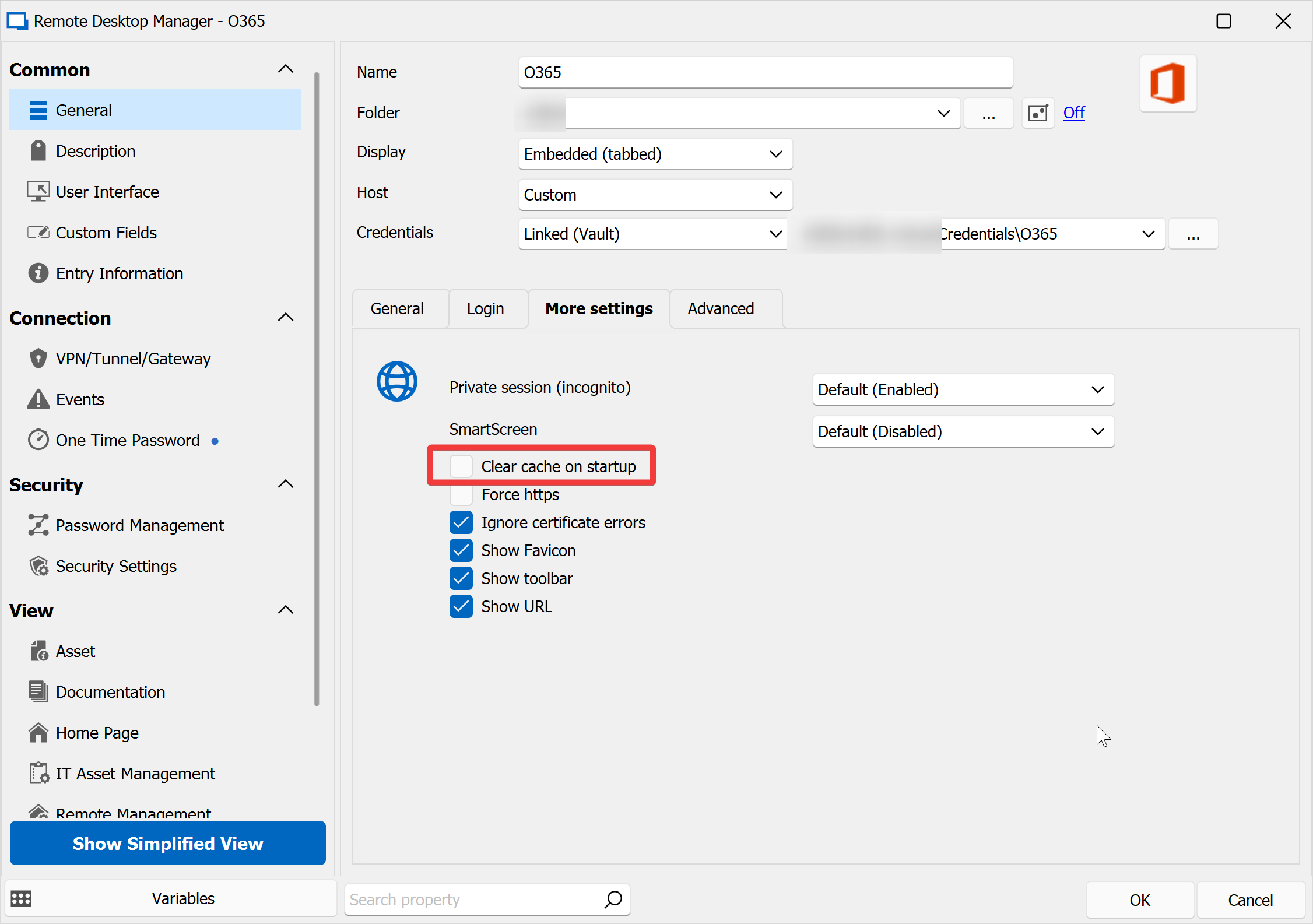
I logged into the Office 365 area and set it to "remember me":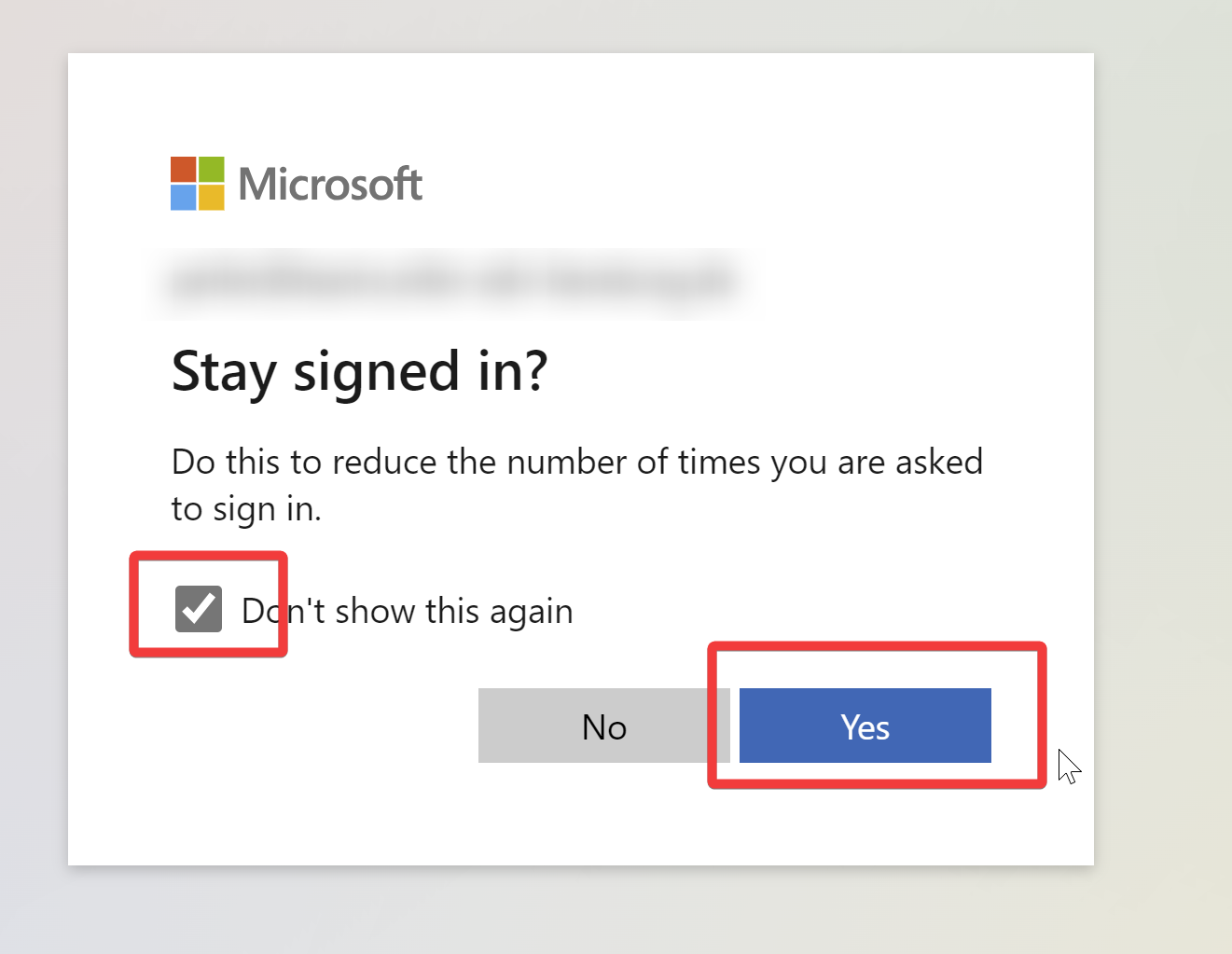
I closed RDM, reopened it, started the session and had to login again.
This looks like a bug to me?
76f240aa-12ee-49ef-b0df-9423b89d7876.png
cfdfee36-a50b-48e5-acf2-fd64cc045617.png
Hello perler,
That is the behavior of a private/incognito session in a browser, as soon as you close it, the cache is cleared automatically: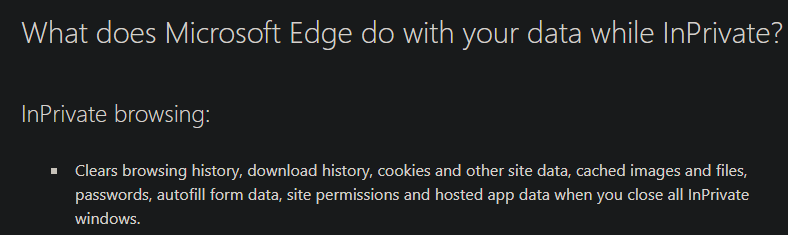
Source - https://support.microsoft.com/en-us/microsoft-edge/browse-inprivate-in-microsoft-edge-cd2c9a48-0bc4-b98e-5e46-ac40c84e27e2
Best regards,
Richard Boisvert
2a0eace4-b7ca-4ed7-bc3d-6af72bf4dc75.png
ok, but as you use the webview version of edge I was under the impresseion, that you have more control over this.
anyways, from the RDM users point of view: it would be extremely helpful to have a seperate session storage for each web session. A lot of services now have web based admin panels and as an MSP you often use the same services for each client (think office365 tenants..) but with different credentials. so, beaing able to open a web session and find yourself already logged in would be THE killer feature!
btw, I seem to remember, that RDM worked this way, when using chrome for websessions, am I wrong?
Hello Perler,
Can you confirm you have the same behavior when using Edge and Chrome as the browser in the embedded session? They should behave in the same way.
As long as the credentials are configured correctly in the website entry, you should log into the system automatically. As mentioned in your other thread, you can also have multiple profiles in your browser.
Best regards,
Richard Boisvert
OK:
Edge:
private mode disabled - all sessions share one profile
private mode enabled - all sessions have their own profile but it gets deleted, when closing the session
Chrome:
private mode disabled - all sessions have their own profile. closing doesn't remove the sessions data. This is boss!!
private mode enabled - all sessions have their own profile but it gets deleted, when closing the session
the behaviour in chrome is the desirable one, as we can log into different accounts under the same URL.
Hello perler,
Thank you for your test, I will verify with the engineering team if the behavior from Chrome could be replicated with Edge. We will keep you posted!
Best regards,
Richard Boisvert
Hello perler,
Here are a few different settings that can affect the cache, but please note that some are limitations from Edge that we have no control over. We also plan to make a KB out of this:
The Edge cache/profile is controlled by a few settings. This is a limitation of the EdgeView2 control that requires a unique folder vs defined setting. Trying to share caches with conflicting settings will prevent the EdgeView2 control from loading leading to a blank screen.
We outline 5 settings (3 + Private Mode + Profile Name) that affect the reusability of the Edge cache (cookies and such) between embedded Edge sessions in RDM.
Settings
- Language code (entry or options level)
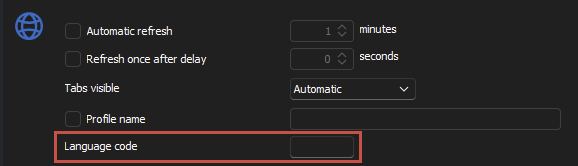
- SmartScreen (entry level)
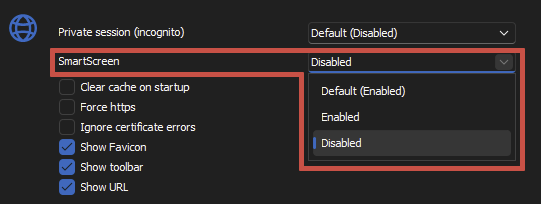
- Enable Sigle Sign-On with Windows accounts (options level)
- For the time being this can only be changed in File > Options > Types > Website > Microsoft Edge but will eventually be available at the web entry level
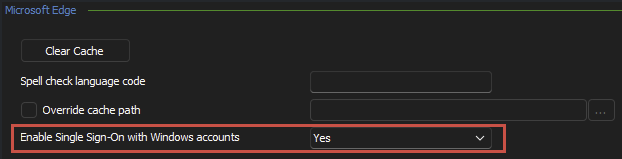
With the 3 above we determine the Edge cache folder, we start with the File > Options > Types > Website > Microsoft Edge > Override cache path or the default cache path then append:
- Language code https://learn.microsoft.com/en-us/deployedge/microsoft-edge-supported-languages
- if empty then nothing else, we append the language code as a folder to the path Example: “/en” or “/de”
DisableSmartScreen- if enabled we append the DisableSmartScreen folder to the path
Enable Sigle Sign-On with Windows accounts- if enabled we append the SingleSignOn folder to the path
ExamplesC:\Users\{user}\AppData\Local\Devolutions\RemoteDesktopManager\WebView2.Cache\de\DisableSmartScreen\SingleSignOn\EBWebViewC:\Users\{user}\AppData\Local\Devolutions\RemoteDesktopManager\WebView2.Cache\SingleSignOn\EBWebViewC:\Users\{user}\AppData\Local\Devolutions\RemoteDesktopManager\WebView2.Cache\de\EBWebView
Profile
Then we must specify the Profile via the Edge control.
- Private mode
- Has its own private profile (combination of profile name if it exists and entry ID)
- Profile Name
- Will share with all other sessions that match the first 3 settings above and the profile name
- No profile name
- Will share with all other sessions that match the first 3 settings above without a profile name
- This is hard-coded folder name
Private Mode
Then we tell the Edge control if it needs to be in “Private mode”.
Clear cache on startup
With all this configured you can set “Clear cache on startup“, we will clear the cache (according the settings above) if you are the first and only running session for that combination of settings. That is if, open RDM, start entry “abc”, we clear the cache, keep it open and start a second instance of “abc” and we can’t clear the cache since it has a running session on the folder/profile. Close both sessions and then start “abc” again, RDM will clear the cache prior to start.
Best regards,
Richard Boisvert
001b3feb-000f-4d1a-bc84-5ae92e4312d3.png
39913f6c-c217-4f0f-a1b0-aacf51b2de9c.png
07e7b33c-6421-499c-9e92-8e59a6958d1a.png
ok, I kind of understand and it's a bit of a pity, that edgeview is limited in this way. When I see your examples re foldernames I wonder: what limits you to only appending, say ..\SingleSignOn\EBWebView
to the folder path? Couldn't you add..\$random\SingleSignOn\EBWebView
and have a folder for each websession?
I just tried to use your chrome component as an alternative, and I remembered why it is no replacement, as it seems to be outdated quite often (had issues with our documentation system being extremely slow, but works in "proper chrome" and edge), I miss the developer tools and it uses quite a lot more CPU which is not nice, when on a notebook in the field. So I really would like to see this "challenge" solved :)
btw, in most of our use cases, it would be enought to have one edge webview session folder for all sessions within a folder, if this helps. What I mean is, that we usually have a folder per client and within this folder different services (cloudflare, google worksapce..) which can share a cokies, cache etc., but should not share them with the same services in another folder.
Hello,
I have sent your comment to the engineering team, to see if anything could be done to resolve this issue.
Best regards,
Richard Boisvert
Hello perler,
Here is the recommendation from the engineering team:
You could set the Profile Name of your web sessions to $CUSTOMER_NAME$ so that all web sessions within a customer folder shares the same folder/cookies
...\WebView2.Cache\SingleSignOn\EBWebView\WV2Profile_customer #1
Best regards,
Richard Boisvert
OK, now we are talking! I didn't realise that you can use variables there, but it works!
$CUSTOMER_NAME$ didn't work, as appearently I don't have it set (where do you do this?)
next I tried $FOLDER_NAME$ but it seems to use the first part only (as the variable resolves to FOLDER\SUBFOLDER this doesn't seem to work in side the windows file system)
but I had success with $USERNAME$ which is usually unique for every website, so I am set and will give it a spin the next days, but this looks very, very promising!
..ok, what would be very helpful if we could set profile name for new session.
Hello perler,
To use $CUSTOME_NAME$, you would need to use a folder of the customer type: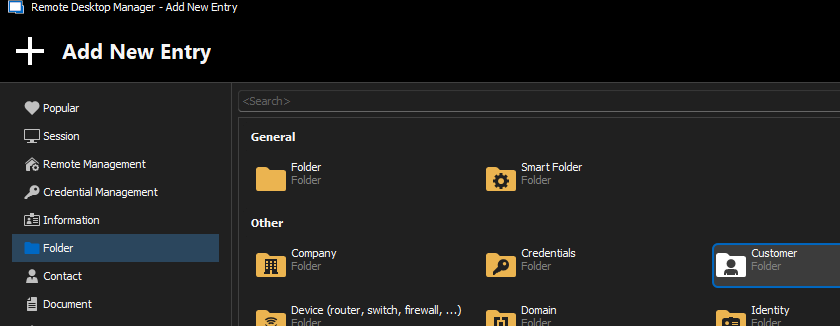
Glad to hear this solution seems to work for you, however. Let us know if you run into any issues!
Best regards,
Richard Boisvert
8cf38b61-d698-437b-ac1d-2a6a1ca565ae.png
Hello perler,
For your other question, you could either use a template or the default settings, found under File > Templates.
For more information, please refer to
- https://docs.devolutions.net/rdm/windows/commands/file/templates
- https://docs.devolutions.net/kb/remote-desktop-manager/knowledge-base/templates-default-path/
Best regards,
Richard Boisvert