fill http basic auth window

dvls : 2023.2.5.0
rdm : 2023.2.22.0
devolutions web login
latest microsoft edge and firefox
I have problem with filling HTTP Basic Auth window with login data.
Maybe for HTTP auth there is something specific to do?
You can test that here https://httpbin.org/basic-auth/user/passwd
Regards,
Darko Bazulj
https://triton-grupa.hr
All Comments (13)
Hello,
The issue may be due to the Input IDs not being properly detected, or the lack of Input IDs preventing DWL from autofilling the credentials in the respective fields.
I would suggest looking into this help article which will allow you to see methods that can be used to better specify for RDM the Input IDs of the credential fields.
I would personally suggest Method 2 rather than Method 1: https://docs.devolutions.net/kb/devolutions-web-login/how-to-articles/website-authentication/
Best regards,
this article isn't helpful in this situation or I'm doing something wrong.
But this is why I put this public example https://httpbin.org/basic-auth/user/passwd so you can test.
Just create some dummy website entry and try to fill HTTP Basic Auth user/pass fields.
Before we were using LastPass and that was working but since their problems we have switched completely to rdm/dvls.
Regards,
Darko Bazulj
https://triton-grupa.hr
Hello,
I see, let me ask our engineers what can be done regarding this.
I will update you once I receive word from them.
Best regards,
Hello,
Thank you for your patience, our engineers looked into this and it seems that in RDM when in embedded mode, the following option needs to be changed to "Basic" for your login prompt: 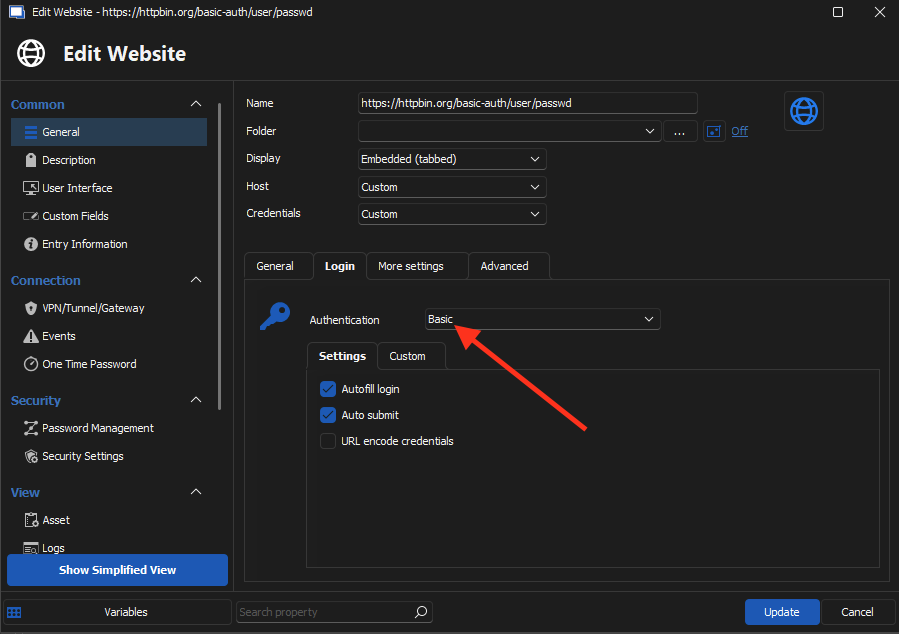
Otherwise, with these types of login prompts are still unsupported by the Devolutions Web Login extension you can add to your browser, but our engineers are looking into supporting this.
Best regards,
image_2023-09-06_084842723.png
have you tested this with http://httpbin.org/basic-auth/user/passwd for example ?
I have tested on real page and on http://httpbin.org/basic-auth/user/passwd but only change when I switch to [Authentication : Basic] is that user/pass is filled in URL and login windows is empty.
I have played with few options but no success.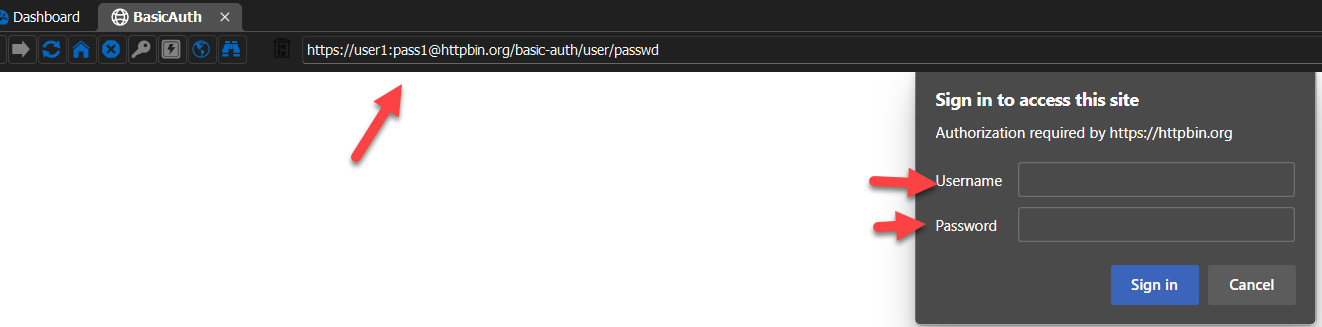
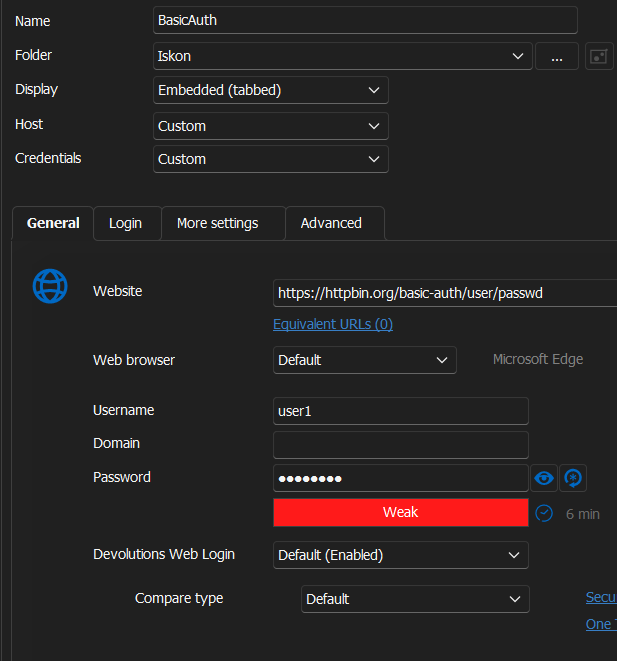
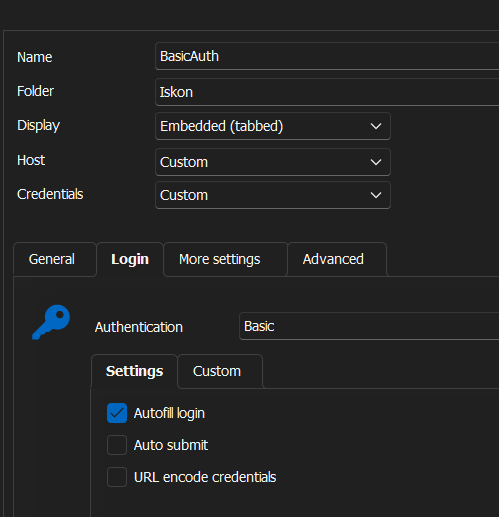
Regards,
Darko Bazulj
https://triton-grupa.hr
388959cb-e101-4377-bdac-774676b7b953.png
4385be19-4850-4312-a901-b6040e448803.png
7fda69ac-ec6c-4f38-b348-298bb5ec3be0.png
Hello,
I spoke with our developper and if it isn't working, it's due to the fact your credentials for the test webpage are incorrect.
The correct credentials are the following:
Username: user
Password: passwd
After testing this the page loaded properly: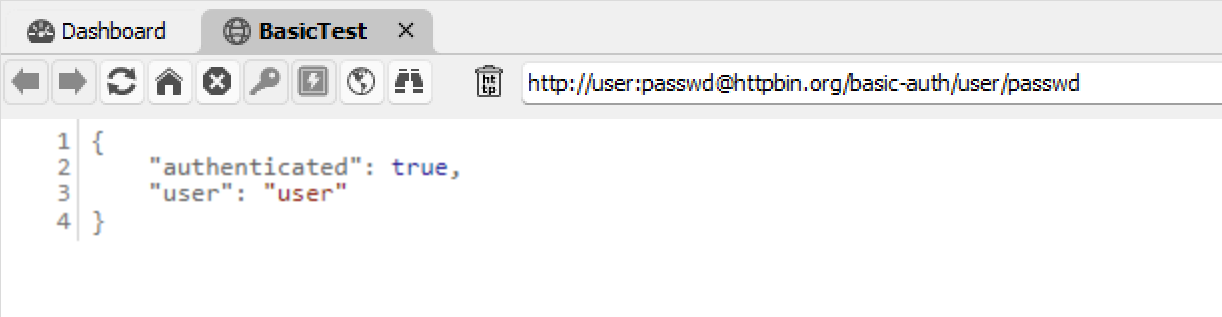
In addition to this, setting the browser to Chrome will not add the credentials in your URL.
Best regards,
97f67601-6acc-47cf-b29d-afa4e1872013.png
you are correct it is my mistake on http://httpbin.org/basic-auth/user/passwd
From various testing I have entered wrong login data.
But I think I found bug then.
Bug is that basic auth don't work if you have # in password.
You have only white page.
I have enabled [URL encode credentials] but also don't work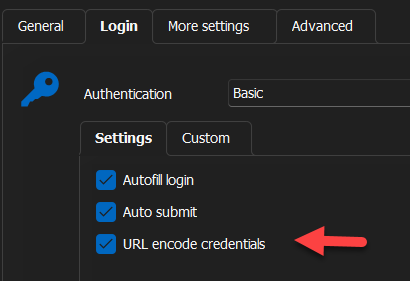
But if I manually replace # with %23 in URL login is working
Regards,
Darko Bazulj
https://triton-grupa.hr
887aa9dc-6388-439c-a918-110678f7656c.png
0c460c36-d4c2-487c-8a7e-4997ea7298c0.png
24bdd467-7e98-43f4-985f-a58c0ae4537d.png
Hello,
Does this happen when the Website entry is set either Edge and Chrome ?
From what I can see Edge is what you've been using since the beginning of this thread, and I'd like to know if this happens with the entry set to Google Chrome as well.
Best regards,
I don't use Google Chrome, only MIcrosoft Edge Chromium and FF in specific situations.
I have installed google chrome and Basic Auth is working.
I have also noticed that [URL encode credentials] don't exist when [web browser] is set to Google Chrome.
I have also noticed when Google Chrome there is no user/pass in URL after login.
So it looks something with Microsoft edge.
Regards,
Darko Bazulj
https://triton-grupa.hr
Hello,
Perfect, thank you for letting us know.
In the meantime I would suggest using Chrome for the time being while we look into this issue with Edge in RDM.
I will update you once I have news to provide.
Best regards,
Hello,
We have fixed the issue.
By enabling [URL encode credentials] you will be able to have '#' in your credentials.
It will be available starting from version 2023.3.15.0 of RDM.
Regards.
great, I will test when stable version get released.
Regards,
Darko Bazulj
https://triton-grupa.hr
Hello,
Perfect !
Please keep us updated once the stable version is released.
Best regards,