Upgrade from 2022.2 to 2023.2 breaks interface and license

Hi
we already have RDM installed and working for years
we use a shared datasource on SQL server, with licenses installed on the datasource
upgrading current 2022.2.21.0 to 2023.02.12.0 (newest available via WinGet) broke everything
- license was gone
- interface is empty
- after finding back my navigation all entries were gone in all vaults, uservault, favorites etc
- deleting my local C:\Users\<user>\AppData\Local\Devolutions\RemoteDesktopManager caused a wizard to startup without any 'next' button.
Old license:
new license:
Interface:
completely white. had to press multiple keys to get a top ribbon./ then selected view - Navigation to end up with an empty navigation.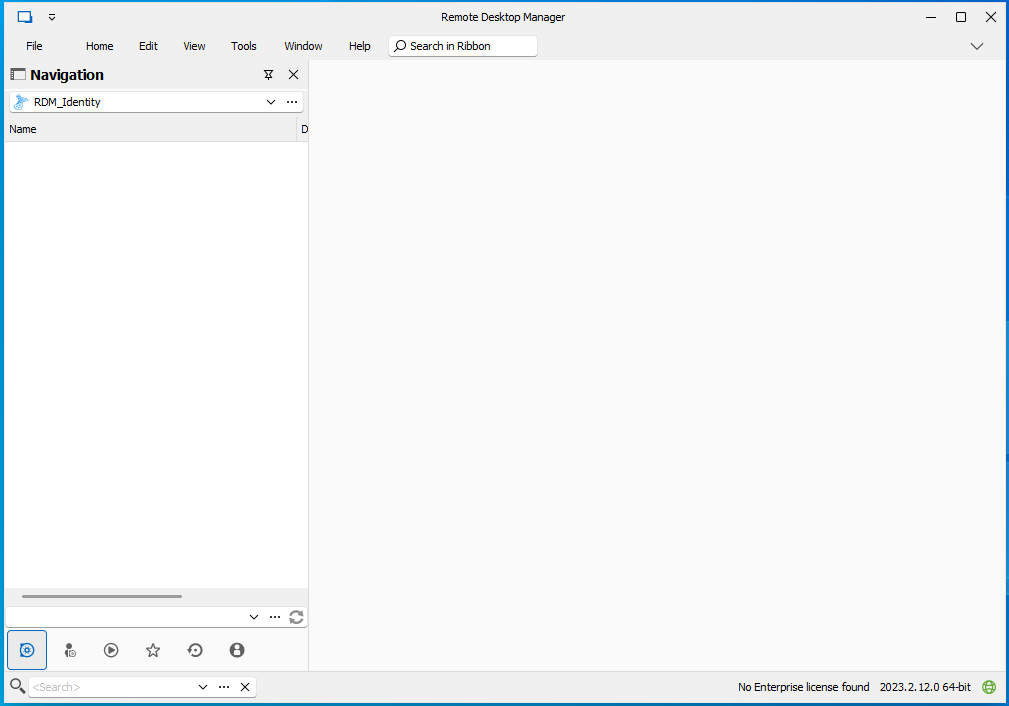
useless wizard: after selecting, no 'next'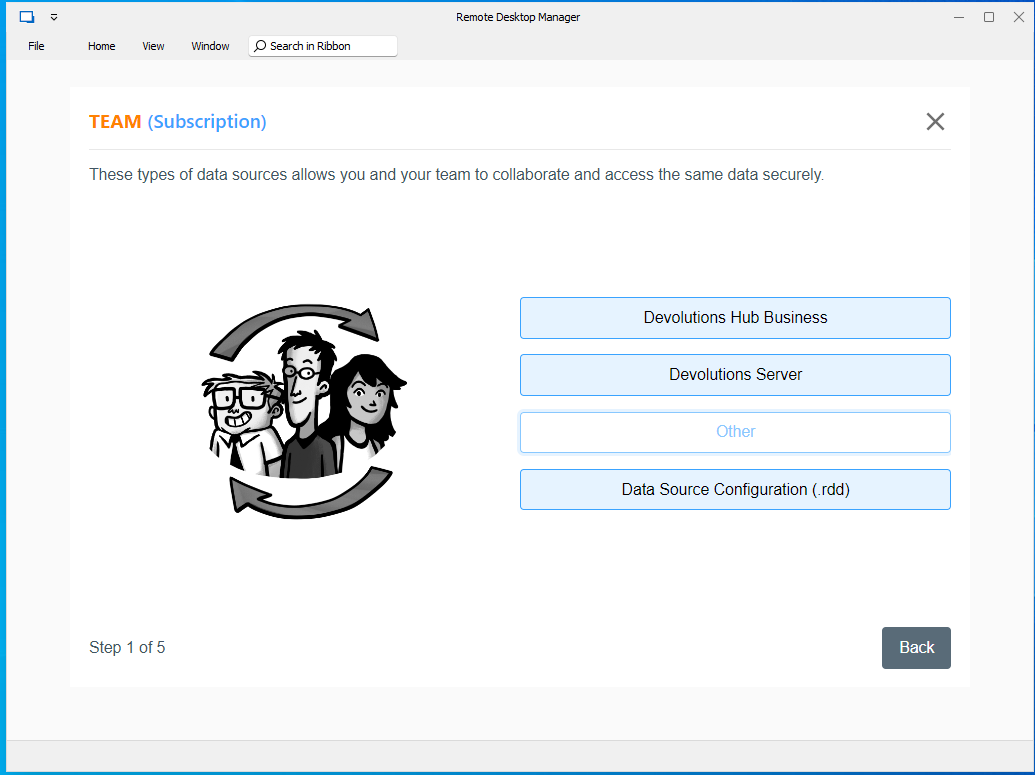
everything gone. no license.
So I rolled back to the old 2022.2.21.0.
6cb33854-f1b3-4f7b-a2b0-2f8848f5015a.png
69994f3f-bba5-4b73-acc8-959d765c5480.png
ed38583c-791e-4d12-9e16-7c13ea806008.png
9a39b1bf-ca53-4f46-82aa-ad6710b921df.png
All Comments (3)
Hello Ben,
Since version 2022.3, the RDM license must be assigned directly in the data source (SQL Server in your case), RDM cannot be licensed directly. This can be done under Administration > Licenses - https://docs.devolutions.net/rdm/windows/installation/client/registration/team-edition/
With the license assigned, you should not have any issues with the new version of RDM, including the view. If you do, you can do a reset layout, under the Window tab, but it should not be necessary - https://docs.devolutions.net/kb/remote-desktop-manager/troubleshooting-articles/missing-sessions-navigation-pane/#solution-1
For the wizard, it appears when no data source is present, that is why you saw it after deleting the local appdata RDM folder. As to why it failed to load when clicking next, can you validate that the WebView2 is installed properly? https://docs.devolutions.net/kb/remote-desktop-manager/knowledge-base/download-microsoft-edge-chromium/
Best regards,
Richard Boisvert
Hi Richard
Thanks for your quick reply
the licenses ARE already in the datasource and assigned, I had checked that before
Administration - licenses - licenses - Assign license :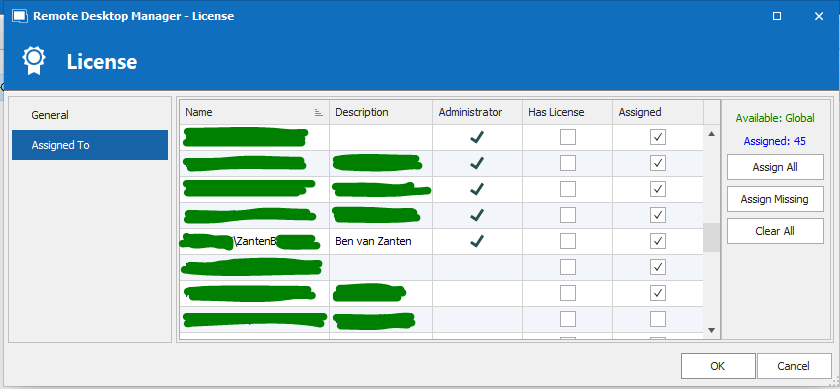
(don't know why the "Has License" column is empty on all of us, but it is not changeable)
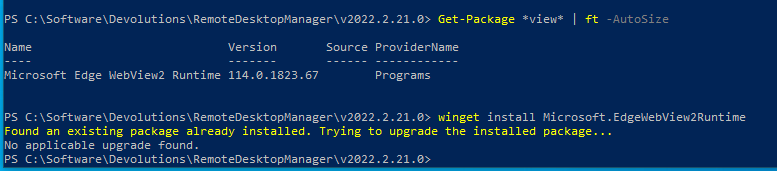
For the webview2 that may just be missing.. I'll re-check if that is installed or do that again.
-> tested ... it IS installed :
By the way I can't remember getting a prompt to upgrade the database. our current datasource (SQL) is on version 782 so I'd expect an upgrade datasource notification.
Regards, Ben van Zanten
232c9a7d-e2cf-4223-8da6-84acbae71c35.png
598bbec9-04a6-4bc7-ab77-263dbb6598cd.png
Hello,
The issue is most likely the database upgrade then, it should have prompted as soon as you connected with the new version of RDM.
Please perform a database backup, and as a test, would it be possible for you to create a portable installation of the latest version of RDM and see if this issue still occurs? To do so, you will need to do the following:
1- Download the .zip file below:
https://remotedesktopmanager.com/home/thankyou/rdmbin
2- Create a new folder on your Desktop
3- Extract the content of the .zip file into the folder created at #2
4- Go to this folder once the .zip file has been extracted and run remotedesktopmanager.exe
5- Connect to your data source
Here is the update procedure, for your awareness - https://docs.devolutions.net/rdm/windows/installation/database-upgrade/
Best regards,
Richard Boisvert