UCS Manager not auto filling

I am trying to setup web sessions to UCS Manager. It doesnt seem to populate any of the fields. When i do the inspect i was able to find the correct field names.
Why is this?
Also is there a way to send over the domain from the drop down box?
Before this page is a pre login banner. Any way to accept this automatically?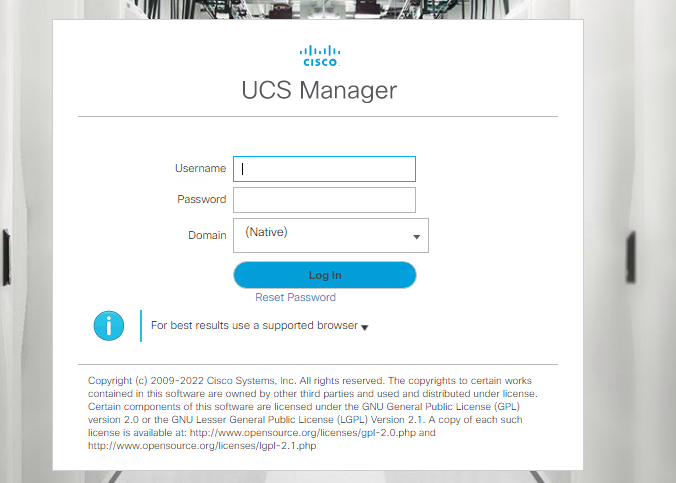
ce5c460d-e864-43f8-9f62-7c822eca0db9.png
All Comments (12)
Hello,
Thank you for contacting the Devolutions Service Desk !
Which version number of RDM are you currently using ?
Regarding the Input IDs, are they static or randomly generated whenever you refresh the page ?
Thirdly, I'd like to know how the Input ID's were filled within the RDM Website entry, and which fields were filled in.
Best regards,
Version 2023.1.29.0 64 Bit
Believe they are static
None of the fileds are getting filled.
Hello,
Regarding the third question, I meant within the properties of the Website entry in RDM: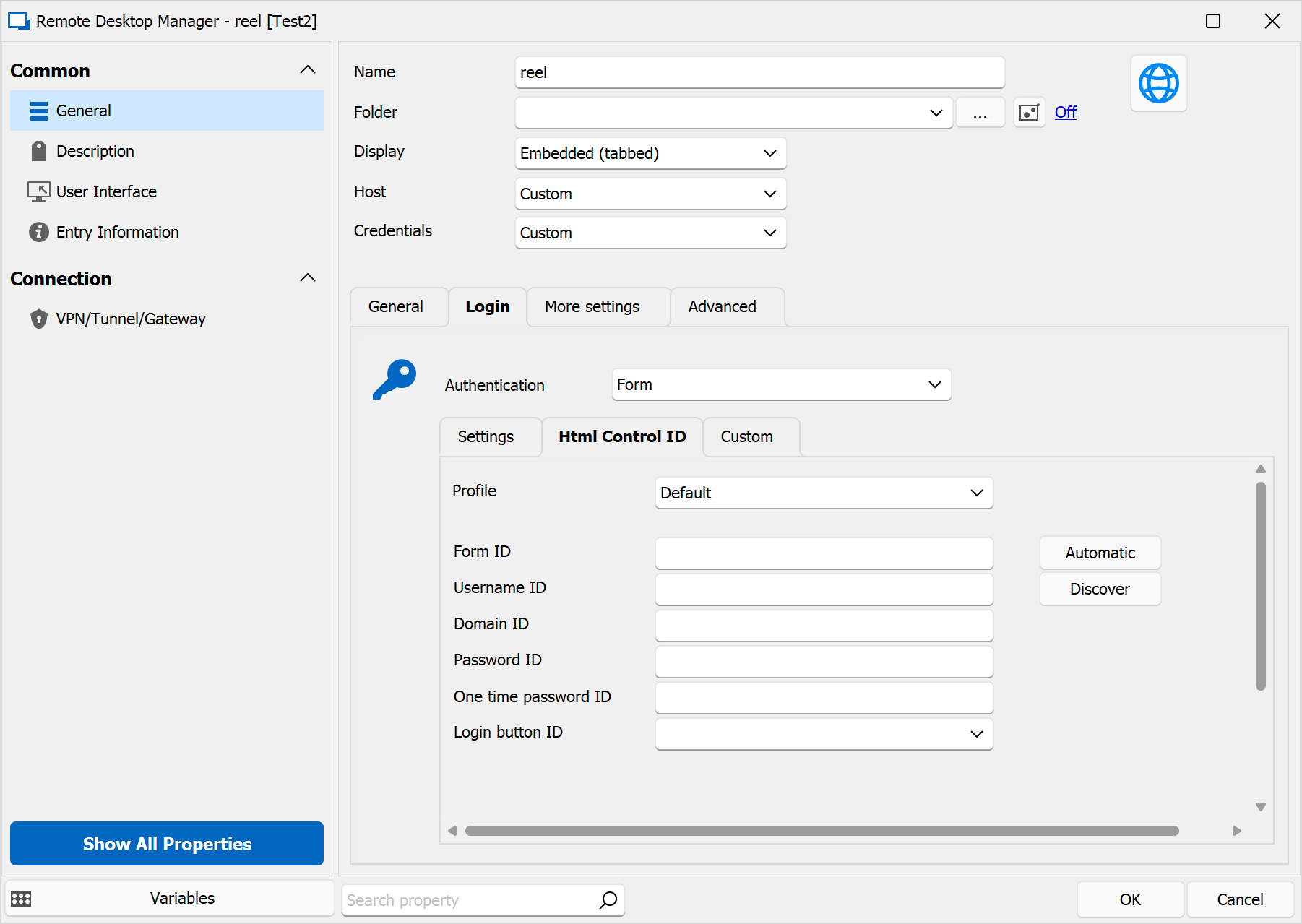
I'd like to know which ID's were filled and whether they were filled in manually or with the use of our "Discover" or "Automatic" buttons, if possible.
Best regards,
1ae7d01a-ca09-43fe-abd3-3e6791fd2799.png
I see. I tried the Discover but it failed. So i filled in manually after doing an Inspect on the login page like i normally do.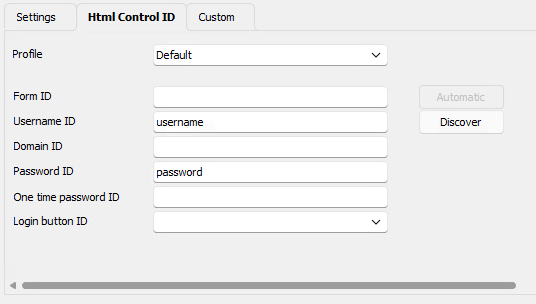
e65ccf2c-80ee-4e44-80cf-427769c9ab85.png
23c63112-ddf7-4215-b04c-a72a5906c00e.png
Hello,
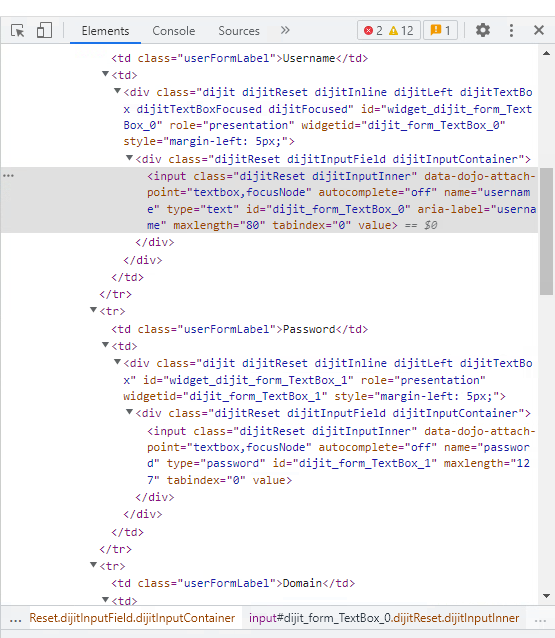
Thank you, based off the screenshots provided it seems the value for the Username ID in RDM should be "dijit_form_TextBox_0", and not "username".
I say this because it is in the "input" section and is the value associated next to "id".
Could you test this ?
If it works, then the same screenshot reveals that the Password ID is "dijit_form_TextBox_1".
Let me know about your results !
Thanks !
Best regards,
98b8ff30-650c-4fc2-a1c9-1832ff847d4f.png
I made this change but and seeing the same issue. Its not populating the username and password fields.
Hello,
If this is still not working, then chances are that the website itself is blocking us from autofilling.
When this is the case, there's unfortunately nothing that can be done. The reason is because working around this would mean we'd need access to modify the actual website, which we don't have.
The only other option I would make sure is enabled is this one: 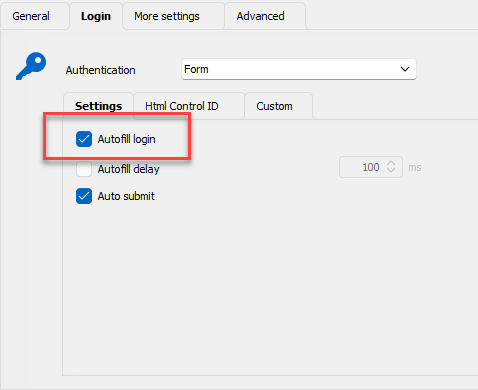
Best regards,
8bdf5eb7-837f-4d30-8a11-372ebbad2d5b.png
Hello,
Just so I'm aware, have you tried using Devolutions Web Login browser extension on the website directly ?
I'd like to know if it autofills on the website.
Best regards,
Yes the autofil is checked.
I changed the autofill delay to 1000ms and its now doing the autofill. Its not auto submitting though. I have to change the domain drop down manually and and hit submit to login.
How can i auto fill the domain drop down and submit ?
Hello,
I'm not quite certain if the dropdown can be autofilled, can write text within the dropdown menu ?
As for the Submit button, there's a Login button ID field which will need to be filled in with the correct input ID name.
Best regards,
I am coming back to work on this issue. I have 2 open issues at this point.
Can something pass the pre login banner? I have to click ok before getting to the login page.
Then once on the login page my username and password are autofilled but i need some way to change the drop down Domain from Native to UHH.com. It has to be chosen from the drop down and cant be typed in.
Hello,
Unfortunately this is something that RDM can not do.
Unless there's a possibility of typing within this field, I believe RDM does not have that capabilities to click and select an option in the drop-down menu.
As for the submit button, as explained above you can set the HTML Control ID to guide RDM's to auto-submit feature for the login.
Best regards,