Database not asking to update

I just upgraded to RDM 2023.1.25.0 64-bit and noticed the out of my 2 databases, one asked if I want to update (Using Microsoft SQL) and the other didn't (Using MariaDB).
This is a bit of a problem as I use both databases on my iPhone and when I go to the MsSQL database it works fine but the second says it cannot connect.
Is there anyway I can check the database versions in RDM? I believe when the MsSQL one updated it said 898.
All Comments (2)
If I go into the Data Source and go to Upgrade and click on Upgrade Schema, it does nothing. No alerts or prompts
Hello Karl,
Thank you for contacting us on that matter.
To see your SQL version in Remote Desktop Manager, go to File -> My Data Source Information.
This will open a new tab and the version of your database will be shown here: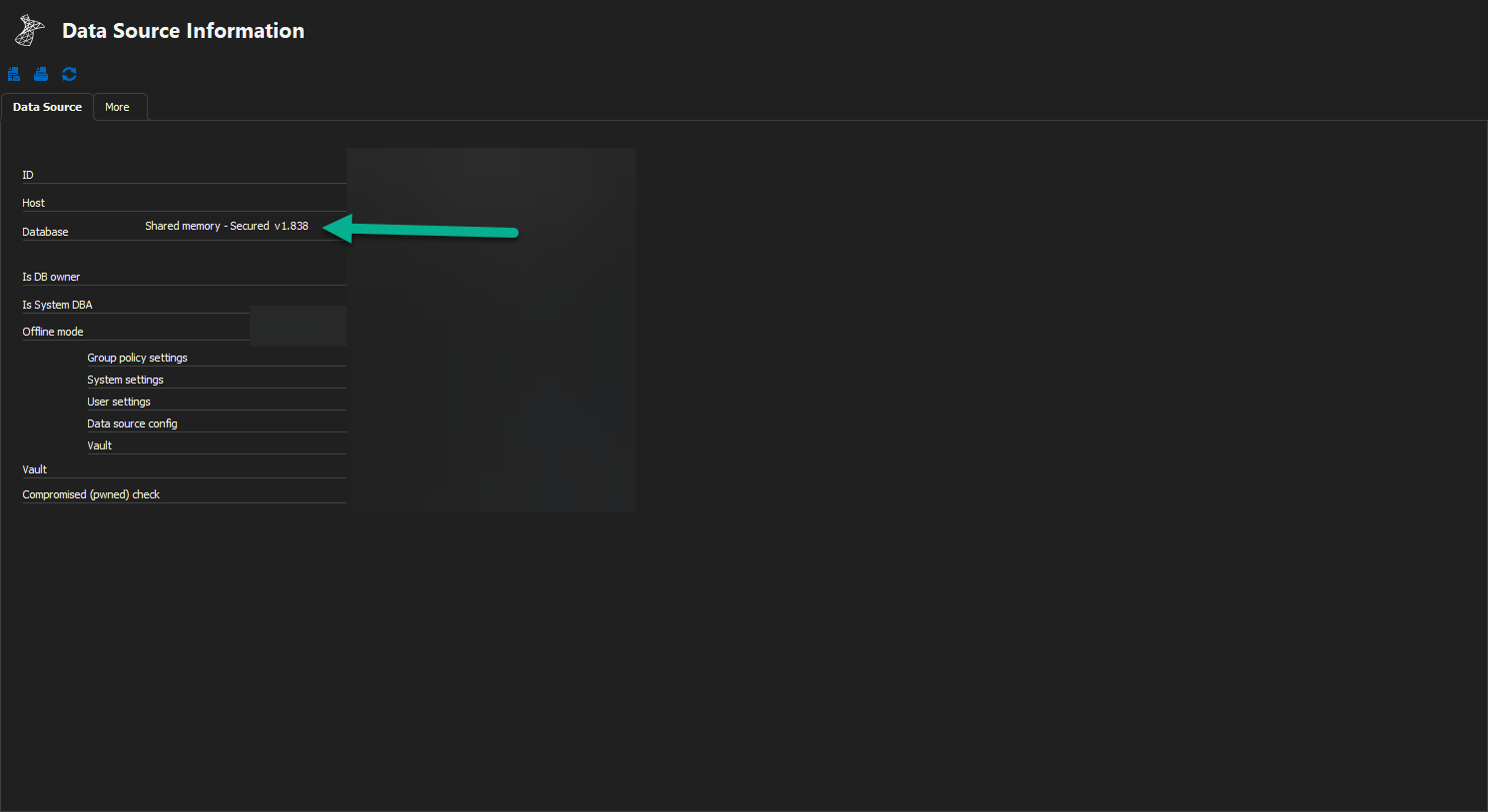
If you have already done the update, you should see v 1.838.
For your MariaDB database, unfortunately, this data source is deprecated and is not supported by Remote Desktop Manager anymore.
May I suggest you create a Devolutions HUB Personal and migrate your database?
Here are some information about it:
https://docs.devolutions.net/kb/remote-desktop-manager/how-to-articles/data-migration/
https://docs.devolutions.net/kb/remote-desktop-manager/knowledge-base/deprecated-data-sources/
https://docs.devolutions.net/hub/getting-started/create-hub/hub-personal/
Best regards,
Patrick Ouimet
datasourceinformation.png