Policy to disable Update still allows to update through Winget
Policy to disable Update still allows to update through Winget

We have a policy set on our systems to disable update and auto update through Intune. This is working fine as we can not update RDM anymore through the app itself.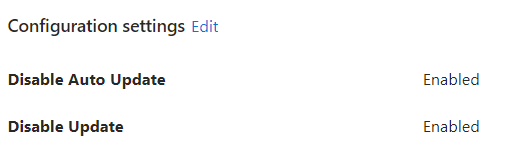
Except it is still possible to upgrade RDM through "winget upgrade --id Devolutions.RemoteDesktopManager". Is there some kind of setting to also diable to update Devoltuions RDM with Winget? In my understanding the Disable Update should have disabled the option to update the RDM package through also the installer, but that seems not to happen.
See below the winget output when manually trying to update, and it is working as I now updated from 2023.1.17 to 2023.1.20 and that is just the step we want to prevent as we have a lot of customizations in RDM and we dont want users to be able to update the Database before our application owner has tested it.
fa65bc91-c52a-45be-92e4-705c20c33038.png
1674989c-3fdb-4651-a6a5-ed1b277d878e.png
All Comments (2)
Hello,
As far as I know its not possible to block this. It's the same thing if your user is downloading it manually from the web site. That be said you can configure the version management in your data source to allow only specific versions:
https://help.remotedesktopmanager.com/datasourcesettings_versionmanagement.html
I hope this help. We will verify what could be done with maybe a GPO.
Regards
David Hervieux
Thank you David, we will for now use the option in the datasource.