End user cannot toggle "open console mode" in their local data source
End user cannot toggle "open console mode" in their local data source

I have a user who pivots between our central data source and his homebrew local data source. In his local one, up until recently, he was able to set "open console mode" on his connections. Lately, its been not allowing him. He will see the check box and be able to interact with it, but the setting will not save. He will clock ok and it will seemingly save, but reopening the connection to edit shows it has not saved the setting.
All Comments (9)
Hello Ross,
Thank you for contacting us on that matter.
What RDM version is he using?
I'm unable to reproduce it with RDM 2023.1.20 connected on a SQLite data source (Local Data Source) and the Open Console (admin mode) option stays enabled when saving the entry.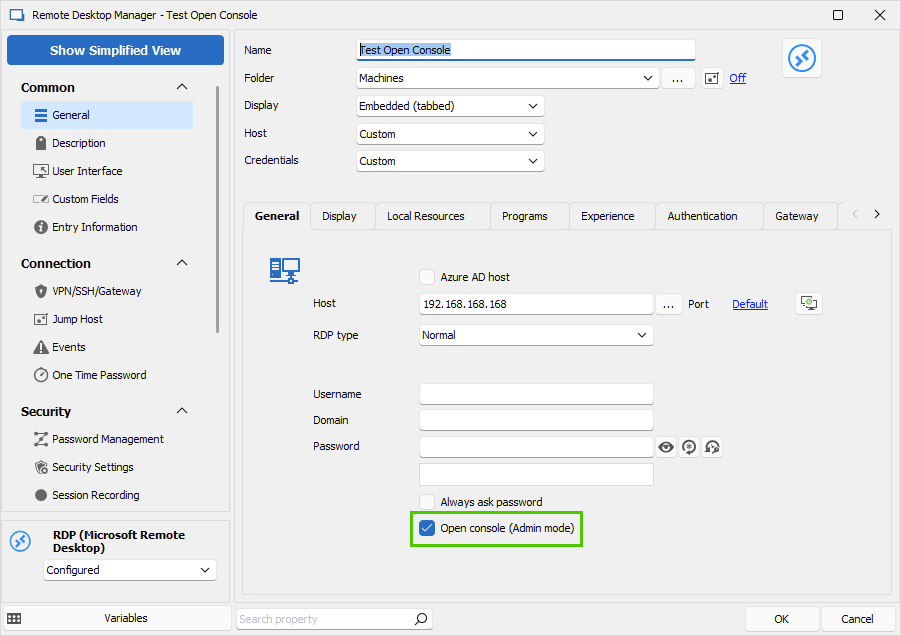
Best regards,
Érica Poirier
438968c8-9907-4808-bccf-3ae6060f1c7b.png
I have the same issue, although I'm using the free edition. After updating to 2023.1.20, I can no longer change the Open console (Admin Mode) option. If it's enabled or disabled, it stays that way when I try to change it. Whenever I duplicate a session, that setting comes over from the original & stays that way. The workaround is to select the connection, click on the Home menu, then the drop down for Open Session, and then select Open (Bypass Console/Admin Mode) if it's enabled or Open in Console/Admin Mode if it's disabled.
I noticed this on my Windows 11 system. When I went to my Windows 10 system, which was running a version from early 2022, I was still able to make changes. However, as soon as I updated the Windows 10 RDM version to 2023.1.20, it no longer works. I hope that helps.
Hello,
Thank you for your feedback.
We will try to reproduce this behaviour and we will keep you posted.
Thank you for your patience.
Best regards,
Érica Poirier
Hello,
We are still unable to reproduce this behaviour.
Is it possible that the SQLite data source file, usually connections.db, is in read only mode?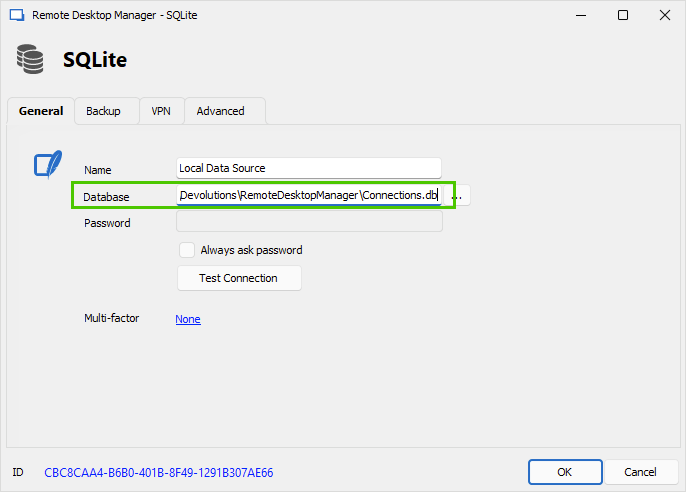
Could you please try to create a new SQLite data source and create an RDP entry in that new data source to see if you can modify the Open console (Admin mode) option?
Best regards,
Érica Poirier
16c824b5-4206-420f-a49b-0b5a6eec24be.png
user is not sure how to tell if his file is in read only mode. he has not made any changes, but we have enforced a version update for our users on the centralized datastore so he'll be on a later version. do you have a calendly link i can send to him so you can see the issue?
Hello Ross,
Thank you for your feedback.
I will send you a link to book the support session.
Best regards,
Érica Poirier
Hello,
Finally a ticket has been opened internally regarding this issue.
Once a fix will be available, we will post it here.
Thank you for your patience.
Best regards,
Érica Poirier
I don't seem to have the link. How was it sent and from what email.
Hello Ross,
The email was sent from service@devolutions.net. Is it possible that you no longer receive them because of your spam filter?
The emails may be in your junk folder too.
But as we have already identified the problem and a fix should be soon available, there no need to do the support session anymore.
Once the RDM version that contains the fix will be available, we will post it here.
Best regards,
Érica Poirier