Prevent update to incompatible versions

Hi!
Is there a way to let RDM check for updates but limit the version?
For example, we still have a DVLS 2022 datasource, but RDM already offers to update to 2023, which is not supported.
One way would be to disable the update check altogether, and deploy updates manually. We will probaly do that anyway with a default config.
Thanks, Daniel
All Comments (7)
Hello Daniel,
It's possible with the Version management in combination with DisableAutoUpdate and DisableUpdate RDM policies.
Let us know if that helps.
Best regards,
Érica Poirier
Thank you!
We will disable update notofications for now, so users won't update to incompatible versions.
I would still prefer users to get update notifications, but only allow compatible versions.
Do I understand this correctly?
- setting "maximal version" is a way to stop connecctions from incompatible versions, but it will not stop RDM from updating higher than that version
- We could set that option, but we would have to adjust it every time an update is released. Unless there's a way to use placeholders, so 2022.* will be considered allowed but 2023.* not yet. Then we would need to change that after every major update that breaks compatibility.
Best regards, Daniel
Hello Daniel,
Thank you for your feedback.
You understand perfectly how it works.
- Setting the Maximal version parameter won't allow newer versions to connect but that doesn't prevent users to update RDM to a newer version.
- And yes you would need to update the Maximal version parameter after updating DVLS. In the Preparation Phase section of the Upgrading Devolutions Server online documentation, we do mention to update this parameter.
Let us know if you have further questions about this.
Best regards,
Érica Poirier
Thank you Erica! You really have an article for everything. Very impressive 😁
I will try to find them on my own next time
Hello Daniel,
Thank you for your kind words. We have also informed the documentation team of your comments because without them, I could not do this job effectively!
Best regards,
Érica Poirier
Yes, praise the documentation team! 🙂
By the way, is there a way to quickly provide feedback for the documentation? Some websites let you submit corrections directly on the page, by selecting text and pressing a key combination for example.
Hello Daniel,
At this moment, we are migrating our documentation pages to allow our community to submit updates.
The Knowledge Base pages is already converted and you can submit updates using the pencil button.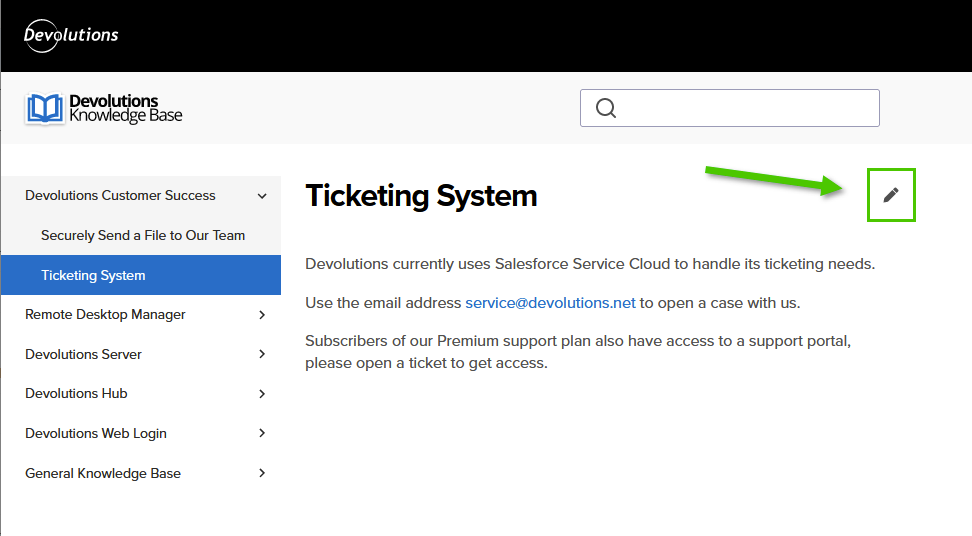
Best regards,
Érica Poirier
baa2d237-9615-4ee7-be53-6fcdeef409be.png