setup FileShare session

How do we setup fileshase session on Andriod to share on pc
All Comments (6)
Hi,
You can share your files between RDM Android and your remote session through the application's Private Storage Explorer.
To make sure you can share your files, Edit your RDP session, select the Local Resources section and make sure 'Redirect app private storage' is selected under the LOCAL DEVICES AND RESOURCES section.
The Private Storage Explorer can be found under the navigation drawer's Tools section.

All the files that you import from your Android device to the Private Storage Explorer can be shared with your RDP sessions.
If you open the file explorer on your remote session the Private Storage Explorer will be displayed as a drive
in the following format: your_device(RDM_private_storage) on local host (see the image below).
Best Regards,
Nicolas Dufour
Thank you Nicolas. That's a great feature that I'm definitely going to start using.
What I am looking for on Andriod is this
I've started using this on the desktop version.
Hi,
RDM Windows uses an Windows ActiveX for the File Explorer and Android doesn't
offer something like that. We will add this to our backlog as a feature request.
Perhaps we could do something with the SMB protocols to give you similar functionalities.
Best Regards,
Nicolas Dufour
Hi,
The SMB protocol has been implemented and it will be available in the release 2023.1.
You will have to create and configure a session of type: SMB (Server Message Block).
Best Regards,
Nicolas Dufour
Is it possible to load more than one share name at a time? For example add C$, D$, and W$.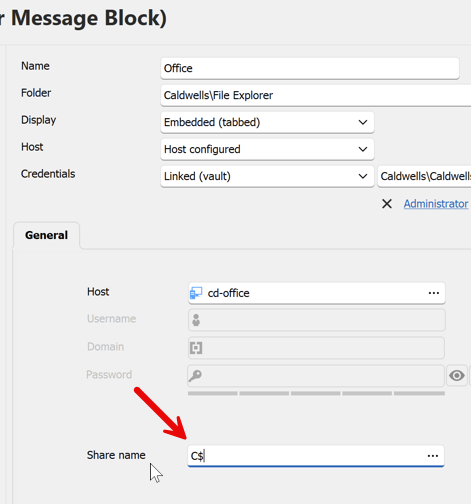
2024-08-31_21-23-42.png
Hi,
Your screenshot appears to be from RDM-Windows. Is your question in the context of using our mobile or desktop application.
Best regards,
André Sanscartier