Unable to connect to host

While on Android, I'm unable to connect to some hosts.
I'm presented with the untrusted certificate, and when I click trust once or always trust, I get the error.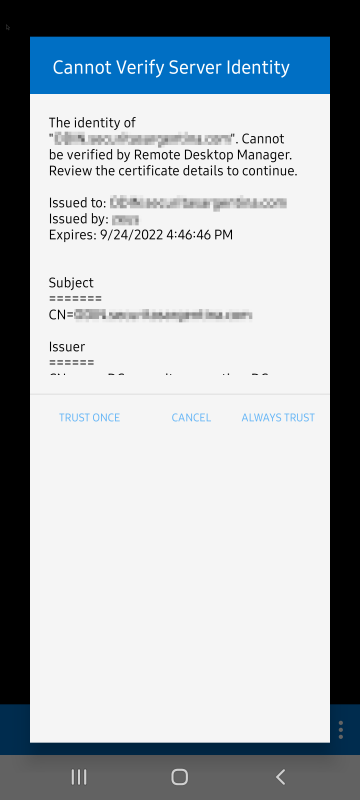
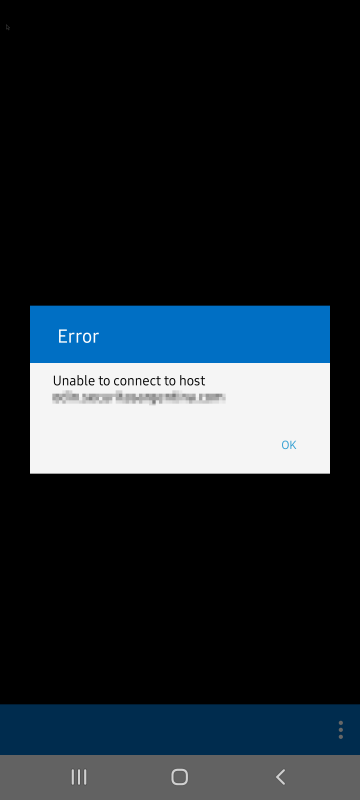
Some hosts I used before work, but not the ones I'm connecting for the first time.
How can I check what is happening?
messsage_2.png
messsage_1.png
All Comments (19)
Hi,
Can you open the general application settings, disable 'Check if host is online' under the SESSIONS section and try to open your session.
Best Regards,
Nicolas Dufour
Did that but it still shows the same warning and then fails.
If you are using a host name, can you try with the ip address?
Best Regards,
Nicolas Dufour
No, I can't as I'm a member of AD protected users and I need to connect to hosts by full UNC name.
If you open the navigation drawer and select ping tool, can you successfully ping with:
1- The host name
2- The ip address
Regards,
Nicolas Dufour
Yes, both are OK.
Hi,
Can you try to connect one more time and do the following after you get the error:
1- Open the navigation drawer
2- Select 'Help and support'
3- Select 'Submit a support Ticket'
4- Fill out the information and press ok
This will send us the logs and could help us find what is going on.
Best Regards,
Nicolas Dufour
I already did that and it was escalated to dev team.
Hi,
We are unable to reproduce your issue.
In the entries that work, could you duplicate one and put the new information.
Just to know if it would change anything.
Also could you tell us what type of data source you are using.
Thank you and sorry for all the inconvenience
André Sanscartier
You most probably will be able to reproduce it if your user is a member of the Protected Users group on your Windows domain. You should try it.
As I explained, I have that configuration on AD that has some limitations on protocols and authentication methods.
Hi,
Are the newer entries that have this problem using the protected user group and not the old ones that are working fine.
Is this systematic?
Just to be sure before setting it up for testing.
Regards,
André Sanscartier
All connections are using the same user with protected user membership, even the old ones.
Yes, it's systematic. I do not know why it is working with the old ones (a couple).
Hi,
Did you try the test that we asked ?
Duplicate a old session that works to see if it changes something.
Try the duplicated session without any changes and after with the new settings.
And what is the data source type ?
Thanks!
André Sanscartier
I did test a duplicate of the server entry I can still connect and updated the host name to be a new one. That didn't work as reported.
I did not try keeping the new entry with the same server name. I did now, and it still works (connects).
I do think it might be related to the certificate being already in the database of the RDM client, as any server that shows the new certificate warning fails.
I'm also confident that if I clear data on the app and reconfigure, it will most probably will not allow me to connect to the old working connections either. But I do not want to lose that connection that is the only one allowing me to access all the platform on that client.
Data source is XML.
Hi,
Sorry for the delay.
Thank you for the information.
Our technical team have to set up a test environment that should match your situation.
Hopefully we will reproduce your issue.
Regards,
André Sanscartier
Hi,
Finally we reproduced your issue.
It appears that Protected users group is not yet supported by FreeRDP (the library that we use on all non-windows platforms).
The problem is, the feature depends on Kerberos, which has very bad support in FreeRDP (except Windows, where it can use Windows API).
But some small good news:
Both FreeRDP team and our RDP specialized team are working on improving Kerberos support in FreeRDP, which is the key to unblock this feature. It is being worked on but we do not know when it will be ready.
Hopefully this year.
Regards,
André Sanscartier
Good to know you caught where the problem resides. It is still strange that a couple of servers work while me being a protected user. I think that maybe some information was left from before the account change to protected users on those servers as I used them on daily basis. Hope it is fixed soon.
Thank you for the hard work on reproducing the issue.
Hi,
Finally, support for Kerberos and the protected user group in FreeRDP has been implemented.
This should work fine by default, but some settings have been added in the Authentication section to support a variety of environments.
It will be included in version 2022.3.2.
Best regards,
André Sanscartier
Good, thank you!