Unable to login. Please verify you internet connection.

Добрый день! Извиняюсь, я не говорю по английский но все же надеюсь на вашу помощь...
Я использую последнюю remote desktop manager free 2021.2.16.0. После перехода на Windows 11, программа не может авторизоваться под моим аккаунтом. Ошибка "Unable to login. Please verify you internet connection.". Интернет соединение у меня работает. В веб. браузере аутентификация проходит нормально.
Быть может вы сможете мне помочь? Буду очень благодарен! 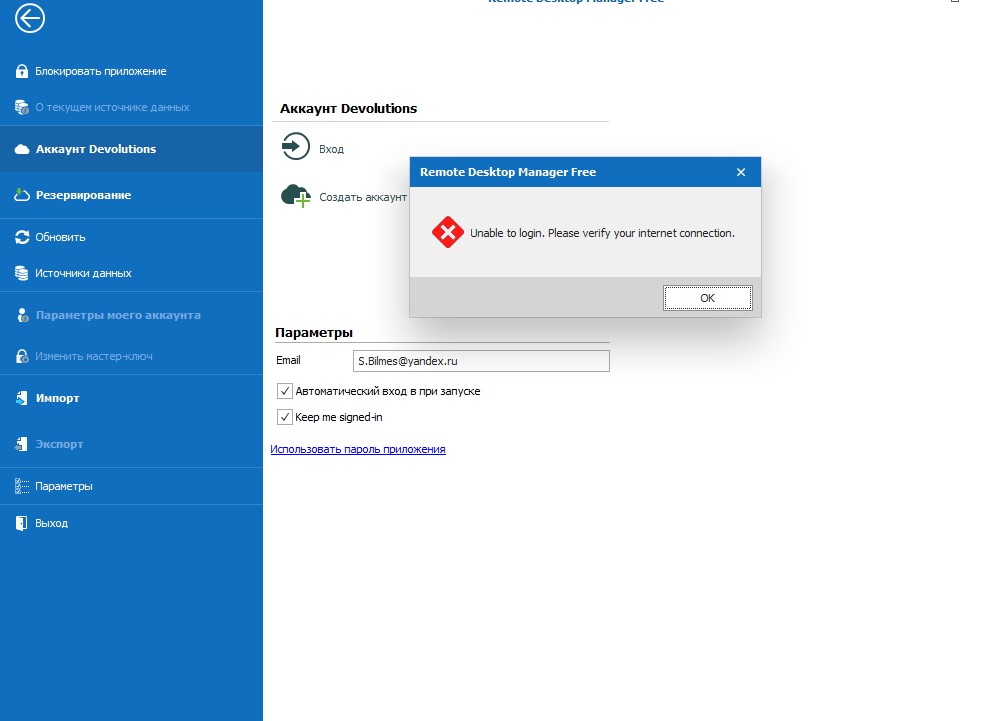
2021-10-18 194445.jpg
All Comments (5)
Hello,
Sorry to intervene in English and thank you for contacting us on that matter. Could you try using the Application password solution? Here is the topic: Application Password Setup
Best regards,
Christine Breault
Sorry, but the error persists...
In that case could you try a portable installation, it work for our other users with the same error. Here are the steps:
1- Download the .zip file below:
https://cdn.devolutions.net/download/Devolutions.RemoteDesktopManagerFree.Bin.2021.2.16.0.zip
2- Create a new folder on your Desktop
3- Extract the content of the .zip file into the folder created at #2
4- Go in this folder once the .zip file has been extracted and run remotedesktopmanagerfree.exe
5- Enter your current serial
6- Configure it to connect to your data source.
Let me know
Christine Breault
Thanks for your help! The problem was in third-party software that blocked the remote desktop manager
Excellent and thank you for the information!
Christine Breault